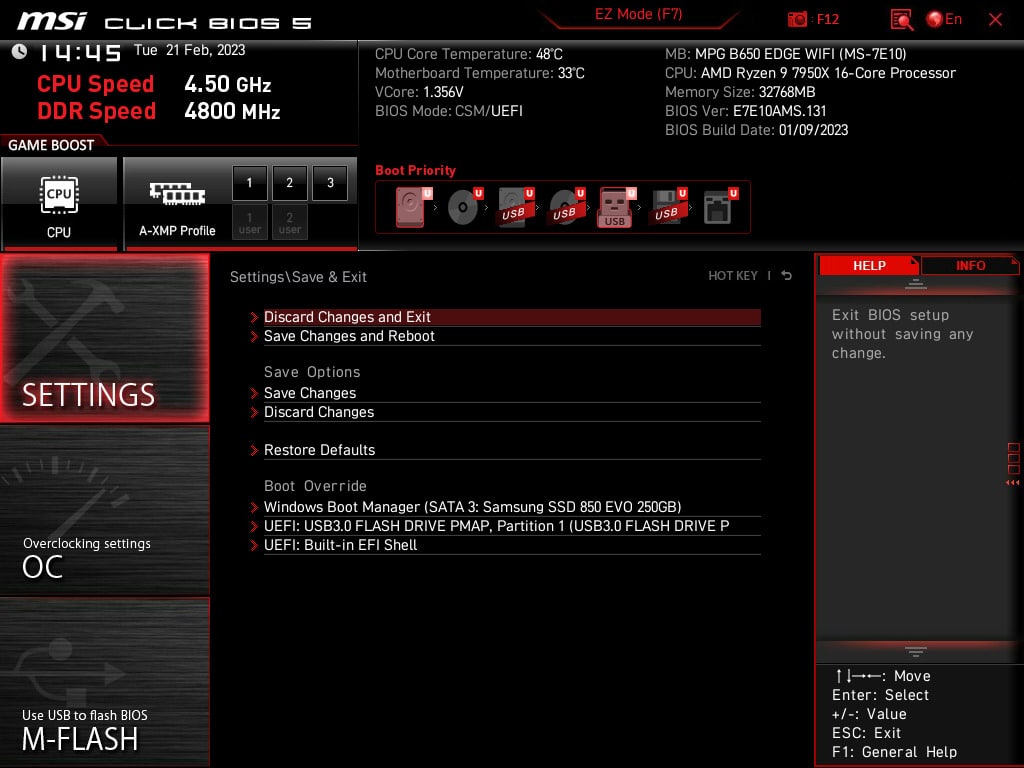
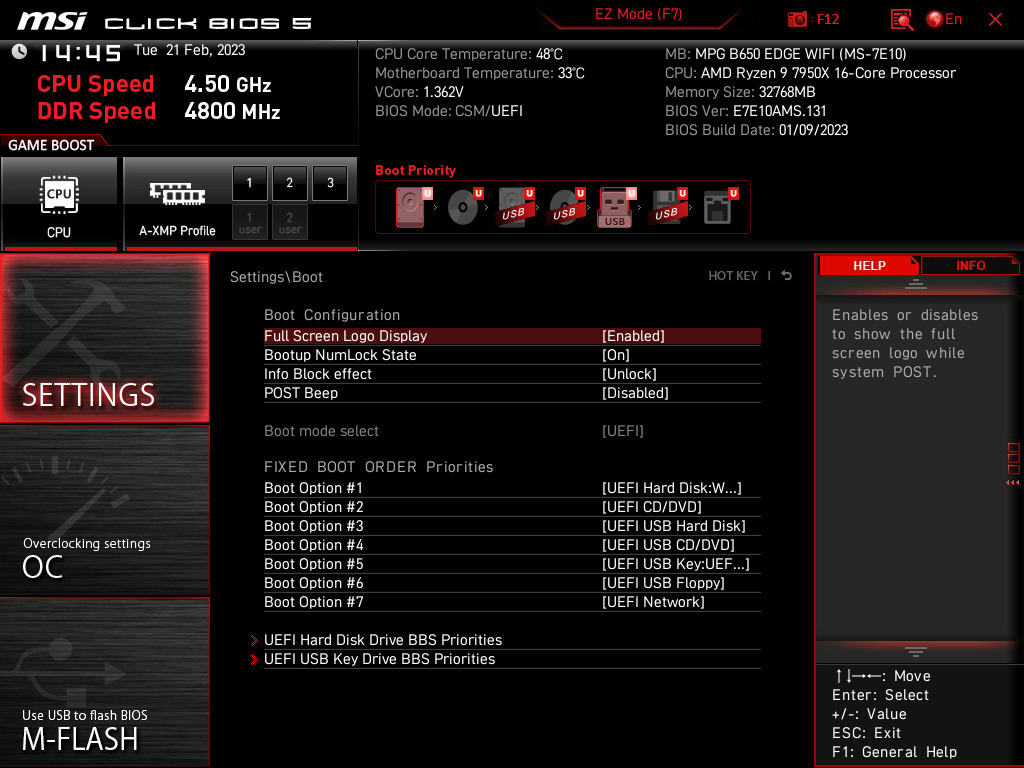
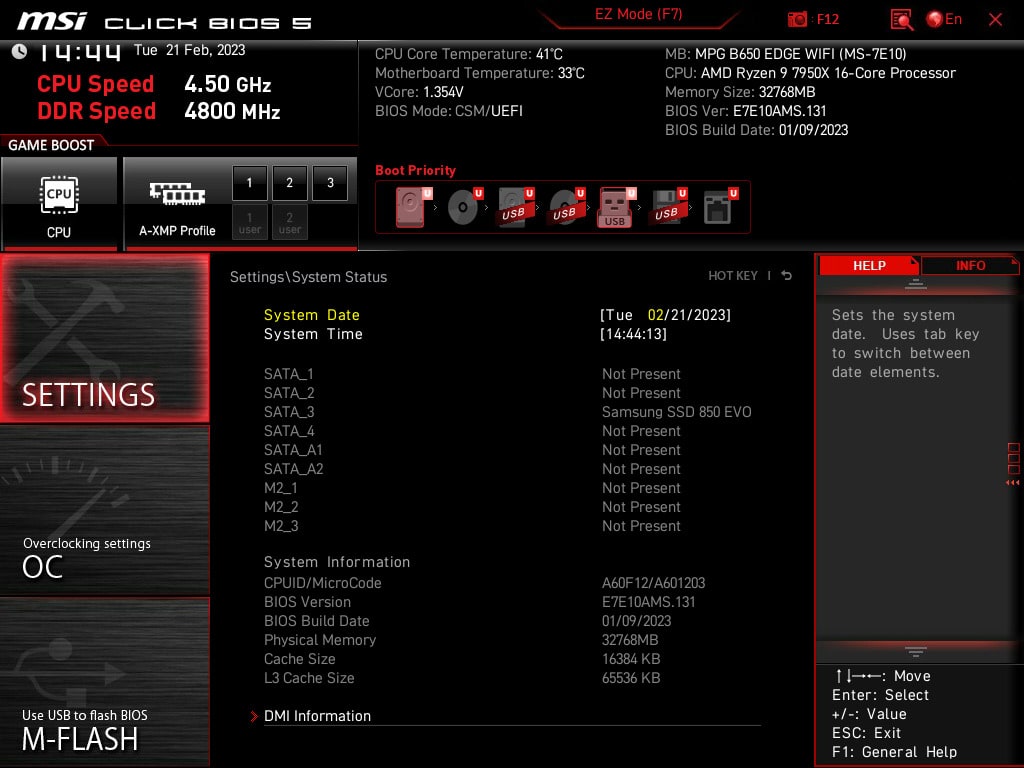
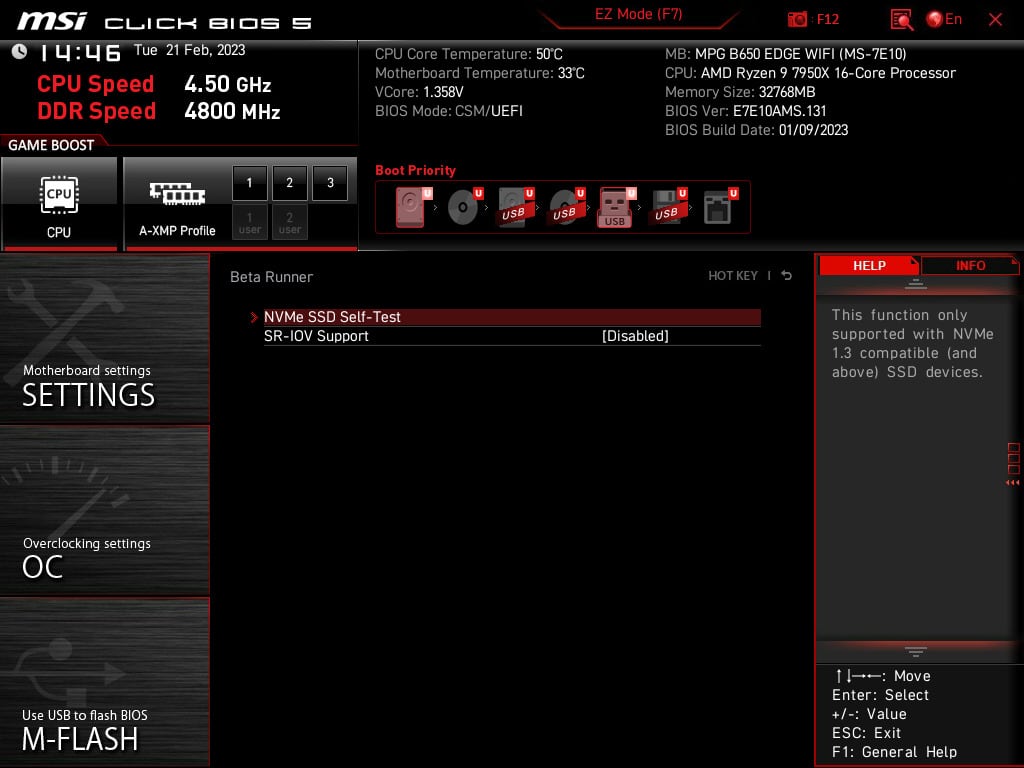
{
    "version": "https://jsonfeed.org/version/1.1",
    "user_comment": "This feed allows you to read the posts from this site in any feed reader that supports the JSON Feed format. To add this feed to your reader, copy the following URL -- https://techgaming.nl/tag/amd-ryzen-9-7950x/feed/json/ -- and add it your reader.",
    "next_url": "https://techgaming.nl/tag/amd-ryzen-9-7950x/feed/json/?paged=2",
    "home_page_url": "https://techgaming.nl/tag/amd-ryzen-9-7950x/",
    "feed_url": "https://techgaming.nl/tag/amd-ryzen-9-7950x/feed/json/",
    "language": "nl-NL",
    "title": "AMD Ryzen 9 7950X Archieven - TechGaming",
    "description": "Meer dan alleen nieuws: TechGaming duikt in de details, test de grenzen van hardware en volgt de gamewereld op de voet \u2013 voor en door liefhebbers.",
    "icon": "https://techgaming.nl/wp-content/uploads/2018/07/techgaming-favicon-1.png",
    "items": [
        {
            "id": "https://techgaming.nl/?p=32970",
            "url": "https://techgaming.nl/review-msi-mag-b650-tomahawk-wifi/",
            "title": "Review: MSI MAG B650 Tomahawk WiFi",
            "content_html": "\t\t<div class=\"review-section type-score\">\n\t\t\t<div class=\"inner\">\n\t\t\t\t\t\t<div class=\"review-header review-intro\">\n\t\t\t\t\t\t\t<div class=\"review-bg\">\n\t\t\t\t\t\t\t\t\t</div>\n\t\t\t\t\t\t<div class=\"inner light-scheme\">\n\t\t\t\t\t\t\t\t\t<div class=\"review-heading\">\n\t\t\t\t\t\t<span class=\"h2\">Reviewoverzicht</span>\n\t\t\t\t\t</div>\n\t\t\t\t\t\t\t\t<div class=\"meta-info\">\n\t\t\t\t\t<span class=\"rline-wrap\"><span class=\"rline activated\"></span><span class=\"rline activated\"></span><span class=\"rline activated\"></span><span class=\"rline activated\"></span><span class=\"rline activated\"></span></span>\t\t\t\t\t\t<span class=\"average\">\t\t\t\t\t\t<span class=\"meta-text\"><span class=\"meta-description\">Puike prijskwaliteit.</span></span>\n\t\t\t\t\t\t<span class=\"h1\">8.5</span>\n\t\t\t\t\t\t</span>\n\t\t\t\t\t\t\t\t\t</div>\n\t\t\t</div>\n\t\t</div>\n\t\t\t\t\t\t<div class=\"review-content\">\n\t\t\t\t\t\t\t\t\t\t\t\t<div class=\"review-el\">\n\t\t\t\t\t\t\t\t<div class=\"review-label\">\n\t\t\t\t\t\t\t\t\t<span class=\"review-label-info h4\">Score</span>\n\t\t\t\t\t\t\t\t\t<span class=\"rating-info is-meta\">8.5</span>\n\t\t\t\t\t\t\t\t</div>\n\t\t\t\t\t\t\t\t<span class=\"review-rating\">\n\t\t\t\t\t\t\t\t\t<span class=\"rline-wrap\"><span class=\"rline activated\"></span><span class=\"rline activated\"></span><span class=\"rline activated\"></span><span class=\"rline activated\"></span><span class=\"rline activated\"></span></span>\t\t\t\t\t\t\t\t</span>\n\t\t\t\t\t\t\t</div>\n\t\t\t\t\t\t\t\t\t\t\t</div>\n\t\t\t\t<div class=\"review-footer\">\n\t\t\t\t\t\t\t<div class=\"pros-cons stuff-col-2\">\n\t\t\t<div class=\"pros-cons-holder\">\n\t\t\t\t\t\t\t\t\t<div class=\"pros-list-wrap\">\n\t\t\t\t\t\t<div class=\"pros-cons-list-inner\">\n\t\t\t\t\t\t\t<span class=\"pros-cons-title h4\"><i class=\"rbi rbi-like\"></i>Yay!</span>\n\t\t\t\t\t\t\t\t\t\t\t\t\t\t\t\t<span class=\"pros-cons-el\">Zachte prijs.</span>\n\t\t\t\t\t\t\t\t\t\t\t\t\t\t\t\t\t\t<span class=\"pros-cons-el\">Veel USB-connectiviteit.</span>\n\t\t\t\t\t\t\t\t\t\t\t\t\t\t\t\t\t\t<span class=\"pros-cons-el\">Wi-Fi 6E en Bluetooth-ondersteuning.</span>\n\t\t\t\t\t\t\t\t\t\t\t\t\t\t\t\t\t\t<span class=\"pros-cons-el\">DisplayPort 1.4 (8K 60Hz-ondersteuning) en HDMI 2.1 (4K 60Hz-ondersteuning).</span>\n\t\t\t\t\t\t\t\t\t\t\t\t\t\t\t\t\t\t<span class=\"pros-cons-el\">Bezit meer fan-headers en optische audio.</span>\n\t\t\t\t\t\t\t\t\t\t\t\t\t\t\t</div>\n\t\t\t\t\t</div>\n\t\t\t\t\t\t\t\t\t\t<div class=\"cons-list-wrap\">\n\t\t\t\t\t\t<div class=\"pros-cons-list-inner\">\n\t\t\t\t\t\t\t<span class=\"pros-cons-title h4\"><i class=\"rbi rbi-dislike\"></i>Nay!</span>\n\t\t\t\t\t\t\t\t\t\t\t\t\t\t\t\t<span class=\"pros-cons-el\">Geen PCIe 5.0 x16-aansluiting voor GPU.</span>\n\t\t\t\t\t\t\t\t\t\t\t\t\t\t\t\t\t\t<span class=\"pros-cons-el\">Geen PCIe 5.0 M.2-slot.</span>\n\t\t\t\t\t\t\t\t\t\t\t\t\t\t\t\t\t\t<span class=\"pros-cons-el\">Niet alle M.2-sloten liggen onder heatsink.</span>\n\t\t\t\t\t\t\t\t\t\t\t\t\t\t\t</div>\n\t\t\t\t\t</div>\n\t\t\t\t\t\t\t</div>\n\t\t</div>\n\t\t            <div class=\"summary-wrap\">\n                <span class=\"h3 review-summary-title\">In het kort</span>\n                <div class=\"summary-content\">\n                    De MSI MAG B650 Tomahawk WiFi is een AM5-moederbord met een hoop connectiviteit. Dit in combinatie met de zeer nette prijs maakt het een interessante optie voor een intrede in AMD Ryzen 7000.                </div>\n            </div>\n            <div class=\"summary-wrap\"><span class=\"h3 review-summary-title\">TechGaming Award</span><div class=\"summary-content\"><center><img decoding=\"async\" src=\"https://techgaming.nl/image_uploads/awards/TechGaming-Stamp-1.png\" title=\"Beste in de klasse voor prijs/prestatie\" /></center></div></div>        \t\t\t\t</div>\n\t\t\t</div>\n\t\t</div>\n\t\t<div id=\"shop\" class=\"review-section affiliates\"><div class=\"inner\"><div class=\"review-header review-intro\"><div class=\"review-bg\"></div><div class=\"inner white-text affiliate--header\"><span class=\"h2\">Prijzen</span></div></div><div class=\"review-footer\"><div class=\"affiliate\"><div class=\"affiliate--name\">MSI MAG B650 TOMAHAWK WIFI moederbord</div><div class=\"affiliate--price affiliate--price--labeled\"><span>Adviesprijs</span>\u20ac 179,00</div><div class=\"affiliate--name\"></div><div class=\"affiliate--price affiliate--price--labeled\"><span>Prijs bij publicatie</span>\u20ac 249,00</div></div><div class=\"affiliate affiliate--disclaimer\"><p>Wil je meer weten over onze samenwerking met webshops? Check dan ons <a href=\"https://techgaming.nl/reviewbeleid/\" rel=\"noopener noreferrer\" target=\"_blank\"><strong>reviewbeleid</strong></a>.</p></div></div></div></div><div class=\"review-section type-content\"><div class=\"inner\"><div class=\"review-footer\"><div class=\"rbct\"><!DOCTYPE html PUBLIC \"-//W3C//DTD HTML 4.0 Transitional//EN\" \"http://www.w3.org/TR/REC-html40/loose.dtd\">\n<html><body><h3>Review: MSI MAG B650 Tomahawk WiFi</h3>\n<span class='azc_bbc_bold'>Links;</span>\n<ul>\n<li><strong><a href=\"https://www.msi.com/Motherboard/MAG-B650-TOMAHAWK-WIFI\" rel=\"noopener noreferrer\" target=\"_blank\">Productpagina</a></strong></li>\n</ul>\n<span class='azc_bbc_bold'>Navigatie;</span>\n<ul>\n<li><strong><a href=\"#specificaties\">Specificaties</a></strong></li>\n<li><strong><a href=\"#showcase\">Showcase</a></strong></li>\n<li><strong><a href=\"#bios\">BIOS/UEFI</a></strong></li>\n<li><strong><a href=\"#testomgeving\">Testomgeving</a></strong></li>\n<li><strong><a href=\"#resultaten\">Resultaten</a></strong></li>\n<li><strong><a href=\"#conclusie\">Conclusie</a></strong></li>\n</ul>\n<p><img decoding=\"async\" src=\"https://techgaming.nl/image_uploads/reviews/MSI-MAG-B650-Tomahawk-WiFi/1-Inleiding.png\" alt=\"Inleiding\"></p>\n<p>Na de MSI MPG B650 Edge WiFi <strong><a href=\"https://techgaming.nl/review-msi-mpg-b650-edge-wifi/\" rel=\"noopener\" target=\"_blank\">gereviewd</a></strong> te hebben, heb ik de smaak te pakken en mag ik ditmaal aan de slag met een ander MSI-bord. In dit geval is dat dan de MSI MAG B650 Tomahawk WiFi. Beide borden bezitten een B650-chipset, waardoor ze geschikt zijn voor AMD Ryzen 7000. De Tomahawk WiFi heeft een lagere prijs ten opzichte van de Edge WiFi, maar wat betekent dat voor o.a. de prestaties en connectiviteit? Je gaat het lezen in deze review.</p>\n<p>Net zoals zijn duurdere &lsquo;collega&rsquo; heeft de Tomahawk in de basis toch nog een hoop connectiviteit te bieden. Ondanks de lagere prijs dan de Edge WiFi ligt de Tomahawk toch nog een stukje hoger dan bij de allergoedkoopste instapmodellen van B650. De MSI MAG B650 Tomahawk WiFi is te verkrijgen bij onze webshoppartner Megekko voor &euro; 249,- op het moment van schrijven. Bovenaan de review kan je de actuele verkoopprijs van het moederbord vinden.</p>\n<p><img decoding=\"async\" id=\"specificaties\" src=\"https://techgaming.nl/image_uploads/reviews/MSI-MAG-B650-Tomahawk-WiFi/2-Specificaties.png\" alt=\"Specificaties\"></p>\n<p>Hieronder treffen we de specificaties aan;</p>\n<p><img decoding=\"async\" src=\"https://techgaming.nl/image_uploads/reviews/MSI-MAG-B650-Tomahawk-WiFi/MSI-MAG-B650-Tomahawk-WiFi.png\"></p>\n<table>\n<thead>\n<tr>\n<th>Specifications</th>\n<th>MSI MAG B650 Tomahawk WiFi</th>\n</tr>\n</thead>\n<tbody>\n<tr>\n<td>Chipset</td>\n<td>AMD B650</td>\n</tr>\n<tr>\n<td>CPU Support</td>\n<td>Supports AMD Ryzen&trade; 7000 Series Desktop Processors<br>Socket AM5</td>\n</tr>\n<tr>\n<td>Memory</td>\n<td>4x DDR5, Maximum Memory Capacity 128GB<br>Memory Support DDR5 6600+(OC) / 6400(OC) / 6200(OC) / 6000(OC) / 5800(OC) / 5600(OC) / 5400(OC) / 5200(OC) / 5000(OC) / 4800(JEDEC) MHz</td>\n</tr>\n<tr>\n<td>Onboard Graphics</td>\n<td>1x HDMI&trade;<br>Support HDMITM 2.1 with HDR, maximum resolution of 4K 60Hz*<br>1x DisplayPort<br>Support DP 1.4, maximum resolution of 8K 60Hz*\n<p>*Available only on processors featuring integrated graphics. Graphics specifications may vary depending on the CPU installed.</p></td>\n</tr>\n<tr>\n<td>Expansion Slot</td>\n<td>2x PCI-E x16 slot<br>Support x16/ x4<br>1x PCI-E x1 slot<br>PCI_E1 Gen PCIe 4.0 supports up to x16 (From CPU)<br>PCI_E2 Gen PCIe 4.0 supports up to x2 (From Chipset)<br>PCI_E3 Gen PCIe 3.0 supports up to x1 (From Chipset)</td>\n</tr>\n<tr>\n<td>Storage</td>\n<td>3x M.2<br>M.2_1 Source (From CPU) supports up to PCIe 4.0 x4 , supports 2280/2260 devices<br>M.2_2 Source (From CPU) supports up to PCIe 4.0 x4 , supports 2280/2260 devices<br>M.2_3 Source (From Chipset) supports up to PCIe 4.0 x4 , supports 2280/2260 devices<br>6x SATA 6G</td>\n</tr>\n<tr>\n<td>RAID</td>\n<td>Supports RAID 0, RAID 1, and RAID 10 for SATA storage devices*<br>Supports RAID 0 and RAID 1 for M.2 NVMe storage devices\n<p>* SATA_A1_A2 do not support RAID function.</p></td>\n</tr>\n<tr>\n<td>USB</td>\n<td>2x USB 2.0 (Rear)<br>4x USB 2.0 (Front)<br>4x USB 3.2 Gen1 Type A (Rear)<br>2x USB 3.2 Gen1 Type A (Front)<br>3x USB 3.2 Gen2 Type A (Rear)<br>1x USB 3.2 Gen2 Type C (Front)<br>1x USB 3.2 Gen2x2 Type C (Rear)</td>\n</tr>\n<tr>\n<td>LAN</td>\n<td>Realtek&reg; RTL8125B 2.5Gbps LAN</td>\n</tr>\n<tr>\n<td>Wireless / Bluetooth</td>\n<td>AMD Wi-Fi 6E<br>The Wireless module is pre-installed in the M.2 (Key-E) slot<br>Supports MU-MIMO TX/RX<br>Supports 20MHz, 40MHz, 80MHz,160MHz bandwidth in 2.4GHz/ 5GHz or 6GHz* bands<br>Supports 802.11 a/ b/ g/ n/ ac/ ax\n<p>Supports Bluetooth&reg; 5.3**</p>\n<p>* Wi-Fi 6E 6GHz may depend on every country&rsquo;s regulations and will be ready in Windows 11.<br>** Bluetooth 5.3 will be ready in Windows 10 build 21H1 and Windows 11.</p></td>\n</tr>\n<tr>\n<td>Audio</td>\n<td>Realtek&reg; ALC4080 Codec<br>7.1-Channel High Performance Audio<br>Supports S/PDIF output<br>Supports up to 32-Bit/384 kHz playback on front panel</td>\n</tr>\n<tr>\n<td>Internal I/O</td>\n<td>1x Power Connector(ATX_PWR)<br>2x Power Connector(CPU_PWR)<br>1x CPU Fan<br>1x Pump Fan<br>6x System Fan<br>2x Front Panel (JFP)<br>1x Chassis Intrusion (JCI)<br>1x Front Audio (JAUD)<br>1x Tuning Controller connector(JDASH)<br>2x Addressable V2 RGB LED connector (JARGB_V2)<br>2x RGB LED connector(JRGB)<br>1x TPM pin header(Support TPM 2.0)<br>4x USB 2.0 ports<br>2x USB 3.2 Gen1 Type A ports<br>1x USB 3.2 Gen2 Type C ports</td>\n</tr>\n<tr>\n<td>LED Feature</td>\n<td>4x EZ Debug LED</td>\n</tr>\n<tr>\n<td>Back Panel Ports</td>\n<td>DisplayPort 1.4<br>2.5G LAN Port<br>USB 2.0 Port<br>USB 3.2 Gen 1 5Gbps Type-A<br>Wi-Fi / Bluetooth Antenna<br>HD Audio Connectors<br>Flash BIOS Button<br>HDMI&trade; 2.1 Port<br>USB 3.2 Gen 2 10Gbps Type-A<br>USB 3.2 Gen 2&times;2 20Gbps Type-C<br>Optical S/PDIF OUT</td>\n</tr>\n<tr>\n<td>Operating System</td>\n<td>Support for Windows&reg; 11 64-bit, Windows&reg; 10 64-bit</td>\n</tr>\n<tr>\n<td>PCB Dimension</td>\n<td>ATX<br>243.84mmx304.8mm</td>\n</tr>\n</tbody>\n</table>\n<p>In de inleiding al kort benoemd, maar de MAG B650 Tomahawk WiFi biedt flink wat opties betreffende connectiviteit. Zoals: negen USB-A-poorten aan de achterzijde, waarvan tweemaal USB 2.0, viermaal USB 3.2 Gen 1 (5 Gbps) en driemaal USB 3.2 Gen 2 (10 Gbps). Ook zit er nog een USB 3.2 Gen 2&times;2 USB-C-poort op van 20 Gbps. Intern op het moederbord zijn er ook nog de nodige USB-opties aanwezig. Denk maar aan vier keer USB 2.0, tweemaal USB 3.2 Gen 1 (5 Gbps) en ook een USB 3.2 Gen 2 USB-C-poort van 10 Gbps. Dit samen met Wi-Fi 6E, Bluetooth 5.3-ondersteuning en een optische audio-uitgang. Dat allemaal zorgt ervoor dat je met de Tomahawk WiFi vele kanten op kan. </p>\n<p>Verder hebben we drie M.2-sloten op het bord, waarvan twee een heatsink bezitten. Alle sloten zijn PCIe 4.0 x4; geen PCIe 5.0 aanwezig dus. Verder nog een HDMI 2.1-poort (4K/60 Hz), een DisplayPort (8K/60 Hz) en een 2,5Gbps-ethernetpoort. Tenslotte is er het 14+2+1-powerfasedesign<br>\nmet MOSFETS/VRM&rsquo;s van 80 amp&egrave;re.</p>\n<h5>MSI B650-borden en de concurrentie</h5>\n<p>In de review van de MPG B650 Edge WiFi heb ik verteld wat de verschillen zijn tussen de diverse B650-modellen van MSI. De MSI PRO B650-P WiFi was de goedkoopste optie, maar daar mis je ten opzichte van de Tomahawk WiFi een tweetal USB 2.0-poorten aan de achterzijde. Ook beschikt de PRO B650-P WiFi over slechts twee M.2-sloten en is er aan de onderkant geen heatsink. Met de Edge Wifi, die iets meer dan &euro; 50,- duurder is dan de Tomawhawk WiFi, kreeg je natuurlijk de extra lange heatsink aan de onderkant van de Edge WiFi en &eacute;&eacute;n van de M.2 sloten is PCIe 5.0 x4, waarbij ze bij de Tomahawk allemaal PCIe 4.0 x4 zijn.</p>\n<p>Wat doet de concurrentie van MSI in deze prijsklasse? We hebben van Gigabyte de B650 AORUS ELITE AX (&euro; 259,-) staan en van ASRock de B650E PG Riptide WiFi (&euro; 264,90), waarvan we van de laatstgenoemde ook een <strong><a href=\"https://techgaming.nl/review-asrock-b650e-pg-riptide-wifi/\" rel=\"noopener\" target=\"_blank\">review</a></strong> hebben geschreven op TechGaming. De borden van Gigabyte en ASRock leunen in op PCIe 5.0-connectiviteit, waar Gigabyte een PCIe 5.0 M.2-slot biedt en ASRock hetzelfde doet, met ook nog eens PCIe 5.0 x16 voor de GPU. De Tomahawk biedt enkel PCIe 4.0-snelheden voor opslag en videokaart. </p>\n<p>Is dat nou zo erg? Nee, want de Tomahawk onderscheidt zich door zich meer te richten op connectiviteit met maar liefst zes fan-headers, meer USB 3.2 Gen 2-poorten, vijf audiojacks en een optische audio-uitgang. Kortom, voor alle besproken opties valt wat te zeggen en het zal aan je persoonlijke voorkeur liggen welke optie voor jou beter zal zijn.</p>\n<p><img decoding=\"async\" id=\"showcase\" src=\"https://techgaming.nl/image_uploads/reviews/MSI-MAG-B650-Tomahawk-WiFi/3-Showcase.png\" alt=\"Showcase\"></p>\n<p>In de doos bevindt zich natuurlijk het MSI MAG B650 Tomahawk WiFi-moederbord! Verder een tweetal boekjes en een stickervel voor kabelmanagement, &eacute;&eacute;n SATA-kabel en twee M.2-clips. Als laatste nog de Wi-Fi-antennes voor aan de achterkant van het moederbord. </p>\n<p></p><center>\n<a href='https://techgaming.nl/wp-content/uploads/2023/03/Showcase-1.png' title=\"\" data-rl_title=\"\" class=\"rl-gallery-link\" data-rl_caption=\"\" data-rel=\"lightbox-gallery-1\"><img fetchpriority=\"high\" decoding=\"async\" width=\"300\" height=\"225\" src=\"https://techgaming.nl/wp-content/uploads/2023/03/Showcase-1-300x225.png\" class=\"attachment-medium size-medium\" alt=\"\" srcset=\"https://techgaming.nl/wp-content/uploads/2023/03/Showcase-1-300x225.png 300w, https://techgaming.nl/wp-content/uploads/2023/03/Showcase-1-1024x768.png 1024w, https://techgaming.nl/wp-content/uploads/2023/03/Showcase-1-250x188.png 250w, https://techgaming.nl/wp-content/uploads/2023/03/Showcase-1-768x576.png 768w, https://techgaming.nl/wp-content/uploads/2023/03/Showcase-1-860x645.png 860w, https://techgaming.nl/wp-content/uploads/2023/03/Showcase-1.png 1500w\" sizes=\"(max-width: 300px) 100vw, 300px\" /></a>\n<a href='https://techgaming.nl/wp-content/uploads/2023/03/Showcase-2-1.png' title=\"\" data-rl_title=\"\" class=\"rl-gallery-link\" data-rl_caption=\"\" data-rel=\"lightbox-gallery-1\"><img decoding=\"async\" width=\"300\" height=\"225\" src=\"https://techgaming.nl/wp-content/uploads/2023/03/Showcase-2-1-300x225.png\" class=\"attachment-medium size-medium\" alt=\"\" srcset=\"https://techgaming.nl/wp-content/uploads/2023/03/Showcase-2-1-300x225.png 300w, https://techgaming.nl/wp-content/uploads/2023/03/Showcase-2-1-1024x768.png 1024w, https://techgaming.nl/wp-content/uploads/2023/03/Showcase-2-1-250x188.png 250w, https://techgaming.nl/wp-content/uploads/2023/03/Showcase-2-1-768x576.png 768w, https://techgaming.nl/wp-content/uploads/2023/03/Showcase-2-1-860x645.png 860w, https://techgaming.nl/wp-content/uploads/2023/03/Showcase-2-1.png 1500w\" sizes=\"(max-width: 300px) 100vw, 300px\" /></a>\n</center>\n<p>Op onderstaande twee foto&rsquo;s een goed shot van de voor- en achterkant van de Tomahawk WiFi. Het ziet er allemaal netjes uit, maar heeft qua uiterlijk geen &lsquo;unique selling points&rsquo;. Op de eerste foto is goed te zien dat er bij &eacute;&eacute;n van de M.2-sloten geen heatsink is om deze netjes weg te werken.</p>\n<p><a href=\"https://techgaming.nl/image_uploads/reviews/MSI-MAG-B650-Tomahawk-WiFi/Showcase-3.png\" target=\"_blank\" data-rel=\"lightbox-gallery-bGlnaHRib3gtZ2FsbGVyeS04YTMxMGIyZGI4\" data-rl_title=\"\" data-rl_caption=\"\" title=\"\"><img decoding=\"async\" src=\"https://techgaming.nl/image_uploads/reviews/MSI-MAG-B650-Tomahawk-WiFi/Showcase-3.png\"></a></p>\n<p><a href=\"https://techgaming.nl/image_uploads/reviews/MSI-MAG-B650-Tomahawk-WiFi/Showcase-4.png\" target=\"_blank\" data-rel=\"lightbox-gallery-bGlnaHRib3gtZ2FsbGVyeS02YTE4NmQ3MDdk\" data-rl_title=\"\" data-rl_caption=\"\" title=\"\"><img decoding=\"async\" src=\"https://techgaming.nl/image_uploads/reviews/MSI-MAG-B650-Tomahawk-WiFi/Showcase-4.png\"></a></p>\n<p>Hieronder een goede close-up van de achterkant van het moederbord, met alle USB-opties, de audiojacks en optische uitgang, de audio aansluitingen voor de Wi-Fi-antennes, de 2,5Gbps-ethernetpoort, de HDMI en DisplayPort-aansluitingen en ook een knop om de BIOS te flashen.</p>\n<p><a href=\"https://techgaming.nl/image_uploads/reviews/MSI-MAG-B650-Tomahawk-WiFi/Showcase-5.png\" target=\"_blank\" data-rel=\"lightbox-gallery-bGlnaHRib3gtZ2FsbGVyeS0yNDFhNGE3YmU0\" data-rl_title=\"\" data-rl_caption=\"\" title=\"\"><img decoding=\"async\" src=\"https://techgaming.nl/image_uploads/reviews/MSI-MAG-B650-Tomahawk-WiFi/Showcase-5.png\"></a></p>\n<p>Op de onderzijde van de Tomahawk zijn de bekende aansluitingen te vinden, zoals voor de RGB en de audio. Ook voor SATA-poorten, USB en voor fans zijn hier een aantal headers te vinden. </p>\n<p><a href=\"https://techgaming.nl/image_uploads/reviews/MSI-MAG-B650-Tomahawk-WiFi/Showcase-13.png\" target=\"_blank\" data-rel=\"lightbox-gallery-bGlnaHRib3gtZ2FsbGVyeS1hZDcyZTllNTJm\" data-rl_title=\"\" data-rl_caption=\"\" title=\"\"><img decoding=\"async\" src=\"https://techgaming.nl/image_uploads/reviews/MSI-MAG-B650-Tomahawk-WiFi/Showcase-13.png\"></a></p>\n<p>Aan de rechterzijde van het MAG B650-bord zijn te vinden: fan-headers en ook de interne USB 3.2 Gen 1 en USB 3.2 Gen 2 Type-C-header zijn er te vinden. Ook zijn er vier SATA-poorten en de 24-pins ATX-connector te zien. Aan de bovenzijde kan je de CPU en pomp-header zien en ook nog de optie voor een reguliere fan. Een RGB-optie en natuurlijk de tweemaal een 8-pins CPU-connector maken de bovenzijde compleet. </p>\n<p></p><center>\n<a href='https://techgaming.nl/wp-content/uploads/2023/03/Showcase-9.png' title=\"\" data-rl_title=\"\" class=\"rl-gallery-link\" data-rl_caption=\"\" data-rel=\"lightbox-gallery-2\"><img decoding=\"async\" width=\"300\" height=\"225\" src=\"https://techgaming.nl/wp-content/uploads/2023/03/Showcase-9-300x225.png\" class=\"attachment-medium size-medium\" alt=\"\" srcset=\"https://techgaming.nl/wp-content/uploads/2023/03/Showcase-9-300x225.png 300w, https://techgaming.nl/wp-content/uploads/2023/03/Showcase-9-1024x768.png 1024w, https://techgaming.nl/wp-content/uploads/2023/03/Showcase-9-250x188.png 250w, https://techgaming.nl/wp-content/uploads/2023/03/Showcase-9-768x576.png 768w, https://techgaming.nl/wp-content/uploads/2023/03/Showcase-9-860x645.png 860w, https://techgaming.nl/wp-content/uploads/2023/03/Showcase-9.png 1500w\" sizes=\"(max-width: 300px) 100vw, 300px\" /></a>\n<a href='https://techgaming.nl/wp-content/uploads/2023/03/Showcase-10-1.png' title=\"\" data-rl_title=\"\" class=\"rl-gallery-link\" data-rl_caption=\"\" data-rel=\"lightbox-gallery-2\"><img loading=\"lazy\" loading=\"lazy\" decoding=\"async\" width=\"300\" height=\"225\" src=\"https://techgaming.nl/wp-content/uploads/2023/03/Showcase-10-1-300x225.png\" class=\"attachment-medium size-medium\" alt=\"\" srcset=\"https://techgaming.nl/wp-content/uploads/2023/03/Showcase-10-1-300x225.png 300w, https://techgaming.nl/wp-content/uploads/2023/03/Showcase-10-1-1024x768.png 1024w, https://techgaming.nl/wp-content/uploads/2023/03/Showcase-10-1-250x188.png 250w, https://techgaming.nl/wp-content/uploads/2023/03/Showcase-10-1-768x576.png 768w, https://techgaming.nl/wp-content/uploads/2023/03/Showcase-10-1-860x645.png 860w, https://techgaming.nl/wp-content/uploads/2023/03/Showcase-10-1.png 1500w\" sizes=\"auto, (max-width: 300px) 100vw, 300px\" /></a>\n<a href='https://techgaming.nl/wp-content/uploads/2023/03/Showcase-11-1.png' title=\"\" data-rl_title=\"\" class=\"rl-gallery-link\" data-rl_caption=\"\" data-rel=\"lightbox-gallery-2\"><img loading=\"lazy\" loading=\"lazy\" decoding=\"async\" width=\"300\" height=\"225\" src=\"https://techgaming.nl/wp-content/uploads/2023/03/Showcase-11-1-300x225.png\" class=\"attachment-medium size-medium\" alt=\"\" srcset=\"https://techgaming.nl/wp-content/uploads/2023/03/Showcase-11-1-300x225.png 300w, https://techgaming.nl/wp-content/uploads/2023/03/Showcase-11-1-1024x768.png 1024w, https://techgaming.nl/wp-content/uploads/2023/03/Showcase-11-1-250x188.png 250w, https://techgaming.nl/wp-content/uploads/2023/03/Showcase-11-1-768x576.png 768w, https://techgaming.nl/wp-content/uploads/2023/03/Showcase-11-1-860x645.png 860w, https://techgaming.nl/wp-content/uploads/2023/03/Showcase-11-1.png 1500w\" sizes=\"auto, (max-width: 300px) 100vw, 300px\" /></a>\n<a href='https://techgaming.nl/wp-content/uploads/2023/03/Showcase-12-1.png' title=\"\" data-rl_title=\"\" class=\"rl-gallery-link\" data-rl_caption=\"\" data-rel=\"lightbox-gallery-2\"><img loading=\"lazy\" loading=\"lazy\" decoding=\"async\" width=\"300\" height=\"225\" src=\"https://techgaming.nl/wp-content/uploads/2023/03/Showcase-12-1-300x225.png\" class=\"attachment-medium size-medium\" alt=\"\" srcset=\"https://techgaming.nl/wp-content/uploads/2023/03/Showcase-12-1-300x225.png 300w, https://techgaming.nl/wp-content/uploads/2023/03/Showcase-12-1-1024x768.png 1024w, https://techgaming.nl/wp-content/uploads/2023/03/Showcase-12-1-250x188.png 250w, https://techgaming.nl/wp-content/uploads/2023/03/Showcase-12-1-768x576.png 768w, https://techgaming.nl/wp-content/uploads/2023/03/Showcase-12-1-860x645.png 860w, https://techgaming.nl/wp-content/uploads/2023/03/Showcase-12-1.png 1500w\" sizes=\"auto, (max-width: 300px) 100vw, 300px\" /></a>\n</center>\n<p>Hieronder nog een tweetal foto&rsquo;s van de AM5-socket.</p>\n<p></p><center>\n<a href='https://techgaming.nl/wp-content/uploads/2023/03/Showcase-7-1.png' title=\"\" data-rl_title=\"\" class=\"rl-gallery-link\" data-rl_caption=\"\" data-rel=\"lightbox-gallery-3\"><img loading=\"lazy\" loading=\"lazy\" decoding=\"async\" width=\"300\" height=\"225\" src=\"https://techgaming.nl/wp-content/uploads/2023/03/Showcase-7-1-300x225.png\" class=\"attachment-medium size-medium\" alt=\"\" srcset=\"https://techgaming.nl/wp-content/uploads/2023/03/Showcase-7-1-300x225.png 300w, https://techgaming.nl/wp-content/uploads/2023/03/Showcase-7-1-1024x768.png 1024w, https://techgaming.nl/wp-content/uploads/2023/03/Showcase-7-1-250x188.png 250w, https://techgaming.nl/wp-content/uploads/2023/03/Showcase-7-1-768x576.png 768w, https://techgaming.nl/wp-content/uploads/2023/03/Showcase-7-1-860x645.png 860w, https://techgaming.nl/wp-content/uploads/2023/03/Showcase-7-1.png 1500w\" sizes=\"auto, (max-width: 300px) 100vw, 300px\" /></a>\n<a href='https://techgaming.nl/wp-content/uploads/2023/03/Showcase-8.png' title=\"\" data-rl_title=\"\" class=\"rl-gallery-link\" data-rl_caption=\"\" data-rel=\"lightbox-gallery-3\"><img loading=\"lazy\" loading=\"lazy\" decoding=\"async\" width=\"300\" height=\"225\" src=\"https://techgaming.nl/wp-content/uploads/2023/03/Showcase-8-300x225.png\" class=\"attachment-medium size-medium\" alt=\"\" srcset=\"https://techgaming.nl/wp-content/uploads/2023/03/Showcase-8-300x225.png 300w, https://techgaming.nl/wp-content/uploads/2023/03/Showcase-8-1024x768.png 1024w, https://techgaming.nl/wp-content/uploads/2023/03/Showcase-8-250x188.png 250w, https://techgaming.nl/wp-content/uploads/2023/03/Showcase-8-768x576.png 768w, https://techgaming.nl/wp-content/uploads/2023/03/Showcase-8-860x645.png 860w, https://techgaming.nl/wp-content/uploads/2023/03/Showcase-8.png 1500w\" sizes=\"auto, (max-width: 300px) 100vw, 300px\" /></a>\n</center>\n<p><img decoding=\"async\" id=\"bios\" src=\"https://techgaming.nl/image_uploads/reviews/MSI-MAG-B650-Tomahawk-WiFi/4-BIOS.png\" alt=\"BIOS\"></p>\n<p>Hieronder een overzicht van het BIOS en de UEFI, toebehorende aan het MSI MAG B650 Tomahawk WiFi-moederbord. </p>\n<p></p><center>\n<a href='https://techgaming.nl/wp-content/uploads/2023/03/BIOS-1-1.jpg' title=\"\" data-rl_title=\"\" class=\"rl-gallery-link\" data-rl_caption=\"\" data-rel=\"lightbox-gallery-4\"><img loading=\"lazy\" loading=\"lazy\" decoding=\"async\" width=\"1024\" height=\"768\" src=\"https://techgaming.nl/wp-content/uploads/2023/03/BIOS-1-1.jpg\" class=\"attachment-medium size-medium\" alt=\"\" srcset=\"https://techgaming.nl/wp-content/uploads/2023/03/BIOS-1-1.jpg 1024w, https://techgaming.nl/wp-content/uploads/2023/03/BIOS-1-1-250x188.jpg 250w, https://techgaming.nl/wp-content/uploads/2023/03/BIOS-1-1-768x576.jpg 768w, https://techgaming.nl/wp-content/uploads/2023/03/BIOS-1-1-860x645.jpg 860w\" sizes=\"auto, (max-width: 1024px) 100vw, 1024px\" /></a>\n<a href='https://techgaming.nl/wp-content/uploads/2023/03/BIOS-12-2.jpg' title=\"\" data-rl_title=\"\" class=\"rl-gallery-link\" data-rl_caption=\"\" data-rel=\"lightbox-gallery-4\"><img loading=\"lazy\" loading=\"lazy\" decoding=\"async\" width=\"1024\" height=\"768\" src=\"https://techgaming.nl/wp-content/uploads/2023/03/BIOS-12-2.jpg\" class=\"attachment-medium size-medium\" alt=\"\" srcset=\"https://techgaming.nl/wp-content/uploads/2023/03/BIOS-12-2.jpg 1024w, https://techgaming.nl/wp-content/uploads/2023/03/BIOS-12-2-250x188.jpg 250w, https://techgaming.nl/wp-content/uploads/2023/03/BIOS-12-2-768x576.jpg 768w, https://techgaming.nl/wp-content/uploads/2023/03/BIOS-12-2-860x645.jpg 860w\" sizes=\"auto, (max-width: 1024px) 100vw, 1024px\" /></a>\n<a href='https://techgaming.nl/wp-content/uploads/2023/03/BIOS-11-1.jpg' title=\"\" data-rl_title=\"\" class=\"rl-gallery-link\" data-rl_caption=\"\" data-rel=\"lightbox-gallery-4\"><img loading=\"lazy\" loading=\"lazy\" decoding=\"async\" width=\"300\" height=\"225\" src=\"https://techgaming.nl/wp-content/uploads/2023/03/BIOS-11-1-300x225.jpg\" class=\"attachment-medium size-medium\" alt=\"\" srcset=\"https://techgaming.nl/wp-content/uploads/2023/03/BIOS-11-1-300x225.jpg 300w, https://techgaming.nl/wp-content/uploads/2023/03/BIOS-11-1-250x188.jpg 250w, https://techgaming.nl/wp-content/uploads/2023/03/BIOS-11-1-768x576.jpg 768w, https://techgaming.nl/wp-content/uploads/2023/03/BIOS-11-1-860x645.jpg 860w, https://techgaming.nl/wp-content/uploads/2023/03/BIOS-11-1.jpg 1024w\" sizes=\"auto, (max-width: 300px) 100vw, 300px\" /></a>\n<a href='https://techgaming.nl/wp-content/uploads/2023/03/BIOS-10-1.jpg' title=\"\" data-rl_title=\"\" class=\"rl-gallery-link\" data-rl_caption=\"\" data-rel=\"lightbox-gallery-4\"><img loading=\"lazy\" loading=\"lazy\" decoding=\"async\" width=\"300\" height=\"225\" src=\"https://techgaming.nl/wp-content/uploads/2023/03/BIOS-10-1-300x225.jpg\" class=\"attachment-medium size-medium\" alt=\"\" srcset=\"https://techgaming.nl/wp-content/uploads/2023/03/BIOS-10-1-300x225.jpg 300w, https://techgaming.nl/wp-content/uploads/2023/03/BIOS-10-1-250x188.jpg 250w, https://techgaming.nl/wp-content/uploads/2023/03/BIOS-10-1-768x576.jpg 768w, https://techgaming.nl/wp-content/uploads/2023/03/BIOS-10-1-860x645.jpg 860w, https://techgaming.nl/wp-content/uploads/2023/03/BIOS-10-1.jpg 1024w\" sizes=\"auto, (max-width: 300px) 100vw, 300px\" /></a>\n<a href='https://techgaming.nl/wp-content/uploads/2023/03/BIOS-9-1.jpg' title=\"\" data-rl_title=\"\" class=\"rl-gallery-link\" data-rl_caption=\"\" data-rel=\"lightbox-gallery-4\"><img loading=\"lazy\" loading=\"lazy\" decoding=\"async\" width=\"300\" height=\"225\" src=\"https://techgaming.nl/wp-content/uploads/2023/03/BIOS-9-1-300x225.jpg\" class=\"attachment-medium size-medium\" alt=\"\" srcset=\"https://techgaming.nl/wp-content/uploads/2023/03/BIOS-9-1-300x225.jpg 300w, https://techgaming.nl/wp-content/uploads/2023/03/BIOS-9-1-250x188.jpg 250w, https://techgaming.nl/wp-content/uploads/2023/03/BIOS-9-1-768x576.jpg 768w, https://techgaming.nl/wp-content/uploads/2023/03/BIOS-9-1-860x645.jpg 860w, https://techgaming.nl/wp-content/uploads/2023/03/BIOS-9-1.jpg 1024w\" sizes=\"auto, (max-width: 300px) 100vw, 300px\" /></a>\n<a href='https://techgaming.nl/wp-content/uploads/2023/03/BIOS-8-1.jpg' title=\"\" data-rl_title=\"\" class=\"rl-gallery-link\" data-rl_caption=\"\" data-rel=\"lightbox-gallery-4\"><img loading=\"lazy\" loading=\"lazy\" decoding=\"async\" width=\"300\" height=\"225\" src=\"https://techgaming.nl/wp-content/uploads/2023/03/BIOS-8-1-300x225.jpg\" class=\"attachment-medium size-medium\" alt=\"\" srcset=\"https://techgaming.nl/wp-content/uploads/2023/03/BIOS-8-1-300x225.jpg 300w, https://techgaming.nl/wp-content/uploads/2023/03/BIOS-8-1-250x188.jpg 250w, https://techgaming.nl/wp-content/uploads/2023/03/BIOS-8-1-768x576.jpg 768w, https://techgaming.nl/wp-content/uploads/2023/03/BIOS-8-1-860x645.jpg 860w, https://techgaming.nl/wp-content/uploads/2023/03/BIOS-8-1.jpg 1024w\" sizes=\"auto, (max-width: 300px) 100vw, 300px\" /></a>\n<a href='https://techgaming.nl/wp-content/uploads/2023/03/BIOS-7-1.jpg' title=\"\" data-rl_title=\"\" class=\"rl-gallery-link\" data-rl_caption=\"\" data-rel=\"lightbox-gallery-4\"><img loading=\"lazy\" loading=\"lazy\" decoding=\"async\" width=\"300\" height=\"225\" src=\"https://techgaming.nl/wp-content/uploads/2023/03/BIOS-7-1-300x225.jpg\" class=\"attachment-medium size-medium\" alt=\"\" srcset=\"https://techgaming.nl/wp-content/uploads/2023/03/BIOS-7-1-300x225.jpg 300w, https://techgaming.nl/wp-content/uploads/2023/03/BIOS-7-1-250x188.jpg 250w, https://techgaming.nl/wp-content/uploads/2023/03/BIOS-7-1-768x576.jpg 768w, https://techgaming.nl/wp-content/uploads/2023/03/BIOS-7-1-860x645.jpg 860w, https://techgaming.nl/wp-content/uploads/2023/03/BIOS-7-1.jpg 1024w\" sizes=\"auto, (max-width: 300px) 100vw, 300px\" /></a>\n<a href='https://techgaming.nl/wp-content/uploads/2023/03/BIOS-6-1.jpg' title=\"\" data-rl_title=\"\" class=\"rl-gallery-link\" data-rl_caption=\"\" data-rel=\"lightbox-gallery-4\"><img loading=\"lazy\" loading=\"lazy\" decoding=\"async\" width=\"300\" height=\"225\" src=\"https://techgaming.nl/wp-content/uploads/2023/03/BIOS-6-1-300x225.jpg\" class=\"attachment-medium size-medium\" alt=\"\" srcset=\"https://techgaming.nl/wp-content/uploads/2023/03/BIOS-6-1-300x225.jpg 300w, https://techgaming.nl/wp-content/uploads/2023/03/BIOS-6-1-250x188.jpg 250w, https://techgaming.nl/wp-content/uploads/2023/03/BIOS-6-1-768x576.jpg 768w, https://techgaming.nl/wp-content/uploads/2023/03/BIOS-6-1-860x645.jpg 860w, https://techgaming.nl/wp-content/uploads/2023/03/BIOS-6-1.jpg 1024w\" sizes=\"auto, (max-width: 300px) 100vw, 300px\" /></a>\n<a href='https://techgaming.nl/wp-content/uploads/2023/03/BIOS-5-1.jpg' title=\"\" data-rl_title=\"\" class=\"rl-gallery-link\" data-rl_caption=\"\" data-rel=\"lightbox-gallery-4\"><img loading=\"lazy\" loading=\"lazy\" decoding=\"async\" width=\"300\" height=\"225\" src=\"https://techgaming.nl/wp-content/uploads/2023/03/BIOS-5-1-300x225.jpg\" class=\"attachment-medium size-medium\" alt=\"\" srcset=\"https://techgaming.nl/wp-content/uploads/2023/03/BIOS-5-1-300x225.jpg 300w, https://techgaming.nl/wp-content/uploads/2023/03/BIOS-5-1-250x188.jpg 250w, https://techgaming.nl/wp-content/uploads/2023/03/BIOS-5-1-768x576.jpg 768w, https://techgaming.nl/wp-content/uploads/2023/03/BIOS-5-1-860x645.jpg 860w, https://techgaming.nl/wp-content/uploads/2023/03/BIOS-5-1.jpg 1024w\" sizes=\"auto, (max-width: 300px) 100vw, 300px\" /></a>\n<a href='https://techgaming.nl/wp-content/uploads/2023/03/BIOS-4-1.jpg' title=\"\" data-rl_title=\"\" class=\"rl-gallery-link\" data-rl_caption=\"\" data-rel=\"lightbox-gallery-4\"><img loading=\"lazy\" loading=\"lazy\" decoding=\"async\" width=\"300\" height=\"225\" src=\"https://techgaming.nl/wp-content/uploads/2023/03/BIOS-4-1-300x225.jpg\" class=\"attachment-medium size-medium\" alt=\"\" srcset=\"https://techgaming.nl/wp-content/uploads/2023/03/BIOS-4-1-300x225.jpg 300w, https://techgaming.nl/wp-content/uploads/2023/03/BIOS-4-1-250x188.jpg 250w, https://techgaming.nl/wp-content/uploads/2023/03/BIOS-4-1-768x576.jpg 768w, https://techgaming.nl/wp-content/uploads/2023/03/BIOS-4-1-860x645.jpg 860w, https://techgaming.nl/wp-content/uploads/2023/03/BIOS-4-1.jpg 1024w\" sizes=\"auto, (max-width: 300px) 100vw, 300px\" /></a>\n<a href='https://techgaming.nl/wp-content/uploads/2023/03/BIOS-3-1.jpg' title=\"\" data-rl_title=\"\" class=\"rl-gallery-link\" data-rl_caption=\"\" data-rel=\"lightbox-gallery-4\"><img loading=\"lazy\" loading=\"lazy\" decoding=\"async\" width=\"300\" height=\"225\" src=\"https://techgaming.nl/wp-content/uploads/2023/03/BIOS-3-1-300x225.jpg\" class=\"attachment-medium size-medium\" alt=\"\" srcset=\"https://techgaming.nl/wp-content/uploads/2023/03/BIOS-3-1-300x225.jpg 300w, https://techgaming.nl/wp-content/uploads/2023/03/BIOS-3-1-250x188.jpg 250w, https://techgaming.nl/wp-content/uploads/2023/03/BIOS-3-1-768x576.jpg 768w, https://techgaming.nl/wp-content/uploads/2023/03/BIOS-3-1-860x645.jpg 860w, https://techgaming.nl/wp-content/uploads/2023/03/BIOS-3-1.jpg 1024w\" sizes=\"auto, (max-width: 300px) 100vw, 300px\" /></a>\n<a href='https://techgaming.nl/wp-content/uploads/2023/03/BIOS-2-1.jpg' title=\"\" data-rl_title=\"\" class=\"rl-gallery-link\" data-rl_caption=\"\" data-rel=\"lightbox-gallery-4\"><img loading=\"lazy\" loading=\"lazy\" decoding=\"async\" width=\"300\" height=\"225\" src=\"https://techgaming.nl/wp-content/uploads/2023/03/BIOS-2-1-300x225.jpg\" class=\"attachment-medium size-medium\" alt=\"\" srcset=\"https://techgaming.nl/wp-content/uploads/2023/03/BIOS-2-1-300x225.jpg 300w, https://techgaming.nl/wp-content/uploads/2023/03/BIOS-2-1-250x188.jpg 250w, https://techgaming.nl/wp-content/uploads/2023/03/BIOS-2-1-768x576.jpg 768w, https://techgaming.nl/wp-content/uploads/2023/03/BIOS-2-1-860x645.jpg 860w, https://techgaming.nl/wp-content/uploads/2023/03/BIOS-2-1.jpg 1024w\" sizes=\"auto, (max-width: 300px) 100vw, 300px\" /></a>\n<a href='https://techgaming.nl/wp-content/uploads/2023/03/BIOS-13.jpg' title=\"\" data-rl_title=\"\" class=\"rl-gallery-link\" data-rl_caption=\"\" data-rel=\"lightbox-gallery-4\"><img loading=\"lazy\" loading=\"lazy\" decoding=\"async\" width=\"300\" height=\"225\" src=\"https://techgaming.nl/wp-content/uploads/2023/03/BIOS-13-300x225.jpg\" class=\"attachment-medium size-medium\" alt=\"\" srcset=\"https://techgaming.nl/wp-content/uploads/2023/03/BIOS-13-300x225.jpg 300w, https://techgaming.nl/wp-content/uploads/2023/03/BIOS-13-250x188.jpg 250w, https://techgaming.nl/wp-content/uploads/2023/03/BIOS-13-768x576.jpg 768w, https://techgaming.nl/wp-content/uploads/2023/03/BIOS-13-860x645.jpg 860w, https://techgaming.nl/wp-content/uploads/2023/03/BIOS-13.jpg 1024w\" sizes=\"auto, (max-width: 300px) 100vw, 300px\" /></a>\n</center>\n<p><img decoding=\"async\" id=\"testomgeving\" src=\"https://techgaming.nl/image_uploads/reviews/MSI-MAG-B650-Tomahawk-WiFi/5-Testomgeving.png\" alt=\"Testomgeving\"></p>\n<p>Hieronder is meer informatie te vinden over de testomgeving en toegepaste testmethoden.</p>\n<style type=\"text/css\">\n.tg  {border-collapse:collapse;border-spacing:0;}\n.tg td{border-style:solid;border-width:1px;font-family:Arial, sans-serif;font-size:14px;\n  overflow:hidden;padding:10px 5px;word-break:normal;}\n.tg th{border-style:solid;border-width:1px;font-family:Arial, sans-serif;font-size:14px;\n  font-weight:normal;overflow:hidden;padding:10px 5px;word-break:normal;}\n.tg .tg-dqhm{background-color:#C0C0C0;color:#222;font-weight:bold;text-align:left;vertical-align:top}\n.tg .tg-tsok{background-color:#FFF;color:#222;text-align:left;vertical-align:top}\n</style>\n<table class=\"tg-table\">\n<thead>\n<tr>\n<th class=\"tg-header\" colspan=\"2\"><span style=\"font-weight:inherit;\">Testomgeving</span></th>\n</tr>\n</thead>\n<tbody>\n<tr>\n<td class=\"tg-cell\"><span style=\"font-weight:inherit;\">Processor</span></td>\n<td class=\"tg-cell\">AMD Ryzen 9 7950X</td>\n</tr>\n<tr>\n<td class=\"tg-cell\"><span style=\"font-weight:inherit;\">Moederbord</span></td>\n<td class=\"tg-cell\">MSI MAG B650 Tomahawk WiFi (BIOS 7D75v131)</td>\n</tr>\n<tr>\n<td class=\"tg-cell\"><span style=\"font-weight:inherit;\">BIOS</span></td>\n<td class=\"tg-cell\">XMP/EXPO, enhancements en PBO ingeschakeld waar mogelijk</td>\n</tr>\n<tr>\n<td class=\"tg-cell\"><span style=\"font-weight:inherit;\">Geheugen</span></td>\n<td class=\"tg-cell\">Kingston FURY Renegade DDR5 6400 MT/s CL40 (KF564C32RSK2-32)</td>\n</tr>\n<tr>\n<td class=\"tg-cell\"><span style=\"font-weight:inherit;\">Videokaart</span></td>\n<td class=\"tg-cell\">MSI GeForce RTX 3080 Gaming X Trio 10G<br>Videodriver: 516.94</td>\n</tr>\n<tr>\n<td class=\"tg-cell\"><span style=\"font-weight:inherit;\">SSD</span></td>\n<td class=\"tg-cell\">Samsung 970 EVO Plus 500 GB</td>\n</tr>\n<tr>\n<td class=\"tg-cell\"><span style=\"font-weight:inherit;\">Voeding</span></td>\n<td class=\"tg-cell\">ASUS ROG Thor 1200W Platinum</td>\n</tr>\n<tr>\n<td class=\"tg-cell\"><span style=\"font-weight:inherit;\">Processorkoeler</span></td>\n<td class=\"tg-cell\">Noctua NH-D15 chromax.black</td>\n</tr>\n<tr>\n<td class=\"tg-cell\"><span style=\"font-weight:inherit;\">Behuizing</span></td>\n<td class=\"tg-cell\">Cooler Master Test Bench V1.0</td>\n</tr>\n</tbody>\n</table>\n<p><b>Als eindnoot: dit is een moederbordreview. Hier kijken we specifiek naar productiviteit en synthetische resultaten. Diepgaandere resultaten aangaande processor, temperatuur en gameresultaten zijn bestemd voor onze processor- en videokaartreviews. Hoewel we bij nieuwe CPU-lanceringen c.q. architecturen veelal de reviews uitbreiden met een goede dosis aan gameresultaten.</b></p>\n<p><img decoding=\"async\" id=\"resultaten\" src=\"https://techgaming.nl/image_uploads/reviews/MSI-MAG-B650-Tomahawk-WiFi/6-Resultaten.png\" alt=\"Resultaten\"></p>\n<p>Hieronder zijn resultaten te vinden van de MSI MAG B650 Tomahawk WiFi i.c.m. de AMD Ryzen 9 7950X. Het doel is om in dit hoofdstuk een algemene indruk van prestaties te geven. Prestatieverschillen tussen moederborden zijn veelal marginaal en niet te herleiden in de praktijk, kortom, het verschil is niet significant. Belangrijker gespreksonderwerp bij moederborden zijn zaken zoals de prijs, features en algemene kenmerken.</p>\n<h3>Benchmarks, rendering en compiling</h3>\n<p><img decoding=\"async\" src=\"https://techgaming.nl/image_uploads/reviews/MSI-MAG-B650-Tomahawk-WiFi/MSI%20MAG%20B650%20Tomahawk%20WiFi%20-%207-Zip.png\"></p>\n<p><a href=\"https://techgaming.nl/image_uploads/reviews/MSI-MAG-B650-Tomahawk-WiFi/MSI%20MAG%20B650%20Tomahawk%20WiFi%20-%20Blender%20BMW.png\" target=\"_blank\" data-rel=\"lightbox-gallery-bGlnaHRib3gtZ2FsbGVyeS0zYjBmOGUwMzNl\" data-rl_title=\"\" data-rl_caption=\"\" title=\"\"><img decoding=\"async\" src=\"https://techgaming.nl/image_uploads/reviews/MSI-MAG-B650-Tomahawk-WiFi/MSI%20MAG%20B650%20Tomahawk%20WiFi%20-%20Blender%20BMW.png\"></a></p>\n<p><a href=\"https://techgaming.nl/image_uploads/reviews/MSI-MAG-B650-Tomahawk-WiFi/MSI%20MAG%20B650%20Tomahawk%20WiFi%20-%20Blender%20Classroom.png\" target=\"_blank\" data-rel=\"lightbox-gallery-bGlnaHRib3gtZ2FsbGVyeS00MTc1MjVlZmU4\" data-rl_title=\"\" data-rl_caption=\"\" title=\"\"><img decoding=\"async\" src=\"https://techgaming.nl/image_uploads/reviews/MSI-MAG-B650-Tomahawk-WiFi/MSI%20MAG%20B650%20Tomahawk%20WiFi%20-%20Blender%20Classroom.png\"></a></p>\n<p><a href=\"https://techgaming.nl/image_uploads/reviews/MSI-MAG-B650-Tomahawk-WiFi/MSI%20MAG%20B650%20Tomahawk%20WiFi%20-%20CB%20SC.png\" target=\"_blank\" data-rel=\"lightbox-gallery-bGlnaHRib3gtZ2FsbGVyeS01NTI0YmU5YmU1\" data-rl_title=\"\" data-rl_caption=\"\" title=\"\"><img decoding=\"async\" src=\"https://techgaming.nl/image_uploads/reviews/MSI-MAG-B650-Tomahawk-WiFi/MSI%20MAG%20B650%20Tomahawk%20WiFi%20-%20CB%20SC.png\"></a></p>\n<p><a href=\"https://techgaming.nl/image_uploads/reviews/MSI-MAG-B650-Tomahawk-WiFi/MSI%20MAG%20B650%20Tomahawk%20WiFi%20-%20CB%20MC.png\" target=\"_blank\" data-rel=\"lightbox-gallery-bGlnaHRib3gtZ2FsbGVyeS05NmE5MGE2NDQ2\" data-rl_title=\"\" data-rl_caption=\"\" title=\"\"><img decoding=\"async\" src=\"https://techgaming.nl/image_uploads/reviews/MSI-MAG-B650-Tomahawk-WiFi/MSI%20MAG%20B650%20Tomahawk%20WiFi%20-%20CB%20MC.png\"></a></p>\n<p><a href=\"https://techgaming.nl/image_uploads/reviews/MSI-MAG-B650-Tomahawk-WiFi/MSI%20MAG%20B650%20Tomahawk%20WiFi%20-%20Javascript%20Kraken.png\" target=\"_blank\" data-rel=\"lightbox-gallery-bGlnaHRib3gtZ2FsbGVyeS1lZmM3MmNjNjJl\" data-rl_title=\"\" data-rl_caption=\"\" title=\"\"><img decoding=\"async\" src=\"https://techgaming.nl/image_uploads/reviews/MSI-MAG-B650-Tomahawk-WiFi/MSI%20MAG%20B650%20Tomahawk%20WiFi%20-%20Javascript%20Kraken.png\"></a></p>\n<p><a href=\"https://techgaming.nl/image_uploads/reviews/MSI-MAG-B650-Tomahawk-WiFi/MSI%20MAG%20B650%20Tomahawk%20WiFi%20-%20PCMark%2010.png\" target=\"_blank\" data-rel=\"lightbox-gallery-bGlnaHRib3gtZ2FsbGVyeS1hMjgzOTRhMzM0\" data-rl_title=\"\" data-rl_caption=\"\" title=\"\"><img decoding=\"async\" src=\"https://techgaming.nl/image_uploads/reviews/MSI-MAG-B650-Tomahawk-WiFi/MSI%20MAG%20B650%20Tomahawk%20WiFi%20-%20PCMark%2010.png\"></a></p>\n<p><a href=\"https://techgaming.nl/image_uploads/reviews/MSI-MAG-B650-Tomahawk-WiFi/MSI%20MAG%20B650%20Tomahawk%20WiFi%20-%20SPECviewperf%202020.png\" target=\"_blank\" data-rel=\"lightbox-gallery-bGlnaHRib3gtZ2FsbGVyeS02Y2M0ZmIwNWFl\" data-rl_title=\"\" data-rl_caption=\"\" title=\"\"><img decoding=\"async\" src=\"https://techgaming.nl/image_uploads/reviews/MSI-MAG-B650-Tomahawk-WiFi/MSI%20MAG%20B650%20Tomahawk%20WiFi%20-%20SPECviewperf%202020.png\"></a></p>\n<p><img decoding=\"async\" id=\"conclusie\" src=\"https://techgaming.nl/image_uploads/reviews/MSI-MAG-B650-Tomahawk-WiFi/7-Conclusie.png\" alt=\"Conclusie\"></p>\n<p>De MSI MAG B650 Tomahawk WiFi is een moederbord dat het voornamelijk moet hebben van connectiviteit. Onder andere door Wi-Fi 6E en Bluetooth 5.3-ondersteuning en een hoop opties voor USB, zowel extern als intern op het moederbord. De vele fan-headers, audiojacks en optische audio-uitgang dragen hier natuurlijk ook aan bij.  </p>\n<p>De prijs in combinatie met de vele opties die dit moederbord bevat, zou het voor velen een goede optie maken om de stap naar AMD Ryzen 7000 te zetten. Echter moet er wel rekening gehouden worden met een aantal dingen. Zo is er geen PCIe 5.0-connectiviteit en ben je daardoor wat minder toekomstbestendig met dit moederbord. Als we bij de concurentie van MSI kijken, binnen dezelfde prijsklasse als de Tomahawk WiFi, hebben we dus meerdere concurenten die w&eacute;l deze PCIe 5.0-opties bieden. Je levert bij andere borden wel weer in op wat aansluitmogelijkheden, zoals minder USB-poorten. Het ontbreken van een heatsink bij de Tomahawk, voor &eacute;&eacute;n van de drie M.2-sloten, zou je ook als een &lsquo;klein&rsquo; minpuntje kunnen zien.</p>\n<p>Om af te sluiten: de MAG B650 Tomahawk WiFi van MSI is dus een meer dan prima moederbord om een intrede te maken in Ryzen 7000. Met vele opties, maar met een aantal kleine minpuntjes. Het uiterlijk van het moederbord is weinig onderscheidend, maar je kan jezelf natuurlijk afvragen of dat een reden moet zijn om een moederbord wel of niet te kopen. Met het Tomahawk WiFi-moederbord als AM5-bord heb je natuurlijk ook weer de optie om geheugen en processor op langere termijn te vervangen. Echter is het moederbord dan iets minder &lsquo;future-proof&rsquo; door het ontbreken van PCIe 5.0-connectiviteit. De prijs in combinatie met de vele features die de de MAG B650 Tomahawk WiFi biedt, laat je de kleine minpuntjes bijna vergeten. </p>\n<p></p><center><a href=\"https://techgaming.nl/image_uploads/awards/TechGaming-Stamp-1.png\" target=\"_blank\" data-rel=\"lightbox-gallery-bGlnaHRib3gtZ2FsbGVyeS1mMGU4YmZkZjky\" data-rl_title=\"\" data-rl_caption=\"\" title=\"\"><img decoding=\"async\" src=\"https://techgaming.nl/image_uploads/awards/TechGaming-Stamp-1.png\" alt=\"TechGaming Award\"></a></center>\n</body></html>\n</div></div></div></div><p>Het bericht <a href=\"https://techgaming.nl/review-msi-mag-b650-tomahawk-wifi/\">Review: MSI MAG B650 Tomahawk WiFi</a> verscheen eerst op <a href=\"https://techgaming.nl\">TechGaming</a>.</p>\n",
            "content_text": "Reviewoverzicht\n\t\t\t\t\t\n\t\t\t\t\t\t\t\t\n\t\t\t\t\t\t\t\t\t\t\t\t\t\t\t\t\tPuike prijskwaliteit.\n\t\t\t\t\t\t8.5\n\t\t\t\t\t\t\n\t\t\t\t\t\t\t\t\t\n\t\t\t\n\t\t\n\t\t\t\t\t\t\n\t\t\t\t\t\t\t\t\t\t\t\t\n\t\t\t\t\t\t\t\t\n\t\t\t\t\t\t\t\t\tScore\n\t\t\t\t\t\t\t\t\t8.5\n\t\t\t\t\t\t\t\t\n\t\t\t\t\t\t\t\t\n\t\t\t\t\t\t\t\t\t\t\t\t\t\t\t\t\t\n\t\t\t\t\t\t\t\n\t\t\t\t\t\t\t\t\t\t\t\n\t\t\t\t\n\t\t\t\t\t\t\t\n\t\t\t\n\t\t\t\t\t\t\t\t\t\n\t\t\t\t\t\t\n\t\t\t\t\t\t\tYay!\n\t\t\t\t\t\t\t\t\t\t\t\t\t\t\t\tZachte prijs.\n\t\t\t\t\t\t\t\t\t\t\t\t\t\t\t\t\t\tVeel USB-connectiviteit.\n\t\t\t\t\t\t\t\t\t\t\t\t\t\t\t\t\t\tWi-Fi 6E en Bluetooth-ondersteuning.\n\t\t\t\t\t\t\t\t\t\t\t\t\t\t\t\t\t\tDisplayPort 1.4 (8K 60Hz-ondersteuning) en HDMI 2.1 (4K 60Hz-ondersteuning).\n\t\t\t\t\t\t\t\t\t\t\t\t\t\t\t\t\t\tBezit meer fan-headers en optische audio.\n\t\t\t\t\t\t\t\t\t\t\t\t\t\t\t\n\t\t\t\t\t\n\t\t\t\t\t\t\t\t\t\t\n\t\t\t\t\t\t\n\t\t\t\t\t\t\tNay!\n\t\t\t\t\t\t\t\t\t\t\t\t\t\t\t\tGeen PCIe 5.0 x16-aansluiting voor GPU.\n\t\t\t\t\t\t\t\t\t\t\t\t\t\t\t\t\t\tGeen PCIe 5.0 M.2-slot.\n\t\t\t\t\t\t\t\t\t\t\t\t\t\t\t\t\t\tNiet alle M.2-sloten liggen onder heatsink.\n\t\t\t\t\t\t\t\t\t\t\t\t\t\t\t\n\t\t\t\t\t\n\t\t\t\t\t\t\t\n\t\t\n\t\t            \n                In het kort\n                \n                    De MSI MAG B650 Tomahawk WiFi is een AM5-moederbord met een hoop connectiviteit. Dit in combinatie met de zeer nette prijs maakt het een interessante optie voor een intrede in AMD Ryzen 7000.                \n            \n            TechGaming Award        \t\t\t\t\n\t\t\t\n\t\t\n\t\tPrijzenMSI MAG B650 TOMAHAWK WIFI moederbordAdviesprijs\u20ac 179,00Prijs bij publicatie\u20ac 249,00Wil je meer weten over onze samenwerking met webshops? Check dan ons reviewbeleid.\nReview: MSI MAG B650 Tomahawk WiFi\nLinks;\n\nProductpagina\n\nNavigatie;\n\nSpecificaties\nShowcase\nBIOS/UEFI\nTestomgeving\nResultaten\nConclusie\n\n\nNa de MSI MPG B650 Edge WiFi gereviewd te hebben, heb ik de smaak te pakken en mag ik ditmaal aan de slag met een ander MSI-bord. In dit geval is dat dan de MSI MAG B650 Tomahawk WiFi. Beide borden bezitten een B650-chipset, waardoor ze geschikt zijn voor AMD Ryzen 7000. De Tomahawk WiFi heeft een lagere prijs ten opzichte van de Edge WiFi, maar wat betekent dat voor o.a. de prestaties en connectiviteit? Je gaat het lezen in deze review.\nNet zoals zijn duurdere &lsquo;collega&rsquo; heeft de Tomahawk in de basis toch nog een hoop connectiviteit te bieden. Ondanks de lagere prijs dan de Edge WiFi ligt de Tomahawk toch nog een stukje hoger dan bij de allergoedkoopste instapmodellen van B650. De MSI MAG B650 Tomahawk WiFi is te verkrijgen bij onze webshoppartner Megekko voor &euro; 249,- op het moment van schrijven. Bovenaan de review kan je de actuele verkoopprijs van het moederbord vinden.\n\nHieronder treffen we de specificaties aan;\n\n\n\n\nSpecifications\nMSI MAG B650 Tomahawk WiFi\n\n\n\n\nChipset\nAMD B650\n\n\nCPU Support\nSupports AMD Ryzen&trade; 7000 Series Desktop ProcessorsSocket AM5\n\n\nMemory\n4x DDR5, Maximum Memory Capacity 128GBMemory Support DDR5 6600+(OC) / 6400(OC) / 6200(OC) / 6000(OC) / 5800(OC) / 5600(OC) / 5400(OC) / 5200(OC) / 5000(OC) / 4800(JEDEC) MHz\n\n\nOnboard Graphics\n1x HDMI&trade;Support HDMITM 2.1 with HDR, maximum resolution of 4K 60Hz*1x DisplayPortSupport DP 1.4, maximum resolution of 8K 60Hz*\n*Available only on processors featuring integrated graphics. Graphics specifications may vary depending on the CPU installed.\n\n\nExpansion Slot\n2x PCI-E x16 slotSupport x16/ x41x PCI-E x1 slotPCI_E1 Gen PCIe 4.0 supports up to x16 (From CPU)PCI_E2 Gen PCIe 4.0 supports up to x2 (From Chipset)PCI_E3 Gen PCIe 3.0 supports up to x1 (From Chipset)\n\n\nStorage\n3x M.2M.2_1 Source (From CPU) supports up to PCIe 4.0 x4 , supports 2280/2260 devicesM.2_2 Source (From CPU) supports up to PCIe 4.0 x4 , supports 2280/2260 devicesM.2_3 Source (From Chipset) supports up to PCIe 4.0 x4 , supports 2280/2260 devices6x SATA 6G\n\n\nRAID\nSupports RAID 0, RAID 1, and RAID 10 for SATA storage devices*Supports RAID 0 and RAID 1 for M.2 NVMe storage devices\n* SATA_A1_A2 do not support RAID function.\n\n\nUSB\n2x USB 2.0 (Rear)4x USB 2.0 (Front)4x USB 3.2 Gen1 Type A (Rear)2x USB 3.2 Gen1 Type A (Front)3x USB 3.2 Gen2 Type A (Rear)1x USB 3.2 Gen2 Type C (Front)1x USB 3.2 Gen2x2 Type C (Rear)\n\n\nLAN\nRealtek&reg; RTL8125B 2.5Gbps LAN\n\n\nWireless / Bluetooth\nAMD Wi-Fi 6EThe Wireless module is pre-installed in the M.2 (Key-E) slotSupports MU-MIMO TX/RXSupports 20MHz, 40MHz, 80MHz,160MHz bandwidth in 2.4GHz/ 5GHz or 6GHz* bandsSupports 802.11 a/ b/ g/ n/ ac/ ax\nSupports Bluetooth&reg; 5.3**\n* Wi-Fi 6E 6GHz may depend on every country&rsquo;s regulations and will be ready in Windows 11.** Bluetooth 5.3 will be ready in Windows 10 build 21H1 and Windows 11.\n\n\nAudio\nRealtek&reg; ALC4080 Codec7.1-Channel High Performance AudioSupports S/PDIF outputSupports up to 32-Bit/384 kHz playback on front panel\n\n\nInternal I/O\n1x Power Connector(ATX_PWR)2x Power Connector(CPU_PWR)1x CPU Fan1x Pump Fan6x System Fan2x Front Panel (JFP)1x Chassis Intrusion (JCI)1x Front Audio (JAUD)1x Tuning Controller connector(JDASH)2x Addressable V2 RGB LED connector (JARGB_V2)2x RGB LED connector(JRGB)1x TPM pin header(Support TPM 2.0)4x USB 2.0 ports2x USB 3.2 Gen1 Type A ports1x USB 3.2 Gen2 Type C ports\n\n\nLED Feature\n4x EZ Debug LED\n\n\nBack Panel Ports\nDisplayPort 1.42.5G LAN PortUSB 2.0 PortUSB 3.2 Gen 1 5Gbps Type-AWi-Fi / Bluetooth AntennaHD Audio ConnectorsFlash BIOS ButtonHDMI&trade; 2.1 PortUSB 3.2 Gen 2 10Gbps Type-AUSB 3.2 Gen 2&times;2 20Gbps Type-COptical S/PDIF OUT\n\n\nOperating System\nSupport for Windows&reg; 11 64-bit, Windows&reg; 10 64-bit\n\n\nPCB Dimension\nATX243.84mmx304.8mm\n\n\n\nIn de inleiding al kort benoemd, maar de MAG B650 Tomahawk WiFi biedt flink wat opties betreffende connectiviteit. Zoals: negen USB-A-poorten aan de achterzijde, waarvan tweemaal USB 2.0, viermaal USB 3.2 Gen 1 (5 Gbps) en driemaal USB 3.2 Gen 2 (10 Gbps). Ook zit er nog een USB 3.2 Gen 2&times;2 USB-C-poort op van 20 Gbps. Intern op het moederbord zijn er ook nog de nodige USB-opties aanwezig. Denk maar aan vier keer USB 2.0, tweemaal USB 3.2 Gen 1 (5 Gbps) en ook een USB 3.2 Gen 2 USB-C-poort van 10 Gbps. Dit samen met Wi-Fi 6E, Bluetooth 5.3-ondersteuning en een optische audio-uitgang. Dat allemaal zorgt ervoor dat je met de Tomahawk WiFi vele kanten op kan. \nVerder hebben we drie M.2-sloten op het bord, waarvan twee een heatsink bezitten. Alle sloten zijn PCIe 4.0 x4; geen PCIe 5.0 aanwezig dus. Verder nog een HDMI 2.1-poort (4K/60 Hz), een DisplayPort (8K/60 Hz) en een 2,5Gbps-ethernetpoort. Tenslotte is er het 14+2+1-powerfasedesign\nmet MOSFETS/VRM&rsquo;s van 80 amp&egrave;re.\nMSI B650-borden en de concurrentie\nIn de review van de MPG B650 Edge WiFi heb ik verteld wat de verschillen zijn tussen de diverse B650-modellen van MSI. De MSI PRO B650-P WiFi was de goedkoopste optie, maar daar mis je ten opzichte van de Tomahawk WiFi een tweetal USB 2.0-poorten aan de achterzijde. Ook beschikt de PRO B650-P WiFi over slechts twee M.2-sloten en is er aan de onderkant geen heatsink. Met de Edge Wifi, die iets meer dan &euro; 50,- duurder is dan de Tomawhawk WiFi, kreeg je natuurlijk de extra lange heatsink aan de onderkant van de Edge WiFi en &eacute;&eacute;n van de M.2 sloten is PCIe 5.0 x4, waarbij ze bij de Tomahawk allemaal PCIe 4.0 x4 zijn.\nWat doet de concurrentie van MSI in deze prijsklasse? We hebben van Gigabyte de B650 AORUS ELITE AX (&euro; 259,-) staan en van ASRock de B650E PG Riptide WiFi (&euro; 264,90), waarvan we van de laatstgenoemde ook een review hebben geschreven op TechGaming. De borden van Gigabyte en ASRock leunen in op PCIe 5.0-connectiviteit, waar Gigabyte een PCIe 5.0 M.2-slot biedt en ASRock hetzelfde doet, met ook nog eens PCIe 5.0 x16 voor de GPU. De Tomahawk biedt enkel PCIe 4.0-snelheden voor opslag en videokaart. \nIs dat nou zo erg? Nee, want de Tomahawk onderscheidt zich door zich meer te richten op connectiviteit met maar liefst zes fan-headers, meer USB 3.2 Gen 2-poorten, vijf audiojacks en een optische audio-uitgang. Kortom, voor alle besproken opties valt wat te zeggen en het zal aan je persoonlijke voorkeur liggen welke optie voor jou beter zal zijn.\n\nIn de doos bevindt zich natuurlijk het MSI MAG B650 Tomahawk WiFi-moederbord! Verder een tweetal boekjes en een stickervel voor kabelmanagement, &eacute;&eacute;n SATA-kabel en twee M.2-clips. Als laatste nog de Wi-Fi-antennes voor aan de achterkant van het moederbord. \n\n\n\n\nOp onderstaande twee foto&rsquo;s een goed shot van de voor- en achterkant van de Tomahawk WiFi. Het ziet er allemaal netjes uit, maar heeft qua uiterlijk geen &lsquo;unique selling points&rsquo;. Op de eerste foto is goed te zien dat er bij &eacute;&eacute;n van de M.2-sloten geen heatsink is om deze netjes weg te werken.\n\n\nHieronder een goede close-up van de achterkant van het moederbord, met alle USB-opties, de audiojacks en optische uitgang, de audio aansluitingen voor de Wi-Fi-antennes, de 2,5Gbps-ethernetpoort, de HDMI en DisplayPort-aansluitingen en ook een knop om de BIOS te flashen.\n\nOp de onderzijde van de Tomahawk zijn de bekende aansluitingen te vinden, zoals voor de RGB en de audio. Ook voor SATA-poorten, USB en voor fans zijn hier een aantal headers te vinden. \n\nAan de rechterzijde van het MAG B650-bord zijn te vinden: fan-headers en ook de interne USB 3.2 Gen 1 en USB 3.2 Gen 2 Type-C-header zijn er te vinden. Ook zijn er vier SATA-poorten en de 24-pins ATX-connector te zien. Aan de bovenzijde kan je de CPU en pomp-header zien en ook nog de optie voor een reguliere fan. Een RGB-optie en natuurlijk de tweemaal een 8-pins CPU-connector maken de bovenzijde compleet. \n\n\n\n\n\n\nHieronder nog een tweetal foto&rsquo;s van de AM5-socket.\n\n\n\n\n\nHieronder een overzicht van het BIOS en de UEFI, toebehorende aan het MSI MAG B650 Tomahawk WiFi-moederbord. \n\n\n\n\n\n\n\n\n\n\n\n\n\n\n\n\nHieronder is meer informatie te vinden over de testomgeving en toegepaste testmethoden.\n\n\n\n\nTestomgeving\n\n\n\n\nProcessor\nAMD Ryzen 9 7950X\n\n\nMoederbord\nMSI MAG B650 Tomahawk WiFi (BIOS 7D75v131)\n\n\nBIOS\nXMP/EXPO, enhancements en PBO ingeschakeld waar mogelijk\n\n\nGeheugen\nKingston FURY Renegade DDR5 6400 MT/s CL40 (KF564C32RSK2-32)\n\n\nVideokaart\nMSI GeForce RTX 3080 Gaming X Trio 10GVideodriver: 516.94\n\n\nSSD\nSamsung 970 EVO Plus 500 GB\n\n\nVoeding\nASUS ROG Thor 1200W Platinum\n\n\nProcessorkoeler\nNoctua NH-D15 chromax.black\n\n\nBehuizing\nCooler Master Test Bench V1.0\n\n\n\nAls eindnoot: dit is een moederbordreview. Hier kijken we specifiek naar productiviteit en synthetische resultaten. Diepgaandere resultaten aangaande processor, temperatuur en gameresultaten zijn bestemd voor onze processor- en videokaartreviews. Hoewel we bij nieuwe CPU-lanceringen c.q. architecturen veelal de reviews uitbreiden met een goede dosis aan gameresultaten.\n\nHieronder zijn resultaten te vinden van de MSI MAG B650 Tomahawk WiFi i.c.m. de AMD Ryzen 9 7950X. Het doel is om in dit hoofdstuk een algemene indruk van prestaties te geven. Prestatieverschillen tussen moederborden zijn veelal marginaal en niet te herleiden in de praktijk, kortom, het verschil is niet significant. Belangrijker gespreksonderwerp bij moederborden zijn zaken zoals de prijs, features en algemene kenmerken.\nBenchmarks, rendering en compiling\n\n\n\n\n\n\n\n\n\nDe MSI MAG B650 Tomahawk WiFi is een moederbord dat het voornamelijk moet hebben van connectiviteit. Onder andere door Wi-Fi 6E en Bluetooth 5.3-ondersteuning en een hoop opties voor USB, zowel extern als intern op het moederbord. De vele fan-headers, audiojacks en optische audio-uitgang dragen hier natuurlijk ook aan bij.  \nDe prijs in combinatie met de vele opties die dit moederbord bevat, zou het voor velen een goede optie maken om de stap naar AMD Ryzen 7000 te zetten. Echter moet er wel rekening gehouden worden met een aantal dingen. Zo is er geen PCIe 5.0-connectiviteit en ben je daardoor wat minder toekomstbestendig met dit moederbord. Als we bij de concurentie van MSI kijken, binnen dezelfde prijsklasse als de Tomahawk WiFi, hebben we dus meerdere concurenten die w&eacute;l deze PCIe 5.0-opties bieden. Je levert bij andere borden wel weer in op wat aansluitmogelijkheden, zoals minder USB-poorten. Het ontbreken van een heatsink bij de Tomahawk, voor &eacute;&eacute;n van de drie M.2-sloten, zou je ook als een &lsquo;klein&rsquo; minpuntje kunnen zien.\nOm af te sluiten: de MAG B650 Tomahawk WiFi van MSI is dus een meer dan prima moederbord om een intrede te maken in Ryzen 7000. Met vele opties, maar met een aantal kleine minpuntjes. Het uiterlijk van het moederbord is weinig onderscheidend, maar je kan jezelf natuurlijk afvragen of dat een reden moet zijn om een moederbord wel of niet te kopen. Met het Tomahawk WiFi-moederbord als AM5-bord heb je natuurlijk ook weer de optie om geheugen en processor op langere termijn te vervangen. Echter is het moederbord dan iets minder &lsquo;future-proof&rsquo; door het ontbreken van PCIe 5.0-connectiviteit. De prijs in combinatie met de vele features die de de MAG B650 Tomahawk WiFi biedt, laat je de kleine minpuntjes bijna vergeten. \n\n\nHet bericht Review: MSI MAG B650 Tomahawk WiFi verscheen eerst op TechGaming.",
            "date_published": "2023-03-14T18:10:46+01:00",
            "date_modified": "2023-03-14T18:13:01+01:00",
            "authors": [
                {
                    "name": "Lars",
                    "url": "https://techgaming.nl/redacteur/lars-spruijt/",
                    "avatar": "https://techgaming.nl/wp-content/uploads/avatar-privacy/cache/user/9/d/9dcb26aaca4abdd7a7c7ace004522b25eaf336d80310d52326dc3fdd9364e651-512.jpg"
                }
            ],
            "author": {
                "name": "Lars",
                "url": "https://techgaming.nl/redacteur/lars-spruijt/",
                "avatar": "https://techgaming.nl/wp-content/uploads/avatar-privacy/cache/user/9/d/9dcb26aaca4abdd7a7c7ace004522b25eaf336d80310d52326dc3fdd9364e651-512.jpg"
            },
            "image": "https://techgaming.nl/wp-content/uploads/2023/02/MSI-MAG-B650-Tomahawk-WiFi.png",
            "tags": [
                "AMD Ryzen 7000",
                "AMD Ryzen 9 7950X",
                "moederbord",
                "moederbord review",
                "MSI",
                "MSI MAG B650 Tomahawk WiFi",
                "Beste in de klasse voor prijs/prestatie",
                "Moederborden",
                "Tech reviews"
            ],
            "post_id": 32970,
            "categories": [
                {
                    "id": 13,
                    "title": "Beste in de klasse voor prijs/prestatie",
                    "slug": "techgaming-award-1"
                },
                {
                    "id": 49,
                    "title": "Moederborden",
                    "slug": "moederborden"
                },
                {
                    "id": 25,
                    "title": "Tech reviews",
                    "slug": "tech-reviews"
                }
            ]
        },
        {
            "id": "https://techgaming.nl/?p=32968",
            "url": "https://techgaming.nl/review-msi-mpg-b650-edge-wifi/",
            "title": "Review: MSI MPG B650 Edge WiFi",
            "content_html": "\t\t<div class=\"review-section type-score\">\n\t\t\t<div class=\"inner\">\n\t\t\t\t\t\t<div class=\"review-header review-intro\">\n\t\t\t\t\t\t\t<div class=\"review-bg\">\n\t\t\t\t\t\t\t\t\t</div>\n\t\t\t\t\t\t<div class=\"inner light-scheme\">\n\t\t\t\t\t\t\t\t\t<div class=\"review-heading\">\n\t\t\t\t\t\t<span class=\"h2\">Reviewoverzicht</span>\n\t\t\t\t\t</div>\n\t\t\t\t\t\t\t\t<div class=\"meta-info\">\n\t\t\t\t\t<span class=\"rline-wrap\"><span class=\"rline activated\"></span><span class=\"rline activated\"></span><span class=\"rline activated\"></span><span class=\"rline activated\"></span><span class=\"rline activated\"></span></span>\t\t\t\t\t\t<span class=\"average\">\t\t\t\t\t\t<span class=\"meta-text\"><span class=\"meta-description\">Veel connectiviteit. </span></span>\n\t\t\t\t\t\t<span class=\"h1\">8.5</span>\n\t\t\t\t\t\t</span>\n\t\t\t\t\t\t\t\t\t</div>\n\t\t\t</div>\n\t\t</div>\n\t\t\t\t\t\t<div class=\"review-content\">\n\t\t\t\t\t\t\t\t\t\t\t\t<div class=\"review-el\">\n\t\t\t\t\t\t\t\t<div class=\"review-label\">\n\t\t\t\t\t\t\t\t\t<span class=\"review-label-info h4\">Score</span>\n\t\t\t\t\t\t\t\t\t<span class=\"rating-info is-meta\">8.5</span>\n\t\t\t\t\t\t\t\t</div>\n\t\t\t\t\t\t\t\t<span class=\"review-rating\">\n\t\t\t\t\t\t\t\t\t<span class=\"rline-wrap\"><span class=\"rline activated\"></span><span class=\"rline activated\"></span><span class=\"rline activated\"></span><span class=\"rline activated\"></span><span class=\"rline activated\"></span></span>\t\t\t\t\t\t\t\t</span>\n\t\t\t\t\t\t\t</div>\n\t\t\t\t\t\t\t\t\t\t\t</div>\n\t\t\t\t<div class=\"review-footer\">\n\t\t\t\t\t\t\t<div class=\"pros-cons stuff-col-2\">\n\t\t\t<div class=\"pros-cons-holder\">\n\t\t\t\t\t\t\t\t\t<div class=\"pros-list-wrap\">\n\t\t\t\t\t\t<div class=\"pros-cons-list-inner\">\n\t\t\t\t\t\t\t<span class=\"pros-cons-title h4\"><i class=\"rbi rbi-like\"></i>Yay!</span>\n\t\t\t\t\t\t\t\t\t\t\t\t\t\t\t\t<span class=\"pros-cons-el\">Veel USB-connectiviteit.</span>\n\t\t\t\t\t\t\t\t\t\t\t\t\t\t\t\t\t\t<span class=\"pros-cons-el\">Wi-Fi 6E en Bluetooth-ondersteuning.</span>\n\t\t\t\t\t\t\t\t\t\t\t\t\t\t\t\t\t\t<span class=\"pros-cons-el\">Fraai design.</span>\n\t\t\t\t\t\t\t\t\t\t\t\t\t\t\t\t\t\t<span class=\"pros-cons-el\">Drie M.2-sloten, waarvan \u00e9\u00e9n PCIe 5.0.</span>\n\t\t\t\t\t\t\t\t\t\t\t\t\t\t\t\t\t\t<span class=\"pros-cons-el\">Heatsinks voor alle M.2-sloten.</span>\n\t\t\t\t\t\t\t\t\t\t\t\t\t\t\t\t\t\t<span class=\"pros-cons-el\">DisplayPort 1.4 (8K 60Hz-ondersteuning) en HDMI 2.1 (4K 60Hz-ondersteuning).</span>\n\t\t\t\t\t\t\t\t\t\t\t\t\t\t\t</div>\n\t\t\t\t\t</div>\n\t\t\t\t\t\t\t\t\t\t<div class=\"cons-list-wrap\">\n\t\t\t\t\t\t<div class=\"pros-cons-list-inner\">\n\t\t\t\t\t\t\t<span class=\"pros-cons-title h4\"><i class=\"rbi rbi-dislike\"></i>Nay!</span>\n\t\t\t\t\t\t\t\t\t\t\t\t\t\t\t\t<span class=\"pros-cons-el\">Geen PCIe 5.0 x16-aansluiting.</span>\n\t\t\t\t\t\t\t\t\t\t\t\t\t\t\t</div>\n\t\t\t\t\t</div>\n\t\t\t\t\t\t\t</div>\n\t\t</div>\n\t\t            <div class=\"summary-wrap\">\n                <span class=\"h3 review-summary-title\">In het kort</span>\n                <div class=\"summary-content\">\n                    De MSI MPG B650 Edge WiFi is een fraai vormgegeven moederbord met een hoop opties betreffende connectiviteit. Qua prijspositionering ligt dit bord wel wat hoger dan instapmodellen met de B650-chipset, maar daar krijg je een aantal extra features voor terug.                </div>\n            </div>\n                    \t\t\t\t</div>\n\t\t\t</div>\n\t\t</div>\n\t\t<div id=\"shop\" class=\"review-section affiliates\"><div class=\"inner\"><div class=\"review-header review-intro\"><div class=\"review-bg\"></div><div class=\"inner white-text affiliate--header\"><span class=\"h2\">Prijzen</span></div></div><div class=\"review-footer\"><div class=\"affiliate\"><div class=\"affiliate--name\">MSI MPG B650 EDGE WIFI moederbord</div><div class=\"affiliate--price affiliate--price--labeled\"><span>Adviesprijs</span>\u20ac 249,00</div><div class=\"affiliate--name\"></div><div class=\"affiliate--price affiliate--price--labeled\"><span>Prijs bij publicatie</span>\u20ac 306,00</div></div><div class=\"affiliate affiliate--disclaimer\"><p>Wil je meer weten over onze samenwerking met webshops? Check dan ons <a href=\"https://techgaming.nl/reviewbeleid/\" rel=\"noopener noreferrer\" target=\"_blank\"><strong>reviewbeleid</strong></a>.</p></div></div></div></div><div class=\"review-section type-content\"><div class=\"inner\"><div class=\"review-footer\"><div class=\"rbct\"><!DOCTYPE html PUBLIC \"-//W3C//DTD HTML 4.0 Transitional//EN\" \"http://www.w3.org/TR/REC-html40/loose.dtd\">\n<html><body><h3>Review: MSI MPG B650 Edge WiFi</h3>\n<span class='azc_bbc_bold'>Links;</span>\n<ul>\n<li><strong><a href=\"https://www.msi.com/Motherboard/MPG-B650-EDGE-WIFI\" rel=\"noopener noreferrer\" target=\"_blank\">Productpagina</a></strong></li>\n</ul>\n<span class='azc_bbc_bold'>Navigatie;</span>\n<ul>\n<li><strong><a href=\"#specificaties\">Specificaties</a></strong></li>\n<li><strong><a href=\"#showcase\">Showcase</a></strong></li>\n<li><strong><a href=\"#bios\">BIOS/UEFI</a></strong></li>\n<li><strong><a href=\"#testomgeving\">Testomgeving</a></strong></li>\n<li><strong><a href=\"#resultaten\">Resultaten</a></strong></li>\n<li><strong><a href=\"#conclusie\">Conclusie</a></strong></li>\n</ul>\n<p><img decoding=\"async\" src=\"https://techgaming.nl/image_uploads/reviews/MSI-MPG-B650-Edge-WiFi/1-Inleiding.png\" alt=\"Inleiding\"></p>\n<p>Met de MPG-serie richt MSI zich naar eigen zeggen op producten met een uniek design. Binnen deze productcategorie van MSI ga ik het MPG B650 Edge WiFi-moederbord bespreken. Ook zal ik met de MSI MAG B650 Tomahawk WiFi aan de slag gaan. Beide borden vallen in hetzelfde prijssegment en bezitten dezelfde B650-chipset, wat deze moederborden geschikt maakt voor AMD Ryzen 7000.</p>\n<p>De MPG B650 Edge WiFi biedt genoeg opties qua connectiviteit; hier zal ik dieper op ingaan in het hoofdstuk aangaande specificaties. De prijs van dit moederbord van MSI ligt n&eacute;t boven het instapniveau van B650-borden, wat de MPG B650 Edge WiFi in combinatie met de draadloze connectiviteit en het aantal USB-poorten interessant maakt. De prijs bij onze webshoppartner Megekko is op het moment van schrijven &euro; 306,-. Bovenaan de review kan je de actuele verkoopprijs van het MPG B650 Edge WiFi-moederbord vinden. </p>\n<p><img decoding=\"async\" id=\"specificaties\" src=\"https://techgaming.nl/image_uploads/reviews/MSI-MPG-B650-Edge-WiFi/2-Specificaties.png\" alt=\"Specificaties\"></p>\n<p>Hieronder treffen we de specificaties aan;</p>\n<p><img decoding=\"async\" src=\"https://techgaming.nl/image_uploads/reviews/MSI-MPG-B650-Edge-WiFi/MSI-MPG-B650-Edge-WiFi.png\"></p>\n<table>\n<thead>\n<tr>\n<th>Specifications</th>\n<th>MSI MPG B650 Edge WiFi</th>\n</tr>\n</thead>\n<tbody>\n<tr>\n<td>Chipset</td>\n<td>AMD B650</td>\n</tr>\n<tr>\n<td>CPU Support</td>\n<td>Supports AMD Ryzen&trade; 7000 Series Desktop Processors<br>Socket AM5</td>\n</tr>\n<tr>\n<td>Memory</td>\n<td>4x DDR5, Maximum Memory Capacity 128GB<br>Memory Support DDR5&nbsp;&nbsp;6600+(OC) / 6400(OC) / 6200(OC) / 6000(OC) / 5800(OC) / 5600(OC) /&nbsp;&nbsp;5400(OC) / 5200(OC) / 5000(OC) / 4800(JEDEC) MHz<br>Max. overclocking frequency:<br>&bull; 1DPC 1R Max. speed up to 6600+ MHz<br>&bull; 1DPC 2R Max. speed up to 6000+ MHz<br>&bull; 2DPC 1R Max. speed up to 6400+ MHz<br>&bull; 2DPC 2R Max. speed up to 4000+ MHz <br>Support Dual-Channel mode<br>Supports non-ECC, un-buffered memory<br>Supports AMD EXPO&trade;</td>\n</tr>\n<tr>\n<td>Onboard Graphics</td>\n<td>1x HDMI&trade;<br>Support HDMI&trade; 2.1 HDR, maximum resolution of 4K 60Hz*<br>1x DisplayPort<br>Support DP 1.4 HBR3, maximum resolution of 8K 60Hz* <br>*Available only on processors featuring integrated graphics. Graphics specifications may vary depending on the CPU installed.</td>\n</tr>\n<tr>\n<td>Expansion Slot</td>\n<td>1x PCI-E x16 slot<br>1x PCI-E x1 slot<br>PCI_E1 Gen PCIe 4.0 supports up to x16 (From CPU)<br>PCI_E2 Gen PCIe 4.0 supports up to x2 (From Chipset)<br>PCI_E3 Gen PCIe 3.0 supports up to x1 (From Chipset)</td>\n</tr>\n<tr>\n<td>Storage</td>\n<td>3x M.2<br>M.2_1 Source (From CPU) supports up to PCIe 5.0 x4 , supports 2280/2260 devices<br>M.2_2 Source (From CPU) supports up to PCIe 4.0 x4 , supports 2280/2260 devices<br>M.2_3 Source (From Chipset) supports up to PCIe 4.0 x4 , supports 2280/2260 devices<br>6x SATA 6G</td>\n</tr>\n<tr>\n<td>RAID</td>\n<td>Supports RAID 0, RAID 1 and RAID 10 for SATA storage devices<br>Supports RAID 0, RAID 1 and RAID 10 for M.2 NVMe storage devices <br>* SATA_A1~A2 do not support RAID function.</td>\n</tr>\n<tr>\n<td>USB</td>\n<td>2x USB 2.0 (Rear)<br>4x USB 2.0 (Front)<br>4x USB 3.2 Gen1 Type A (Rear)<br>2x USB 3.2 Gen1 Type A (Front)<br>3x USB 3.2 Gen2 Type A (Rear)<br>1x USB 3.2 Gen2 Type C (Front)<br>1x USB 3.2 Gen2x2 Type C (Rear)</td>\n</tr>\n<tr>\n<td>LAN</td>\n<td>Realtek&reg; RTL8125BG 2.5Gbps LAN</td>\n</tr>\n<tr>\n<td>Audio</td>\n<td>Realtek&reg; ALC4080 Codec<br>7.1-Channel USB High Performance Audio<br>Supports up to 32-Bit/384 kHz playback on front panel</td>\n</tr>\n<tr>\n<td>Internal I/O</td>\n<td>1x Power Connector(ATX_PWR)<br>2x Power Connector(CPU_PWR)<br>1x CPU Fan<br>1x Pump Fan<br>6x System Fan<br>2x Front Panel (JFP)<br>1x Chassis Intrusion (JCI)<br>1x Front Audio (JAUD)<br>1x Tuning Controller connector(JDASH)<br>2x Addressable V2 RGB LED connector (JARGB_V2)<br>2x RGB LED connector(JRGB)<br>1x TPM pin header(Support TPM 2.0)<br>4x USB 2.0 ports<br>2x USB 3.2 Gen1 Type A ports<br>1x USB 3.2 Gen2 Type C ports</td>\n</tr>\n<tr>\n<td>LED Feature</td>\n<td>4x EZ Debug LED<br>1x EZ LED Control switch</td>\n</tr>\n<tr>\n<td>Back Panel Ports</td>\n<td>Display Port<br>2.5G LAN<br>USB 2.0 (Type-A)<br>Wi-Fi / Bluetooth<br>Audio Connectors<br>Flash BIOS Button<br>HDMI&trade;<br>USB 3.2 Gen 2 10Gbps (Type-A)<br>USB 3.2 Gen 2&times;2 20Gbps (Type-C)<br>USB 3.2 Gen 1 5Gbps (Type-A)<br>Optical S/PDIF Out</td>\n</tr>\n<tr>\n<td>Operating System</td>\n<td>Support for Windows&reg; 11 64-bit, Windows&reg; 10 64-bit</td>\n</tr>\n<tr>\n<td>PCB Dimension</td>\n<td>ATX<br>243.84mmx304.8mm</td>\n</tr>\n</tbody>\n</table>\n<p>Zoals in de inleiding al benoemd, heeft de MPG B650 Edge WiFi een hoop connectiviteit. Te beginnen met het aantal USB-poorten. Het gaat hier om negen USB A-poorten, waarvan tweemaal USB 2.0, viermaal USB 3.2 Gen 1 (5 Gbps) en driemaal USB 3.2 Gen 2 (10 Gbps). Ook zit er nog een USB 3.2 Gen 2&times;2 USB C-poort op van 20 Gbps. Dit zijn de aansluitingen aan de achterkant van het moederbord. Intern hebben we ook nog zes USB-A-poorten, waarvan viermaal USB 2.0 en twee keer USB 3.2 Gen 1 (5 Gbps). Ook intern is er een USB 3.2 Gen 2 USB-C-poort aanwezig van 10 Gbps.</p>\n<p>Verder is er een extra lange heatsink, waardoor beide M.2-sloten - die aan de onderkant van het moederbord aanwezig zijn - eronder passen. In totaal bevat het B650 Edge WiFi-moederbord drie M.2-sloten, waarvan tweemaal PCIe 4.0 x4 en &eacute;&eacute;n PCIe 5.0 x4. Daarmee ben je voorbereid op de toekomst en het PCIe 5.0-slot is wat de Edge extra biedt tegenover de Tomahawk. De Edge WiFi heeft ook nog Wi-Fi 6E en Bluetooth 5.3-ondersteuning en een optische audio-uitgang. Tenslotte is er het 14+2+1-powerfasedesign met 80A MOSFETS/VRM&rsquo;s.</p>\n<p><strong>Andere MSI-borden en concurrentie</strong></p>\n<p>De MPG B650 Edge WiFi is niet het enige Ryzen 7000-bord met Wi-Fi dat MSI beschikbaar heeft. Zo is de MSI PRO B650-P WiFi een goedkopere optie; die ligt een kleine &euro; 100,- lager qua prijs. Kies je voor die PRO, dan mis je wel een stukje connectiviteit, waar je in dat geval o.a. twee USB 2.0-poorten minder hebt aan de achterzijde. Ook is er aan de onderkant van het PRO-moederbord geen heatsink aanwezig en heb je maar twee M.2-sloten. Beiden zijn PCIe 4.0 x4, waarbij je bij de Edge WiFi drie M.2-sloten tot je beschikking hebt, waarvan &eacute;&eacute;n zelfs PCIe 5.0 x4. </p>\n<p>Een andere optie is de MSI MAG B650 Tomahawk WiFi; die ligt iets meer dan &euro; 50,- euro lager dan de MPG B650 Edge WiFi. Ook met de Tomahawk lever je weer wat in, want aan de onderzijde van de Tomahawk is dan wel een heatsink aanwezig, maar die is een stuk korter dan bij de Edge WiFi. Alsnog zijn er drie M.2-sloten aanwezig, maar die zijn alle drie PCIe 4.0 x4 bij de Tomahawk.</p>\n<p>Als we bij de concurrentie kijken, is er in dit prijssegment bijvoorbeeld het ROG STRIX B650-A GAMING WiFi-moederbord van ASUS, die qua prijs niet voor elkaar onder doet. Het ASUS-bord heeft aan de achterkant &eacute;&eacute;n USB-poort minder dan de Edge WiFi, al biedt de ASUS-versie twee USB-C-poorten, waar dit bij de B650 Edge WiFi er slechts &eacute;&eacute;n is. De plaatsing van de heatsinks op het ROG-moederbord is wel anders, maar alle drie de M.2.-sloten zitten wel netjes onder een heatsink. Het gaat hier net zoals bij het Edge WiFi-moederbord om in totaal drie M.2-sloten, waarvan &eacute;&eacute;n PCIe 5.0 x4. Wat betreft design en kleur vind ik beide moederborden ook erg vergelijkbaar - vandaar ook de vergelijking.</p>\n<p><img decoding=\"async\" id=\"showcase\" src=\"https://techgaming.nl/image_uploads/reviews/MSI-MPG-B650-Edge-WiFi/3-Showcase.png\" alt=\"Showcase\"></p>\n<p>De MPG B650 Edge WiFi wordt geleverd in een mooie witte doos. Buiten het moederbord om zitten in de doos een tweetal boekjes en een stickervel voor kabelmanagement. Ook zitten de WiFi-antennes en een tweetal SATA-kabels in de verpakking. Volgens de website van MSI moet er tweemaal een M.2-Clip en tweemaal een M.2-schroef in de doos zitten, maar bij het reviewexemplaar dat wij hebben ontvangen, was van beiden slechts &eacute;&eacute;n inbegrepen. </p>\n<p></p><center>\n<a href='https://techgaming.nl/wp-content/uploads/2023/03/Showcase-_0012_Curves-4-copy.png' title=\"\" data-rl_title=\"\" class=\"rl-gallery-link\" data-rl_caption=\"\" data-rel=\"lightbox-gallery-5\"><img loading=\"lazy\" loading=\"lazy\" decoding=\"async\" width=\"300\" height=\"225\" src=\"https://techgaming.nl/wp-content/uploads/2023/03/Showcase-_0012_Curves-4-copy-300x225.png\" class=\"attachment-medium size-medium\" alt=\"\" srcset=\"https://techgaming.nl/wp-content/uploads/2023/03/Showcase-_0012_Curves-4-copy-300x225.png 300w, https://techgaming.nl/wp-content/uploads/2023/03/Showcase-_0012_Curves-4-copy-1024x768.png 1024w, https://techgaming.nl/wp-content/uploads/2023/03/Showcase-_0012_Curves-4-copy-250x188.png 250w, https://techgaming.nl/wp-content/uploads/2023/03/Showcase-_0012_Curves-4-copy-768x576.png 768w, https://techgaming.nl/wp-content/uploads/2023/03/Showcase-_0012_Curves-4-copy-860x645.png 860w, https://techgaming.nl/wp-content/uploads/2023/03/Showcase-_0012_Curves-4-copy.png 1500w\" sizes=\"auto, (max-width: 300px) 100vw, 300px\" /></a>\n<a href='https://techgaming.nl/wp-content/uploads/2023/03/Showcase-_0013_Curves-4.png' title=\"\" data-rl_title=\"\" class=\"rl-gallery-link\" data-rl_caption=\"\" data-rel=\"lightbox-gallery-5\"><img loading=\"lazy\" loading=\"lazy\" decoding=\"async\" width=\"300\" height=\"225\" src=\"https://techgaming.nl/wp-content/uploads/2023/03/Showcase-_0013_Curves-4-300x225.png\" class=\"attachment-medium size-medium\" alt=\"\" srcset=\"https://techgaming.nl/wp-content/uploads/2023/03/Showcase-_0013_Curves-4-300x225.png 300w, https://techgaming.nl/wp-content/uploads/2023/03/Showcase-_0013_Curves-4-1024x768.png 1024w, https://techgaming.nl/wp-content/uploads/2023/03/Showcase-_0013_Curves-4-250x188.png 250w, https://techgaming.nl/wp-content/uploads/2023/03/Showcase-_0013_Curves-4-768x576.png 768w, https://techgaming.nl/wp-content/uploads/2023/03/Showcase-_0013_Curves-4-860x645.png 860w, https://techgaming.nl/wp-content/uploads/2023/03/Showcase-_0013_Curves-4.png 1500w\" sizes=\"auto, (max-width: 300px) 100vw, 300px\" /></a>\n</center>\n<p>Hieronder een tweetal foto&rsquo;s van het gehele moederbord. Omdat het om een product betreft uit de MPG-serie zou het qua design een eigen gezicht moeten hebben. Het zwart en wit zorgt in ieder geval voor een mooi contrast, waardoor de verschillende onderdelen van de MPG B650 Edge WiFi er goed uitspringen. Ook goed te zien is de lange heatsink onderop het moederbord, waaronder twee M.2-sloten zitten verstopt. Iets hoger op de Edge WiFi zit het M.2 PCIe 5.0 x4-slot.  </p>\n<p><a href=\"https://techgaming.nl/image_uploads/reviews/MSI-MPG-B650-Edge-WiFi/Showcase-3.png\" target=\"_blank\" data-rel=\"lightbox-gallery-bGlnaHRib3gtZ2FsbGVyeS1mNWIyMWNkZGZh\" data-rl_title=\"\" data-rl_caption=\"\" title=\"\"><img decoding=\"async\" src=\"https://techgaming.nl/image_uploads/reviews/MSI-MPG-B650-Edge-WiFi/Showcase-3.png\"></a></p>\n<p><a href=\"https://techgaming.nl/image_uploads/reviews/MSI-MPG-B650-Edge-WiFi/Showcase-4.png\" target=\"_blank\" data-rel=\"lightbox-gallery-bGlnaHRib3gtZ2FsbGVyeS0wMDU0MjFlNmM4\" data-rl_title=\"\" data-rl_caption=\"\" title=\"\"><img decoding=\"async\" src=\"https://techgaming.nl/image_uploads/reviews/MSI-MPG-B650-Edge-WiFi/Showcase-4.png\"></a></p>\n<p>Buiten de USB-poorten en optische audio-uitgang, die al genoemd zijn bij de specificaties, bevat de MSI MPG B650 Edge WiFi een HDMI 2.1-poort (4K/60Hz), een DisplayPort (8K/60Hz) en een 2,5Gbps-ethernetpoort. Ook zijn er vijf audiojacks aanwezig, een knop om de BIOS te flashen en de audio-aansluitingen voor de WiFi-antennes. Dit allen is goed te zien in de foto onderstaand.</p>\n<p><a href=\"https://techgaming.nl/image_uploads/reviews/MSI-MPG-B650-Edge-WiFi/Showcase-5.png\" target=\"_blank\" data-rel=\"lightbox-gallery-bGlnaHRib3gtZ2FsbGVyeS1mYWRiNDVhYjgx\" data-rl_title=\"\" data-rl_caption=\"\" title=\"\"><img decoding=\"async\" src=\"https://techgaming.nl/image_uploads/reviews/MSI-MPG-B650-Edge-WiFi/Showcase-5.png\"></a></p>\n<p><a href=\"https://techgaming.nl/image_uploads/reviews/MSI-MPG-B650-Edge-WiFi/Showcase-7.png\" target=\"_blank\" data-rel=\"lightbox-gallery-bGlnaHRib3gtZ2FsbGVyeS05MDlkN2YxYTAz\" data-rl_title=\"\" data-rl_caption=\"\" title=\"\"><img decoding=\"async\" src=\"https://techgaming.nl/image_uploads/reviews/MSI-MPG-B650-Edge-WiFi/Showcase-7.png\"></a></p>\n<p>Aan de rechterzijde van de MSI MPG B650 Edge WiFi vinden we o.a. de USB 3.2 Gen 1-headers (5 Gbps), vier SATA-poorten en de interne USB-C-header van 3.2 Gen 2 (10 Gbps) met daarnaast de 24-pins ATX-connector. Aan de bovenzijde vinden we diverse aansluitingen voor de fans en RGB-verlichting. Ook aan de bovenzijde tweemaal een 8-pins CPU-connector. </p>\n<p></p><center>\n<a href='https://techgaming.nl/wp-content/uploads/2023/03/Showcase-_0001_20230221_192509.png' title=\"\" data-rl_title=\"\" class=\"rl-gallery-link\" data-rl_caption=\"\" data-rel=\"lightbox-gallery-6\"><img loading=\"lazy\" loading=\"lazy\" decoding=\"async\" width=\"300\" height=\"225\" src=\"https://techgaming.nl/wp-content/uploads/2023/03/Showcase-_0001_20230221_192509-300x225.png\" class=\"attachment-medium size-medium\" alt=\"\" srcset=\"https://techgaming.nl/wp-content/uploads/2023/03/Showcase-_0001_20230221_192509-300x225.png 300w, https://techgaming.nl/wp-content/uploads/2023/03/Showcase-_0001_20230221_192509-1024x768.png 1024w, https://techgaming.nl/wp-content/uploads/2023/03/Showcase-_0001_20230221_192509-250x188.png 250w, https://techgaming.nl/wp-content/uploads/2023/03/Showcase-_0001_20230221_192509-768x576.png 768w, https://techgaming.nl/wp-content/uploads/2023/03/Showcase-_0001_20230221_192509-860x645.png 860w, https://techgaming.nl/wp-content/uploads/2023/03/Showcase-_0001_20230221_192509.png 1500w\" sizes=\"auto, (max-width: 300px) 100vw, 300px\" /></a>\n<a href='https://techgaming.nl/wp-content/uploads/2023/03/Showcase-_0002_20230221_192457.png' title=\"\" data-rl_title=\"\" class=\"rl-gallery-link\" data-rl_caption=\"\" data-rel=\"lightbox-gallery-6\"><img loading=\"lazy\" loading=\"lazy\" decoding=\"async\" width=\"300\" height=\"225\" src=\"https://techgaming.nl/wp-content/uploads/2023/03/Showcase-_0002_20230221_192457-300x225.png\" class=\"attachment-medium size-medium\" alt=\"\" srcset=\"https://techgaming.nl/wp-content/uploads/2023/03/Showcase-_0002_20230221_192457-300x225.png 300w, https://techgaming.nl/wp-content/uploads/2023/03/Showcase-_0002_20230221_192457-1024x768.png 1024w, https://techgaming.nl/wp-content/uploads/2023/03/Showcase-_0002_20230221_192457-250x188.png 250w, https://techgaming.nl/wp-content/uploads/2023/03/Showcase-_0002_20230221_192457-768x576.png 768w, https://techgaming.nl/wp-content/uploads/2023/03/Showcase-_0002_20230221_192457-860x645.png 860w, https://techgaming.nl/wp-content/uploads/2023/03/Showcase-_0002_20230221_192457.png 1500w\" sizes=\"auto, (max-width: 300px) 100vw, 300px\" /></a>\n<a href='https://techgaming.nl/wp-content/uploads/2023/03/Showcase-_0003_20230221_192448.png' title=\"\" data-rl_title=\"\" class=\"rl-gallery-link\" data-rl_caption=\"\" data-rel=\"lightbox-gallery-6\"><img loading=\"lazy\" loading=\"lazy\" decoding=\"async\" width=\"300\" height=\"225\" src=\"https://techgaming.nl/wp-content/uploads/2023/03/Showcase-_0003_20230221_192448-300x225.png\" class=\"attachment-medium size-medium\" alt=\"\" srcset=\"https://techgaming.nl/wp-content/uploads/2023/03/Showcase-_0003_20230221_192448-300x225.png 300w, https://techgaming.nl/wp-content/uploads/2023/03/Showcase-_0003_20230221_192448-1024x768.png 1024w, https://techgaming.nl/wp-content/uploads/2023/03/Showcase-_0003_20230221_192448-250x188.png 250w, https://techgaming.nl/wp-content/uploads/2023/03/Showcase-_0003_20230221_192448-768x576.png 768w, https://techgaming.nl/wp-content/uploads/2023/03/Showcase-_0003_20230221_192448-860x645.png 860w, https://techgaming.nl/wp-content/uploads/2023/03/Showcase-_0003_20230221_192448.png 1500w\" sizes=\"auto, (max-width: 300px) 100vw, 300px\" /></a>\n<a href='https://techgaming.nl/wp-content/uploads/2023/03/Showcase-_0004_Curves-1.png' title=\"\" data-rl_title=\"\" class=\"rl-gallery-link\" data-rl_caption=\"\" data-rel=\"lightbox-gallery-6\"><img loading=\"lazy\" loading=\"lazy\" decoding=\"async\" width=\"300\" height=\"225\" src=\"https://techgaming.nl/wp-content/uploads/2023/03/Showcase-_0004_Curves-1-300x225.png\" class=\"attachment-medium size-medium\" alt=\"\" srcset=\"https://techgaming.nl/wp-content/uploads/2023/03/Showcase-_0004_Curves-1-300x225.png 300w, https://techgaming.nl/wp-content/uploads/2023/03/Showcase-_0004_Curves-1-1024x768.png 1024w, https://techgaming.nl/wp-content/uploads/2023/03/Showcase-_0004_Curves-1-250x188.png 250w, https://techgaming.nl/wp-content/uploads/2023/03/Showcase-_0004_Curves-1-768x576.png 768w, https://techgaming.nl/wp-content/uploads/2023/03/Showcase-_0004_Curves-1-860x645.png 860w, https://techgaming.nl/wp-content/uploads/2023/03/Showcase-_0004_Curves-1.png 1500w\" sizes=\"auto, (max-width: 300px) 100vw, 300px\" /></a>\n</center>\n<p>Aan de onderzijde van het MPG B650 Edge WiFi-moederbord zijn de typerende aansluitingen te vinden, zoals audio, RGB, USB en nog twee SATA-poorten. </p>\n<p><a href=\"https://techgaming.nl/image_uploads/reviews/MSI-MPG-B650-Edge-WiFi/Showcase-9.png\" target=\"_blank\" data-rel=\"lightbox-gallery-bGlnaHRib3gtZ2FsbGVyeS0zOTk5YTRhOTcw\" data-rl_title=\"\" data-rl_caption=\"\" title=\"\"><img decoding=\"async\" src=\"https://techgaming.nl/image_uploads/reviews/MSI-MPG-B650-Edge-WiFi/Showcase-9.png\"></a></p>\n<p>Hieronder nog een tweetal foto&rsquo;s van de AM5-socket.</p>\n<p></p><center>\n<a href='https://techgaming.nl/wp-content/uploads/2023/03/Showcase-_0000_20230221_192530.png' title=\"\" data-rl_title=\"\" class=\"rl-gallery-link\" data-rl_caption=\"\" data-rel=\"lightbox-gallery-7\"><img loading=\"lazy\" loading=\"lazy\" decoding=\"async\" width=\"300\" height=\"225\" src=\"https://techgaming.nl/wp-content/uploads/2023/03/Showcase-_0000_20230221_192530-300x225.png\" class=\"attachment-medium size-medium\" alt=\"\" srcset=\"https://techgaming.nl/wp-content/uploads/2023/03/Showcase-_0000_20230221_192530-300x225.png 300w, https://techgaming.nl/wp-content/uploads/2023/03/Showcase-_0000_20230221_192530-1024x768.png 1024w, https://techgaming.nl/wp-content/uploads/2023/03/Showcase-_0000_20230221_192530-250x188.png 250w, https://techgaming.nl/wp-content/uploads/2023/03/Showcase-_0000_20230221_192530-768x576.png 768w, https://techgaming.nl/wp-content/uploads/2023/03/Showcase-_0000_20230221_192530-860x645.png 860w, https://techgaming.nl/wp-content/uploads/2023/03/Showcase-_0000_20230221_192530.png 1500w\" sizes=\"auto, (max-width: 300px) 100vw, 300px\" /></a>\n<a href='https://techgaming.nl/wp-content/uploads/2023/03/Showcase-_0006_20230221_192407.png' title=\"\" data-rl_title=\"\" class=\"rl-gallery-link\" data-rl_caption=\"\" data-rel=\"lightbox-gallery-7\"><img loading=\"lazy\" loading=\"lazy\" decoding=\"async\" width=\"300\" height=\"225\" src=\"https://techgaming.nl/wp-content/uploads/2023/03/Showcase-_0006_20230221_192407-300x225.png\" class=\"attachment-medium size-medium\" alt=\"\" srcset=\"https://techgaming.nl/wp-content/uploads/2023/03/Showcase-_0006_20230221_192407-300x225.png 300w, https://techgaming.nl/wp-content/uploads/2023/03/Showcase-_0006_20230221_192407-1024x768.png 1024w, https://techgaming.nl/wp-content/uploads/2023/03/Showcase-_0006_20230221_192407-250x188.png 250w, https://techgaming.nl/wp-content/uploads/2023/03/Showcase-_0006_20230221_192407-768x576.png 768w, https://techgaming.nl/wp-content/uploads/2023/03/Showcase-_0006_20230221_192407-860x645.png 860w, https://techgaming.nl/wp-content/uploads/2023/03/Showcase-_0006_20230221_192407.png 1500w\" sizes=\"auto, (max-width: 300px) 100vw, 300px\" /></a>\n</center>\n<p><img decoding=\"async\" id=\"bios\" src=\"https://techgaming.nl/image_uploads/reviews/MSI-MPG-B650-Edge-WiFi/4-BIOS.png\" alt=\"BIOS\"></p>\n<p>Hieronder een overzicht van het BIOS en de UEFI, toebehorende aan het MSI MPG B650 Edge WiFi-moederbord. </p>\n<p></p><center>\n<a href='https://techgaming.nl/wp-content/uploads/2023/03/BIOS-1.jpg' title=\"\" data-rl_title=\"\" class=\"rl-gallery-link\" data-rl_caption=\"\" data-rel=\"lightbox-gallery-8\"><img loading=\"lazy\" loading=\"lazy\" decoding=\"async\" width=\"1024\" height=\"768\" src=\"https://techgaming.nl/wp-content/uploads/2023/03/BIOS-1.jpg\" class=\"attachment-medium size-medium\" alt=\"\" srcset=\"https://techgaming.nl/wp-content/uploads/2023/03/BIOS-1.jpg 1024w, https://techgaming.nl/wp-content/uploads/2023/03/BIOS-1-250x188.jpg 250w, https://techgaming.nl/wp-content/uploads/2023/03/BIOS-1-768x576.jpg 768w, https://techgaming.nl/wp-content/uploads/2023/03/BIOS-1-860x645.jpg 860w\" sizes=\"auto, (max-width: 1024px) 100vw, 1024px\" /></a>\n<a href='https://techgaming.nl/wp-content/uploads/2023/03/BIOS-11.jpg' title=\"\" data-rl_title=\"\" class=\"rl-gallery-link\" data-rl_caption=\"\" data-rel=\"lightbox-gallery-8\"><img loading=\"lazy\" loading=\"lazy\" decoding=\"async\" width=\"1024\" height=\"768\" src=\"https://techgaming.nl/wp-content/uploads/2023/03/BIOS-11.jpg\" class=\"attachment-medium size-medium\" alt=\"\" srcset=\"https://techgaming.nl/wp-content/uploads/2023/03/BIOS-11.jpg 1024w, https://techgaming.nl/wp-content/uploads/2023/03/BIOS-11-250x188.jpg 250w, https://techgaming.nl/wp-content/uploads/2023/03/BIOS-11-768x576.jpg 768w, https://techgaming.nl/wp-content/uploads/2023/03/BIOS-11-860x645.jpg 860w\" sizes=\"auto, (max-width: 1024px) 100vw, 1024px\" /></a>\n<a href='https://techgaming.nl/wp-content/uploads/2023/03/BIOS-10.jpg' title=\"\" data-rl_title=\"\" class=\"rl-gallery-link\" data-rl_caption=\"\" data-rel=\"lightbox-gallery-8\"><img loading=\"lazy\" loading=\"lazy\" decoding=\"async\" width=\"300\" height=\"225\" src=\"https://techgaming.nl/wp-content/uploads/2023/03/BIOS-10-300x225.jpg\" class=\"attachment-medium size-medium\" alt=\"\" srcset=\"https://techgaming.nl/wp-content/uploads/2023/03/BIOS-10-300x225.jpg 300w, https://techgaming.nl/wp-content/uploads/2023/03/BIOS-10-250x188.jpg 250w, https://techgaming.nl/wp-content/uploads/2023/03/BIOS-10-768x576.jpg 768w, https://techgaming.nl/wp-content/uploads/2023/03/BIOS-10-860x645.jpg 860w, https://techgaming.nl/wp-content/uploads/2023/03/BIOS-10.jpg 1024w\" sizes=\"auto, (max-width: 300px) 100vw, 300px\" /></a>\n<a href='https://techgaming.nl/wp-content/uploads/2023/03/BIOS-9.jpg' title=\"\" data-rl_title=\"\" class=\"rl-gallery-link\" data-rl_caption=\"\" data-rel=\"lightbox-gallery-8\"><img loading=\"lazy\" loading=\"lazy\" decoding=\"async\" width=\"300\" height=\"225\" src=\"https://techgaming.nl/wp-content/uploads/2023/03/BIOS-9-300x225.jpg\" class=\"attachment-medium size-medium\" alt=\"\" srcset=\"https://techgaming.nl/wp-content/uploads/2023/03/BIOS-9-300x225.jpg 300w, https://techgaming.nl/wp-content/uploads/2023/03/BIOS-9-250x188.jpg 250w, https://techgaming.nl/wp-content/uploads/2023/03/BIOS-9-768x576.jpg 768w, https://techgaming.nl/wp-content/uploads/2023/03/BIOS-9-860x645.jpg 860w, https://techgaming.nl/wp-content/uploads/2023/03/BIOS-9.jpg 1024w\" sizes=\"auto, (max-width: 300px) 100vw, 300px\" /></a>\n<a href='https://techgaming.nl/wp-content/uploads/2023/03/BIOS-8.jpg' title=\"\" data-rl_title=\"\" class=\"rl-gallery-link\" data-rl_caption=\"\" data-rel=\"lightbox-gallery-8\"><img loading=\"lazy\" loading=\"lazy\" decoding=\"async\" width=\"300\" height=\"225\" src=\"https://techgaming.nl/wp-content/uploads/2023/03/BIOS-8-300x225.jpg\" class=\"attachment-medium size-medium\" alt=\"\" srcset=\"https://techgaming.nl/wp-content/uploads/2023/03/BIOS-8-300x225.jpg 300w, https://techgaming.nl/wp-content/uploads/2023/03/BIOS-8-250x188.jpg 250w, https://techgaming.nl/wp-content/uploads/2023/03/BIOS-8-768x576.jpg 768w, https://techgaming.nl/wp-content/uploads/2023/03/BIOS-8-860x645.jpg 860w, https://techgaming.nl/wp-content/uploads/2023/03/BIOS-8.jpg 1024w\" sizes=\"auto, (max-width: 300px) 100vw, 300px\" /></a>\n<a href='https://techgaming.nl/wp-content/uploads/2023/03/BIOS-7.jpg' title=\"\" data-rl_title=\"\" class=\"rl-gallery-link\" data-rl_caption=\"\" data-rel=\"lightbox-gallery-8\"><img loading=\"lazy\" loading=\"lazy\" decoding=\"async\" width=\"300\" height=\"225\" src=\"https://techgaming.nl/wp-content/uploads/2023/03/BIOS-7-300x225.jpg\" class=\"attachment-medium size-medium\" alt=\"\" srcset=\"https://techgaming.nl/wp-content/uploads/2023/03/BIOS-7-300x225.jpg 300w, https://techgaming.nl/wp-content/uploads/2023/03/BIOS-7-250x188.jpg 250w, https://techgaming.nl/wp-content/uploads/2023/03/BIOS-7-768x576.jpg 768w, https://techgaming.nl/wp-content/uploads/2023/03/BIOS-7-860x645.jpg 860w, https://techgaming.nl/wp-content/uploads/2023/03/BIOS-7.jpg 1024w\" sizes=\"auto, (max-width: 300px) 100vw, 300px\" /></a>\n<a href='https://techgaming.nl/wp-content/uploads/2023/03/BIOS-6.jpg' title=\"\" data-rl_title=\"\" class=\"rl-gallery-link\" data-rl_caption=\"\" data-rel=\"lightbox-gallery-8\"><img loading=\"lazy\" loading=\"lazy\" decoding=\"async\" width=\"300\" height=\"225\" src=\"https://techgaming.nl/wp-content/uploads/2023/03/BIOS-6-300x225.jpg\" class=\"attachment-medium size-medium\" alt=\"\" srcset=\"https://techgaming.nl/wp-content/uploads/2023/03/BIOS-6-300x225.jpg 300w, https://techgaming.nl/wp-content/uploads/2023/03/BIOS-6-250x188.jpg 250w, https://techgaming.nl/wp-content/uploads/2023/03/BIOS-6-768x576.jpg 768w, https://techgaming.nl/wp-content/uploads/2023/03/BIOS-6-860x645.jpg 860w, https://techgaming.nl/wp-content/uploads/2023/03/BIOS-6.jpg 1024w\" sizes=\"auto, (max-width: 300px) 100vw, 300px\" /></a>\n<a href='https://techgaming.nl/wp-content/uploads/2023/03/BIOS-5.jpg' title=\"\" data-rl_title=\"\" class=\"rl-gallery-link\" data-rl_caption=\"\" data-rel=\"lightbox-gallery-8\"><img loading=\"lazy\" loading=\"lazy\" decoding=\"async\" width=\"300\" height=\"225\" src=\"https://techgaming.nl/wp-content/uploads/2023/03/BIOS-5-300x225.jpg\" class=\"attachment-medium size-medium\" alt=\"\" srcset=\"https://techgaming.nl/wp-content/uploads/2023/03/BIOS-5-300x225.jpg 300w, https://techgaming.nl/wp-content/uploads/2023/03/BIOS-5-250x188.jpg 250w, https://techgaming.nl/wp-content/uploads/2023/03/BIOS-5-768x576.jpg 768w, https://techgaming.nl/wp-content/uploads/2023/03/BIOS-5-860x645.jpg 860w, https://techgaming.nl/wp-content/uploads/2023/03/BIOS-5.jpg 1024w\" sizes=\"auto, (max-width: 300px) 100vw, 300px\" /></a>\n<a href='https://techgaming.nl/wp-content/uploads/2023/03/BIOS-4.jpg' title=\"\" data-rl_title=\"\" class=\"rl-gallery-link\" data-rl_caption=\"\" data-rel=\"lightbox-gallery-8\"><img loading=\"lazy\" loading=\"lazy\" decoding=\"async\" width=\"300\" height=\"225\" src=\"https://techgaming.nl/wp-content/uploads/2023/03/BIOS-4-300x225.jpg\" class=\"attachment-medium size-medium\" alt=\"\" srcset=\"https://techgaming.nl/wp-content/uploads/2023/03/BIOS-4-300x225.jpg 300w, https://techgaming.nl/wp-content/uploads/2023/03/BIOS-4-250x188.jpg 250w, https://techgaming.nl/wp-content/uploads/2023/03/BIOS-4-768x576.jpg 768w, https://techgaming.nl/wp-content/uploads/2023/03/BIOS-4-860x645.jpg 860w, https://techgaming.nl/wp-content/uploads/2023/03/BIOS-4.jpg 1024w\" sizes=\"auto, (max-width: 300px) 100vw, 300px\" /></a>\n<a href='https://techgaming.nl/wp-content/uploads/2023/03/BIOS-3.jpg' title=\"\" data-rl_title=\"\" class=\"rl-gallery-link\" data-rl_caption=\"\" data-rel=\"lightbox-gallery-8\"><img loading=\"lazy\" loading=\"lazy\" decoding=\"async\" width=\"300\" height=\"225\" src=\"https://techgaming.nl/wp-content/uploads/2023/03/BIOS-3-300x225.jpg\" class=\"attachment-medium size-medium\" alt=\"\" srcset=\"https://techgaming.nl/wp-content/uploads/2023/03/BIOS-3-300x225.jpg 300w, https://techgaming.nl/wp-content/uploads/2023/03/BIOS-3-250x188.jpg 250w, https://techgaming.nl/wp-content/uploads/2023/03/BIOS-3-768x576.jpg 768w, https://techgaming.nl/wp-content/uploads/2023/03/BIOS-3-860x645.jpg 860w, https://techgaming.nl/wp-content/uploads/2023/03/BIOS-3.jpg 1024w\" sizes=\"auto, (max-width: 300px) 100vw, 300px\" /></a>\n<a href='https://techgaming.nl/wp-content/uploads/2023/03/BIOS-2.jpg' title=\"\" data-rl_title=\"\" class=\"rl-gallery-link\" data-rl_caption=\"\" data-rel=\"lightbox-gallery-8\"><img loading=\"lazy\" loading=\"lazy\" decoding=\"async\" width=\"300\" height=\"225\" src=\"https://techgaming.nl/wp-content/uploads/2023/03/BIOS-2-300x225.jpg\" class=\"attachment-medium size-medium\" alt=\"\" srcset=\"https://techgaming.nl/wp-content/uploads/2023/03/BIOS-2-300x225.jpg 300w, https://techgaming.nl/wp-content/uploads/2023/03/BIOS-2-250x188.jpg 250w, https://techgaming.nl/wp-content/uploads/2023/03/BIOS-2-768x576.jpg 768w, https://techgaming.nl/wp-content/uploads/2023/03/BIOS-2-860x645.jpg 860w, https://techgaming.nl/wp-content/uploads/2023/03/BIOS-2.jpg 1024w\" sizes=\"auto, (max-width: 300px) 100vw, 300px\" /></a>\n<a href='https://techgaming.nl/wp-content/uploads/2023/03/BIOS-12.jpg' title=\"\" data-rl_title=\"\" class=\"rl-gallery-link\" data-rl_caption=\"\" data-rel=\"lightbox-gallery-8\"><img loading=\"lazy\" loading=\"lazy\" decoding=\"async\" width=\"300\" height=\"225\" src=\"https://techgaming.nl/wp-content/uploads/2023/03/BIOS-12-300x225.jpg\" class=\"attachment-medium size-medium\" alt=\"\" srcset=\"https://techgaming.nl/wp-content/uploads/2023/03/BIOS-12-300x225.jpg 300w, https://techgaming.nl/wp-content/uploads/2023/03/BIOS-12-250x188.jpg 250w, https://techgaming.nl/wp-content/uploads/2023/03/BIOS-12-768x576.jpg 768w, https://techgaming.nl/wp-content/uploads/2023/03/BIOS-12-860x645.jpg 860w, https://techgaming.nl/wp-content/uploads/2023/03/BIOS-12.jpg 1024w\" sizes=\"auto, (max-width: 300px) 100vw, 300px\" /></a>\n</center>\n<p><img decoding=\"async\" id=\"testomgeving\" src=\"https://techgaming.nl/image_uploads/reviews/MSI-MPG-B650-Edge-WiFi/5-Testomgeving.png\" alt=\"Testomgeving\"></p>\n<p>Hieronder is meer informatie te vinden over de testomgeving en toegepaste testmethoden.</p>\n<style type=\"text/css\">\n.tg  {border-collapse:collapse;border-spacing:0;}\n.tg td{border-style:solid;border-width:1px;font-family:Arial, sans-serif;font-size:14px;\n  overflow:hidden;padding:10px 5px;word-break:normal;}\n.tg th{border-style:solid;border-width:1px;font-family:Arial, sans-serif;font-size:14px;\n  font-weight:normal;overflow:hidden;padding:10px 5px;word-break:normal;}\n.tg .tg-dqhm{background-color:#C0C0C0;color:#222;font-weight:bold;text-align:left;vertical-align:top}\n.tg .tg-tsok{background-color:#FFF;color:#222;text-align:left;vertical-align:top}\n</style>\n<table class=\"tg-table\">\n<thead>\n<tr>\n<th class=\"tg-header\" colspan=\"2\"><span style=\"font-weight:inherit;\">Testomgeving</span></th>\n</tr>\n</thead>\n<tbody>\n<tr>\n<td class=\"tg-cell\"><span style=\"font-weight:inherit;\">Processor</span></td>\n<td class=\"tg-cell\">AMD Ryzen 9 7950X</td>\n</tr>\n<tr>\n<td class=\"tg-cell\"><span style=\"font-weight:inherit;\">Moederborden</span></td>\n<td class=\"tg-cell\">ASRock X670E Pro RS (1.07)<br>ASUS ROG Crosshair X670E Hero (0611)<br>ASUS ROG Strix X670E-E Gaming WiFi (0614)<br>ASUS ROG Strix X670E-I Gaming WiFi (0614)<br>ASUS TUF Gaming X670E-Plus Gaming WiFi (0614)</td>\n</tr>\n<tr>\n<td class=\"tg-cell\"><span style=\"font-weight:inherit;\">BIOS</span></td>\n<td class=\"tg-cell\">XMP/EXPO, enhancements en PBO ingeschakeld waar mogelijk</td>\n</tr>\n<tr>\n<td class=\"tg-cell\"><span style=\"font-weight:inherit;\">Geheugen</span></td>\n<td class=\"tg-cell\">Kingston FURY Renegade DDR5 6400 MT/s CL40 (KF564C32RSK2-32)</td>\n</tr>\n<tr>\n<td class=\"tg-cell\"><span style=\"font-weight:inherit;\">Videokaart</span></td>\n<td class=\"tg-cell\">MSI GeForce RTX 3080 Gaming X Trio 10G<br>Videodriver: 516.94</td>\n</tr>\n<tr>\n<td class=\"tg-cell\"><span style=\"font-weight:inherit;\">SSD</span></td>\n<td class=\"tg-cell\">Samsung 970 EVO Plus 500 GB</td>\n</tr>\n<tr>\n<td class=\"tg-cell\"><span style=\"font-weight:inherit;\">Voeding</span></td>\n<td class=\"tg-cell\">ASUS ROG Thor 1200W Platinum</td>\n</tr>\n<tr>\n<td class=\"tg-cell\"><span style=\"font-weight:inherit;\">Processorkoeler</span></td>\n<td class=\"tg-cell\">Noctua NH-D15 chromax.black</td>\n</tr>\n<tr>\n<td class=\"tg-cell\"><span style=\"font-weight:inherit;\">Behuizing</span></td>\n<td class=\"tg-cell\">Cooler Master Test Bench V1.0</td>\n</tr>\n</tbody>\n</table>\n<p><b>Als eindnoot: dit is een moederbordreview. Hier kijken we specifiek naar productiviteit en synthetische resultaten. Diepgaandere resultaten aangaande processor, temperatuur en gameresultaten zijn bestemd voor onze processor- en videokaartreviews. Hoewel we bij nieuwe CPU-lanceringen c.q. architecturen veelal de reviews uitbreiden met een goede dosis aan gameresultaten.</b></p>\n<p><img decoding=\"async\" id=\"resultaten\" src=\"https://techgaming.nl/image_uploads/reviews/MSI-MPG-B650-Edge-WiFi/6-Resultaten.png\" alt=\"Resultaten\"></p>\n<p>Hieronder zijn resultaten te vinden van de MSI MPG B650 Edge WiFi i.c.m. de AMD Ryzen 9 7950X. Het doel is om in dit hoofdstuk een algemene indruk van prestaties te geven. Prestatieverschillen tussen moederborden zijn veelal marginaal en niet te herleiden in de praktijk, kortom, het verschil is niet significant. Belangrijker gespreksonderwerp bij moederborden zijn zaken zoals de prijs, features en algemene kenmerken.</p>\n<h3>Benchmarks, rendering en compiling</h3>\n<p><img decoding=\"async\" src=\"https://techgaming.nl/image_uploads/reviews/MSI-MPG-B650-Edge-WiFi/MSI%20MPG%20B650%20Edge%20WiFi%20-%207-Zip.png\"></p>\n<p><a href=\"https://techgaming.nl/image_uploads/reviews/MSI-MPG-B650-Edge-WiFi/MSI%20MPG%20B650%20Edge%20WiFi%20-%20Blender%20BMW.png\" target=\"_blank\" data-rel=\"lightbox-gallery-bGlnaHRib3gtZ2FsbGVyeS0yNGNjYjg0NmNj\" data-rl_title=\"\" data-rl_caption=\"\" title=\"\"><img decoding=\"async\" src=\"https://techgaming.nl/image_uploads/reviews/MSI-MPG-B650-Edge-WiFi/MSI%20MPG%20B650%20Edge%20WiFi%20-%20Blender%20BMW.png\"></a></p>\n<p><a href=\"https://techgaming.nl/image_uploads/reviews/MSI-MPG-B650-Edge-WiFi/MSI%20MPG%20B650%20Edge%20WiFi%20-%20Blender%20Classroom.png\" target=\"_blank\" data-rel=\"lightbox-gallery-bGlnaHRib3gtZ2FsbGVyeS1mOGE1ZjcyNjk4\" data-rl_title=\"\" data-rl_caption=\"\" title=\"\"><img decoding=\"async\" src=\"https://techgaming.nl/image_uploads/reviews/MSI-MPG-B650-Edge-WiFi/MSI%20MPG%20B650%20Edge%20WiFi%20-%20Blender%20Classroom.png\"></a></p>\n<p><a href=\"https://techgaming.nl/image_uploads/reviews/MSI-MPG-B650-Edge-WiFi/MSI%20MPG%20B650%20Edge%20WiFi%20-%20CB%20SC.png\" target=\"_blank\" data-rel=\"lightbox-gallery-bGlnaHRib3gtZ2FsbGVyeS1jZDY5N2U4ZWRi\" data-rl_title=\"\" data-rl_caption=\"\" title=\"\"><img decoding=\"async\" src=\"https://techgaming.nl/image_uploads/reviews/MSI-MPG-B650-Edge-WiFi/MSI%20MPG%20B650%20Edge%20WiFi%20-%20CB%20SC.png\"></a></p>\n<p><a href=\"https://techgaming.nl/image_uploads/reviews/MSI-MPG-B650-Edge-WiFi/MSI%20MPG%20B650%20Edge%20WiFi%20-%20CB%20MC.png\" target=\"_blank\" data-rel=\"lightbox-gallery-bGlnaHRib3gtZ2FsbGVyeS1hMDcxZGZjNWQ5\" data-rl_title=\"\" data-rl_caption=\"\" title=\"\"><img decoding=\"async\" src=\"https://techgaming.nl/image_uploads/reviews/MSI-MPG-B650-Edge-WiFi/MSI%20MPG%20B650%20Edge%20WiFi%20-%20CB%20MC.png\"></a></p>\n<p><a href=\"https://techgaming.nl/image_uploads/reviews/MSI-MPG-B650-Edge-WiFi/MSI%20MPG%20B650%20Edge%20WiFi%20-%20Javascript%20Kraken.png\" target=\"_blank\" data-rel=\"lightbox-gallery-bGlnaHRib3gtZ2FsbGVyeS0wNWM3M2MxYjUw\" data-rl_title=\"\" data-rl_caption=\"\" title=\"\"><img decoding=\"async\" src=\"https://techgaming.nl/image_uploads/reviews/MSI-MPG-B650-Edge-WiFi/MSI%20MPG%20B650%20Edge%20WiFi%20-%20Javascript%20Kraken.png\"></a></p>\n<p><a href=\"https://techgaming.nl/image_uploads/reviews/MSI-MPG-B650-Edge-WiFi/MSI%20MPG%20B650%20Edge%20WiFi%20-%20PCMark%2010.png\" target=\"_blank\" data-rel=\"lightbox-gallery-bGlnaHRib3gtZ2FsbGVyeS0wNDJhMDg4OWJh\" data-rl_title=\"\" data-rl_caption=\"\" title=\"\"><img decoding=\"async\" src=\"https://techgaming.nl/image_uploads/reviews/MSI-MPG-B650-Edge-WiFi/MSI%20MPG%20B650%20Edge%20WiFi%20-%20PCMark%2010.png\"></a></p>\n<p><a href=\"https://techgaming.nl/image_uploads/reviews/MSI-MPG-B650-Edge-WiFi/MSI%20MPG%20B650%20Edge%20WiFi%20-%20SPECviewperf%202020.png\" target=\"_blank\" data-rel=\"lightbox-gallery-bGlnaHRib3gtZ2FsbGVyeS0xMTExNDU5Y2Jm\" data-rl_title=\"\" data-rl_caption=\"\" title=\"\"><img decoding=\"async\" src=\"https://techgaming.nl/image_uploads/reviews/MSI-MPG-B650-Edge-WiFi/MSI%20MPG%20B650%20Edge%20WiFi%20-%20SPECviewperf%202020.png\"></a></p>\n<p><img decoding=\"async\" id=\"conclusie\" src=\"https://techgaming.nl/image_uploads/reviews/MSI-MPG-B650-Edge-WiFi/7-Conclusie.png\" alt=\"Conclusie\"></p>\n<p>De MSI MPG B650 Edge WiFi is een fraai vormgegeven moederbord met een hoop connectiviteit. Met zowel een hoop USB-poorten achter als intern op het moederbord, tezamen met een optische audio-uitgang, kan je veel kanten op.</p>\n<p>Met drie M.2-sloten, waarvan &eacute;&eacute;n PCIe 5.0 x4, ben je ook op de nabije toekomst voorbereid, waarbij alle sloten ook nog een heatsink hebben. Met WiFi 6E voorge&iuml;nstalleerd en Bluetooth 5.3-ondersteuning aanwezig op de Edge WiFi heb je in het geheel een vrij compleet moederbord voor als je met AMD Ryzen 7000 aan de slag wil gaan. Wel ontbreekt er een PCIe 5.0 x16-aansluiting voor de grafische kaart, iets wat bij een aantal goedkopere B650-moederborden van de concurrentie wel aanwezig is. </p>\n<p>Qua prijs is dit niet het goedkoopste moederbord, maar een mooie middenweg. Voor deze prijs krijg je wat mij betreft een puik moederbord met veel opties, waarmee je de komende jaren goed vooruit kan. Ook heb je met de MSI MPG B650 Edge WiFi als AM5-bord de optie om geheugen en processor op langere termijn te vervangen. Je hoeft niet geheel een nieuwe kit te kopen, als je aan een upgrade zit te denken in de toekomst.</p>\n</body></html>\n</div></div></div></div><p>Het bericht <a href=\"https://techgaming.nl/review-msi-mpg-b650-edge-wifi/\">Review: MSI MPG B650 Edge WiFi</a> verscheen eerst op <a href=\"https://techgaming.nl\">TechGaming</a>.</p>\n",
            "content_text": "Reviewoverzicht\n\t\t\t\t\t\n\t\t\t\t\t\t\t\t\n\t\t\t\t\t\t\t\t\t\t\t\t\t\t\t\t\tVeel connectiviteit. \n\t\t\t\t\t\t8.5\n\t\t\t\t\t\t\n\t\t\t\t\t\t\t\t\t\n\t\t\t\n\t\t\n\t\t\t\t\t\t\n\t\t\t\t\t\t\t\t\t\t\t\t\n\t\t\t\t\t\t\t\t\n\t\t\t\t\t\t\t\t\tScore\n\t\t\t\t\t\t\t\t\t8.5\n\t\t\t\t\t\t\t\t\n\t\t\t\t\t\t\t\t\n\t\t\t\t\t\t\t\t\t\t\t\t\t\t\t\t\t\n\t\t\t\t\t\t\t\n\t\t\t\t\t\t\t\t\t\t\t\n\t\t\t\t\n\t\t\t\t\t\t\t\n\t\t\t\n\t\t\t\t\t\t\t\t\t\n\t\t\t\t\t\t\n\t\t\t\t\t\t\tYay!\n\t\t\t\t\t\t\t\t\t\t\t\t\t\t\t\tVeel USB-connectiviteit.\n\t\t\t\t\t\t\t\t\t\t\t\t\t\t\t\t\t\tWi-Fi 6E en Bluetooth-ondersteuning.\n\t\t\t\t\t\t\t\t\t\t\t\t\t\t\t\t\t\tFraai design.\n\t\t\t\t\t\t\t\t\t\t\t\t\t\t\t\t\t\tDrie M.2-sloten, waarvan \u00e9\u00e9n PCIe 5.0.\n\t\t\t\t\t\t\t\t\t\t\t\t\t\t\t\t\t\tHeatsinks voor alle M.2-sloten.\n\t\t\t\t\t\t\t\t\t\t\t\t\t\t\t\t\t\tDisplayPort 1.4 (8K 60Hz-ondersteuning) en HDMI 2.1 (4K 60Hz-ondersteuning).\n\t\t\t\t\t\t\t\t\t\t\t\t\t\t\t\n\t\t\t\t\t\n\t\t\t\t\t\t\t\t\t\t\n\t\t\t\t\t\t\n\t\t\t\t\t\t\tNay!\n\t\t\t\t\t\t\t\t\t\t\t\t\t\t\t\tGeen PCIe 5.0 x16-aansluiting.\n\t\t\t\t\t\t\t\t\t\t\t\t\t\t\t\n\t\t\t\t\t\n\t\t\t\t\t\t\t\n\t\t\n\t\t            \n                In het kort\n                \n                    De MSI MPG B650 Edge WiFi is een fraai vormgegeven moederbord met een hoop opties betreffende connectiviteit. Qua prijspositionering ligt dit bord wel wat hoger dan instapmodellen met de B650-chipset, maar daar krijg je een aantal extra features voor terug.                \n            \n                    \t\t\t\t\n\t\t\t\n\t\t\n\t\tPrijzenMSI MPG B650 EDGE WIFI moederbordAdviesprijs\u20ac 249,00Prijs bij publicatie\u20ac 306,00Wil je meer weten over onze samenwerking met webshops? Check dan ons reviewbeleid.\nReview: MSI MPG B650 Edge WiFi\nLinks;\n\nProductpagina\n\nNavigatie;\n\nSpecificaties\nShowcase\nBIOS/UEFI\nTestomgeving\nResultaten\nConclusie\n\n\nMet de MPG-serie richt MSI zich naar eigen zeggen op producten met een uniek design. Binnen deze productcategorie van MSI ga ik het MPG B650 Edge WiFi-moederbord bespreken. Ook zal ik met de MSI MAG B650 Tomahawk WiFi aan de slag gaan. Beide borden vallen in hetzelfde prijssegment en bezitten dezelfde B650-chipset, wat deze moederborden geschikt maakt voor AMD Ryzen 7000.\nDe MPG B650 Edge WiFi biedt genoeg opties qua connectiviteit; hier zal ik dieper op ingaan in het hoofdstuk aangaande specificaties. De prijs van dit moederbord van MSI ligt n&eacute;t boven het instapniveau van B650-borden, wat de MPG B650 Edge WiFi in combinatie met de draadloze connectiviteit en het aantal USB-poorten interessant maakt. De prijs bij onze webshoppartner Megekko is op het moment van schrijven &euro; 306,-. Bovenaan de review kan je de actuele verkoopprijs van het MPG B650 Edge WiFi-moederbord vinden. \n\nHieronder treffen we de specificaties aan;\n\n\n\n\nSpecifications\nMSI MPG B650 Edge WiFi\n\n\n\n\nChipset\nAMD B650\n\n\nCPU Support\nSupports AMD Ryzen&trade; 7000 Series Desktop ProcessorsSocket AM5\n\n\nMemory\n4x DDR5, Maximum Memory Capacity 128GBMemory Support DDR5&nbsp;&nbsp;6600+(OC) / 6400(OC) / 6200(OC) / 6000(OC) / 5800(OC) / 5600(OC) /&nbsp;&nbsp;5400(OC) / 5200(OC) / 5000(OC) / 4800(JEDEC) MHzMax. overclocking frequency:&bull; 1DPC 1R Max. speed up to 6600+ MHz&bull; 1DPC 2R Max. speed up to 6000+ MHz&bull; 2DPC 1R Max. speed up to 6400+ MHz&bull; 2DPC 2R Max. speed up to 4000+ MHz Support Dual-Channel modeSupports non-ECC, un-buffered memorySupports AMD EXPO&trade;\n\n\nOnboard Graphics\n1x HDMI&trade;Support HDMI&trade; 2.1 HDR, maximum resolution of 4K 60Hz*1x DisplayPortSupport DP 1.4 HBR3, maximum resolution of 8K 60Hz* *Available only on processors featuring integrated graphics. Graphics specifications may vary depending on the CPU installed.\n\n\nExpansion Slot\n1x PCI-E x16 slot1x PCI-E x1 slotPCI_E1 Gen PCIe 4.0 supports up to x16 (From CPU)PCI_E2 Gen PCIe 4.0 supports up to x2 (From Chipset)PCI_E3 Gen PCIe 3.0 supports up to x1 (From Chipset)\n\n\nStorage\n3x M.2M.2_1 Source (From CPU) supports up to PCIe 5.0 x4 , supports 2280/2260 devicesM.2_2 Source (From CPU) supports up to PCIe 4.0 x4 , supports 2280/2260 devicesM.2_3 Source (From Chipset) supports up to PCIe 4.0 x4 , supports 2280/2260 devices6x SATA 6G\n\n\nRAID\nSupports RAID 0, RAID 1 and RAID 10 for SATA storage devicesSupports RAID 0, RAID 1 and RAID 10 for M.2 NVMe storage devices * SATA_A1~A2 do not support RAID function.\n\n\nUSB\n2x USB 2.0 (Rear)4x USB 2.0 (Front)4x USB 3.2 Gen1 Type A (Rear)2x USB 3.2 Gen1 Type A (Front)3x USB 3.2 Gen2 Type A (Rear)1x USB 3.2 Gen2 Type C (Front)1x USB 3.2 Gen2x2 Type C (Rear)\n\n\nLAN\nRealtek&reg; RTL8125BG 2.5Gbps LAN\n\n\nAudio\nRealtek&reg; ALC4080 Codec7.1-Channel USB High Performance AudioSupports up to 32-Bit/384 kHz playback on front panel\n\n\nInternal I/O\n1x Power Connector(ATX_PWR)2x Power Connector(CPU_PWR)1x CPU Fan1x Pump Fan6x System Fan2x Front Panel (JFP)1x Chassis Intrusion (JCI)1x Front Audio (JAUD)1x Tuning Controller connector(JDASH)2x Addressable V2 RGB LED connector (JARGB_V2)2x RGB LED connector(JRGB)1x TPM pin header(Support TPM 2.0)4x USB 2.0 ports2x USB 3.2 Gen1 Type A ports1x USB 3.2 Gen2 Type C ports\n\n\nLED Feature\n4x EZ Debug LED1x EZ LED Control switch\n\n\nBack Panel Ports\nDisplay Port2.5G LANUSB 2.0 (Type-A)Wi-Fi / BluetoothAudio ConnectorsFlash BIOS ButtonHDMI&trade;USB 3.2 Gen 2 10Gbps (Type-A)USB 3.2 Gen 2&times;2 20Gbps (Type-C)USB 3.2 Gen 1 5Gbps (Type-A)Optical S/PDIF Out\n\n\nOperating System\nSupport for Windows&reg; 11 64-bit, Windows&reg; 10 64-bit\n\n\nPCB Dimension\nATX243.84mmx304.8mm\n\n\n\nZoals in de inleiding al benoemd, heeft de MPG B650 Edge WiFi een hoop connectiviteit. Te beginnen met het aantal USB-poorten. Het gaat hier om negen USB A-poorten, waarvan tweemaal USB 2.0, viermaal USB 3.2 Gen 1 (5 Gbps) en driemaal USB 3.2 Gen 2 (10 Gbps). Ook zit er nog een USB 3.2 Gen 2&times;2 USB C-poort op van 20 Gbps. Dit zijn de aansluitingen aan de achterkant van het moederbord. Intern hebben we ook nog zes USB-A-poorten, waarvan viermaal USB 2.0 en twee keer USB 3.2 Gen 1 (5 Gbps). Ook intern is er een USB 3.2 Gen 2 USB-C-poort aanwezig van 10 Gbps.\nVerder is er een extra lange heatsink, waardoor beide M.2-sloten - die aan de onderkant van het moederbord aanwezig zijn - eronder passen. In totaal bevat het B650 Edge WiFi-moederbord drie M.2-sloten, waarvan tweemaal PCIe 4.0 x4 en &eacute;&eacute;n PCIe 5.0 x4. Daarmee ben je voorbereid op de toekomst en het PCIe 5.0-slot is wat de Edge extra biedt tegenover de Tomahawk. De Edge WiFi heeft ook nog Wi-Fi 6E en Bluetooth 5.3-ondersteuning en een optische audio-uitgang. Tenslotte is er het 14+2+1-powerfasedesign met 80A MOSFETS/VRM&rsquo;s.\nAndere MSI-borden en concurrentie\nDe MPG B650 Edge WiFi is niet het enige Ryzen 7000-bord met Wi-Fi dat MSI beschikbaar heeft. Zo is de MSI PRO B650-P WiFi een goedkopere optie; die ligt een kleine &euro; 100,- lager qua prijs. Kies je voor die PRO, dan mis je wel een stukje connectiviteit, waar je in dat geval o.a. twee USB 2.0-poorten minder hebt aan de achterzijde. Ook is er aan de onderkant van het PRO-moederbord geen heatsink aanwezig en heb je maar twee M.2-sloten. Beiden zijn PCIe 4.0 x4, waarbij je bij de Edge WiFi drie M.2-sloten tot je beschikking hebt, waarvan &eacute;&eacute;n zelfs PCIe 5.0 x4. \nEen andere optie is de MSI MAG B650 Tomahawk WiFi; die ligt iets meer dan &euro; 50,- euro lager dan de MPG B650 Edge WiFi. Ook met de Tomahawk lever je weer wat in, want aan de onderzijde van de Tomahawk is dan wel een heatsink aanwezig, maar die is een stuk korter dan bij de Edge WiFi. Alsnog zijn er drie M.2-sloten aanwezig, maar die zijn alle drie PCIe 4.0 x4 bij de Tomahawk.\nAls we bij de concurrentie kijken, is er in dit prijssegment bijvoorbeeld het ROG STRIX B650-A GAMING WiFi-moederbord van ASUS, die qua prijs niet voor elkaar onder doet. Het ASUS-bord heeft aan de achterkant &eacute;&eacute;n USB-poort minder dan de Edge WiFi, al biedt de ASUS-versie twee USB-C-poorten, waar dit bij de B650 Edge WiFi er slechts &eacute;&eacute;n is. De plaatsing van de heatsinks op het ROG-moederbord is wel anders, maar alle drie de M.2.-sloten zitten wel netjes onder een heatsink. Het gaat hier net zoals bij het Edge WiFi-moederbord om in totaal drie M.2-sloten, waarvan &eacute;&eacute;n PCIe 5.0 x4. Wat betreft design en kleur vind ik beide moederborden ook erg vergelijkbaar - vandaar ook de vergelijking.\n\nDe MPG B650 Edge WiFi wordt geleverd in een mooie witte doos. Buiten het moederbord om zitten in de doos een tweetal boekjes en een stickervel voor kabelmanagement. Ook zitten de WiFi-antennes en een tweetal SATA-kabels in de verpakking. Volgens de website van MSI moet er tweemaal een M.2-Clip en tweemaal een M.2-schroef in de doos zitten, maar bij het reviewexemplaar dat wij hebben ontvangen, was van beiden slechts &eacute;&eacute;n inbegrepen. \n\n\n\n\nHieronder een tweetal foto&rsquo;s van het gehele moederbord. Omdat het om een product betreft uit de MPG-serie zou het qua design een eigen gezicht moeten hebben. Het zwart en wit zorgt in ieder geval voor een mooi contrast, waardoor de verschillende onderdelen van de MPG B650 Edge WiFi er goed uitspringen. Ook goed te zien is de lange heatsink onderop het moederbord, waaronder twee M.2-sloten zitten verstopt. Iets hoger op de Edge WiFi zit het M.2 PCIe 5.0 x4-slot.  \n\n\nBuiten de USB-poorten en optische audio-uitgang, die al genoemd zijn bij de specificaties, bevat de MSI MPG B650 Edge WiFi een HDMI 2.1-poort (4K/60Hz), een DisplayPort (8K/60Hz) en een 2,5Gbps-ethernetpoort. Ook zijn er vijf audiojacks aanwezig, een knop om de BIOS te flashen en de audio-aansluitingen voor de WiFi-antennes. Dit allen is goed te zien in de foto onderstaand.\n\n\nAan de rechterzijde van de MSI MPG B650 Edge WiFi vinden we o.a. de USB 3.2 Gen 1-headers (5 Gbps), vier SATA-poorten en de interne USB-C-header van 3.2 Gen 2 (10 Gbps) met daarnaast de 24-pins ATX-connector. Aan de bovenzijde vinden we diverse aansluitingen voor de fans en RGB-verlichting. Ook aan de bovenzijde tweemaal een 8-pins CPU-connector. \n\n\n\n\n\n\nAan de onderzijde van het MPG B650 Edge WiFi-moederbord zijn de typerende aansluitingen te vinden, zoals audio, RGB, USB en nog twee SATA-poorten. \n\nHieronder nog een tweetal foto&rsquo;s van de AM5-socket.\n\n\n\n\n\nHieronder een overzicht van het BIOS en de UEFI, toebehorende aan het MSI MPG B650 Edge WiFi-moederbord. \n\n\n\n\n\n\n\n\n\n\n\n\n\n\n\nHieronder is meer informatie te vinden over de testomgeving en toegepaste testmethoden.\n\n\n\n\nTestomgeving\n\n\n\n\nProcessor\nAMD Ryzen 9 7950X\n\n\nMoederborden\nASRock X670E Pro RS (1.07)ASUS ROG Crosshair X670E Hero (0611)ASUS ROG Strix X670E-E Gaming WiFi (0614)ASUS ROG Strix X670E-I Gaming WiFi (0614)ASUS TUF Gaming X670E-Plus Gaming WiFi (0614)\n\n\nBIOS\nXMP/EXPO, enhancements en PBO ingeschakeld waar mogelijk\n\n\nGeheugen\nKingston FURY Renegade DDR5 6400 MT/s CL40 (KF564C32RSK2-32)\n\n\nVideokaart\nMSI GeForce RTX 3080 Gaming X Trio 10GVideodriver: 516.94\n\n\nSSD\nSamsung 970 EVO Plus 500 GB\n\n\nVoeding\nASUS ROG Thor 1200W Platinum\n\n\nProcessorkoeler\nNoctua NH-D15 chromax.black\n\n\nBehuizing\nCooler Master Test Bench V1.0\n\n\n\nAls eindnoot: dit is een moederbordreview. Hier kijken we specifiek naar productiviteit en synthetische resultaten. Diepgaandere resultaten aangaande processor, temperatuur en gameresultaten zijn bestemd voor onze processor- en videokaartreviews. Hoewel we bij nieuwe CPU-lanceringen c.q. architecturen veelal de reviews uitbreiden met een goede dosis aan gameresultaten.\n\nHieronder zijn resultaten te vinden van de MSI MPG B650 Edge WiFi i.c.m. de AMD Ryzen 9 7950X. Het doel is om in dit hoofdstuk een algemene indruk van prestaties te geven. Prestatieverschillen tussen moederborden zijn veelal marginaal en niet te herleiden in de praktijk, kortom, het verschil is niet significant. Belangrijker gespreksonderwerp bij moederborden zijn zaken zoals de prijs, features en algemene kenmerken.\nBenchmarks, rendering en compiling\n\n\n\n\n\n\n\n\n\nDe MSI MPG B650 Edge WiFi is een fraai vormgegeven moederbord met een hoop connectiviteit. Met zowel een hoop USB-poorten achter als intern op het moederbord, tezamen met een optische audio-uitgang, kan je veel kanten op.\nMet drie M.2-sloten, waarvan &eacute;&eacute;n PCIe 5.0 x4, ben je ook op de nabije toekomst voorbereid, waarbij alle sloten ook nog een heatsink hebben. Met WiFi 6E voorge&iuml;nstalleerd en Bluetooth 5.3-ondersteuning aanwezig op de Edge WiFi heb je in het geheel een vrij compleet moederbord voor als je met AMD Ryzen 7000 aan de slag wil gaan. Wel ontbreekt er een PCIe 5.0 x16-aansluiting voor de grafische kaart, iets wat bij een aantal goedkopere B650-moederborden van de concurrentie wel aanwezig is. \nQua prijs is dit niet het goedkoopste moederbord, maar een mooie middenweg. Voor deze prijs krijg je wat mij betreft een puik moederbord met veel opties, waarmee je de komende jaren goed vooruit kan. Ook heb je met de MSI MPG B650 Edge WiFi als AM5-bord de optie om geheugen en processor op langere termijn te vervangen. Je hoeft niet geheel een nieuwe kit te kopen, als je aan een upgrade zit te denken in de toekomst.\n\nHet bericht Review: MSI MPG B650 Edge WiFi verscheen eerst op TechGaming.",
            "date_published": "2023-03-09T10:00:48+01:00",
            "date_modified": "2023-03-09T10:43:31+01:00",
            "authors": [
                {
                    "name": "Lars",
                    "url": "https://techgaming.nl/redacteur/lars-spruijt/",
                    "avatar": "https://techgaming.nl/wp-content/uploads/avatar-privacy/cache/user/9/d/9dcb26aaca4abdd7a7c7ace004522b25eaf336d80310d52326dc3fdd9364e651-512.jpg"
                }
            ],
            "author": {
                "name": "Lars",
                "url": "https://techgaming.nl/redacteur/lars-spruijt/",
                "avatar": "https://techgaming.nl/wp-content/uploads/avatar-privacy/cache/user/9/d/9dcb26aaca4abdd7a7c7ace004522b25eaf336d80310d52326dc3fdd9364e651-512.jpg"
            },
            "image": "https://techgaming.nl/wp-content/uploads/2023/03/Showcase-_0008_Curves-6.png",
            "tags": [
                "AMD Ryzen 7000",
                "AMD Ryzen 9 7950X",
                "moederbord",
                "moederbord review",
                "MSI",
                "MSI MPG B650 Edge WiFi",
                "Moederborden",
                "Tech reviews"
            ],
            "post_id": 32968,
            "categories": [
                {
                    "id": 49,
                    "title": "Moederborden",
                    "slug": "moederborden"
                },
                {
                    "id": 25,
                    "title": "Tech reviews",
                    "slug": "tech-reviews"
                }
            ]
        },
        {
            "id": "https://techgaming.nl/?p=28250",
            "url": "https://techgaming.nl/review-asus-rog-strix-x670e-i-gaming-wifi/",
            "title": "Review: ASUS ROG Strix X670E-I Gaming WiFi",
            "content_html": "\t\t<div class=\"review-section type-score\">\n\t\t\t<div class=\"inner\">\n\t\t\t\t\t\t<div class=\"review-header review-intro\">\n\t\t\t\t\t\t\t<div class=\"review-bg\">\n\t\t\t\t\t\t\t\t\t</div>\n\t\t\t\t\t\t<div class=\"inner light-scheme\">\n\t\t\t\t\t\t\t\t\t<div class=\"review-heading\">\n\t\t\t\t\t\t<span class=\"h2\">Reviewoverzicht</span>\n\t\t\t\t\t</div>\n\t\t\t\t\t\t\t\t<div class=\"meta-info\">\n\t\t\t\t\t<span class=\"rline-wrap\"><span class=\"rline activated\"></span><span class=\"rline activated\"></span><span class=\"rline activated\"></span><span class=\"rline activated\"></span><span class=\"rline activated\"></span></span>\t\t\t\t\t\t<span class=\"average\">\t\t\t\t\t\t<span class=\"meta-text\"><span class=\"meta-description\">ITX zonder compromissen!</span></span>\n\t\t\t\t\t\t<span class=\"h1\">9</span>\n\t\t\t\t\t\t</span>\n\t\t\t\t\t\t\t\t\t</div>\n\t\t\t</div>\n\t\t</div>\n\t\t\t\t\t\t<div class=\"review-content\">\n\t\t\t\t\t\t\t\t\t\t\t\t<div class=\"review-el\">\n\t\t\t\t\t\t\t\t<div class=\"review-label\">\n\t\t\t\t\t\t\t\t\t<span class=\"review-label-info h4\">Score</span>\n\t\t\t\t\t\t\t\t\t<span class=\"rating-info is-meta\">9</span>\n\t\t\t\t\t\t\t\t</div>\n\t\t\t\t\t\t\t\t<span class=\"review-rating\">\n\t\t\t\t\t\t\t\t\t<span class=\"rline-wrap\"><span class=\"rline activated\"></span><span class=\"rline activated\"></span><span class=\"rline activated\"></span><span class=\"rline activated\"></span><span class=\"rline activated\"></span></span>\t\t\t\t\t\t\t\t</span>\n\t\t\t\t\t\t\t</div>\n\t\t\t\t\t\t\t\t\t\t\t</div>\n\t\t\t\t<div class=\"review-footer\">\n\t\t\t\t\t\t\t<div class=\"pros-cons stuff-col-2\">\n\t\t\t<div class=\"pros-cons-holder\">\n\t\t\t\t\t\t\t\t\t<div class=\"pros-list-wrap\">\n\t\t\t\t\t\t<div class=\"pros-cons-list-inner\">\n\t\t\t\t\t\t\t<span class=\"pros-cons-title h4\"><i class=\"rbi rbi-like\"></i>Yay!</span>\n\t\t\t\t\t\t\t\t\t\t\t\t\t\t\t\t<span class=\"pros-cons-el\">Uitstekende prestaties; net zo snel als grotere borden.</span>\n\t\t\t\t\t\t\t\t\t\t\t\t\t\t\t\t\t\t<span class=\"pros-cons-el\">I/O achter biedt 2x USB4, 5x 3.2 Gen 2 (10 Gbps) en 3x 2.0.</span>\n\t\t\t\t\t\t\t\t\t\t\t\t\t\t\t\t\t\t<span class=\"pros-cons-el\">Fysieke schakelaar voor uitvoer PCIe 4.0 of PCIe 3.0.</span>\n\t\t\t\t\t\t\t\t\t\t\t\t\t\t\t\t\t\t<span class=\"pros-cons-el\">PCIe 5.0 voor zowel de GPU als \u00e9\u00e9n van de M.2-sloten.</span>\n\t\t\t\t\t\t\t\t\t\t\t\t\t\t\t\t\t\t<span class=\"pros-cons-el\">ROG Hive voegt Q-LED, USB, audio en extra besturing toe.</span>\n\t\t\t\t\t\t\t\t\t\t\t\t\t\t\t\t\t\t<span class=\"pros-cons-el\">10+2-powerfasedesign met 110 A per stage voor dikke overklokpotentie.</span>\n\t\t\t\t\t\t\t\t\t\t\t\t\t\t\t\t\t\t<span class=\"pros-cons-el\">Dynamic OC Switcher van ASUS aanwezig.</span>\n\t\t\t\t\t\t\t\t\t\t\t\t\t\t\t</div>\n\t\t\t\t\t</div>\n\t\t\t\t\t\t\t\t\t\t<div class=\"cons-list-wrap\">\n\t\t\t\t\t\t<div class=\"pros-cons-list-inner\">\n\t\t\t\t\t\t\t<span class=\"pros-cons-title h4\"><i class=\"rbi rbi-dislike\"></i>Nay!</span>\n\t\t\t\t\t\t\t\t\t\t\t\t\t\t\t\t<span class=\"pros-cons-el\">Positionering ROG FPS-II Card kan problematisch zijn voor specifieke builds.</span>\n\t\t\t\t\t\t\t\t\t\t\t\t\t\t\t\t\t\t<span class=\"pros-cons-el\">Aanzienlijk duurder dan de ROG Strix B650E-I.</span>\n\t\t\t\t\t\t\t\t\t\t\t\t\t\t\t</div>\n\t\t\t\t\t</div>\n\t\t\t\t\t\t\t</div>\n\t\t</div>\n\t\t            <div class=\"summary-wrap\">\n                <span class=\"h3 review-summary-title\">In het kort</span>\n                <div class=\"summary-content\">\n                    De ROG Strix X670E-I Gaming WiFi is een pittig ITX-moederbordje, zowel qua prijs als specificaties. Nochtans is dit d\u00e9 keuze voor liefhebbers die een SFF-build behoeven, maar niets willen inleveren op het gebied van connectiviteit, features en zelfs overklokken.                </div>\n            </div>\n            <div class=\"summary-wrap\"><span class=\"h3 review-summary-title\">TechGaming Award</span><div class=\"summary-content\"><center><img decoding=\"async\" src=\"https://techgaming.nl/image_uploads/awards/TechGaming-Stamp-6.png\" title=\"Hoog geprijsd, maar elke cent waard\" /></center></div></div>        \t\t\t\t</div>\n\t\t\t</div>\n\t\t</div>\n\t\t<div id=\"shop\" class=\"review-section affiliates\"><div class=\"inner\"><div class=\"review-header review-intro\"><div class=\"review-bg\"></div><div class=\"inner white-text affiliate--header\"><span class=\"h2\">Prijzen</span></div></div><div class=\"review-footer\"><div class=\"affiliate\"><div class=\"affiliate--name\">ASUS ROG STRIX X670E-I GAMING WIFI moederbord</div><div class=\"affiliate--price affiliate--price--labeled\"><span>Adviesprijs</span>\u20ac 489,00</div><div class=\"affiliate--name\"></div><div class=\"affiliate--price affiliate--price--labeled\"><span>Prijs bij publicatie</span>\u20ac 529,00</div></div><div class=\"affiliate affiliate--disclaimer\"><p>Wil je meer weten over onze samenwerking met webshops? Check dan ons <a href=\"https://techgaming.nl/reviewbeleid/\" rel=\"noopener noreferrer\" target=\"_blank\"><strong>reviewbeleid</strong></a>.</p></div></div></div></div><div class=\"review-section type-content\"><div class=\"inner\"><div class=\"review-footer\"><div class=\"rbct\"><!DOCTYPE html PUBLIC \"-//W3C//DTD HTML 4.0 Transitional//EN\" \"http://www.w3.org/TR/REC-html40/loose.dtd\">\n<html><body><h3>Review: ASUS ROG Strix X670E-I Gaming WiFi</h3>\n<span class='azc_bbc_bold'>Links;</span>\n<ul>\n<li><strong><a href=\"https://rog.asus.com/motherboards/rog-strix/rog-strix-x670e-i-gaming-wifi-model/\" rel=\"noopener noreferrer\" target=\"_blank\">Productpagina</a></strong></li>\n</ul>\n<span class='azc_bbc_bold'>Navigatie;</span>\n<ul>\n<li><strong><a href=\"#specificaties\">Specificaties</a></strong></li>\n<li><strong><a href=\"#showcase\">Showcase</a></strong></li>\n<li><strong><a href=\"#bios\">BIOS/UEFI</a></strong></li>\n<li><strong><a href=\"#testomgeving\">Testomgeving</a></strong></li>\n<li><strong><a href=\"#resultaten\">Resultaten</a></strong></li>\n<li><strong><a href=\"#conclusie\">Conclusie</a></strong></li>\n</ul>\n<p><img decoding=\"async\" src=\"https://techgaming.nl/image_uploads/reviews/ASUS-ROG-Strix-X670E-I-Gaming-WiFi/1-Inleiding.png\" alt=\"Inleiding\"></p>\n<p>Het heeft even mogen duren, maar het is eindelijk tijd om de ASUS ROG Strix X670E-I Gaming WiFi te reviewen. Dit ITX-moederbordje heeft een lading aan connectiviteit en features in huis waar je oprecht U tegen zegt. Beter nog, deze X670E AMD-variant mag zelfs uitgebreider zijn dan de ROG Strix Z790-I voor Intel. Dat is te danken aan die AMD X670E-chipset, want de I/O aan de achterzijde biedt in totaal tien(!) USB-poorten, waarvan twee zelfs USB4, vijf USB 3.2 Gen 2 (10 Gbps) en nog driemaal USB 2.0.</p>\n<p>Uiteraard krijg je dan ook nog PCIe 5.0-ondersteuning voor de videokaart &eacute;n opslag, net zoals bij de Intel-tegenhanger. Waar een klein verschil in zit, is het iets krachtigere powerfasedesign op de X670E-I. Daarbij biedt ASUS haar Dynamic OC Switcher voor Ryzen 7000 ook op dit bord, dus qua overklokpotentie gaat dit kleine bordje net zo hard mee. Verder zijn er nog allerlei zaken om te bespreken en beoordelen, dus laten we deze kleine krachtpatser uitgebreid behandelen!</p>\n<p>De ASUS ROG Strix X670E-I Gaming WiFi is ten tijde van schrijven voor ongeveer &euro; 530,- te verkrijgen bij onze webshoppartner.</p>\n<p><img decoding=\"async\" id=\"specificaties\" src=\"https://techgaming.nl/image_uploads/reviews/ASUS-ROG-Strix-X670E-I-Gaming-WiFi/2-Specificaties.png\" alt=\"Specificaties\"></p>\n<p>Hieronder treffen we de specificaties aan;</p>\n<p><a href=\"https://techgaming.nl/image_uploads/reviews/ASUS-ROG-Strix-X670E-I-Gaming-WiFi/ASUS-ROG-Strix-X670E-I-Gaming-WiFi.png\" target=\"_blank\" data-rel=\"lightbox-gallery-bGlnaHRib3gtZ2FsbGVyeS05MDUzNDgzZjdm\" data-rl_title=\"\" data-rl_caption=\"\" title=\"\"><img decoding=\"async\" src=\"https://techgaming.nl/image_uploads/reviews/ASUS-ROG-Strix-X670E-I-Gaming-WiFi/ASUS-ROG-Strix-X670E-I-Gaming-WiFi.png\"></a></p>\n<style type=\"text/css\">\n.tg  {border-collapse:collapse;border-spacing:0;}\n.tg td{border-style:solid;border-width:1px;font-family:Arial, sans-serif;font-size:14px;\n  overflow:hidden;padding:10px 5px;word-break:normal;}\n.tg th{border-style:solid;border-width:1px;font-family:Arial, sans-serif;font-size:14px;\n  font-weight:normal;overflow:hidden;padding:10px 5px;word-break:normal;}\n.tg .tg-k7ar{background-color:#c0c0c0;font-weight:bold;text-align:center;vertical-align:top}\n.tg .tg-te0j{background-color:#c0c0c0;font-weight:bold;text-align:center;vertical-align:middle}\n.tg .tg-biip{background-color:#c0c0c0;font-weight:bold;text-align:left;vertical-align:middle}\n.tg .tg-0a7q{text-align:left;vertical-align:middle}\n</style>\n<table class=\"tg-table\">\n<thead>\n<tr>\n<th class=\"tg-header\">Specifications</th>\n<th class=\"tg-header\"><span style=\"font-weight:inherit;\">ASUS ROG Strix X670E-I Gaming WiFi</span></th>\n</tr>\n</thead>\n<tbody>\n<tr>\n<td class=\"tg-cell\">CPU</td>\n<td class=\"tg-cell\">AMD Socket AM5 for AMD Ryzen&trade; 7000 Series Desktop Processors*<br>* Refer to www.asus.com for CPU support list.</td>\n</tr>\n<tr>\n<td class=\"tg-cell\">Chipset</td>\n<td class=\"tg-cell\">AMD X670</td>\n</tr>\n<tr>\n<td class=\"tg-cell\">Memory</td>\n<td class=\"tg-cell\">2 x DIMM, Max. 64GB, DDR5 6400+(OC) / 6200(OC) / 6000(OC) / 5800(OC) / 5600(OC) / 5400(OC) / 5200 / 5000 / 4800MHz ECC and Non-ECC, Un-buffered Memory*<br>Dual Channel Memory Architecture <br>Supports AMD EXTended Profiles for Overclocking (EXPO&trade;)<br>OptiMem II\n<p>* Supported memory types, data rate(Speed), and number of DRAM module vary depending on the CPU and memory configuration, for more information refer to www.asus.com for memory support list. <br>* Non-ECC, Un-buffered DDR5 Memory supports On-Die ECC function</p></td>\n</tr>\n<tr>\n<td class=\"tg-cell\">Graphics</td>\n<td class=\"tg-cell\">1 x HDMI&reg; port*<br>2 x USB4&reg; ports support USB Type-C&reg; display outputs**\n<p>*Supports 4K@60Hz as specified in HDMI 2.1.<br>** VGA resolution support depends on<br>processors&rsquo; or graphic cards&rsquo; resolution.</p></td>\n</tr>\n<tr>\n<td class=\"tg-cell\">Expansion Slots</td>\n<td class=\"tg-cell\">AMD Ryzen&trade; 7000 Series Desktop Processors<br>1 x PCIe 5.0 x16 slot(s)</td>\n</tr>\n<tr>\n<td class=\"tg-cell\">Storage</td>\n<td class=\"tg-cell\">Total supports 2 x M.2 slots and 2 x SATA 6Gb/s ports*\n<p>AMD Ryzen&trade; 7000 Series Desktop Processors<br>M.2_1 slot (Key M), type 2280 (supports PCIe 5.0 x4 mode)</p>\n<p>AMD X670 Chipset<br>M.2_2 slot (Key M), type 2242/2260/2280 (supports PCIe 4.0 x4 mode)<br>2 x SATA 6Gb/s ports****</p>\n<p>*AMD RAIDXpert2 Technology supports both NVMe RAID 0/1 and SATA RAID 0/1.<br>**** Install ROG FPS-II Card to support 2 x SATA 6Gb/s ports</p></td>\n</tr>\n<tr>\n<td class=\"tg-cell\">Ethernet</td>\n<td class=\"tg-cell\">1 x Intel&reg; 2.5Gb Ethernet<br>ASUS LANGuard</td>\n</tr>\n<tr>\n<td class=\"tg-cell\">Wireless &amp; Bluetooth</td>\n<td class=\"tg-cell\">Wi-Fi 6E<br>2&times;2 Wi-Fi 6E (802.11 a/b/g/n/ac/ax) <br>Supports 2.4/5/6GHz frequency band*\n<p>Bluetooth v5.2</p>\n<p>* WiFi 6E 6GHz regulatory may vary between<br>countries, and function will be ready in Windows 11 or later.</p></td>\n</tr>\n<tr>\n<td class=\"tg-cell\">USB</td>\n<td class=\"tg-cell\">Rear USB (Total 10 ports)<br>2 x USB4&reg; port(s) with Intel&reg; JHL8540 USB4&reg; controller (2 x USB Type-C&reg;) <br>5 x USB 3.2 Gen 2 port(s) (5 x Type-A)<br>3 x USB 2.0 port(s) (3 x Type-A)\n<p>Front USB (Total 3 ports)<br>1 x USB 3.2 Gen 2 connector (supports USB Type-C&reg;)<br>1 x USB 3.2 Gen 1 header(s) support(s) additional 2 USB 3.2 Gen 1 ports</p>\n<p>ROG STRIX HIVE (Total 2 ports)<br>1 x USB 3.2 Gen 2 port(s) (1 x USB Type-C&reg;)<br>1 x USB 2.0 port(s) (1 x Type-A)</p>\n<p>ROG FPS-II C (Total 3 ports)<br>2 x USB 2.0 header(s) additional 3 USB 2.0 ports**</p></td>\n</tr>\n<tr>\n<td class=\"tg-cell\">Audio</td>\n<td class=\"tg-cell\">ROG High Definition Audio CODEC ALC4050<br> - Supports: Jack-detection<br> - High quality 118 dB SNR stereo playback output and 94 dB SNR recording input<br> - Supports up to 32-Bit/384 kHz playback\n<p>Audio Features <br>- ROG Hyper-Grounding Technology<br>- ESS&reg; SABRE9260Q DAC<br>- Silver-plated audio jacks<br>- Optical S/PDIF out port &amp; USB Type-C&reg;  port with indepent power solution<br>- Dedicated audio PCB layers</p>\n<p>*All audio functions on ROG STRIX X670E-I GAMING WIFI are supported through ROG STRIX HIVE</p></td>\n</tr>\n<tr>\n<td class=\"tg-cell\">Back Panel I/O Ports</td>\n<td class=\"tg-cell\">2 x USB4&reg; port(s) with Intel&reg; JHL8540 USB4&reg; controller (2 x USB Type-C&reg;) <br>5 x USB 3.2 Gen 2 port(s) (5 x Type-A) (1 port supports ROG STRIX HIVE)<br>3 x USB 2.0 port(s) (3 x Type-A) <br>1 x HDMI&reg; port<br>1 x Wi-Fi Module<br>1 x Intel&reg; I225-V 2.5Gb Ethernet port</td>\n</tr>\n<tr>\n<td class=\"tg-cell\">Internal I/O Connectors</td>\n<td class=\"tg-cell\">Fan and Cooling related <br>1 x 4-pin CPU Fan header(s)<br>1 x 4-pin AIO Pump header(s)<br>1 x 4-pin Chassis Fan header(s)\n<p>Power related <br>1 x 24-pin Main Power connector<br>1 x 8-pin +12V Power connector</p>\n<p>Storage related <br>2 x M.2 slots (Key M)</p>\n<p>USB <br>1 x USB 3.2 Gen 2 connector (support(s) USB Type-C&reg; ) <br>1 x USB 3.2 Gen 1 header(s) support(s) additional 2 USB 3.2 Gen 1 ports</p>\n<p>Miscellaneous<br>1 x Addressable Gen 2 header(s)<br>1 x AURA RGB header(s)<br>1 x RTC Battery header<br>1 x Thermal Sensor header<br>1 x 2 pin Power_BTN header<br>2 x USB Type-C&reg; connectors to Install ROG FPS-II card*</p>\n<p>ROG FPS-II card <br>2 x SATA 6Gb/s ports<br>1 x CPU Over Voltage jumper<br>1 x Clear CMOS header<br>1 x Front Panel header<br>1 x Alteration mode switch<br>2 x USB 2.0 header(s) support(s) additional 3 USB 2.0 ports</p></td>\n</tr>\n<tr>\n<td class=\"tg-cell\">Special Features</td>\n<td class=\"tg-cell\">Extreme Engine Digi+<br>-5K Black Metallic Capacitors\n<p>ASUS Q-Design <br>- M.2 Q-Latch<br>- Q-DIMM<br>- Q-Slot</p>\n<p>ASUS Thermal Solution<br>- M.2 heatsink<br>- Aluminum backplate<br>- M.2 Chipset Fan<br>- VRM heatsink design</p>\n<p>ASUS EZ DIY<br>- BIOS FlashBack&trade; button<br>- BIOS FlashBack&trade; LED<br>- ProCool II<br>- Pre-mounted I/O shield<br>- SafeSlot<br>- SafeDIMM</p>\n<p>AURA Sync<br>- AURA RGB header(s)<br>- Addressable Gen 2 header(s)</p>\n<p>ROG STRIX HIVE<br>1 x USB Type-C&reg; connects to Motherboard<br>1 x USB 3.2 Gen 2 port(s) (1 x USB Type-C&reg;)<br>1 x USB 2.0 port(s) (1 x Type-A with BIOS FlashBack&trade;) <br>1 x Headphone jack with Mic in<br>1 x Mic in jack with Optical S/PDIF out<br>1 x EZ mode PBO button<br>1 x FlexKey button <br>1 x BIOS FlashBack&trade;  button <br>1 x Volume Control Knob with Mute Button<br>Q-LED (CPU [red], DRAM [yellow], VGA<br>[white], Boot Device [yellow green])</p></td>\n</tr>\n<tr>\n<td class=\"tg-cell\">Software Features</td>\n<td class=\"tg-cell\">ROG Exclusive Software<br>- GameFirst VI<br>- ROG CPU-Z<br>- Sonic Studio III + Sonic Studio Virtual Mixer + Sonic Suite Companion<br>- Sonic Radar III<br>- DTS&reg; Sound Unbound <br>- Anti-virus software\n<p>ASUS Exclusive Software<br>- Armoury Crate<br>- AIDA64 Extreme (60 days free trial) <br>- AURA Creator<br>- AURA Sync<br>- Fan Xpert 4 (with AI Cooling II)<br>- Power Saving<br>- Two-Way AI Noise Cancellation</p>\n<p>AI Suite 3<br>- TPU<br>- DIGI+ VRM<br>- Turbo app<br>- PC Cleaner</p>\n<p>MyAsus<br>WinRAR</p>\n<p>UEFI BIOS<br>ASUS EZ DIY <br>- ASUS CrashFree BIOS 3 <br>- ASUS EZ Flash 3 <br>- ASUS UEFI BIOS EZ Mode</p>\n<p>Dynamic OC Switcher<br>FlexKey</p></td>\n</tr>\n<tr>\n<td class=\"tg-cell\">BIOS</td>\n<td class=\"tg-cell\">256Mb Flash ROM, UEFI AMI BIOS</td>\n</tr>\n<tr>\n<td class=\"tg-cell\">Manageability</td>\n<td class=\"tg-cell\">WOL by PME, PXE</td>\n</tr>\n<tr>\n<td class=\"tg-cell\">Accessories</td>\n<td class=\"tg-cell\">Cables<br>2 x SATA 6Gb/s cables <br>1 x ROG USB2.0 splitter cable<br>1 x Panel Cable\n<p>ROG FPS-II Card<br>1 x ROG FPS-II Card</p>\n<p>ROG STRIX HIVE<br>1 x ROG STRIX HIVE<br>1 x USB Type-C&reg; power connection cable</p>\n<p>Additional Cooling Kit<br>1 x Thermal pad for M.2</p>\n<p>Miscellaneous<br>1 x ASUS Wi-Fi moving antennas <br>1 x Cable ties pack<br>1 x Rubber Package(s) for M.2<br>1 x Q-Latch package(s) for M.2<br>1 x ROG key chain<br>1 x ROG Strix stickers<br>1 x ROG Strix thank you card</p>\n<p>Installation Media<br>1 x User guide</p></td>\n</tr>\n<tr>\n<td class=\"tg-cell\">Operating System</td>\n<td class=\"tg-cell\">Windows&reg; 11 64-bit, Windows&reg; 10 64-bit</td>\n</tr>\n<tr>\n<td class=\"tg-cell\">Form Factor</td>\n<td class=\"tg-cell\">Mini-ITX Form Factor<br>6.7 inch x 6.7 inch (17cm x 17cm)</td>\n</tr>\n</tbody>\n</table>\n<h5>X670E-I vs. B650E-I</h5>\n<p>Omdat we de ROG Strix X670E-I later reviewen, hebben we de mogelijkheid om uitgebreider te vergelijken. Niet alleen met de Intel Z790-I bijvoorbeeld, maar ook met de betaalbaardere B650E-I die inmiddels uit is. Eigenlijk is de X670E-I een luxueuze versie daarvan met hier en daar wat features die je als gebruiker mogelijk niet behoeft. Dan kom je bij ASUS automatisch uit bij de B650E-I, die op het moment zo&rsquo;n &euro; 160,- goedkoper uitvalt bij onze <strong><a href=\"https://www.megekko.nl/product/8197/1070491/AMD-Socket-AM5-Moederborden/Asus-ROG-STRIX-B650E-I-GAMING-WIFI?utm_source=techgaming&amp;utm_medium=affiliate&amp;utm_campaign=techgaming\" rel=\"noopener\" target=\"_blank\">webshoppartner</a></strong>. Dat is toch echt een flink verschil.</p>\n<p>Ik vind het belangrijk om die B650E-I gelijk aan te kaarten, want de X670E-I ter sprake vervult een niche. Een niche waarbij je als ITX-liefhebber geen compromissen wil maken voor je SFF-build. Kies je voor de B650E-I, dan krijg je bijvoorbeeld g&eacute;&eacute;n USB4 en twee USB Type-A-poorten minder (1x 2.0 en 1x 3.2 Gen 2). Het powerfasedesign van 10+2 neemt ook een stap terug van 110 A naar 70 A, wat de overklokpotentie vermindert.</p>\n<p>Tenslotte ontbreekt het bij de B650E-I ook aan de &ldquo;Alteration Mode switch\", een fysieke schakelaar op de ROG FPS-II Card (die insteekkaart doen we zo bespreken). Met die switch kan je de uitvoer van het PCIe-slot instellen op automatisch, PCIe 4.0 of PCIe 3.0 en dat is absurd handig voor overklokken met een PCIe-riserkabel ge&iuml;nstalleerd. Bij een BIOS-reset hoef je dan niet meer de uitvoer terug te zetten en dat scheelt bakken aan tijd.</p>\n<h5>ROG Strix Hive</h5>\n<p>Laten we dan d&eacute; premium toevoeging bespreken om de X670E-I boven de B650E-I te verkiezen: de meegeleverde Hive. Dit apparaatje maakt diverse moederbordfeatures extern en voegt een aantal toe. Laten we eerst de externe zaken benoemen: audio-invoer voor geluid en microfoon, de FlexKey-knop, de BIOS FlashBack-knop, de BIOS FlashBack-USB-poort en de vier Q-LED-indicatoren voor CPU, RAM, VGA en Boot.</p>\n<p>Wat de ROG Hive verder aan je systeem toevoegt, is een USB-C-poort, een volumewiel met een mute-functie en een PBO-knop om AMD Precision Boost Overdrive in- en uit te schakelen. Daarmee wordt overigens de PBO-instelling toegepast die je in het BIOS ingesteld hebt, waardoor je bewust om kan gaan met het gebruik van PBO middels de knop. Dat kan eventueel relevant zijn voor koeling, ofwel geluidsproductie.</p>\n<p></p><center>\n<a href='https://techgaming.nl/wp-content/uploads/2022/12/ASUS-ROG-Hive-3.png' title=\"\" data-rl_title=\"\" class=\"rl-gallery-link\" data-rl_caption=\"\" data-rel=\"lightbox-gallery-9\"><img loading=\"lazy\" loading=\"lazy\" decoding=\"async\" width=\"300\" height=\"220\" src=\"https://techgaming.nl/wp-content/uploads/2022/12/ASUS-ROG-Hive-3-300x220.png\" class=\"attachment-medium size-medium\" alt=\"\" srcset=\"https://techgaming.nl/wp-content/uploads/2022/12/ASUS-ROG-Hive-3-300x220.png 300w, https://techgaming.nl/wp-content/uploads/2022/12/ASUS-ROG-Hive-3-250x184.png 250w, https://techgaming.nl/wp-content/uploads/2022/12/ASUS-ROG-Hive-3-768x564.png 768w, https://techgaming.nl/wp-content/uploads/2022/12/ASUS-ROG-Hive-3-86x64.png 86w, https://techgaming.nl/wp-content/uploads/2022/12/ASUS-ROG-Hive-3.png 996w\" sizes=\"auto, (max-width: 300px) 100vw, 300px\" /></a>\n<a href='https://techgaming.nl/wp-content/uploads/2022/12/ASUS-ROG-Hive-2.png' title=\"\" data-rl_title=\"\" class=\"rl-gallery-link\" data-rl_caption=\"\" data-rel=\"lightbox-gallery-9\"><img loading=\"lazy\" loading=\"lazy\" decoding=\"async\" width=\"300\" height=\"220\" src=\"https://techgaming.nl/wp-content/uploads/2022/12/ASUS-ROG-Hive-2-300x220.png\" class=\"attachment-medium size-medium\" alt=\"\" srcset=\"https://techgaming.nl/wp-content/uploads/2022/12/ASUS-ROG-Hive-2-300x220.png 300w, https://techgaming.nl/wp-content/uploads/2022/12/ASUS-ROG-Hive-2-250x184.png 250w, https://techgaming.nl/wp-content/uploads/2022/12/ASUS-ROG-Hive-2-768x564.png 768w, https://techgaming.nl/wp-content/uploads/2022/12/ASUS-ROG-Hive-2-86x64.png 86w, https://techgaming.nl/wp-content/uploads/2022/12/ASUS-ROG-Hive-2.png 996w\" sizes=\"auto, (max-width: 300px) 100vw, 300px\" /></a>\n<a href='https://techgaming.nl/wp-content/uploads/2022/12/ASUS-ROG-Hive-1.png' title=\"\" data-rl_title=\"\" class=\"rl-gallery-link\" data-rl_caption=\"\" data-rel=\"lightbox-gallery-9\"><img loading=\"lazy\" loading=\"lazy\" decoding=\"async\" width=\"300\" height=\"220\" src=\"https://techgaming.nl/wp-content/uploads/2022/12/ASUS-ROG-Hive-1-300x220.png\" class=\"attachment-medium size-medium\" alt=\"\" srcset=\"https://techgaming.nl/wp-content/uploads/2022/12/ASUS-ROG-Hive-1-300x220.png 300w, https://techgaming.nl/wp-content/uploads/2022/12/ASUS-ROG-Hive-1-250x184.png 250w, https://techgaming.nl/wp-content/uploads/2022/12/ASUS-ROG-Hive-1-768x564.png 768w, https://techgaming.nl/wp-content/uploads/2022/12/ASUS-ROG-Hive-1-86x64.png 86w, https://techgaming.nl/wp-content/uploads/2022/12/ASUS-ROG-Hive-1.png 996w\" sizes=\"auto, (max-width: 300px) 100vw, 300px\" /></a>\n</center>\n<h5>ROG FPS-II Card</h5>\n<p>Tenslotte arriveren we bij de zogeheten ROG FPS-II Card. Deze insteekkaart is optioneel aan de zijkamt op het moederbord te plaatsen en voegt daarmee het volgende toe: twee USB 2.0-headers, een F_PANEL-header, een jumper om CPU Over Voltage in te schakelen, twee SATA-poorten en de eerder besproken Alteration Mode switch voor PCIe-uitvoer.</p>\n<p>Mocht je de FPS-II Card niet gebruiken, dan kan je de PWR_BTN-header op het moederbord zelf benutten om de powerknop van je behuizing aan te sluiten. Het gebruik van de insteekkaart is niet voor niets optioneel, want in specifieke, krappere SFF-builds zou de positionering ervan niet gunstig kunnen zijn - bijvoorbeeld als het gaat om de verticale SATA-poorten.</p>\n<p><a href=\"https://techgaming.nl/image_uploads/reviews/ASUS-ROG-Strix-X670E-I-Gaming-WiFi/ASUS%20ROG%20FPS-II%20Card.png\" data-rel=\"lightbox-gallery-20\" data-rl_title=\"\" data-rl_caption=\"\" target=\"_blank\" title=\"\"><img decoding=\"async\" src=\"https://techgaming.nl/image_uploads/reviews/ASUS-ROG-Strix-X670E-I-Gaming-WiFi/ASUS%20ROG%20FPS-II%20Card.png\"></a></p>\n<p><img decoding=\"async\" id=\"showcase\" src=\"https://techgaming.nl/image_uploads/reviews/ASUS-ROG-Strix-X670E-I-Gaming-WiFi/3-Showcase.png\" alt=\"Showcase\"></p>\n<p>Zeau, tijd om een uitpakavontuur te beginnen met de X670E-I. T.o.v. de lading aan Intel en AMD-moederborden die we recentelijk hebben behandeld, is deze verpakking een stuk kleiner. Laat je dat echter niet misleiden, want de inhoud is straks alsnog een flinke. Voor nu zien we bij het openen als eerste het bordje en daaronder de compartimenten met de accessoires en boekjes. Oh, en een stickervel natuurlijk!</p>\n<p></p><center>\n<a href='https://techgaming.nl/wp-content/uploads/2022/12/Showcase-1-1-1.jpg' title=\"\" data-rl_title=\"\" class=\"rl-gallery-link\" data-rl_caption=\"\" data-rel=\"lightbox-gallery-10\"><img loading=\"lazy\" loading=\"lazy\" decoding=\"async\" width=\"300\" height=\"225\" src=\"https://techgaming.nl/wp-content/uploads/2022/12/Showcase-1-1-1-300x225.jpg\" class=\"attachment-medium size-medium\" alt=\"\" srcset=\"https://techgaming.nl/wp-content/uploads/2022/12/Showcase-1-1-1-300x225.jpg 300w, https://techgaming.nl/wp-content/uploads/2022/12/Showcase-1-1-1-1024x768.jpg 1024w, https://techgaming.nl/wp-content/uploads/2022/12/Showcase-1-1-1-250x188.jpg 250w, https://techgaming.nl/wp-content/uploads/2022/12/Showcase-1-1-1-768x576.jpg 768w, https://techgaming.nl/wp-content/uploads/2022/12/Showcase-1-1-1-86x64.jpg 86w, https://techgaming.nl/wp-content/uploads/2022/12/Showcase-1-1-1.jpg 1500w\" sizes=\"auto, (max-width: 300px) 100vw, 300px\" /></a>\n<a href='https://techgaming.nl/wp-content/uploads/2022/12/Showcase-2-1.png' title=\"\" data-rl_title=\"\" class=\"rl-gallery-link\" data-rl_caption=\"\" data-rel=\"lightbox-gallery-10\"><img loading=\"lazy\" loading=\"lazy\" decoding=\"async\" width=\"300\" height=\"225\" src=\"https://techgaming.nl/wp-content/uploads/2022/12/Showcase-2-1-300x225.png\" class=\"attachment-medium size-medium\" alt=\"\" srcset=\"https://techgaming.nl/wp-content/uploads/2022/12/Showcase-2-1-300x225.png 300w, https://techgaming.nl/wp-content/uploads/2022/12/Showcase-2-1-1024x768.png 1024w, https://techgaming.nl/wp-content/uploads/2022/12/Showcase-2-1-250x188.png 250w, https://techgaming.nl/wp-content/uploads/2022/12/Showcase-2-1-768x576.png 768w, https://techgaming.nl/wp-content/uploads/2022/12/Showcase-2-1-86x64.png 86w, https://techgaming.nl/wp-content/uploads/2022/12/Showcase-2-1.png 1500w\" sizes=\"auto, (max-width: 300px) 100vw, 300px\" /></a>\n<a href='https://techgaming.nl/wp-content/uploads/2022/12/Showcase-3-1-1.jpg' title=\"\" data-rl_title=\"\" class=\"rl-gallery-link\" data-rl_caption=\"\" data-rel=\"lightbox-gallery-10\"><img loading=\"lazy\" loading=\"lazy\" decoding=\"async\" width=\"300\" height=\"225\" src=\"https://techgaming.nl/wp-content/uploads/2022/12/Showcase-3-1-1-300x225.jpg\" class=\"attachment-medium size-medium\" alt=\"\" srcset=\"https://techgaming.nl/wp-content/uploads/2022/12/Showcase-3-1-1-300x225.jpg 300w, https://techgaming.nl/wp-content/uploads/2022/12/Showcase-3-1-1-1024x768.jpg 1024w, https://techgaming.nl/wp-content/uploads/2022/12/Showcase-3-1-1-250x188.jpg 250w, https://techgaming.nl/wp-content/uploads/2022/12/Showcase-3-1-1-768x576.jpg 768w, https://techgaming.nl/wp-content/uploads/2022/12/Showcase-3-1-1-86x64.jpg 86w, https://techgaming.nl/wp-content/uploads/2022/12/Showcase-3-1-1.jpg 1500w\" sizes=\"auto, (max-width: 300px) 100vw, 300px\" /></a>\n<a href='https://techgaming.nl/wp-content/uploads/2022/12/Showcase-4-1.png' title=\"\" data-rl_title=\"\" class=\"rl-gallery-link\" data-rl_caption=\"\" data-rel=\"lightbox-gallery-10\"><img loading=\"lazy\" loading=\"lazy\" decoding=\"async\" width=\"300\" height=\"225\" src=\"https://techgaming.nl/wp-content/uploads/2022/12/Showcase-4-1-300x225.png\" class=\"attachment-medium size-medium\" alt=\"\" srcset=\"https://techgaming.nl/wp-content/uploads/2022/12/Showcase-4-1-300x225.png 300w, https://techgaming.nl/wp-content/uploads/2022/12/Showcase-4-1-1024x768.png 1024w, https://techgaming.nl/wp-content/uploads/2022/12/Showcase-4-1-250x188.png 250w, https://techgaming.nl/wp-content/uploads/2022/12/Showcase-4-1-768x576.png 768w, https://techgaming.nl/wp-content/uploads/2022/12/Showcase-4-1-86x64.png 86w, https://techgaming.nl/wp-content/uploads/2022/12/Showcase-4-1.png 1500w\" sizes=\"auto, (max-width: 300px) 100vw, 300px\" /></a>\n</center>\n<p>Kijkende naar de accessoires hieronder, dan zijn er wat opvallende te benoemen. Naast de Wi-Fi-antenne, een sleutelhanger, een thermal pad, tie-wraps en twee SATA-kabels krijg je namelijk ook een USB Type-C naar Type-A-kabel voor de ROG Strix Hive, een extender voor de F_PANEL-header en een splitter voor de USB 2.0-header. Die laatste twee kunnen zeker van pas komen bij de krappere SFF-builds.</p>\n<p><a  href=\"https://techgaming.nl/image_uploads/reviews/ASUS-ROG-Strix-X670E-I-Gaming-WiFi/Showcase-5.png\" data-rel=\"lightbox-gallery-20\" data-rl_title=\"\" data-rl_caption=\"\" title=\"\"><img decoding=\"async\" src=\"https://techgaming.nl/image_uploads/reviews/ASUS-ROG-Strix-X670E-I-Gaming-WiFi/Showcase-5.png\"></a></p>\n<p>Vervolgens komen we aan bij de ROG Strix Hive, die we bij de specificaties hebben besproken. Het zwarte ontwerp kan ik waarderen, waar het ROG-logo subtiel is aangebracht aan de voorzijde. Al met al is dit ITX-pakketje vrij minimalistisch qua ontwerp en dat is juist iets dat me in dit geval aanspreekt. Met dit apparaatje kan je dus bepaalde functionaliteit extern maken &eacute;n toevoegen aan je setup.</p>\n<p></p><center>\n<a href='https://techgaming.nl/wp-content/uploads/2022/12/Showcase-6-1-1.jpg' title=\"\" data-rl_title=\"\" class=\"rl-gallery-link\" data-rl_caption=\"\" data-rel=\"lightbox-gallery-11\"><img loading=\"lazy\" loading=\"lazy\" decoding=\"async\" width=\"300\" height=\"225\" src=\"https://techgaming.nl/wp-content/uploads/2022/12/Showcase-6-1-1-300x225.jpg\" class=\"attachment-medium size-medium\" alt=\"\" srcset=\"https://techgaming.nl/wp-content/uploads/2022/12/Showcase-6-1-1-300x225.jpg 300w, https://techgaming.nl/wp-content/uploads/2022/12/Showcase-6-1-1-1024x768.jpg 1024w, https://techgaming.nl/wp-content/uploads/2022/12/Showcase-6-1-1-250x188.jpg 250w, https://techgaming.nl/wp-content/uploads/2022/12/Showcase-6-1-1-768x576.jpg 768w, https://techgaming.nl/wp-content/uploads/2022/12/Showcase-6-1-1-86x64.jpg 86w, https://techgaming.nl/wp-content/uploads/2022/12/Showcase-6-1-1.jpg 1500w\" sizes=\"auto, (max-width: 300px) 100vw, 300px\" /></a>\n<a href='https://techgaming.nl/wp-content/uploads/2022/12/Showcase-7-2.jpg' title=\"\" data-rl_title=\"\" class=\"rl-gallery-link\" data-rl_caption=\"\" data-rel=\"lightbox-gallery-11\"><img loading=\"lazy\" loading=\"lazy\" decoding=\"async\" width=\"300\" height=\"225\" src=\"https://techgaming.nl/wp-content/uploads/2022/12/Showcase-7-2-300x225.jpg\" class=\"attachment-medium size-medium\" alt=\"\" srcset=\"https://techgaming.nl/wp-content/uploads/2022/12/Showcase-7-2-300x225.jpg 300w, https://techgaming.nl/wp-content/uploads/2022/12/Showcase-7-2-1024x768.jpg 1024w, https://techgaming.nl/wp-content/uploads/2022/12/Showcase-7-2-250x188.jpg 250w, https://techgaming.nl/wp-content/uploads/2022/12/Showcase-7-2-768x576.jpg 768w, https://techgaming.nl/wp-content/uploads/2022/12/Showcase-7-2-86x64.jpg 86w, https://techgaming.nl/wp-content/uploads/2022/12/Showcase-7-2.jpg 1500w\" sizes=\"auto, (max-width: 300px) 100vw, 300px\" /></a>\n<a href='https://techgaming.nl/wp-content/uploads/2022/12/Showcase-8-1.jpg' title=\"\" data-rl_title=\"\" class=\"rl-gallery-link\" data-rl_caption=\"\" data-rel=\"lightbox-gallery-11\"><img loading=\"lazy\" loading=\"lazy\" decoding=\"async\" width=\"300\" height=\"225\" src=\"https://techgaming.nl/wp-content/uploads/2022/12/Showcase-8-1-300x225.jpg\" class=\"attachment-medium size-medium\" alt=\"\" srcset=\"https://techgaming.nl/wp-content/uploads/2022/12/Showcase-8-1-300x225.jpg 300w, https://techgaming.nl/wp-content/uploads/2022/12/Showcase-8-1-1024x768.jpg 1024w, https://techgaming.nl/wp-content/uploads/2022/12/Showcase-8-1-250x188.jpg 250w, https://techgaming.nl/wp-content/uploads/2022/12/Showcase-8-1-768x576.jpg 768w, https://techgaming.nl/wp-content/uploads/2022/12/Showcase-8-1-86x64.jpg 86w, https://techgaming.nl/wp-content/uploads/2022/12/Showcase-8-1.jpg 1500w\" sizes=\"auto, (max-width: 300px) 100vw, 300px\" /></a>\n<a href='https://techgaming.nl/wp-content/uploads/2022/12/Showcase-9-1.jpg' title=\"\" data-rl_title=\"\" class=\"rl-gallery-link\" data-rl_caption=\"\" data-rel=\"lightbox-gallery-11\"><img loading=\"lazy\" loading=\"lazy\" decoding=\"async\" width=\"300\" height=\"225\" src=\"https://techgaming.nl/wp-content/uploads/2022/12/Showcase-9-1-300x225.jpg\" class=\"attachment-medium size-medium\" alt=\"\" srcset=\"https://techgaming.nl/wp-content/uploads/2022/12/Showcase-9-1-300x225.jpg 300w, https://techgaming.nl/wp-content/uploads/2022/12/Showcase-9-1-1024x768.jpg 1024w, https://techgaming.nl/wp-content/uploads/2022/12/Showcase-9-1-250x188.jpg 250w, https://techgaming.nl/wp-content/uploads/2022/12/Showcase-9-1-768x576.jpg 768w, https://techgaming.nl/wp-content/uploads/2022/12/Showcase-9-1-86x64.jpg 86w, https://techgaming.nl/wp-content/uploads/2022/12/Showcase-9-1.jpg 1500w\" sizes=\"auto, (max-width: 300px) 100vw, 300px\" /></a>\n</center>\n<p>Opvolgend is de ROG FPS-II Card aan de beurt, voorzien van de eerder benoemde aansluitingen, headers en features. Ik had verwacht dat deze ietwat fragiel zou zijn, maar dat is gelukkig niet het geval. De USB-C-aansluitingen helpen hierbij, die ook stevig gesoldeerd zijn op het bord. Dan nog wil je er niet tegenaan stoten na plaatsing op het bord, maar ik maak me er ook geen zorgen om.</p>\n<p></p><center>\n<a href='https://techgaming.nl/wp-content/uploads/2022/12/Showcase-10-1.jpg' title=\"\" data-rl_title=\"\" class=\"rl-gallery-link\" data-rl_caption=\"\" data-rel=\"lightbox-gallery-12\"><img loading=\"lazy\" loading=\"lazy\" decoding=\"async\" width=\"300\" height=\"225\" src=\"https://techgaming.nl/wp-content/uploads/2022/12/Showcase-10-1-300x225.jpg\" class=\"attachment-medium size-medium\" alt=\"\" srcset=\"https://techgaming.nl/wp-content/uploads/2022/12/Showcase-10-1-300x225.jpg 300w, https://techgaming.nl/wp-content/uploads/2022/12/Showcase-10-1-1024x768.jpg 1024w, https://techgaming.nl/wp-content/uploads/2022/12/Showcase-10-1-250x188.jpg 250w, https://techgaming.nl/wp-content/uploads/2022/12/Showcase-10-1-768x576.jpg 768w, https://techgaming.nl/wp-content/uploads/2022/12/Showcase-10-1-86x64.jpg 86w, https://techgaming.nl/wp-content/uploads/2022/12/Showcase-10-1.jpg 1500w\" sizes=\"auto, (max-width: 300px) 100vw, 300px\" /></a>\n<a href='https://techgaming.nl/wp-content/uploads/2022/12/Showcase-11-1.jpg' title=\"\" data-rl_title=\"\" class=\"rl-gallery-link\" data-rl_caption=\"\" data-rel=\"lightbox-gallery-12\"><img loading=\"lazy\" loading=\"lazy\" decoding=\"async\" width=\"300\" height=\"225\" src=\"https://techgaming.nl/wp-content/uploads/2022/12/Showcase-11-1-300x225.jpg\" class=\"attachment-medium size-medium\" alt=\"\" srcset=\"https://techgaming.nl/wp-content/uploads/2022/12/Showcase-11-1-300x225.jpg 300w, https://techgaming.nl/wp-content/uploads/2022/12/Showcase-11-1-1024x768.jpg 1024w, https://techgaming.nl/wp-content/uploads/2022/12/Showcase-11-1-250x188.jpg 250w, https://techgaming.nl/wp-content/uploads/2022/12/Showcase-11-1-768x576.jpg 768w, https://techgaming.nl/wp-content/uploads/2022/12/Showcase-11-1-86x64.jpg 86w, https://techgaming.nl/wp-content/uploads/2022/12/Showcase-11-1.jpg 1500w\" sizes=\"auto, (max-width: 300px) 100vw, 300px\" /></a>\n</center>\n<p>Nu is het tijd voor de grote (of kleine) jongen: de X670E-I zelf. Zoals ik al aangaf, is het ontwerp vrij minimalistisch voor een ASUS ROG Strix-bord. Het ge&iuml;ntegreerde I/O-schild en de M.2-stack zijn voorzien van hetzelfde visuele ontwerp dat zelfs doorloopt naar elkaar. Het mag ook alvast duidelijk worden dat er geen RGB-verlichting is aangebracht op dit bord. Daar heb ik persoonlijk geen bezwaar tegen.</p>\n<p>Op de achterkant treffen we logischerwijs de AM5-backplate aan en een backplate voor het I/O-schild. Interessanter om naar te kijken, is die I/O op de zijkant, want het is me toch een lading aan connectiviteit. Zoals ik al besproken had, betreft het een tiental USB-poorten in totaal. Daarnaast krijg je HDMI uit, 2,5Gbps-ethernet en de aansluitingen voor de Wi-Fi-antennes. Overige I/O-aansluitingen zoals audio en de BIOS FlashBack-poort zijn aangebracht op de ROG Strix Hive natuurlijk.</p>\n<p></p><center>\n<a href='https://techgaming.nl/wp-content/uploads/2022/12/Showcase-12-1.jpg' title=\"\" data-rl_title=\"\" class=\"rl-gallery-link\" data-rl_caption=\"\" data-rel=\"lightbox-gallery-13\"><img loading=\"lazy\" loading=\"lazy\" decoding=\"async\" width=\"300\" height=\"225\" src=\"https://techgaming.nl/wp-content/uploads/2022/12/Showcase-12-1-300x225.jpg\" class=\"attachment-medium size-medium\" alt=\"\" srcset=\"https://techgaming.nl/wp-content/uploads/2022/12/Showcase-12-1-300x225.jpg 300w, https://techgaming.nl/wp-content/uploads/2022/12/Showcase-12-1-1024x768.jpg 1024w, https://techgaming.nl/wp-content/uploads/2022/12/Showcase-12-1-250x188.jpg 250w, https://techgaming.nl/wp-content/uploads/2022/12/Showcase-12-1-768x576.jpg 768w, https://techgaming.nl/wp-content/uploads/2022/12/Showcase-12-1-86x64.jpg 86w, https://techgaming.nl/wp-content/uploads/2022/12/Showcase-12-1.jpg 1500w\" sizes=\"auto, (max-width: 300px) 100vw, 300px\" /></a>\n<a href='https://techgaming.nl/wp-content/uploads/2022/12/Showcase-13-1.jpg' title=\"\" data-rl_title=\"\" class=\"rl-gallery-link\" data-rl_caption=\"\" data-rel=\"lightbox-gallery-13\"><img loading=\"lazy\" loading=\"lazy\" decoding=\"async\" width=\"300\" height=\"225\" src=\"https://techgaming.nl/wp-content/uploads/2022/12/Showcase-13-1-300x225.jpg\" class=\"attachment-medium size-medium\" alt=\"\" srcset=\"https://techgaming.nl/wp-content/uploads/2022/12/Showcase-13-1-300x225.jpg 300w, https://techgaming.nl/wp-content/uploads/2022/12/Showcase-13-1-1024x768.jpg 1024w, https://techgaming.nl/wp-content/uploads/2022/12/Showcase-13-1-250x188.jpg 250w, https://techgaming.nl/wp-content/uploads/2022/12/Showcase-13-1-768x576.jpg 768w, https://techgaming.nl/wp-content/uploads/2022/12/Showcase-13-1-86x64.jpg 86w, https://techgaming.nl/wp-content/uploads/2022/12/Showcase-13-1.jpg 1500w\" sizes=\"auto, (max-width: 300px) 100vw, 300px\" /></a>\n<a href='https://techgaming.nl/wp-content/uploads/2022/12/Showcase-14-1.png' title=\"\" data-rl_title=\"\" class=\"rl-gallery-link\" data-rl_caption=\"\" data-rel=\"lightbox-gallery-13\"><img loading=\"lazy\" loading=\"lazy\" decoding=\"async\" width=\"300\" height=\"225\" src=\"https://techgaming.nl/wp-content/uploads/2022/12/Showcase-14-1-300x225.png\" class=\"attachment-medium size-medium\" alt=\"\" srcset=\"https://techgaming.nl/wp-content/uploads/2022/12/Showcase-14-1-300x225.png 300w, https://techgaming.nl/wp-content/uploads/2022/12/Showcase-14-1-1024x768.png 1024w, https://techgaming.nl/wp-content/uploads/2022/12/Showcase-14-1-250x188.png 250w, https://techgaming.nl/wp-content/uploads/2022/12/Showcase-14-1-768x576.png 768w, https://techgaming.nl/wp-content/uploads/2022/12/Showcase-14-1-86x64.png 86w, https://techgaming.nl/wp-content/uploads/2022/12/Showcase-14-1.png 1500w\" sizes=\"auto, (max-width: 300px) 100vw, 300px\" /></a>\n</center>\n<p>Als we rondom kijken, dan is nog best veel connectiviteit en functionaliteit op het bord zelf te vinden. Zo is het eerste aanzicht van het PCIe 5.0 x16-slot voor de videokaart, met de verticale M.2-sloten eveneens in zicht. In de tweede foto zien we links de USB 3.2 Gen 1-header, in het midden de aansluitingen voor de ROG FPS-II Card en rechts de USB 3.2 Gen 2 Type-C-header. Oh, en gedeeltelijk in zicht nog de 24-pins-ATX-aansluiting.</p>\n<p>Op de derde foto zien we drie fan-headers die netjes afgedekt zijn met rubberen covers en rechts daarvan twee RGB-headers. Met de vierde foto werpen we een blik op de 8-pins-aansluiting voor processorvoeding, waar de vijfde foto de socket en de geheugenbanken uitlicht. Tenslotte op de zesde foto een aanzicht na de plaatsing van de ROG FPS-II Card.</p>\n<p></p><center>\n<a href='https://techgaming.nl/wp-content/uploads/2022/12/Showcase-15.png' title=\"\" data-rl_title=\"\" class=\"rl-gallery-link\" data-rl_caption=\"\" data-rel=\"lightbox-gallery-14\"><img loading=\"lazy\" loading=\"lazy\" decoding=\"async\" width=\"300\" height=\"225\" src=\"https://techgaming.nl/wp-content/uploads/2022/12/Showcase-15-300x225.png\" class=\"attachment-medium size-medium\" alt=\"\" srcset=\"https://techgaming.nl/wp-content/uploads/2022/12/Showcase-15-300x225.png 300w, https://techgaming.nl/wp-content/uploads/2022/12/Showcase-15-1024x768.png 1024w, https://techgaming.nl/wp-content/uploads/2022/12/Showcase-15-250x188.png 250w, https://techgaming.nl/wp-content/uploads/2022/12/Showcase-15-768x576.png 768w, https://techgaming.nl/wp-content/uploads/2022/12/Showcase-15-86x64.png 86w, https://techgaming.nl/wp-content/uploads/2022/12/Showcase-15.png 1500w\" sizes=\"auto, (max-width: 300px) 100vw, 300px\" /></a>\n<a href='https://techgaming.nl/wp-content/uploads/2022/12/Showcase-16.jpg' title=\"\" data-rl_title=\"\" class=\"rl-gallery-link\" data-rl_caption=\"\" data-rel=\"lightbox-gallery-14\"><img loading=\"lazy\" loading=\"lazy\" decoding=\"async\" width=\"300\" height=\"225\" src=\"https://techgaming.nl/wp-content/uploads/2022/12/Showcase-16-300x225.jpg\" class=\"attachment-medium size-medium\" alt=\"\" srcset=\"https://techgaming.nl/wp-content/uploads/2022/12/Showcase-16-300x225.jpg 300w, https://techgaming.nl/wp-content/uploads/2022/12/Showcase-16-1024x768.jpg 1024w, https://techgaming.nl/wp-content/uploads/2022/12/Showcase-16-250x188.jpg 250w, https://techgaming.nl/wp-content/uploads/2022/12/Showcase-16-768x576.jpg 768w, https://techgaming.nl/wp-content/uploads/2022/12/Showcase-16-86x64.jpg 86w, https://techgaming.nl/wp-content/uploads/2022/12/Showcase-16.jpg 1500w\" sizes=\"auto, (max-width: 300px) 100vw, 300px\" /></a>\n<a href='https://techgaming.nl/wp-content/uploads/2022/12/Showcase-18.png' title=\"\" data-rl_title=\"\" class=\"rl-gallery-link\" data-rl_caption=\"\" data-rel=\"lightbox-gallery-14\"><img loading=\"lazy\" loading=\"lazy\" decoding=\"async\" width=\"300\" height=\"225\" src=\"https://techgaming.nl/wp-content/uploads/2022/12/Showcase-18-300x225.png\" class=\"attachment-medium size-medium\" alt=\"\" srcset=\"https://techgaming.nl/wp-content/uploads/2022/12/Showcase-18-300x225.png 300w, https://techgaming.nl/wp-content/uploads/2022/12/Showcase-18-1024x768.png 1024w, https://techgaming.nl/wp-content/uploads/2022/12/Showcase-18-250x188.png 250w, https://techgaming.nl/wp-content/uploads/2022/12/Showcase-18-768x576.png 768w, https://techgaming.nl/wp-content/uploads/2022/12/Showcase-18-86x64.png 86w, https://techgaming.nl/wp-content/uploads/2022/12/Showcase-18.png 1500w\" sizes=\"auto, (max-width: 300px) 100vw, 300px\" /></a>\n<a href='https://techgaming.nl/wp-content/uploads/2022/12/Showcase-19.jpg' title=\"\" data-rl_title=\"\" class=\"rl-gallery-link\" data-rl_caption=\"\" data-rel=\"lightbox-gallery-14\"><img loading=\"lazy\" loading=\"lazy\" decoding=\"async\" width=\"300\" height=\"225\" src=\"https://techgaming.nl/wp-content/uploads/2022/12/Showcase-19-300x225.jpg\" class=\"attachment-medium size-medium\" alt=\"\" srcset=\"https://techgaming.nl/wp-content/uploads/2022/12/Showcase-19-300x225.jpg 300w, https://techgaming.nl/wp-content/uploads/2022/12/Showcase-19-1024x768.jpg 1024w, https://techgaming.nl/wp-content/uploads/2022/12/Showcase-19-250x188.jpg 250w, https://techgaming.nl/wp-content/uploads/2022/12/Showcase-19-768x576.jpg 768w, https://techgaming.nl/wp-content/uploads/2022/12/Showcase-19-86x64.jpg 86w, https://techgaming.nl/wp-content/uploads/2022/12/Showcase-19.jpg 1500w\" sizes=\"auto, (max-width: 300px) 100vw, 300px\" /></a>\n<a href='https://techgaming.nl/wp-content/uploads/2022/12/Showcase-20.jpg' title=\"\" data-rl_title=\"\" class=\"rl-gallery-link\" data-rl_caption=\"\" data-rel=\"lightbox-gallery-14\"><img loading=\"lazy\" loading=\"lazy\" decoding=\"async\" width=\"300\" height=\"225\" src=\"https://techgaming.nl/wp-content/uploads/2022/12/Showcase-20-300x225.jpg\" class=\"attachment-medium size-medium\" alt=\"\" srcset=\"https://techgaming.nl/wp-content/uploads/2022/12/Showcase-20-300x225.jpg 300w, https://techgaming.nl/wp-content/uploads/2022/12/Showcase-20-1024x768.jpg 1024w, https://techgaming.nl/wp-content/uploads/2022/12/Showcase-20-250x188.jpg 250w, https://techgaming.nl/wp-content/uploads/2022/12/Showcase-20-768x576.jpg 768w, https://techgaming.nl/wp-content/uploads/2022/12/Showcase-20-86x64.jpg 86w, https://techgaming.nl/wp-content/uploads/2022/12/Showcase-20.jpg 1500w\" sizes=\"auto, (max-width: 300px) 100vw, 300px\" /></a>\n<a href='https://techgaming.nl/wp-content/uploads/2022/12/Showcase-17.jpg' title=\"\" data-rl_title=\"\" class=\"rl-gallery-link\" data-rl_caption=\"\" data-rel=\"lightbox-gallery-14\"><img loading=\"lazy\" loading=\"lazy\" decoding=\"async\" width=\"300\" height=\"225\" src=\"https://techgaming.nl/wp-content/uploads/2022/12/Showcase-17-300x225.jpg\" class=\"attachment-medium size-medium\" alt=\"\" srcset=\"https://techgaming.nl/wp-content/uploads/2022/12/Showcase-17-300x225.jpg 300w, https://techgaming.nl/wp-content/uploads/2022/12/Showcase-17-1024x768.jpg 1024w, https://techgaming.nl/wp-content/uploads/2022/12/Showcase-17-250x188.jpg 250w, https://techgaming.nl/wp-content/uploads/2022/12/Showcase-17-768x576.jpg 768w, https://techgaming.nl/wp-content/uploads/2022/12/Showcase-17-86x64.jpg 86w, https://techgaming.nl/wp-content/uploads/2022/12/Showcase-17.jpg 1500w\" sizes=\"auto, (max-width: 300px) 100vw, 300px\" /></a>\n</center>\n<p>Om twee M.2-sloten kwijt te kunnen op dit bord, is gebruikgemaakt van een verticale setup. Om het bovenste M.2-slot te benaderen, hoef je enkel de twee typerende schroefjes los te maken. Om het slot d&aacute;&aacute;ronder te benaderen, moet je twee schroefjes verwijderen aan de rechterkant.</p>\n<p>Al met al is het eenvoudig om te de sloten te benaderen, al is het handig om eerst het onderste slot te benutten. Het bovenste M.2-slot betreft namelijk degene met PCIe 5.0-ondersteuning, dus als je een dergelijke SSD in de toekomst wil toevoegen, moet je het bovenste slot leeg laten.</p>\n<p></p><center>\n<a href='https://techgaming.nl/wp-content/uploads/2022/12/Showcase-21.png' title=\"\" data-rl_title=\"\" class=\"rl-gallery-link\" data-rl_caption=\"\" data-rel=\"lightbox-gallery-15\"><img loading=\"lazy\" loading=\"lazy\" decoding=\"async\" width=\"300\" height=\"225\" src=\"https://techgaming.nl/wp-content/uploads/2022/12/Showcase-21-300x225.png\" class=\"attachment-medium size-medium\" alt=\"\" srcset=\"https://techgaming.nl/wp-content/uploads/2022/12/Showcase-21-300x225.png 300w, https://techgaming.nl/wp-content/uploads/2022/12/Showcase-21-1024x767.png 1024w, https://techgaming.nl/wp-content/uploads/2022/12/Showcase-21-250x187.png 250w, https://techgaming.nl/wp-content/uploads/2022/12/Showcase-21-768x575.png 768w, https://techgaming.nl/wp-content/uploads/2022/12/Showcase-21-86x64.png 86w, https://techgaming.nl/wp-content/uploads/2022/12/Showcase-21.png 1500w\" sizes=\"auto, (max-width: 300px) 100vw, 300px\" /></a>\n<a href='https://techgaming.nl/wp-content/uploads/2022/12/Showcase-22.png' title=\"\" data-rl_title=\"\" class=\"rl-gallery-link\" data-rl_caption=\"\" data-rel=\"lightbox-gallery-15\"><img loading=\"lazy\" loading=\"lazy\" decoding=\"async\" width=\"300\" height=\"225\" src=\"https://techgaming.nl/wp-content/uploads/2022/12/Showcase-22-300x225.png\" class=\"attachment-medium size-medium\" alt=\"\" srcset=\"https://techgaming.nl/wp-content/uploads/2022/12/Showcase-22-300x225.png 300w, https://techgaming.nl/wp-content/uploads/2022/12/Showcase-22-1024x768.png 1024w, https://techgaming.nl/wp-content/uploads/2022/12/Showcase-22-250x188.png 250w, https://techgaming.nl/wp-content/uploads/2022/12/Showcase-22-768x576.png 768w, https://techgaming.nl/wp-content/uploads/2022/12/Showcase-22-86x64.png 86w, https://techgaming.nl/wp-content/uploads/2022/12/Showcase-22.png 1500w\" sizes=\"auto, (max-width: 300px) 100vw, 300px\" /></a>\n</center>\n<p>Tenslotte valt ook het plaatje af te nemen boven de heatsinkfan. Daarmee werpen we een blik op een schattig fannetje van 30 mm. De offici&euml;le grootte ervan kan ik niet terugvinden op de productpagina, maar met een rolmaat kan ik bevestigen dat het 30 mm betreft, waar het fannetje verder 6 mm dik is. Mocht je een vervanging willen plaatsen, dan weet je dus bij deze dat het 30x30x6 mm betreft.</p>\n<p></p><center>\n<a href='https://techgaming.nl/wp-content/uploads/2022/12/Showcase-23.jpg' title=\"\" data-rl_title=\"\" class=\"rl-gallery-link\" data-rl_caption=\"\" data-rel=\"lightbox-gallery-16\"><img loading=\"lazy\" loading=\"lazy\" decoding=\"async\" width=\"300\" height=\"225\" src=\"https://techgaming.nl/wp-content/uploads/2022/12/Showcase-23-300x225.jpg\" class=\"attachment-medium size-medium\" alt=\"\" srcset=\"https://techgaming.nl/wp-content/uploads/2022/12/Showcase-23-300x225.jpg 300w, https://techgaming.nl/wp-content/uploads/2022/12/Showcase-23-1024x768.jpg 1024w, https://techgaming.nl/wp-content/uploads/2022/12/Showcase-23-250x188.jpg 250w, https://techgaming.nl/wp-content/uploads/2022/12/Showcase-23-768x576.jpg 768w, https://techgaming.nl/wp-content/uploads/2022/12/Showcase-23-86x64.jpg 86w, https://techgaming.nl/wp-content/uploads/2022/12/Showcase-23.jpg 1500w\" sizes=\"auto, (max-width: 300px) 100vw, 300px\" /></a>\n<a href='https://techgaming.nl/wp-content/uploads/2022/12/Showcase-24.jpg' title=\"\" data-rl_title=\"\" class=\"rl-gallery-link\" data-rl_caption=\"\" data-rel=\"lightbox-gallery-16\"><img loading=\"lazy\" loading=\"lazy\" decoding=\"async\" width=\"300\" height=\"225\" src=\"https://techgaming.nl/wp-content/uploads/2022/12/Showcase-24-300x225.jpg\" class=\"attachment-medium size-medium\" alt=\"\" srcset=\"https://techgaming.nl/wp-content/uploads/2022/12/Showcase-24-300x225.jpg 300w, https://techgaming.nl/wp-content/uploads/2022/12/Showcase-24-1024x768.jpg 1024w, https://techgaming.nl/wp-content/uploads/2022/12/Showcase-24-250x188.jpg 250w, https://techgaming.nl/wp-content/uploads/2022/12/Showcase-24-768x576.jpg 768w, https://techgaming.nl/wp-content/uploads/2022/12/Showcase-24-86x64.jpg 86w, https://techgaming.nl/wp-content/uploads/2022/12/Showcase-24.jpg 1500w\" sizes=\"auto, (max-width: 300px) 100vw, 300px\" /></a>\n</center>\n<p><img decoding=\"async\" id=\"bios\" src=\"https://techgaming.nl/image_uploads/reviews/ASUS-ROG-Strix-X670E-I-Gaming-WiFi/4-BIOS.png\" alt=\"BIOS\"></p>\n<p>Het BIOS van de X670E-I is een typerende voor ASUS, waar je logischerwijs de keuze hebt uit twee schillen: EZ Mode en Advanced Mode. Met F7 kan je schakelen tussen de twee modi, waar de EZ Mode prettig is voor een snel overzicht van belangrijke zaken, zoals temperatuur, de inschakeling van je geheugenprofiel en o.a. EZ System Tuning voor een automatische overklok.</p>\n<p></p><center>\n<a href='https://techgaming.nl/wp-content/uploads/2022/12/BIOS-1.png' title=\"\" data-rl_title=\"\" class=\"rl-gallery-link\" data-rl_caption=\"\" data-rel=\"lightbox-gallery-17\"><img loading=\"lazy\" loading=\"lazy\" decoding=\"async\" width=\"300\" height=\"225\" src=\"https://techgaming.nl/wp-content/uploads/2022/12/BIOS-1-300x225.png\" class=\"attachment-medium size-medium\" alt=\"\" srcset=\"https://techgaming.nl/wp-content/uploads/2022/12/BIOS-1-300x225.png 300w, https://techgaming.nl/wp-content/uploads/2022/12/BIOS-1-250x188.png 250w, https://techgaming.nl/wp-content/uploads/2022/12/BIOS-1-768x576.png 768w, https://techgaming.nl/wp-content/uploads/2022/12/BIOS-1-86x64.png 86w, https://techgaming.nl/wp-content/uploads/2022/12/BIOS-1.png 1024w\" sizes=\"auto, (max-width: 300px) 100vw, 300px\" /></a>\n<a href='https://techgaming.nl/wp-content/uploads/2022/12/BIOS-2.jpg' title=\"\" data-rl_title=\"\" class=\"rl-gallery-link\" data-rl_caption=\"\" data-rel=\"lightbox-gallery-17\"><img loading=\"lazy\" loading=\"lazy\" decoding=\"async\" width=\"1024\" height=\"768\" src=\"https://techgaming.nl/wp-content/uploads/2022/12/BIOS-2.jpg\" class=\"attachment-medium size-medium\" alt=\"\" srcset=\"https://techgaming.nl/wp-content/uploads/2022/12/BIOS-2.jpg 1024w, https://techgaming.nl/wp-content/uploads/2022/12/BIOS-2-250x188.jpg 250w, https://techgaming.nl/wp-content/uploads/2022/12/BIOS-2-768x576.jpg 768w, https://techgaming.nl/wp-content/uploads/2022/12/BIOS-2-860x645.jpg 860w\" sizes=\"auto, (max-width: 1024px) 100vw, 1024px\" /></a>\n</center>\n<p>In de Advanced Mode kan je bij het Ai Tweaker-tabje terecht voor alle overklokinstellingen. Mocht je bekend zijn met dit tabje, dan mag het opvallen dat alle overklokopties van grotere borden ook hier aanwezig zijn. Beter nog, er is zelfs Extreme Over-voltage aanwezig, al is dat - zoals de naam al hint - weggelegd voor de extreme overklokkers onder ons. In ieder geval lever je op overklokgebied niets in met de X670E-I.</p>\n<p></p><center>\n<a href='https://techgaming.nl/wp-content/uploads/2022/12/BIOS-3.png' title=\"\" data-rl_title=\"\" class=\"rl-gallery-link\" data-rl_caption=\"\" data-rel=\"lightbox-gallery-18\"><img loading=\"lazy\" loading=\"lazy\" decoding=\"async\" width=\"300\" height=\"225\" src=\"https://techgaming.nl/wp-content/uploads/2022/12/BIOS-3-300x225.png\" class=\"attachment-medium size-medium\" alt=\"\" srcset=\"https://techgaming.nl/wp-content/uploads/2022/12/BIOS-3-300x225.png 300w, https://techgaming.nl/wp-content/uploads/2022/12/BIOS-3-250x188.png 250w, https://techgaming.nl/wp-content/uploads/2022/12/BIOS-3-768x576.png 768w, https://techgaming.nl/wp-content/uploads/2022/12/BIOS-3-86x64.png 86w, https://techgaming.nl/wp-content/uploads/2022/12/BIOS-3.png 1024w\" sizes=\"auto, (max-width: 300px) 100vw, 300px\" /></a>\n<a href='https://techgaming.nl/wp-content/uploads/2022/12/BIOS-4.jpg' title=\"\" data-rl_title=\"\" class=\"rl-gallery-link\" data-rl_caption=\"\" data-rel=\"lightbox-gallery-18\"><img loading=\"lazy\" loading=\"lazy\" decoding=\"async\" width=\"1024\" height=\"768\" src=\"https://techgaming.nl/wp-content/uploads/2022/12/BIOS-4.jpg\" class=\"attachment-medium size-medium\" alt=\"\" srcset=\"https://techgaming.nl/wp-content/uploads/2022/12/BIOS-4.jpg 1024w, https://techgaming.nl/wp-content/uploads/2022/12/BIOS-4-250x188.jpg 250w, https://techgaming.nl/wp-content/uploads/2022/12/BIOS-4-768x576.jpg 768w, https://techgaming.nl/wp-content/uploads/2022/12/BIOS-4-860x645.jpg 860w\" sizes=\"auto, (max-width: 1024px) 100vw, 1024px\" /></a>\n<a href='https://techgaming.nl/wp-content/uploads/2022/12/BIOS-5.jpg' title=\"\" data-rl_title=\"\" class=\"rl-gallery-link\" data-rl_caption=\"\" data-rel=\"lightbox-gallery-18\"><img loading=\"lazy\" loading=\"lazy\" decoding=\"async\" width=\"1024\" height=\"768\" src=\"https://techgaming.nl/wp-content/uploads/2022/12/BIOS-5.jpg\" class=\"attachment-medium size-medium\" alt=\"\" srcset=\"https://techgaming.nl/wp-content/uploads/2022/12/BIOS-5.jpg 1024w, https://techgaming.nl/wp-content/uploads/2022/12/BIOS-5-250x188.jpg 250w, https://techgaming.nl/wp-content/uploads/2022/12/BIOS-5-768x576.jpg 768w, https://techgaming.nl/wp-content/uploads/2022/12/BIOS-5-860x645.jpg 860w\" sizes=\"auto, (max-width: 1024px) 100vw, 1024px\" /></a>\n</center>\n<p>Opvolgend krijg je typerende tabjes om welbekende systeeminstellingen te beheren, waaronder voor de processor, aangesloten apparaten, fan- en temperatuurcurves, opstarten, updates, profielen en ga zo maar door. Het is een vertrouwde ASUS-BIOS voor degenen die bekend zijn met de fabrikant, waar ik verder geen bijzonderheden kan opnoemen.</p>\n<p></p><center>\n<a href='https://techgaming.nl/wp-content/uploads/2022/12/BIOS-6.jpg' title=\"\" data-rl_title=\"\" class=\"rl-gallery-link\" data-rl_caption=\"\" data-rel=\"lightbox-gallery-19\"><img loading=\"lazy\" loading=\"lazy\" decoding=\"async\" width=\"1024\" height=\"768\" src=\"https://techgaming.nl/wp-content/uploads/2022/12/BIOS-6.jpg\" class=\"attachment-medium size-medium\" alt=\"\" srcset=\"https://techgaming.nl/wp-content/uploads/2022/12/BIOS-6.jpg 1024w, https://techgaming.nl/wp-content/uploads/2022/12/BIOS-6-250x188.jpg 250w, https://techgaming.nl/wp-content/uploads/2022/12/BIOS-6-768x576.jpg 768w, https://techgaming.nl/wp-content/uploads/2022/12/BIOS-6-860x645.jpg 860w\" sizes=\"auto, (max-width: 1024px) 100vw, 1024px\" /></a>\n<a href='https://techgaming.nl/wp-content/uploads/2022/12/BIOS-7.jpg' title=\"\" data-rl_title=\"\" class=\"rl-gallery-link\" data-rl_caption=\"\" data-rel=\"lightbox-gallery-19\"><img loading=\"lazy\" loading=\"lazy\" decoding=\"async\" width=\"1024\" height=\"768\" src=\"https://techgaming.nl/wp-content/uploads/2022/12/BIOS-7.jpg\" class=\"attachment-medium size-medium\" alt=\"\" srcset=\"https://techgaming.nl/wp-content/uploads/2022/12/BIOS-7.jpg 1024w, https://techgaming.nl/wp-content/uploads/2022/12/BIOS-7-250x188.jpg 250w, https://techgaming.nl/wp-content/uploads/2022/12/BIOS-7-768x576.jpg 768w, https://techgaming.nl/wp-content/uploads/2022/12/BIOS-7-860x645.jpg 860w\" sizes=\"auto, (max-width: 1024px) 100vw, 1024px\" /></a>\n<a href='https://techgaming.nl/wp-content/uploads/2022/12/BIOS-8.jpg' title=\"\" data-rl_title=\"\" class=\"rl-gallery-link\" data-rl_caption=\"\" data-rel=\"lightbox-gallery-19\"><img loading=\"lazy\" loading=\"lazy\" decoding=\"async\" width=\"1024\" height=\"768\" src=\"https://techgaming.nl/wp-content/uploads/2022/12/BIOS-8.jpg\" class=\"attachment-medium size-medium\" alt=\"\" srcset=\"https://techgaming.nl/wp-content/uploads/2022/12/BIOS-8.jpg 1024w, https://techgaming.nl/wp-content/uploads/2022/12/BIOS-8-250x188.jpg 250w, https://techgaming.nl/wp-content/uploads/2022/12/BIOS-8-768x576.jpg 768w, https://techgaming.nl/wp-content/uploads/2022/12/BIOS-8-860x645.jpg 860w\" sizes=\"auto, (max-width: 1024px) 100vw, 1024px\" /></a>\n<a href='https://techgaming.nl/wp-content/uploads/2022/12/BIOS-9.jpg' title=\"\" data-rl_title=\"\" class=\"rl-gallery-link\" data-rl_caption=\"\" data-rel=\"lightbox-gallery-19\"><img loading=\"lazy\" loading=\"lazy\" decoding=\"async\" width=\"1024\" height=\"768\" src=\"https://techgaming.nl/wp-content/uploads/2022/12/BIOS-9.jpg\" class=\"attachment-medium size-medium\" alt=\"\" srcset=\"https://techgaming.nl/wp-content/uploads/2022/12/BIOS-9.jpg 1024w, https://techgaming.nl/wp-content/uploads/2022/12/BIOS-9-250x188.jpg 250w, https://techgaming.nl/wp-content/uploads/2022/12/BIOS-9-768x576.jpg 768w, https://techgaming.nl/wp-content/uploads/2022/12/BIOS-9-860x645.jpg 860w\" sizes=\"auto, (max-width: 1024px) 100vw, 1024px\" /></a>\n<a href='https://techgaming.nl/wp-content/uploads/2022/12/BIOS-10.jpg' title=\"\" data-rl_title=\"\" class=\"rl-gallery-link\" data-rl_caption=\"\" data-rel=\"lightbox-gallery-19\"><img loading=\"lazy\" loading=\"lazy\" decoding=\"async\" width=\"1024\" height=\"768\" src=\"https://techgaming.nl/wp-content/uploads/2022/12/BIOS-10.jpg\" class=\"attachment-medium size-medium\" alt=\"\" srcset=\"https://techgaming.nl/wp-content/uploads/2022/12/BIOS-10.jpg 1024w, https://techgaming.nl/wp-content/uploads/2022/12/BIOS-10-250x188.jpg 250w, https://techgaming.nl/wp-content/uploads/2022/12/BIOS-10-768x576.jpg 768w, https://techgaming.nl/wp-content/uploads/2022/12/BIOS-10-860x645.jpg 860w\" sizes=\"auto, (max-width: 1024px) 100vw, 1024px\" /></a>\n<a href='https://techgaming.nl/wp-content/uploads/2022/12/BIOS-11.jpg' title=\"\" data-rl_title=\"\" class=\"rl-gallery-link\" data-rl_caption=\"\" data-rel=\"lightbox-gallery-19\"><img loading=\"lazy\" loading=\"lazy\" decoding=\"async\" width=\"1024\" height=\"768\" src=\"https://techgaming.nl/wp-content/uploads/2022/12/BIOS-11.jpg\" class=\"attachment-medium size-medium\" alt=\"\" srcset=\"https://techgaming.nl/wp-content/uploads/2022/12/BIOS-11.jpg 1024w, https://techgaming.nl/wp-content/uploads/2022/12/BIOS-11-250x188.jpg 250w, https://techgaming.nl/wp-content/uploads/2022/12/BIOS-11-768x576.jpg 768w, https://techgaming.nl/wp-content/uploads/2022/12/BIOS-11-860x645.jpg 860w\" sizes=\"auto, (max-width: 1024px) 100vw, 1024px\" /></a>\n</center>\n<p>Tenslotte een kijkje bij twee handige elementen van het BIOS: de Q-Fan Control voor custom fancurves en de AI Overclocking Guide om de overklokfeature daarvan correct te benutten.</p>\n<p></p><center>\n<a href='https://techgaming.nl/wp-content/uploads/2022/12/BIOS-12.png' title=\"\" data-rl_title=\"\" class=\"rl-gallery-link\" data-rl_caption=\"\" data-rel=\"lightbox-gallery-20\"><img loading=\"lazy\" loading=\"lazy\" decoding=\"async\" width=\"300\" height=\"225\" src=\"https://techgaming.nl/wp-content/uploads/2022/12/BIOS-12-300x225.png\" class=\"attachment-medium size-medium\" alt=\"\" srcset=\"https://techgaming.nl/wp-content/uploads/2022/12/BIOS-12-300x225.png 300w, https://techgaming.nl/wp-content/uploads/2022/12/BIOS-12-250x188.png 250w, https://techgaming.nl/wp-content/uploads/2022/12/BIOS-12-768x576.png 768w, https://techgaming.nl/wp-content/uploads/2022/12/BIOS-12-86x64.png 86w, https://techgaming.nl/wp-content/uploads/2022/12/BIOS-12.png 1024w\" sizes=\"auto, (max-width: 300px) 100vw, 300px\" /></a>\n<a href='https://techgaming.nl/wp-content/uploads/2022/12/BIOS-13.png' title=\"\" data-rl_title=\"\" class=\"rl-gallery-link\" data-rl_caption=\"\" data-rel=\"lightbox-gallery-20\"><img loading=\"lazy\" loading=\"lazy\" decoding=\"async\" width=\"300\" height=\"225\" src=\"https://techgaming.nl/wp-content/uploads/2022/12/BIOS-13-300x225.png\" class=\"attachment-medium size-medium\" alt=\"\" srcset=\"https://techgaming.nl/wp-content/uploads/2022/12/BIOS-13-300x225.png 300w, https://techgaming.nl/wp-content/uploads/2022/12/BIOS-13-250x188.png 250w, https://techgaming.nl/wp-content/uploads/2022/12/BIOS-13-768x576.png 768w, https://techgaming.nl/wp-content/uploads/2022/12/BIOS-13-86x64.png 86w, https://techgaming.nl/wp-content/uploads/2022/12/BIOS-13.png 1024w\" sizes=\"auto, (max-width: 300px) 100vw, 300px\" /></a>\n</center>\n<p><img decoding=\"async\" id=\"testomgeving\" src=\"https://techgaming.nl/image_uploads/reviews/ASUS-ROG-Strix-X670E-I-Gaming-WiFi/5-Testomgeving.png\" alt=\"Testomgeving\"></p>\n<p>Hieronder is meer informatie te vinden over de testomgeving en toegepaste testmethoden.</p>\n<style type=\"text/css\">\n.tg  {border-collapse:collapse;border-spacing:0;}\n.tg td{border-style:solid;border-width:1px;font-family:Arial, sans-serif;font-size:14px;\n  overflow:hidden;padding:10px 5px;word-break:normal;}\n.tg th{border-style:solid;border-width:1px;font-family:Arial, sans-serif;font-size:14px;\n  font-weight:normal;overflow:hidden;padding:10px 5px;word-break:normal;}\n.tg .tg-dqhm{background-color:#C0C0C0;color:#222;font-weight:bold;text-align:left;vertical-align:top}\n.tg .tg-tsok{background-color:#FFF;color:#222;text-align:left;vertical-align:top}\n</style>\n<table class=\"tg-table\">\n<thead>\n<tr>\n<th class=\"tg-header\" colspan=\"2\"><span style=\"font-weight:inherit;\">Testomgeving</span></th>\n</tr>\n</thead>\n<tbody>\n<tr>\n<td class=\"tg-cell\"><span style=\"font-weight:inherit;\">Processor</span></td>\n<td class=\"tg-cell\">AMD Ryzen 9 7950X</td>\n</tr>\n<tr>\n<td class=\"tg-cell\"><span style=\"font-weight:inherit;\">Moederborden</span></td>\n<td class=\"tg-cell\">ASRock X670E Pro RS (1.07)<br>ASUS ROG Crosshair X670E Hero (0611)<br>ASUS ROG Strix X670E-E Gaming WiFi (0614)<br>ASUS ROG Strix X670E-I Gaming WiFi (0614)<br>ASUS TUF Gaming X670E-Plus Gaming WiFi (0614)</td>\n</tr>\n<tr>\n<td class=\"tg-cell\"><span style=\"font-weight:inherit;\">BIOS</span></td>\n<td class=\"tg-cell\">XMP/EXPO, enhancements en PBO ingeschakeld waar mogelijk</td>\n</tr>\n<tr>\n<td class=\"tg-cell\"><span style=\"font-weight:inherit;\">Geheugen</span></td>\n<td class=\"tg-cell\">Kingston FURY Renegade DDR5 6400 MT/s CL40 (KF564C32RSK2-32)</td>\n</tr>\n<tr>\n<td class=\"tg-cell\"><span style=\"font-weight:inherit;\">Videokaart</span></td>\n<td class=\"tg-cell\">MSI GeForce RTX 3080 Gaming X Trio 10G<br>Videodriver: 516.94</td>\n</tr>\n<tr>\n<td class=\"tg-cell\"><span style=\"font-weight:inherit;\">SSD</span></td>\n<td class=\"tg-cell\">Samsung 970 EVO Plus 500 GB</td>\n</tr>\n<tr>\n<td class=\"tg-cell\"><span style=\"font-weight:inherit;\">Voeding</span></td>\n<td class=\"tg-cell\">ASUS ROG Thor 1200W Platinum</td>\n</tr>\n<tr>\n<td class=\"tg-cell\"><span style=\"font-weight:inherit;\">Processorkoeler</span></td>\n<td class=\"tg-cell\">Noctua NH-D15 chromax.black</td>\n</tr>\n<tr>\n<td class=\"tg-cell\"><span style=\"font-weight:inherit;\">Behuizing</span></td>\n<td class=\"tg-cell\">Cooler Master Test Bench V1.0</td>\n</tr>\n</tbody>\n</table>\n<p><b>Als eindnoot: dit is een moederbordreview. Hier kijken we specifiek naar productiviteit en synthetische resultaten. Diepgaandere resultaten aangaande processor, temperatuur en gameresultaten zijn bestemd voor onze processor- en videokaartreviews. Hoewel we bij nieuwe CPU-lanceringen c.q. architecturen veelal de reviews uitbreiden met een goede dosis aan gameresultaten.</b></p>\n<p><img decoding=\"async\" id=\"resultaten\" src=\"https://techgaming.nl/image_uploads/reviews/ASUS-ROG-Strix-X670E-I-Gaming-WiFi/6-Resultaten.png\" alt=\"Resultaten\"></p>\n<p>Hieronder zijn resultaten te vinden van de ASUS ROG Strix X670E-I Gaming WiFi i.c.m. de AMD Ryzen 9 7950X. Normaliter duiken we in dit hoofdstuk, noch in moederbordreviews &uuml;berhaupt niet op resultaten in. Echter is het in dit geval belangrijk om te bekijken of de X670E-I mogelijk inlevert op prestaties tegenover andere borden. Dat kon namelijk weleens het geval zijn bij ITX-bordjes, waardoor je bewust een keuze moest maken.</p>\n<p>Als we dan hieronder naar de behaalde resultaten kijken, dan is er eigenlijk niets te vrezen. Zelfs op multi-threaded gebied weet de X670E-I gewoon met zijn stevigere broeren mee te gaan. Uiteraard zijn we inmiddels wel wat BIOS-updates (en verbeteringen) verder sinds de allereerste borden die we getest hebben, maar het patroon is duidelijk: zelfs een monsterlijke processor zoals de 7950X ervaart geen bottleneck.</p>\n<p>Beter nog, het zal zelfs opvallen dat de X670E-I meermalig op de eerste plek valt. Dat mogelijk niet alleen vanwege een nieuwere BIOS, maar ook vanwege de geheugenbanken. Die liggen namelijk met hun traces dichter op de processor &eacute;n er zijn slechts twee banken aanwezig i.p.v. vier. Dat komt het geheugen ten goede en dat kan &eacute;&eacute;n van de verklaringen zijn voor de uitstekende resultaten - samen met het krachtige powerfasedesign voor een ITX-bord natuurlijk.</p>\n<h3>Benchmarks, rendering en compiling</h3>\n<p><img decoding=\"async\" src=\"https://techgaming.nl/image_uploads/reviews/ASUS-ROG-Strix-X670E-I-Gaming-WiFi/ASUS-ROG-Strix-X670E-I-Gaming-WiFi%20-%207-Zip.png\"></p>\n<p><a href=\"https://techgaming.nl/image_uploads/reviews/ASUS-ROG-Strix-X670E-I-Gaming-WiFi/ASUS-ROG-Strix-X670E-I-Gaming-WiFi%20-%20Blender%20BMW.png\" target=\"_blank\" data-rel=\"lightbox-gallery-bGlnaHRib3gtZ2FsbGVyeS00YmY5ZGYwYjQ5\" data-rl_title=\"\" data-rl_caption=\"\" title=\"\"><img decoding=\"async\" src=\"https://techgaming.nl/image_uploads/reviews/ASUS-ROG-Strix-X670E-I-Gaming-WiFi/ASUS-ROG-Strix-X670E-I-Gaming-WiFi%20-%20Blender%20BMW.png\"></a></p>\n<p><a href=\"https://techgaming.nl/image_uploads/reviews/ASUS-ROG-Strix-X670E-I-Gaming-WiFi/ASUS-ROG-Strix-X670E-I-Gaming-WiFi%20-%20Blender%20Classroom.png\" target=\"_blank\" data-rel=\"lightbox-gallery-bGlnaHRib3gtZ2FsbGVyeS0zOTgwNmFlMDZk\" data-rl_title=\"\" data-rl_caption=\"\" title=\"\"><img decoding=\"async\" src=\"https://techgaming.nl/image_uploads/reviews/ASUS-ROG-Strix-X670E-I-Gaming-WiFi/ASUS-ROG-Strix-X670E-I-Gaming-WiFi%20-%20Blender%20Classroom.png\"></a></p>\n<p><a href=\"https://techgaming.nl/image_uploads/reviews/ASUS-ROG-Strix-X670E-I-Gaming-WiFi/ASUS-ROG-Strix-X670E-I-Gaming-WiFi%20-%20CB%20SC.png\" target=\"_blank\" data-rel=\"lightbox-gallery-bGlnaHRib3gtZ2FsbGVyeS0xNWJjZmYxNzZm\" data-rl_title=\"\" data-rl_caption=\"\" title=\"\"><img decoding=\"async\" src=\"https://techgaming.nl/image_uploads/reviews/ASUS-ROG-Strix-X670E-I-Gaming-WiFi/ASUS-ROG-Strix-X670E-I-Gaming-WiFi%20-%20CB%20SC.png\"></a></p>\n<p><a href=\"https://techgaming.nl/image_uploads/reviews/ASUS-ROG-Strix-X670E-I-Gaming-WiFi/ASUS-ROG-Strix-X670E-I-Gaming-WiFi%20-%20CB%20MC.png\" target=\"_blank\" data-rel=\"lightbox-gallery-bGlnaHRib3gtZ2FsbGVyeS0zMjZmMjcwNTkz\" data-rl_title=\"\" data-rl_caption=\"\" title=\"\"><img decoding=\"async\" src=\"https://techgaming.nl/image_uploads/reviews/ASUS-ROG-Strix-X670E-I-Gaming-WiFi/ASUS-ROG-Strix-X670E-I-Gaming-WiFi%20-%20CB%20MC.png\"></a></p>\n<p><a href=\"https://techgaming.nl/image_uploads/reviews/ASUS-ROG-Strix-X670E-I-Gaming-WiFi/ASUS-ROG-Strix-X670E-I-Gaming-WiFi%20-%20Javascript%20Kraken.png\" target=\"_blank\" data-rel=\"lightbox-gallery-bGlnaHRib3gtZ2FsbGVyeS05MDVhNjEzMjNj\" data-rl_title=\"\" data-rl_caption=\"\" title=\"\"><img decoding=\"async\" src=\"https://techgaming.nl/image_uploads/reviews/ASUS-ROG-Strix-X670E-I-Gaming-WiFi/ASUS-ROG-Strix-X670E-I-Gaming-WiFi%20-%20Javascript%20Kraken.png\"></a></p>\n<p><a href=\"https://techgaming.nl/image_uploads/reviews/ASUS-ROG-Strix-X670E-I-Gaming-WiFi/ASUS-ROG-Strix-X670E-I-Gaming-WiFi%20-%20PCMark%2010.png\" target=\"_blank\" data-rel=\"lightbox-gallery-bGlnaHRib3gtZ2FsbGVyeS1jOGM2NGQ1MjNm\" data-rl_title=\"\" data-rl_caption=\"\" title=\"\"><img decoding=\"async\" src=\"https://techgaming.nl/image_uploads/reviews/ASUS-ROG-Strix-X670E-I-Gaming-WiFi/ASUS-ROG-Strix-X670E-I-Gaming-WiFi%20-%20PCMark%2010.png\"></a></p>\n<p><a href=\"https://techgaming.nl/image_uploads/reviews/ASUS-ROG-Strix-X670E-I-Gaming-WiFi/ASUS-ROG-Strix-X670E-I-Gaming-WiFi%20-%20SPECviewperf%202020.png\" target=\"_blank\" data-rel=\"lightbox-gallery-bGlnaHRib3gtZ2FsbGVyeS04ZDEzYjg4ZjFj\" data-rl_title=\"\" data-rl_caption=\"\" title=\"\"><img decoding=\"async\" src=\"https://techgaming.nl/image_uploads/reviews/ASUS-ROG-Strix-X670E-I-Gaming-WiFi/ASUS-ROG-Strix-X670E-I-Gaming-WiFi%20-%20SPECviewperf%202020.png\"></a></p>\n<p><img decoding=\"async\" id=\"conclusie\" src=\"https://techgaming.nl/image_uploads/reviews/ASUS-ROG-Strix-X670E-I-Gaming-WiFi/7-Conclusie.png\" alt=\"Conclusie\"></p>\n<p>De ROG Strix X670E-I Gaming WiFi is een Mini-ITX-bord dat zich makkelijk meet met grotere borden. Het powerfasedesign hier is de krachtigste die ASUS dusver in een ITX-bord heeft geslagen en de resultaten mogen er zijn. Niet alleen weet onze 7950X minstens even goed te presteren in de X670E-I, het is zelfs mogelijk om op dit bord te gaan overklokken. Laten dan ook wel wezen: deze uiting mikt zich volledig op ITX-liefhebbers die hun systeem zonder compromissen naar het uiterste willen drijven.</p>\n<p>Dat brengt ons wel naar de prijsdiscussie, want voor &euro; 530,- (ten tijde van schrijven) is dit verre van een betaalbaar bord. Als overklokken met een ITX-bord je niet aanspreekt en binnen het ASUS-kamp een alternatief zoekt, dan ben je bijvoorbeeld beter (&eacute;n &euro; 160,- goedkoper) af met de B650E-I. Toch vind ik de prijs van de X670E-I grotendeels gerechtvaardigd, met name dankzij de connectiviteit op de I/O achter. Iets met tweemaal USB4, vijfmaal USB 3.2 Gen 2 (10 Gbps) en driemaal USB 2.0.</p>\n<p>Daarnaast maakt de X670E-I zich interessant met twee accessoires: de ROG Strix Hive voor externe functionaliteit en de ROG FPS-II Card voor interne functionaliteit. De mogelijkheden om je BIOS met een knop bij de hand te resetten en met een switch de PCIe-uitvoer voor je videokaart te bepalen zijn twee heerlijke overklokfeatures. Laat me gewoon stellen dat de X670E-I h&eacute;t Mini-ITX-overklokbord is voor Ryzen 7000 met daaromheen een featurelijst waar je U tegen zegt. Een award waardig!</p>\n<p></p><center><a href=\"https://techgaming.nl/image_uploads/awards/TechGaming-Stamp-6.png\" target=\"_blank\" data-rel=\"lightbox-gallery-bGlnaHRib3gtZ2FsbGVyeS1jMWExYTc0MWZj\" data-rl_title=\"\" data-rl_caption=\"\" title=\"\"><img decoding=\"async\" src=\"https://techgaming.nl/image_uploads/awards/TechGaming-Stamp-6.png\" alt=\"TechGaming Award\"></a></center>\n</body></html>\n</div></div></div></div><p>Het bericht <a href=\"https://techgaming.nl/review-asus-rog-strix-x670e-i-gaming-wifi/\">Review: ASUS ROG Strix X670E-I Gaming WiFi</a> verscheen eerst op <a href=\"https://techgaming.nl\">TechGaming</a>.</p>\n",
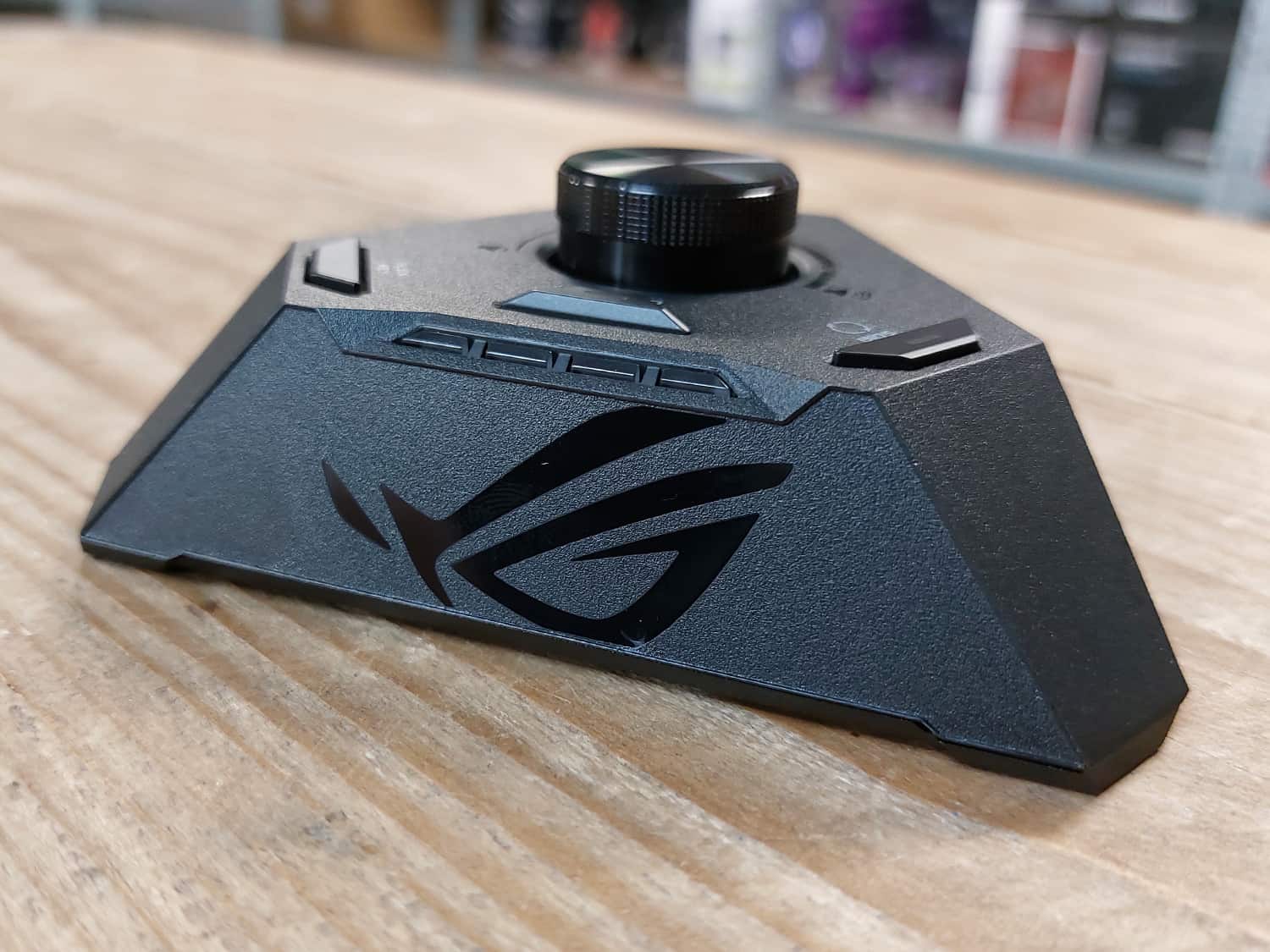
            "content_text": "Reviewoverzicht\n\t\t\t\t\t\n\t\t\t\t\t\t\t\t\n\t\t\t\t\t\t\t\t\t\t\t\t\t\t\t\t\tITX zonder compromissen!\n\t\t\t\t\t\t9\n\t\t\t\t\t\t\n\t\t\t\t\t\t\t\t\t\n\t\t\t\n\t\t\n\t\t\t\t\t\t\n\t\t\t\t\t\t\t\t\t\t\t\t\n\t\t\t\t\t\t\t\t\n\t\t\t\t\t\t\t\t\tScore\n\t\t\t\t\t\t\t\t\t9\n\t\t\t\t\t\t\t\t\n\t\t\t\t\t\t\t\t\n\t\t\t\t\t\t\t\t\t\t\t\t\t\t\t\t\t\n\t\t\t\t\t\t\t\n\t\t\t\t\t\t\t\t\t\t\t\n\t\t\t\t\n\t\t\t\t\t\t\t\n\t\t\t\n\t\t\t\t\t\t\t\t\t\n\t\t\t\t\t\t\n\t\t\t\t\t\t\tYay!\n\t\t\t\t\t\t\t\t\t\t\t\t\t\t\t\tUitstekende prestaties; net zo snel als grotere borden.\n\t\t\t\t\t\t\t\t\t\t\t\t\t\t\t\t\t\tI/O achter biedt 2x USB4, 5x 3.2 Gen 2 (10 Gbps) en 3x 2.0.\n\t\t\t\t\t\t\t\t\t\t\t\t\t\t\t\t\t\tFysieke schakelaar voor uitvoer PCIe 4.0 of PCIe 3.0.\n\t\t\t\t\t\t\t\t\t\t\t\t\t\t\t\t\t\tPCIe 5.0 voor zowel de GPU als \u00e9\u00e9n van de M.2-sloten.\n\t\t\t\t\t\t\t\t\t\t\t\t\t\t\t\t\t\tROG Hive voegt Q-LED, USB, audio en extra besturing toe.\n\t\t\t\t\t\t\t\t\t\t\t\t\t\t\t\t\t\t10+2-powerfasedesign met 110 A per stage voor dikke overklokpotentie.\n\t\t\t\t\t\t\t\t\t\t\t\t\t\t\t\t\t\tDynamic OC Switcher van ASUS aanwezig.\n\t\t\t\t\t\t\t\t\t\t\t\t\t\t\t\n\t\t\t\t\t\n\t\t\t\t\t\t\t\t\t\t\n\t\t\t\t\t\t\n\t\t\t\t\t\t\tNay!\n\t\t\t\t\t\t\t\t\t\t\t\t\t\t\t\tPositionering ROG FPS-II Card kan problematisch zijn voor specifieke builds.\n\t\t\t\t\t\t\t\t\t\t\t\t\t\t\t\t\t\tAanzienlijk duurder dan de ROG Strix B650E-I.\n\t\t\t\t\t\t\t\t\t\t\t\t\t\t\t\n\t\t\t\t\t\n\t\t\t\t\t\t\t\n\t\t\n\t\t            \n                In het kort\n                \n                    De ROG Strix X670E-I Gaming WiFi is een pittig ITX-moederbordje, zowel qua prijs als specificaties. Nochtans is dit d\u00e9 keuze voor liefhebbers die een SFF-build behoeven, maar niets willen inleveren op het gebied van connectiviteit, features en zelfs overklokken.                \n            \n            TechGaming Award        \t\t\t\t\n\t\t\t\n\t\t\n\t\tPrijzenASUS ROG STRIX X670E-I GAMING WIFI moederbordAdviesprijs\u20ac 489,00Prijs bij publicatie\u20ac 529,00Wil je meer weten over onze samenwerking met webshops? Check dan ons reviewbeleid.\nReview: ASUS ROG Strix X670E-I Gaming WiFi\nLinks;\n\nProductpagina\n\nNavigatie;\n\nSpecificaties\nShowcase\nBIOS/UEFI\nTestomgeving\nResultaten\nConclusie\n\n\nHet heeft even mogen duren, maar het is eindelijk tijd om de ASUS ROG Strix X670E-I Gaming WiFi te reviewen. Dit ITX-moederbordje heeft een lading aan connectiviteit en features in huis waar je oprecht U tegen zegt. Beter nog, deze X670E AMD-variant mag zelfs uitgebreider zijn dan de ROG Strix Z790-I voor Intel. Dat is te danken aan die AMD X670E-chipset, want de I/O aan de achterzijde biedt in totaal tien(!) USB-poorten, waarvan twee zelfs USB4, vijf USB 3.2 Gen 2 (10 Gbps) en nog driemaal USB 2.0.\nUiteraard krijg je dan ook nog PCIe 5.0-ondersteuning voor de videokaart &eacute;n opslag, net zoals bij de Intel-tegenhanger. Waar een klein verschil in zit, is het iets krachtigere powerfasedesign op de X670E-I. Daarbij biedt ASUS haar Dynamic OC Switcher voor Ryzen 7000 ook op dit bord, dus qua overklokpotentie gaat dit kleine bordje net zo hard mee. Verder zijn er nog allerlei zaken om te bespreken en beoordelen, dus laten we deze kleine krachtpatser uitgebreid behandelen!\nDe ASUS ROG Strix X670E-I Gaming WiFi is ten tijde van schrijven voor ongeveer &euro; 530,- te verkrijgen bij onze webshoppartner.\n\nHieronder treffen we de specificaties aan;\n\n\n\n\n\nSpecifications\nASUS ROG Strix X670E-I Gaming WiFi\n\n\n\n\nCPU\nAMD Socket AM5 for AMD Ryzen&trade; 7000 Series Desktop Processors** Refer to www.asus.com for CPU support list.\n\n\nChipset\nAMD X670\n\n\nMemory\n2 x DIMM, Max. 64GB, DDR5 6400+(OC) / 6200(OC) / 6000(OC) / 5800(OC) / 5600(OC) / 5400(OC) / 5200 / 5000 / 4800MHz ECC and Non-ECC, Un-buffered Memory*Dual Channel Memory Architecture Supports AMD EXTended Profiles for Overclocking (EXPO&trade;)OptiMem II\n* Supported memory types, data rate(Speed), and number of DRAM module vary depending on the CPU and memory configuration, for more information refer to www.asus.com for memory support list. * Non-ECC, Un-buffered DDR5 Memory supports On-Die ECC function\n\n\nGraphics\n1 x HDMI&reg; port*2 x USB4&reg; ports support USB Type-C&reg; display outputs**\n*Supports 4K@60Hz as specified in HDMI 2.1.** VGA resolution support depends onprocessors&rsquo; or graphic cards&rsquo; resolution.\n\n\nExpansion Slots\nAMD Ryzen&trade; 7000 Series Desktop Processors1 x PCIe 5.0 x16 slot(s)\n\n\nStorage\nTotal supports 2 x M.2 slots and 2 x SATA 6Gb/s ports*\nAMD Ryzen&trade; 7000 Series Desktop ProcessorsM.2_1 slot (Key M), type 2280 (supports PCIe 5.0 x4 mode)\nAMD X670 ChipsetM.2_2 slot (Key M), type 2242/2260/2280 (supports PCIe 4.0 x4 mode)2 x SATA 6Gb/s ports****\n*AMD RAIDXpert2 Technology supports both NVMe RAID 0/1 and SATA RAID 0/1.**** Install ROG FPS-II Card to support 2 x SATA 6Gb/s ports\n\n\nEthernet\n1 x Intel&reg; 2.5Gb EthernetASUS LANGuard\n\n\nWireless &amp; Bluetooth\nWi-Fi 6E2&times;2 Wi-Fi 6E (802.11 a/b/g/n/ac/ax) Supports 2.4/5/6GHz frequency band*\nBluetooth v5.2\n* WiFi 6E 6GHz regulatory may vary betweencountries, and function will be ready in Windows 11 or later.\n\n\nUSB\nRear USB (Total 10 ports)2 x USB4&reg; port(s) with Intel&reg; JHL8540 USB4&reg; controller (2 x USB Type-C&reg;) 5 x USB 3.2 Gen 2 port(s) (5 x Type-A)3 x USB 2.0 port(s) (3 x Type-A)\nFront USB (Total 3 ports)1 x USB 3.2 Gen 2 connector (supports USB Type-C&reg;)1 x USB 3.2 Gen 1 header(s) support(s) additional 2 USB 3.2 Gen 1 ports\nROG STRIX HIVE (Total 2 ports)1 x USB 3.2 Gen 2 port(s) (1 x USB Type-C&reg;)1 x USB 2.0 port(s) (1 x Type-A)\nROG FPS-II C (Total 3 ports)2 x USB 2.0 header(s) additional 3 USB 2.0 ports**\n\n\nAudio\nROG High Definition Audio CODEC ALC4050 - Supports: Jack-detection - High quality 118 dB SNR stereo playback output and 94 dB SNR recording input - Supports up to 32-Bit/384 kHz playback\nAudio Features - ROG Hyper-Grounding Technology- ESS&reg; SABRE9260Q DAC- Silver-plated audio jacks- Optical S/PDIF out port &amp; USB Type-C&reg;  port with indepent power solution- Dedicated audio PCB layers\n*All audio functions on ROG STRIX X670E-I GAMING WIFI are supported through ROG STRIX HIVE\n\n\nBack Panel I/O Ports\n2 x USB4&reg; port(s) with Intel&reg; JHL8540 USB4&reg; controller (2 x USB Type-C&reg;) 5 x USB 3.2 Gen 2 port(s) (5 x Type-A) (1 port supports ROG STRIX HIVE)3 x USB 2.0 port(s) (3 x Type-A) 1 x HDMI&reg; port1 x Wi-Fi Module1 x Intel&reg; I225-V 2.5Gb Ethernet port\n\n\nInternal I/O Connectors\nFan and Cooling related 1 x 4-pin CPU Fan header(s)1 x 4-pin AIO Pump header(s)1 x 4-pin Chassis Fan header(s)\nPower related 1 x 24-pin Main Power connector1 x 8-pin +12V Power connector\nStorage related 2 x M.2 slots (Key M)\nUSB 1 x USB 3.2 Gen 2 connector (support(s) USB Type-C&reg; ) 1 x USB 3.2 Gen 1 header(s) support(s) additional 2 USB 3.2 Gen 1 ports\nMiscellaneous1 x Addressable Gen 2 header(s)1 x AURA RGB header(s)1 x RTC Battery header1 x Thermal Sensor header1 x 2 pin Power_BTN header2 x USB Type-C&reg; connectors to Install ROG FPS-II card*\nROG FPS-II card 2 x SATA 6Gb/s ports1 x CPU Over Voltage jumper1 x Clear CMOS header1 x Front Panel header1 x Alteration mode switch2 x USB 2.0 header(s) support(s) additional 3 USB 2.0 ports\n\n\nSpecial Features\nExtreme Engine Digi+-5K Black Metallic Capacitors\nASUS Q-Design - M.2 Q-Latch- Q-DIMM- Q-Slot\nASUS Thermal Solution- M.2 heatsink- Aluminum backplate- M.2 Chipset Fan- VRM heatsink design\nASUS EZ DIY- BIOS FlashBack&trade; button- BIOS FlashBack&trade; LED- ProCool II- Pre-mounted I/O shield- SafeSlot- SafeDIMM\nAURA Sync- AURA RGB header(s)- Addressable Gen 2 header(s)\nROG STRIX HIVE1 x USB Type-C&reg; connects to Motherboard1 x USB 3.2 Gen 2 port(s) (1 x USB Type-C&reg;)1 x USB 2.0 port(s) (1 x Type-A with BIOS FlashBack&trade;) 1 x Headphone jack with Mic in1 x Mic in jack with Optical S/PDIF out1 x EZ mode PBO button1 x FlexKey button 1 x BIOS FlashBack&trade;  button 1 x Volume Control Knob with Mute ButtonQ-LED (CPU [red], DRAM [yellow], VGA[white], Boot Device [yellow green])\n\n\nSoftware Features\nROG Exclusive Software- GameFirst VI- ROG CPU-Z- Sonic Studio III + Sonic Studio Virtual Mixer + Sonic Suite Companion- Sonic Radar III- DTS&reg; Sound Unbound - Anti-virus software\nASUS Exclusive Software- Armoury Crate- AIDA64 Extreme (60 days free trial) - AURA Creator- AURA Sync- Fan Xpert 4 (with AI Cooling II)- Power Saving- Two-Way AI Noise Cancellation\nAI Suite 3- TPU- DIGI+ VRM- Turbo app- PC Cleaner\nMyAsusWinRAR\nUEFI BIOSASUS EZ DIY - ASUS CrashFree BIOS 3 - ASUS EZ Flash 3 - ASUS UEFI BIOS EZ Mode\nDynamic OC SwitcherFlexKey\n\n\nBIOS\n256Mb Flash ROM, UEFI AMI BIOS\n\n\nManageability\nWOL by PME, PXE\n\n\nAccessories\nCables2 x SATA 6Gb/s cables 1 x ROG USB2.0 splitter cable1 x Panel Cable\nROG FPS-II Card1 x ROG FPS-II Card\nROG STRIX HIVE1 x ROG STRIX HIVE1 x USB Type-C&reg; power connection cable\nAdditional Cooling Kit1 x Thermal pad for M.2\nMiscellaneous1 x ASUS Wi-Fi moving antennas 1 x Cable ties pack1 x Rubber Package(s) for M.21 x Q-Latch package(s) for M.21 x ROG key chain1 x ROG Strix stickers1 x ROG Strix thank you card\nInstallation Media1 x User guide\n\n\nOperating System\nWindows&reg; 11 64-bit, Windows&reg; 10 64-bit\n\n\nForm Factor\nMini-ITX Form Factor6.7 inch x 6.7 inch (17cm x 17cm)\n\n\n\nX670E-I vs. B650E-I\nOmdat we de ROG Strix X670E-I later reviewen, hebben we de mogelijkheid om uitgebreider te vergelijken. Niet alleen met de Intel Z790-I bijvoorbeeld, maar ook met de betaalbaardere B650E-I die inmiddels uit is. Eigenlijk is de X670E-I een luxueuze versie daarvan met hier en daar wat features die je als gebruiker mogelijk niet behoeft. Dan kom je bij ASUS automatisch uit bij de B650E-I, die op het moment zo&rsquo;n &euro; 160,- goedkoper uitvalt bij onze webshoppartner. Dat is toch echt een flink verschil.\nIk vind het belangrijk om die B650E-I gelijk aan te kaarten, want de X670E-I ter sprake vervult een niche. Een niche waarbij je als ITX-liefhebber geen compromissen wil maken voor je SFF-build. Kies je voor de B650E-I, dan krijg je bijvoorbeeld g&eacute;&eacute;n USB4 en twee USB Type-A-poorten minder (1x 2.0 en 1x 3.2 Gen 2). Het powerfasedesign van 10+2 neemt ook een stap terug van 110 A naar 70 A, wat de overklokpotentie vermindert.\nTenslotte ontbreekt het bij de B650E-I ook aan de &ldquo;Alteration Mode switch\", een fysieke schakelaar op de ROG FPS-II Card (die insteekkaart doen we zo bespreken). Met die switch kan je de uitvoer van het PCIe-slot instellen op automatisch, PCIe 4.0 of PCIe 3.0 en dat is absurd handig voor overklokken met een PCIe-riserkabel ge&iuml;nstalleerd. Bij een BIOS-reset hoef je dan niet meer de uitvoer terug te zetten en dat scheelt bakken aan tijd.\nROG Strix Hive\nLaten we dan d&eacute; premium toevoeging bespreken om de X670E-I boven de B650E-I te verkiezen: de meegeleverde Hive. Dit apparaatje maakt diverse moederbordfeatures extern en voegt een aantal toe. Laten we eerst de externe zaken benoemen: audio-invoer voor geluid en microfoon, de FlexKey-knop, de BIOS FlashBack-knop, de BIOS FlashBack-USB-poort en de vier Q-LED-indicatoren voor CPU, RAM, VGA en Boot.\nWat de ROG Hive verder aan je systeem toevoegt, is een USB-C-poort, een volumewiel met een mute-functie en een PBO-knop om AMD Precision Boost Overdrive in- en uit te schakelen. Daarmee wordt overigens de PBO-instelling toegepast die je in het BIOS ingesteld hebt, waardoor je bewust om kan gaan met het gebruik van PBO middels de knop. Dat kan eventueel relevant zijn voor koeling, ofwel geluidsproductie.\n\n\n\n\n\nROG FPS-II Card\nTenslotte arriveren we bij de zogeheten ROG FPS-II Card. Deze insteekkaart is optioneel aan de zijkamt op het moederbord te plaatsen en voegt daarmee het volgende toe: twee USB 2.0-headers, een F_PANEL-header, een jumper om CPU Over Voltage in te schakelen, twee SATA-poorten en de eerder besproken Alteration Mode switch voor PCIe-uitvoer.\nMocht je de FPS-II Card niet gebruiken, dan kan je de PWR_BTN-header op het moederbord zelf benutten om de powerknop van je behuizing aan te sluiten. Het gebruik van de insteekkaart is niet voor niets optioneel, want in specifieke, krappere SFF-builds zou de positionering ervan niet gunstig kunnen zijn - bijvoorbeeld als het gaat om de verticale SATA-poorten.\n\n\nZeau, tijd om een uitpakavontuur te beginnen met de X670E-I. T.o.v. de lading aan Intel en AMD-moederborden die we recentelijk hebben behandeld, is deze verpakking een stuk kleiner. Laat je dat echter niet misleiden, want de inhoud is straks alsnog een flinke. Voor nu zien we bij het openen als eerste het bordje en daaronder de compartimenten met de accessoires en boekjes. Oh, en een stickervel natuurlijk!\n\n\n\n\n\n\nKijkende naar de accessoires hieronder, dan zijn er wat opvallende te benoemen. Naast de Wi-Fi-antenne, een sleutelhanger, een thermal pad, tie-wraps en twee SATA-kabels krijg je namelijk ook een USB Type-C naar Type-A-kabel voor de ROG Strix Hive, een extender voor de F_PANEL-header en een splitter voor de USB 2.0-header. Die laatste twee kunnen zeker van pas komen bij de krappere SFF-builds.\n\nVervolgens komen we aan bij de ROG Strix Hive, die we bij de specificaties hebben besproken. Het zwarte ontwerp kan ik waarderen, waar het ROG-logo subtiel is aangebracht aan de voorzijde. Al met al is dit ITX-pakketje vrij minimalistisch qua ontwerp en dat is juist iets dat me in dit geval aanspreekt. Met dit apparaatje kan je dus bepaalde functionaliteit extern maken &eacute;n toevoegen aan je setup.\n\n\n\n\n\n\nOpvolgend is de ROG FPS-II Card aan de beurt, voorzien van de eerder benoemde aansluitingen, headers en features. Ik had verwacht dat deze ietwat fragiel zou zijn, maar dat is gelukkig niet het geval. De USB-C-aansluitingen helpen hierbij, die ook stevig gesoldeerd zijn op het bord. Dan nog wil je er niet tegenaan stoten na plaatsing op het bord, maar ik maak me er ook geen zorgen om.\n\n\n\n\nNu is het tijd voor de grote (of kleine) jongen: de X670E-I zelf. Zoals ik al aangaf, is het ontwerp vrij minimalistisch voor een ASUS ROG Strix-bord. Het ge&iuml;ntegreerde I/O-schild en de M.2-stack zijn voorzien van hetzelfde visuele ontwerp dat zelfs doorloopt naar elkaar. Het mag ook alvast duidelijk worden dat er geen RGB-verlichting is aangebracht op dit bord. Daar heb ik persoonlijk geen bezwaar tegen.\nOp de achterkant treffen we logischerwijs de AM5-backplate aan en een backplate voor het I/O-schild. Interessanter om naar te kijken, is die I/O op de zijkant, want het is me toch een lading aan connectiviteit. Zoals ik al besproken had, betreft het een tiental USB-poorten in totaal. Daarnaast krijg je HDMI uit, 2,5Gbps-ethernet en de aansluitingen voor de Wi-Fi-antennes. Overige I/O-aansluitingen zoals audio en de BIOS FlashBack-poort zijn aangebracht op de ROG Strix Hive natuurlijk.\n\n\n\n\n\nAls we rondom kijken, dan is nog best veel connectiviteit en functionaliteit op het bord zelf te vinden. Zo is het eerste aanzicht van het PCIe 5.0 x16-slot voor de videokaart, met de verticale M.2-sloten eveneens in zicht. In de tweede foto zien we links de USB 3.2 Gen 1-header, in het midden de aansluitingen voor de ROG FPS-II Card en rechts de USB 3.2 Gen 2 Type-C-header. Oh, en gedeeltelijk in zicht nog de 24-pins-ATX-aansluiting.\nOp de derde foto zien we drie fan-headers die netjes afgedekt zijn met rubberen covers en rechts daarvan twee RGB-headers. Met de vierde foto werpen we een blik op de 8-pins-aansluiting voor processorvoeding, waar de vijfde foto de socket en de geheugenbanken uitlicht. Tenslotte op de zesde foto een aanzicht na de plaatsing van de ROG FPS-II Card.\n\n\n\n\n\n\n\n\nOm twee M.2-sloten kwijt te kunnen op dit bord, is gebruikgemaakt van een verticale setup. Om het bovenste M.2-slot te benaderen, hoef je enkel de twee typerende schroefjes los te maken. Om het slot d&aacute;&aacute;ronder te benaderen, moet je twee schroefjes verwijderen aan de rechterkant.\nAl met al is het eenvoudig om te de sloten te benaderen, al is het handig om eerst het onderste slot te benutten. Het bovenste M.2-slot betreft namelijk degene met PCIe 5.0-ondersteuning, dus als je een dergelijke SSD in de toekomst wil toevoegen, moet je het bovenste slot leeg laten.\n\n\n\n\nTenslotte valt ook het plaatje af te nemen boven de heatsinkfan. Daarmee werpen we een blik op een schattig fannetje van 30 mm. De offici&euml;le grootte ervan kan ik niet terugvinden op de productpagina, maar met een rolmaat kan ik bevestigen dat het 30 mm betreft, waar het fannetje verder 6 mm dik is. Mocht je een vervanging willen plaatsen, dan weet je dus bij deze dat het 30x30x6 mm betreft.\n\n\n\n\n\nHet BIOS van de X670E-I is een typerende voor ASUS, waar je logischerwijs de keuze hebt uit twee schillen: EZ Mode en Advanced Mode. Met F7 kan je schakelen tussen de twee modi, waar de EZ Mode prettig is voor een snel overzicht van belangrijke zaken, zoals temperatuur, de inschakeling van je geheugenprofiel en o.a. EZ System Tuning voor een automatische overklok.\n\n\n\n\nIn de Advanced Mode kan je bij het Ai Tweaker-tabje terecht voor alle overklokinstellingen. Mocht je bekend zijn met dit tabje, dan mag het opvallen dat alle overklokopties van grotere borden ook hier aanwezig zijn. Beter nog, er is zelfs Extreme Over-voltage aanwezig, al is dat - zoals de naam al hint - weggelegd voor de extreme overklokkers onder ons. In ieder geval lever je op overklokgebied niets in met de X670E-I.\n\n\n\n\n\nOpvolgend krijg je typerende tabjes om welbekende systeeminstellingen te beheren, waaronder voor de processor, aangesloten apparaten, fan- en temperatuurcurves, opstarten, updates, profielen en ga zo maar door. Het is een vertrouwde ASUS-BIOS voor degenen die bekend zijn met de fabrikant, waar ik verder geen bijzonderheden kan opnoemen.\n\n\n\n\n\n\n\n\nTenslotte een kijkje bij twee handige elementen van het BIOS: de Q-Fan Control voor custom fancurves en de AI Overclocking Guide om de overklokfeature daarvan correct te benutten.\n\n\n\n\n\nHieronder is meer informatie te vinden over de testomgeving en toegepaste testmethoden.\n\n\n\n\nTestomgeving\n\n\n\n\nProcessor\nAMD Ryzen 9 7950X\n\n\nMoederborden\nASRock X670E Pro RS (1.07)ASUS ROG Crosshair X670E Hero (0611)ASUS ROG Strix X670E-E Gaming WiFi (0614)ASUS ROG Strix X670E-I Gaming WiFi (0614)ASUS TUF Gaming X670E-Plus Gaming WiFi (0614)\n\n\nBIOS\nXMP/EXPO, enhancements en PBO ingeschakeld waar mogelijk\n\n\nGeheugen\nKingston FURY Renegade DDR5 6400 MT/s CL40 (KF564C32RSK2-32)\n\n\nVideokaart\nMSI GeForce RTX 3080 Gaming X Trio 10GVideodriver: 516.94\n\n\nSSD\nSamsung 970 EVO Plus 500 GB\n\n\nVoeding\nASUS ROG Thor 1200W Platinum\n\n\nProcessorkoeler\nNoctua NH-D15 chromax.black\n\n\nBehuizing\nCooler Master Test Bench V1.0\n\n\n\nAls eindnoot: dit is een moederbordreview. Hier kijken we specifiek naar productiviteit en synthetische resultaten. Diepgaandere resultaten aangaande processor, temperatuur en gameresultaten zijn bestemd voor onze processor- en videokaartreviews. Hoewel we bij nieuwe CPU-lanceringen c.q. architecturen veelal de reviews uitbreiden met een goede dosis aan gameresultaten.\n\nHieronder zijn resultaten te vinden van de ASUS ROG Strix X670E-I Gaming WiFi i.c.m. de AMD Ryzen 9 7950X. Normaliter duiken we in dit hoofdstuk, noch in moederbordreviews &uuml;berhaupt niet op resultaten in. Echter is het in dit geval belangrijk om te bekijken of de X670E-I mogelijk inlevert op prestaties tegenover andere borden. Dat kon namelijk weleens het geval zijn bij ITX-bordjes, waardoor je bewust een keuze moest maken.\nAls we dan hieronder naar de behaalde resultaten kijken, dan is er eigenlijk niets te vrezen. Zelfs op multi-threaded gebied weet de X670E-I gewoon met zijn stevigere broeren mee te gaan. Uiteraard zijn we inmiddels wel wat BIOS-updates (en verbeteringen) verder sinds de allereerste borden die we getest hebben, maar het patroon is duidelijk: zelfs een monsterlijke processor zoals de 7950X ervaart geen bottleneck.\nBeter nog, het zal zelfs opvallen dat de X670E-I meermalig op de eerste plek valt. Dat mogelijk niet alleen vanwege een nieuwere BIOS, maar ook vanwege de geheugenbanken. Die liggen namelijk met hun traces dichter op de processor &eacute;n er zijn slechts twee banken aanwezig i.p.v. vier. Dat komt het geheugen ten goede en dat kan &eacute;&eacute;n van de verklaringen zijn voor de uitstekende resultaten - samen met het krachtige powerfasedesign voor een ITX-bord natuurlijk.\nBenchmarks, rendering en compiling\n\n\n\n\n\n\n\n\n\nDe ROG Strix X670E-I Gaming WiFi is een Mini-ITX-bord dat zich makkelijk meet met grotere borden. Het powerfasedesign hier is de krachtigste die ASUS dusver in een ITX-bord heeft geslagen en de resultaten mogen er zijn. Niet alleen weet onze 7950X minstens even goed te presteren in de X670E-I, het is zelfs mogelijk om op dit bord te gaan overklokken. Laten dan ook wel wezen: deze uiting mikt zich volledig op ITX-liefhebbers die hun systeem zonder compromissen naar het uiterste willen drijven.\nDat brengt ons wel naar de prijsdiscussie, want voor &euro; 530,- (ten tijde van schrijven) is dit verre van een betaalbaar bord. Als overklokken met een ITX-bord je niet aanspreekt en binnen het ASUS-kamp een alternatief zoekt, dan ben je bijvoorbeeld beter (&eacute;n &euro; 160,- goedkoper) af met de B650E-I. Toch vind ik de prijs van de X670E-I grotendeels gerechtvaardigd, met name dankzij de connectiviteit op de I/O achter. Iets met tweemaal USB4, vijfmaal USB 3.2 Gen 2 (10 Gbps) en driemaal USB 2.0.\nDaarnaast maakt de X670E-I zich interessant met twee accessoires: de ROG Strix Hive voor externe functionaliteit en de ROG FPS-II Card voor interne functionaliteit. De mogelijkheden om je BIOS met een knop bij de hand te resetten en met een switch de PCIe-uitvoer voor je videokaart te bepalen zijn twee heerlijke overklokfeatures. Laat me gewoon stellen dat de X670E-I h&eacute;t Mini-ITX-overklokbord is voor Ryzen 7000 met daaromheen een featurelijst waar je U tegen zegt. Een award waardig!\n\n\nHet bericht Review: ASUS ROG Strix X670E-I Gaming WiFi verscheen eerst op TechGaming.",
            "date_published": "2022-12-05T17:30:47+01:00",
            "date_modified": "2023-10-25T16:28:27+02:00",
            "authors": [
                {
                    "name": "TechGaming",
                    "url": "https://techgaming.nl/redacteur/techgaming-3/",
                    "avatar": "https://techgaming.nl/wp-content/uploads/avatar-privacy/cache/custom/1/7dad4beb9426479a0c63580fab9049214d5c1b92279fe0778fa2a2ae61f7f941-512.png"
                }
            ],
            "author": {
                "name": "TechGaming",
                "url": "https://techgaming.nl/redacteur/techgaming-3/",
                "avatar": "https://techgaming.nl/wp-content/uploads/avatar-privacy/cache/custom/1/7dad4beb9426479a0c63580fab9049214d5c1b92279fe0778fa2a2ae61f7f941-512.png"
            },
            "image": "https://techgaming.nl/wp-content/uploads/2022/12/ASUS-ROG-Strix-X670E-I-Gaming-WiFi.jpg",
            "tags": [
                "AMD",
                "AMD Ryzen 7000",
                "AMD Ryzen 9 7950X",
                "Asus",
                "ASUS ROG Strix X670E-I Gaming WiFi",
                "Mini-ITX",
                "ROG",
                "Hoog geprijsd, maar elke cent waard",
                "Moederborden",
                "Tech reviews"
            ],
            "post_id": 28250,
            "categories": [
                {
                    "id": 27,
                    "title": "Hoog geprijsd, maar elke cent waard",
                    "slug": "techgaming-award-6"
                },
                {
                    "id": 49,
                    "title": "Moederborden",
                    "slug": "moederborden"
                },
                {
                    "id": 25,
                    "title": "Tech reviews",
                    "slug": "tech-reviews"
                }
            ]
        },
        {
            "id": "https://techgaming.nl/?p=29027",
            "url": "https://techgaming.nl/review-asus-tuf-gaming-x670e-plus-wifi/",
            "title": "Review: ASUS TUF Gaming X670E-Plus WiFi",
            "content_html": "\t\t<div class=\"review-section type-score\">\n\t\t\t<div class=\"inner\">\n\t\t\t\t\t\t<div class=\"review-header review-intro\">\n\t\t\t\t\t\t\t<div class=\"review-bg\">\n\t\t\t\t\t\t\t\t\t</div>\n\t\t\t\t\t\t<div class=\"inner light-scheme\">\n\t\t\t\t\t\t\t\t\t<div class=\"review-heading\">\n\t\t\t\t\t\t<span class=\"h2\">Reviewoverzicht</span>\n\t\t\t\t\t</div>\n\t\t\t\t\t\t\t\t<div class=\"meta-info\">\n\t\t\t\t\t<span class=\"rline-wrap\"><span class=\"rline activated\"></span><span class=\"rline activated\"></span><span class=\"rline activated\"></span><span class=\"rline activated\"></span><span class=\"rline activated\"></span></span>\t\t\t\t\t\t<span class=\"average\">\t\t\t\t\t\t<span class=\"meta-text\"><span class=\"meta-description\">X670E-middenklasser.</span></span>\n\t\t\t\t\t\t<span class=\"h1\">8.4</span>\n\t\t\t\t\t\t</span>\n\t\t\t\t\t\t\t\t\t</div>\n\t\t\t</div>\n\t\t</div>\n\t\t\t\t\t\t<div class=\"review-content\">\n\t\t\t\t\t\t\t\t\t\t\t\t<div class=\"review-el\">\n\t\t\t\t\t\t\t\t<div class=\"review-label\">\n\t\t\t\t\t\t\t\t\t<span class=\"review-label-info h4\">Score</span>\n\t\t\t\t\t\t\t\t\t<span class=\"rating-info is-meta\">8.4</span>\n\t\t\t\t\t\t\t\t</div>\n\t\t\t\t\t\t\t\t<span class=\"review-rating\">\n\t\t\t\t\t\t\t\t\t<span class=\"rline-wrap\"><span class=\"rline activated\"></span><span class=\"rline activated\"></span><span class=\"rline activated\"></span><span class=\"rline activated\"></span><span class=\"rline activated\"></span></span>\t\t\t\t\t\t\t\t</span>\n\t\t\t\t\t\t\t</div>\n\t\t\t\t\t\t\t\t\t\t\t</div>\n\t\t\t\t<div class=\"review-footer\">\n\t\t\t\t\t\t\t<div class=\"pros-cons stuff-col-2\">\n\t\t\t<div class=\"pros-cons-holder\">\n\t\t\t\t\t\t\t\t\t<div class=\"pros-list-wrap\">\n\t\t\t\t\t\t<div class=\"pros-cons-list-inner\">\n\t\t\t\t\t\t\t<span class=\"pros-cons-title h4\"><i class=\"rbi rbi-like\"></i>Yay!</span>\n\t\t\t\t\t\t\t\t\t\t\t\t\t\t\t\t<span class=\"pros-cons-el\">Prima X670E-middenklasser.</span>\n\t\t\t\t\t\t\t\t\t\t\t\t\t\t\t\t\t\t<span class=\"pros-cons-el\">Beschikt over \u00e9\u00e9n PCIe 5.0 x16-slot en \u00e9\u00e9n PCIe 5.0 x4-slot.</span>\n\t\t\t\t\t\t\t\t\t\t\t\t\t\t\t\t\t\t<span class=\"pros-cons-el\">Veel USB-connectiviteit.</span>\n\t\t\t\t\t\t\t\t\t\t\t\t\t\t\t\t\t\t<span class=\"pros-cons-el\">Degelijk 14+2 powerfasedesign.</span>\n\t\t\t\t\t\t\t\t\t\t\t\t\t\t\t\t\t\t<span class=\"pros-cons-el\">Wi-Fi 6E + Bluetooth 5.2.</span>\n\t\t\t\t\t\t\t\t\t\t\t\t\t\t\t\t\t\t<span class=\"pros-cons-el\">Zeven 4-pin fan headers.</span>\n\t\t\t\t\t\t\t\t\t\t\t\t\t\t\t</div>\n\t\t\t\t\t</div>\n\t\t\t\t\t\t\t\t\t\t<div class=\"cons-list-wrap\">\n\t\t\t\t\t\t<div class=\"pros-cons-list-inner\">\n\t\t\t\t\t\t\t<span class=\"pros-cons-title h4\"><i class=\"rbi rbi-dislike\"></i>Nay!</span>\n\t\t\t\t\t\t\t\t\t\t\t\t\t\t\t\t<span class=\"pros-cons-el\">Weinig RGB-verlichting (voor de liefhebbers).</span>\n\t\t\t\t\t\t\t\t\t\t\t\t\t\t\t\t\t\t<span class=\"pros-cons-el\">Maar drie van de vier M.2-sloten hebben een heatsink.</span>\n\t\t\t\t\t\t\t\t\t\t\t\t\t\t\t</div>\n\t\t\t\t\t</div>\n\t\t\t\t\t\t\t</div>\n\t\t</div>\n\t\t            <div class=\"summary-wrap\">\n                <span class=\"h3 review-summary-title\">In het kort</span>\n                <div class=\"summary-content\">\n                    De ASUS TUF Gaming X670E-Plus WiFi is een prima X670E-middenklasser. Het moederbord levert een degelijk powerfasedesign, veel USB-connectiviteit en PCIe 5.0 x16 en x4 ondersteuning.                </div>\n            </div>\n            <div class=\"summary-wrap\"><span class=\"h3 review-summary-title\">TechGaming Award</span><div class=\"summary-content\"><center><img decoding=\"async\" src=\"https://techgaming.nl/image_uploads/awards/TechGaming-Stamp-5.png\" title=\"Een persoonlijke favoriet van ons\" /></center></div></div>        \t\t\t\t</div>\n\t\t\t</div>\n\t\t</div>\n\t\t<div id=\"shop\" class=\"review-section affiliates\"><div class=\"inner\"><div class=\"review-header review-intro\"><div class=\"review-bg\"></div><div class=\"inner white-text affiliate--header\"><span class=\"h2\">Prijzen</span></div></div><div class=\"review-footer\"><div class=\"affiliate\"><div class=\"affiliate--name\">ASUS TUF GAMING X670E-PLUS WIFI moederbord</div><div class=\"affiliate--price affiliate--price--labeled\"><span>Adviesprijs</span>\u20ac 349,00</div><div class=\"affiliate--name\"></div><div class=\"affiliate--price affiliate--price--labeled\"><span>Prijs bij publicatie</span>\u20ac 389,00</div></div><div class=\"affiliate affiliate--disclaimer\"><p>Wil je meer weten over onze samenwerking met webshops? Check dan ons <a href=\"https://techgaming.nl/reviewbeleid/\" rel=\"noopener noreferrer\" target=\"_blank\"><strong>reviewbeleid</strong></a>.</p></div></div></div></div><div class=\"review-section type-content\"><div class=\"inner\"><div class=\"review-footer\"><div class=\"rbct\"><!DOCTYPE html PUBLIC \"-//W3C//DTD HTML 4.0 Transitional//EN\" \"http://www.w3.org/TR/REC-html40/loose.dtd\">\n<html><body><h3>Review: ASUS TUF Gaming X670E-Plus WiFi</h3>\n<span class='azc_bbc_bold'>Links;</span>\n<ul>\n<li><strong><a href=\"https://www.asus.com/motherboards-components/motherboards/tuf-gaming/tuf-gaming-x670e-plus-wifi/\" target=\"_blank\" rel=\"noopener noreferrer\">Productpagina</a></strong></li>\n</ul>\n<span class='azc_bbc_bold'>Navigatie;</span>\n<ul>\n<li><strong><a href=\"#specificaties\">Specificaties</a></strong></li>\n<li><strong><a href=\"#chipset\">Chipset</a></strong> - AMD X670</li>\n<li><strong><a href=\"#showcase\">Showcase</a></strong></li>\n<li><strong><a href=\"#testomgeving\">Testomgeving</a></strong></li>\n<li><strong><a href=\"#resultaten\">Resultaten</a></strong></li>\n<li><strong><a href=\"#conclusie\">Conclusie</a></strong></li>\n</ul>\n<p><a href=\"https://techgaming.nl/image_uploads/reviews/ASUS-TUF-Gaming-X670E-Plus-WiFi/inleiding.png\" target=\"_blank\" data-rel=\"lightbox-gallery-bGlnaHRib3gtZ2FsbGVyeS0xYzNmNDc1OGM5\" data-rl_title=\"\" data-rl_caption=\"\" title=\"\"><img decoding=\"async\" src=\"https://techgaming.nl/image_uploads/reviews/ASUS-TUF-Gaming-X670E-Plus-WiFi/inleiding.png\" alt=\"Inleiding\"></a></p>\n<p>De ASUS TUF Gaming X670E-Plus WiFi maakt onderdeel uit van het middensegment aan moederborden van ASUS. Als zijnde X670E-moederbord zien we ondersteuning voor zowel een PCIe 5.0 x16-slot als een PCIe 5.0 x4-slot; een prima upgradepad.</p>\n<p>In de basis heeft de ASUS TUF Gaming X670E-Plus WiFi een 14+2 powerfasedesign. Verder is het moederbord uitgerust met nog een PCIe 4.0 x16-slot, drie PCIe 4.0 x4-sloten, USB 3.2 Gen 2&times;2 Type-C en Wi-Fi 6E. Het gaat hier om een moederbord uit het middensegment, om die reden zien we geen implementatie van USB 4.0 of Thunderbolt 4.</p>\n<p>De ASUS TUF Gaming X670E-Plus WiFi is verkrijgbaar bij onze webshoppartner Megekko. Bovenaan de review vind je de <a href=\"#megekko\"><strong>actuele webshopprijs</strong></a>.</p>\n<p><a href=\"https://techgaming.nl/image_uploads/reviews/ASUS-TUF-Gaming-X670E-Plus-WiFi/specificaties.png\" target=\"_blank\" data-rel=\"lightbox-gallery-bGlnaHRib3gtZ2FsbGVyeS0zN2I2YWQ5YWE0\" data-rl_title=\"\" data-rl_caption=\"\" title=\"\"><img decoding=\"async\" id=\"specificaties\" src=\"https://techgaming.nl/image_uploads/reviews/ASUS-TUF-Gaming-X670E-Plus-WiFi/specificaties.png\" alt=\"Specificaties\"></a></p>\n<p>Hieronder treffen we de specificaties aan;</p>\n<p><a href=\"https://techgaming.nl/image_uploads/reviews/ASUS-TUF-Gaming-X670E-Plus-WiFi/ASUS-TUF-Gaming-X670E-Plus-WiFi.png\" target=\"_blank\" data-rel=\"lightbox-gallery-bGlnaHRib3gtZ2FsbGVyeS05NjdlNTQ1NDlj\" data-rl_title=\"\" data-rl_caption=\"\" title=\"\"><img decoding=\"async\" src=\"https://techgaming.nl/image_uploads/reviews/ASUS-TUF-Gaming-X670E-Plus-WiFi/ASUS-TUF-Gaming-X670E-Plus-WiFi.png\"></a></p>\n<style type=\"text/css\">\n.tg  {border-collapse:collapse;border-spacing:0;}\n.tg td{border-style:solid;border-width:1px;font-family:Arial, sans-serif;font-size:14px;\n  overflow:hidden;padding:10px 5px;word-break:normal;}\n.tg th{border-style:solid;border-width:1px;font-family:Arial, sans-serif;font-size:14px;\n  font-weight:normal;overflow:hidden;padding:10px 5px;word-break:normal;}\n.tg .tg-lboi{text-align:left;vertical-align:middle}\n.tg .tg-zlqz{background-color:#c0c0c0;font-weight:bold;text-align:center;vertical-align:top}\n.tg .tg-efol{background-color:#c0c0c0;font-weight:bold;text-align:center;vertical-align:middle}\n.tg .tg-pwmh{background-color:#c0c0c0;font-weight:bold;text-align:left;vertical-align:middle}\n</style>\n<table class=\"tg-table\">\n<thead>\n<tr>\n<th class=\"tg-header\">Specifications</th>\n<th class=\"tg-header\">ASUS ROG Crosshair X670E Hero</th>\n</tr>\n</thead>\n<tbody>\n<tr>\n<td class=\"tg-cell\">CPU</td>\n<td class=\"tg-cell\">AMD Socket AM5 for AMD Ryzen&trade; 7000 Series Desktop Processors*<br>* Refer to www.asus.com for CPU support list.</td>\n</tr>\n<tr>\n<td class=\"tg-cell\">Chipset</td>\n<td class=\"tg-cell\">AMD X670</td>\n</tr>\n<tr>\n<td class=\"tg-cell\">Memory</td>\n<td class=\"tg-cell\">4 x DIMM, Max. 128GB, DDR5 6400+(OC) / 6200(OC) / 6000(OC) / 5800(OC) / 5600(OC) / 5400(OC) / 5200 / 5000 / 4800 ECC &amp; Non-ECC, Un-buffered Memory*<br>Dual Channel Memory Architecture<br>Supports AMD Extended Profiles for Overclocking (EXPO&trade;)<br>OptiMem II\n<p>* Supported memory types, data rate(Speed), and number of DRAM module vary depending on the CPU and memory configuration, for more information refer to www.asus.com for memory support list.<br>** Non-ECC, Un-buffered DDR5 Memroy supports On-Die ECC function.</p></td>\n</tr>\n<tr>\n<td class=\"tg-cell\">Graphics</td>\n<td class=\"tg-cell\">1 x DisplayPort**<br>1 x HDMI&reg; port***  \n<p>* Graphics specifications may vary between CPU types.<br>** Supports max. 8K@60Hz as specified in DisplayPort 1.4.<br>*** Supports 4K@60Hz as specified in HDMI 2.1.</p></td>\n</tr>\n<tr>\n<td class=\"tg-cell\">Expansion Slots</td>\n<td class=\"tg-cell\">AMD Ryzen&trade; 7000 Series Desktop Processors*<br>-1 x PCIe 5.0 x16 slot\n<p>AMD X670 Chipset<br>-1 x PCIe 4.0 x16 slot (supports x4 mode)<br>-1 x PCIe 4.0 x4 slots</p>\n<p>* Please check PCIe bifurcation table at https://www.asus.com/support/FAQ/1037507/.</p></td>\n</tr>\n<tr>\n<td class=\"tg-cell\">Storage</td>\n<td class=\"tg-cell\">Total supports 4 x M.2 slots and 4 x SATA 6Gb/s ports*<br>AMD Ryzen&trade; 7000 Series Desktop Processors<br>M.2_1 slot (Key M), type 2242/2260/2280 (supports PCIe 5.0 x4 mode)<br>M.2_3 slot (Key M), type 2242/2260/2280 (supports PCIe 4.0 x4 mode)<br>AMD X670 Chipset<br>M.2_2 slot (Key M), type 2242/2260/2280/22110 (supports PCIe 3.0 x4 &amp; SATA modes)**<br>M.2_4 slot (Key M), type 2242/2260/2280 (supports PCIe 4.0 x4 mode)<br>4 x SATA 6Gb/s ports<br>*AMD RAID Xpert Technology supports both NVMe RAID 0/1/10 and SATA RAID 0/1/10.<br>** M.2_2 slot shares bandwidth with SATA6G_1&amp;2. When M.2_2 runs at PCIe x4 mode, SATA6G_1&amp;2 will be disabled.</td>\n</tr>\n<tr>\n<td class=\"tg-cell\">Ethernet</td>\n<td class=\"tg-cell\">1 x Realtek 2.5Gb Ethernet<br>TUF LANGuard</td>\n</tr>\n<tr>\n<td class=\"tg-cell\">Wireless &amp; Bluetooth</td>\n<td class=\"tg-cell\">Wi-Fi 6E\n<p>2&times;2 Wi-Fi 6E (802.11 a/b/g/n/ac/ax)<br>Supports 2.4/5/6GHz frequency band*<br>Bluetooth v5.2<br>* WiFi 6E 6GHz regulatory may vary between countries.</p></td>\n</tr>\n<tr>\n<td class=\"tg-cell\">USB</td>\n<td class=\"tg-cell\">Rear USB (Total 10 ports)<br>1 x USB 3.2 Gen 2&times;2 port (1 x USB Type-C&reg;)<br>4 x USB 3.2 Gen 2 ports (3 x Type-A + 1 x USB Type-C&reg;)<br>5 x USB 3.2 Gen 1 ports (5 x Type-A)\n<p>Front USB (Total 9 ports)<br>1 x USB 3.2 Gen 2 connector (supports USB Type-C&reg;)<br>1 x USB 3.2 Gen 1 header supports additional 2 USB 3.2 Gen 1 ports<br>3 x USB 2.0 headers support additional 6 USB 2.0 ports</p></td>\n</tr>\n<tr>\n<td class=\"tg-cell\">Audio</td>\n<td class=\"tg-cell\">Realtek S1220A 7.1 Surround Sound High Definition Audio CODEC*<br>- Impedance sense for front and rear headphone outputs<br>- Internal audio Amplifier to enhance the highest quality sound for headphone and speakers<br>- Supports: Jack-detection, Multi-streaming, Front Panel Jack-retasking<br>- High quality 120 dB SNR stereo playback output and 113 dB SNR recording input (Line-in)<br>- Supports up to 32-Bit/192 kHz playback*\n<p>Audio Features<br>- Audio shielding<br>- Premium audio capacitors<br>- Dedicated audio PCB layers<br>- Audio cover<br>- Unique de-pop circuit<br>* Due to limitations in HDA bandwidth, 32-Bit/192 kHz is not supported for 7.1 Surround Sound audio.</p></td>\n</tr>\n<tr>\n<td class=\"tg-cell\">Back Panel I/O Ports</td>\n<td class=\"tg-cell\">1 x USB 3.2 Gen 2&times;2 port (1 x USB Type-C&reg;)<br>4 x USB 3.2 Gen 2 ports (3 x Type-A, 1 x USB Type-C&reg;)<br>5 x USB 3.2 Gen 1 ports (5 x Type-A)<br>1 x DisplayPort<br>1 x HDMI&reg; port<br>1 x Wi-Fi Module<br>1 x Realtek 2.5Gb Ethernet port<br>5 x Audio jacks<br>1 x BIOS FlashBack&trade;  button</td>\n</tr>\n<tr>\n<td class=\"tg-cell\">Internal I/O Connectors</td>\n<td class=\"tg-cell\">Fan and Cooling related<br>1 x 4-pin CPU Fan header<br>1 x 4-pin CPU OPT Fan header<br>1 x 4-pin AIO Pump header<br>4 x 4-pin Chassis Fan headers<br>1 x W_PUMP+ header\n<p>Power related<br>1 x 24-pin Main Power connector<br>2 x 8-pin +12V Power connectors</p>\n<p>Storage related<br>4 x M.2 slots (Key M)<br>4 x SATA 6Gb/s ports</p>\n<p>USB<br>1 x USB 3.2 Gen 2 connector (supports USB Type-C&reg;)<br>1 x USB 3.2 Gen 1 header supports additional 2 USB 3.2 Gen 1 ports<br>3 x USB 2.0 headers support additional 6 USB 2.0 ports</p>\n<p>Miscellaneous<br>3 x Addressable Gen 2 headers<br>1 x AURA RGB header<br>1 x Clear CMOS header<br>1 x COM Port header<br>1 x Front Panel Audio header (AAFP)<br>1 x 20-3 pin System Panel header with Chassis intrude function<br>1 x Thermal Sensor header<br>1 x Thunderbolt&trade;  header</p></td>\n</tr>\n<tr>\n<td class=\"tg-cell\">Special Features</td>\n<td class=\"tg-cell\">TUF PROTECTION<br>- DIGI+ VRM (- Digital power design with DrMOS)<br>- ESD Guards<br>- LANGuard<br>- Overvoltage Protection<br>- Safeslot Core+<br>- Stainless-Steel Back I/O\n<p>ASUS Q-Design<br>- M.2 Q-Latch<br>- Q-DIMM<br>- Q-LED (CPU [red], DRAM [yellow], VGA [white], Boot Device [yellow green])<br>- Q-Slot</p>\n<p>ASUS Thermal Solution<br>- M.2 heatsink<br>- VRM heatsink design</p>\n<p>ASUS EZ DIY<br>- BIOS FlashBack&trade; button<br>- BIOS FlashBack&trade; LED<br>- Clear CMOS header<br>- ProCool<br>- Pre-mounted I/O shield<br>- SafeSlot<br>- SafeDIMM</p>\n<p>AURA Sync<br>- AURA RGB header<br>- Addressable Gen 2 headers</p></td>\n</tr>\n<tr>\n<td class=\"tg-cell\">Software Features</td>\n<td class=\"tg-cell\">ROG Exclusive Software<br>- GameFirst VI<br>- ROG CPU-Z<br>- Sonic Studio III + Sonic Studio Virtual Mixer + Sonic Suite Companion<br>- Sonic Radar III<br>- DTS&reg; Sound Unbound <br>- BullGuard Internet Security (1-year full version)<br>ASUS Exclusive Software<br>Armoury Crate<br>- AIDA64 Extreme (1 year full version)<br>- Aura Creator<br>- Aura Sync<br>- Fan Xpert 4 with AI Cooling II<br>- Power Saving<br>- Polymo Lighting<br>- Two-Way AI Noise Cancellation<br>AI Suite 3<br>TPU <br>DIGI+ Power Control<br>Turbo app<br>PC Cleaner<br>MyAsus<br>WinRAR\n<p>UEFI BIOS<br>ASUS EZ DIY <br>- ASUS CrashFree BIOS 3 <br>- ASUS EZ Flash 3 <br>- ASUS UEFI BIOS EZ Mode</p></td>\n</tr>\n<tr>\n<td class=\"tg-cell\">BIOS</td>\n<td class=\"tg-cell\">256Mb Flash ROM, UEFI AMI BIOS</td>\n</tr>\n<tr>\n<td class=\"tg-cell\">Manageability</td>\n<td class=\"tg-cell\">WOL by PME, PXE</td>\n</tr>\n<tr>\n<td class=\"tg-cell\">Accessories</td>\n<td class=\"tg-cell\">Cables<br>2 x SATA 6Gb/s cables\n<p>Miscellaneous<br>1 x ASUS Wi-Fi moving antenna<br>2 x Rubber packages for M.2<br>2 x Screw packages for M.2 SSD</p>\n<p>Documentation<br>1 x TUF certification card<br>1 x User guide</p></td>\n</tr>\n<tr>\n<td class=\"tg-cell\">Operating System</td>\n<td class=\"tg-cell\">Windows&reg; 11 64-bit, Windows&reg; 10 64-bit</td>\n</tr>\n<tr>\n<td class=\"tg-cell\">Form Factor</td>\n<td class=\"tg-cell\">ATX Form Factor<br>12 inch x 9.6 inch ( 30.5 cm x 24.4 cm )</td>\n</tr>\n</tbody>\n</table>\n<p>PCIe 5.0-connectiviteit in combinatie met DDR5-werkgeheugen zijn de grootste spelwisselaars van het AM5 (X670E/X670-platform). Naast de gebruikelijke prestatieverbeteringen die de CPU&rsquo;s zelf met zich meebrengen. Ryzen 7000, ofwel de gloednieuwe Zen 4 Raphael-architectuur maakt zaken als overklokken van de CPU en het geheugen toegankelijker.</p>\n<p>De ASUS TUF Gaming X670E-Plus WiFi laat dit dan ook toe. Mooie toevoegingen zijn o.a. Wi-Fi 6E, Bluetooth 5.2, 7.1 surround-geluid, een 2.5Gbps-ethernetpoort, vier M.2-sloten waarvan &eacute;&eacute;n PCIe 5.0 x4 en drie PCIe 4.0 x4. Met dat gezegd haal je een gezonde basis in huis, waar USB 3.2 Gen 2&times;2 ook nog vertegenwoordigd is in de vorm van een USB Type-C aansluiting op het moederbord I/O. In het middensegment blijft USB 4.0 en Thunderbolt 4 buiten beschouwing, iets wat als gebruikelijk beschouwd mag worden.</p>\n<p><a href=\"https://techgaming.nl/image_uploads/reviews/ASUS-TUF-Gaming-X670E-Plus-WiFi/chipset.png\" target=\"_blank\" data-rel=\"lightbox-gallery-bGlnaHRib3gtZ2FsbGVyeS1lNWNjYWIwZTEy\" data-rl_title=\"\" data-rl_caption=\"\" title=\"\"><img decoding=\"async\" id=\"chipset\" src=\"https://techgaming.nl/image_uploads/reviews/ASUS-TUF-Gaming-X670E-Plus-WiFi/chipset.png\" alt=\"Chipset ontwikkelingen\"></a></p>\n<p>In dit hoofdstuk bespreek ik fundamentele zaken aangaande deze nieuwe AMD-generatie c.q. chipset. Standaard bieden de AMD X-processoren ondersteuning voor het overklokken van de processor. Op het moment van schrijven zijn er vier X-processoren aangekondigd, bestaande uit de Ryzen 5 7600X, Ryzen 7 7700X, Ryzen 9 7900X en het topmodel de Ryzen 9 7950X.</p>\n<h5>PCIe-lanes en Promontory 21</h5>\n<p>Het X670E-chipset behoort toe tot het topsegment voor overklok mogelijkheden. De E-naamgeving karakteriseert Extreme - ontworpen voor optimale prestaties en stabiliteit. Het voornaamste verschil met het X670-chipset is dat X670E volledige ondersteuning biedt voor PCIe 5.0 (Gen5) lanes. Het X670E-platform biedt daarmee in basis ondersteuning voor achtentwintig PCIe 5.0-lanes afkomstig van de CPU. Van die achtentwintig PCIe 5.0-lanes zijn er vierentwintig lanes beschikbaar voor gebruik, omwille het feit dat er vier PCIe 5.0-lanes gereserveerd zijn voor de chipset zelf (de chipset-downlink). Bij plaatsing van een videokaart kan men een PCIe 5.0 x16 of een x8/x8 of x4 configuratie draaien. Met nog acht PCIe 5.0-lanes beschikbaar zijn er vier gereserveerd voor een PCIe 5.0 x4 M.2 (Gen5) SSD. De resterende vier PCIe 5.0-lanes zijn vrij inzetbaar door de fabrikant, hetzij voor een extra M.2 (Gen5) SSD, extra Thunderbolt 4-poorten of extra USB 4.0-poorten.</p>\n<p>X670 biedt enkel ondersteuning voor acht PCIe 5.0-lanes, uitsluitend voor M.2 (Gen5) en extra connectiviteitsmogelijkheden. Hiermee zou je kunnen stellen dat het platform minder toekomstbestendig is, hoewel dit in hardwareland vaak te verwaarlozen valt. Desalniettemin is het een belangrijk detail om kenbaar te maken, vooral met de komst van nieuwe Nvidia en AMD-videokaarten. De vier PCIe 5.0-lanes die gereserveerd zijn voor de chipset (de chipset-downlink) is afkomstig van ASMedia. Het betreft de Promontory 21-chip die vertegenwoordigd wordt op het B650, X670 als X670E-platform. Belangrijke vermelding is dat de Promontory 21-chip enkel ondersteuning biedt voor PCIe 4.0. </p>\n<p>Op B650 wordt een enkele Promontory 21-chip toegepast. Waar er op het X670 en X670E-platform een dubbele Promontory 21-chip in serie is aangebracht; beter bekend als daisy-chained. In serie hebben de Promontory 21-chips (PROM21_1) en (PROM21_2) twaalf PCIe 4.0-lanes en acht PCIe 3.0-lanes tot hun beschikking. Aanvullend heeft iedere chip zes USB 3.2 Gen2 (10 Gbps) aansluitingen.</p>\n<h5>Van PGA naar LGA</h5>\n<p>AMD neemt met de komst van deze nieuwe generatie afscheid van zijn PGA (Pin Grid Array) lay-out. De fysieke pins op de processor worden vervangen voor LGA (Land Grid Array), waarvan de pins in de socket van het moederbord zitten. Hiermee is het AM5-platform c.q. socket LGA1718 geboren. LGA1718 is compatibel met AM4-koelers en biedt verhoogde stroomlevering aan de processor tot 230 Watt.</p>\n<p><a href=\"https://techgaming.nl/image_uploads/reviews/ASUS-TUF-Gaming-X670E-Plus-WiFi/showcase.png\" target=\"_blank\" data-rel=\"lightbox-gallery-bGlnaHRib3gtZ2FsbGVyeS1iN2Q3ZTJlOGFl\" data-rl_title=\"\" data-rl_caption=\"\" title=\"\"><img decoding=\"async\" id=\"showcase\" src=\"https://techgaming.nl/image_uploads/reviews/ASUS-TUF-Gaming-X670E-Plus-WiFi/showcase.png\" alt=\"Showcase\"></a></p>\n<p>Dat de ASUS TUF Gaming X670E-Plus WiFi valt binnen het middensegment van ASUS mag inmiddels wel duidelijk zijn. De TUF line-up aan producten, wat geldt voor TUF-hardware en randapparatuur segmenteert zich onder de Strix line-up aan producten van ASUS. Het moederbord komt in een eenvoudige verpakking met accessoires bestaande uit een handleiding, diverse informatie leaflets, twee zwarte SATA-kabels en een Wi-Fi antenne.</p>\n<p><a href=\"https://techgaming.nl/image_uploads/reviews/ASUS-TUF-Gaming-X670E-Plus-WiFi/ASUS-TUF-Gaming-X670E-Plus%20WiFi%20(1).JPEG\" target=\"_blank\" data-rel=\"lightbox-gallery-bGlnaHRib3gtZ2FsbGVyeS1iMzE0YTQ2Yjc5\" data-rl_title=\"\" data-rl_caption=\"\" title=\"\"><img decoding=\"async\" src=\"https://techgaming.nl/image_uploads/reviews/ASUS-TUF-Gaming-X670E-Plus-WiFi/ASUS-TUF-Gaming-X670E-Plus%20WiFi%20(1).JPEG\"></a></p>\n<p><a href=\"https://techgaming.nl/image_uploads/reviews/ASUS-TUF-Gaming-X670E-Plus-WiFi/ASUS-TUF-Gaming-X670E-Plus%20WiFi%20(2).JPEG\" target=\"_blank\" data-rel=\"lightbox-gallery-bGlnaHRib3gtZ2FsbGVyeS00MzQ2ZjdlYTRl\" data-rl_title=\"\" data-rl_caption=\"\" title=\"\"><img decoding=\"async\" src=\"https://techgaming.nl/image_uploads/reviews/ASUS-TUF-Gaming-X670E-Plus-WiFi/ASUS-TUF-Gaming-X670E-Plus%20WiFi%20(2).JPEG\"></a></p>\n<p><a href=\"https://techgaming.nl/image_uploads/reviews/ASUS-TUF-Gaming-X670E-Plus-WiFi/ASUS-TUF-Gaming-X670E-Plus%20WiFi%20(3).JPEG\" target=\"_blank\" data-rel=\"lightbox-gallery-bGlnaHRib3gtZ2FsbGVyeS1hZWZlMDUwYWY5\" data-rl_title=\"\" data-rl_caption=\"\" title=\"\"><img decoding=\"async\" src=\"https://techgaming.nl/image_uploads/reviews/ASUS-TUF-Gaming-X670E-Plus-WiFi/ASUS-TUF-Gaming-X670E-Plus%20WiFi%20(3).JPEG\"></a></p>\n<p><a href=\"https://techgaming.nl/image_uploads/reviews/ASUS-TUF-Gaming-X670E-Plus-WiFi/ASUS-TUF-Gaming-X670E-Plus%20WiFi%20(4).JPEG\" target=\"_blank\" data-rel=\"lightbox-gallery-bGlnaHRib3gtZ2FsbGVyeS0wMTk3NTFiZGE2\" data-rl_title=\"\" data-rl_caption=\"\" title=\"\"><img decoding=\"async\" src=\"https://techgaming.nl/image_uploads/reviews/ASUS-TUF-Gaming-X670E-Plus-WiFi/ASUS-TUF-Gaming-X670E-Plus%20WiFi%20(4).JPEG\"></a></p>\n<p>Het moederbord beoogt in de basis neutraal zwart. Verder is deze aangevuld met een goede dosis aan decals om het gaming aspect beter te benadrukken. In de basis vind ik het moederbord er goed uitzien.</p>\n<p><a href=\"https://techgaming.nl/image_uploads/reviews/ASUS-TUF-Gaming-X670E-Plus-WiFi/ASUS-TUF-Gaming-X670E-Plus%20WiFi%20(5).JPEG\" target=\"_blank\" data-rel=\"lightbox-gallery-bGlnaHRib3gtZ2FsbGVyeS04MThmZDQxZjll\" data-rl_title=\"\" data-rl_caption=\"\" title=\"\"><img decoding=\"async\" src=\"https://techgaming.nl/image_uploads/reviews/ASUS-TUF-Gaming-X670E-Plus-WiFi/ASUS-TUF-Gaming-X670E-Plus%20WiFi%20(5).JPEG\"></a></p>\n<p><a href=\"https://techgaming.nl/image_uploads/reviews/ASUS-TUF-Gaming-X670E-Plus-WiFi/ASUS-TUF-Gaming-X670E-Plus%20WiFi%20(6).JPEG\" target=\"_blank\" data-rel=\"lightbox-gallery-bGlnaHRib3gtZ2FsbGVyeS1lNTBmNDdiYjg0\" data-rl_title=\"\" data-rl_caption=\"\" title=\"\"><img decoding=\"async\" src=\"https://techgaming.nl/image_uploads/reviews/ASUS-TUF-Gaming-X670E-Plus-WiFi/ASUS-TUF-Gaming-X670E-Plus%20WiFi%20(6).JPEG\"></a></p>\n<p><a href=\"https://techgaming.nl/image_uploads/reviews/ASUS-TUF-Gaming-X670E-Plus-WiFi/ASUS-TUF-Gaming-X670E-Plus%20WiFi%20(7).JPEG\" target=\"_blank\" data-rel=\"lightbox-gallery-bGlnaHRib3gtZ2FsbGVyeS0yYzAwZTcxNThk\" data-rl_title=\"\" data-rl_caption=\"\" title=\"\"><img decoding=\"async\" src=\"https://techgaming.nl/image_uploads/reviews/ASUS-TUF-Gaming-X670E-Plus-WiFi/ASUS-TUF-Gaming-X670E-Plus%20WiFi%20(7).JPEG\"></a></p>\n<p><a href=\"https://techgaming.nl/image_uploads/reviews/ASUS-TUF-Gaming-X670E-Plus-WiFi/ASUS-TUF-Gaming-X670E-Plus%20WiFi%20(8).JPEG\" target=\"_blank\" data-rel=\"lightbox-gallery-bGlnaHRib3gtZ2FsbGVyeS1iMmZiZTYzOTUx\" data-rl_title=\"\" data-rl_caption=\"\" title=\"\"><img decoding=\"async\" src=\"https://techgaming.nl/image_uploads/reviews/ASUS-TUF-Gaming-X670E-Plus-WiFi/ASUS-TUF-Gaming-X670E-Plus%20WiFi%20(8).JPEG\"></a></p>\n<p>Linksonder is het audiopakket van dit moederbord te vinden, bestaande uit een Realtek S1220A. In de basis is dit een prima audiochip voor een solide geluidservaring. Wel is het zo dat deze duidelijk valt in het middensegment, gezien duurdere moederborden uitgerust zijn met een Realtek ALC4082. De Realtek S1220A is voorzien van een zogenoemde audio cover met TUF-logo; deftig detail. Gevolgd door diverse pin-headers een aansluitingen aan de onderzijde. Hier bevinden zich o.a. een 3-pin ARGB-header, een 4-pin RGB-header, drie USB 2.0 headers, twee SATA-aansluitingen, drie 4-pin fan headers en de algemene pin-headers voor verbinding met het front I/O van de behuizing.</p>\n<p><a href=\"https://techgaming.nl/image_uploads/reviews/ASUS-TUF-Gaming-X670E-Plus-WiFi/ASUS-TUF-Gaming-X670E-Plus%20WiFi%20(11).JPEG\" target=\"_blank\" data-rel=\"lightbox-gallery-bGlnaHRib3gtZ2FsbGVyeS0zYTliYjRjYWVj\" data-rl_title=\"\" data-rl_caption=\"\" title=\"\"><img decoding=\"async\" src=\"https://techgaming.nl/image_uploads/reviews/ASUS-TUF-Gaming-X670E-Plus-WiFi/ASUS-TUF-Gaming-X670E-Plus%20WiFi%20(11).JPEG\"></a></p>\n<p><a href=\"https://techgaming.nl/image_uploads/reviews/ASUS-TUF-Gaming-X670E-Plus-WiFi/ASUS-TUF-Gaming-X670E-Plus%20WiFi%20(12).JPEG\" target=\"_blank\" data-rel=\"lightbox-gallery-bGlnaHRib3gtZ2FsbGVyeS04ZTQxMTQwZGYx\" data-rl_title=\"\" data-rl_caption=\"\" title=\"\"><img decoding=\"async\" src=\"https://techgaming.nl/image_uploads/reviews/ASUS-TUF-Gaming-X670E-Plus-WiFi/ASUS-TUF-Gaming-X670E-Plus%20WiFi%20(12).JPEG\"></a></p>\n<p><a href=\"https://techgaming.nl/image_uploads/reviews/ASUS-TUF-Gaming-X670E-Plus-WiFi/ASUS-TUF-Gaming-X670E-Plus%20WiFi%20(13).JPEG\" target=\"_blank\" data-rel=\"lightbox-gallery-bGlnaHRib3gtZ2FsbGVyeS01OGJlZGRhNGNj\" data-rl_title=\"\" data-rl_caption=\"\" title=\"\"><img decoding=\"async\" src=\"https://techgaming.nl/image_uploads/reviews/ASUS-TUF-Gaming-X670E-Plus-WiFi/ASUS-TUF-Gaming-X670E-Plus%20WiFi%20(13).JPEG\"></a></p>\n<p><a href=\"https://techgaming.nl/image_uploads/reviews/ASUS-TUF-Gaming-X670E-Plus-WiFi/ASUS-TUF-Gaming-X670E-Plus%20WiFi%20(14).JPEG\" target=\"_blank\" data-rel=\"lightbox-gallery-bGlnaHRib3gtZ2FsbGVyeS1mYjQwYmMzNmFl\" data-rl_title=\"\" data-rl_caption=\"\" title=\"\"><img decoding=\"async\" src=\"https://techgaming.nl/image_uploads/reviews/ASUS-TUF-Gaming-X670E-Plus-WiFi/ASUS-TUF-Gaming-X670E-Plus%20WiFi%20(14).JPEG\"></a></p>\n<p>De rechterzijde van het moederbord bestaat uit twee SATA-aansluitingen, een USB 3.2 Gen1 header, een USB 3.2 Gen 2 header, de 24-pin ATX-aansluiting en drie 3-pin ARGB headers. Direct boven de DDR5-geheugenbanken bevinden zich drie 4-pin fan headers voor o.a. de CPU-fan, de optionele CPU-fan en een pompaansluiting. Op de DDR5-geheugenbanken kan je maximaal 128GB aan DDR5-werkgeheugen huisvesten met een snelheid van/tot 6400MHz+.</p>\n<p><a href=\"https://techgaming.nl/image_uploads/reviews/ASUS-TUF-Gaming-X670E-Plus-WiFi/ASUS-TUF-Gaming-X670E-Plus%20WiFi%20(15).JPEG\" target=\"_blank\" data-rel=\"lightbox-gallery-bGlnaHRib3gtZ2FsbGVyeS0wMTRjM2NjYmMy\" data-rl_title=\"\" data-rl_caption=\"\" title=\"\"><img decoding=\"async\" src=\"https://techgaming.nl/image_uploads/reviews/ASUS-TUF-Gaming-X670E-Plus-WiFi/ASUS-TUF-Gaming-X670E-Plus%20WiFi%20(15).JPEG\"></a></p>\n<p><a href=\"https://techgaming.nl/image_uploads/reviews/ASUS-TUF-Gaming-X670E-Plus-WiFi/ASUS-TUF-Gaming-X670E-Plus%20WiFi%20(19).JPEG\" target=\"_blank\" data-rel=\"lightbox-gallery-bGlnaHRib3gtZ2FsbGVyeS05MDFkY2IwZGEz\" data-rl_title=\"\" data-rl_caption=\"\" title=\"\"><img decoding=\"async\" src=\"https://techgaming.nl/image_uploads/reviews/ASUS-TUF-Gaming-X670E-Plus-WiFi/ASUS-TUF-Gaming-X670E-Plus%20WiFi%20(19).JPEG\"></a></p>\n<p>Het 14+2 powerfasedesign is opgebouwd uit 70A MOSFETS/VRM&rsquo;s. Zichtbaar is dat beide VRM-heatsinks los van elkaar staan; ook niet verbonden met een extra heatpipe. De 14-fasen zijn bestemd voor de processor, waar de overige 2-fasen bestemd zijn voor de VDD_MISC.  Het moederbord krijgt voeding middels twee 8-pin powerconnectoren.</p>\n<p><a href=\"https://techgaming.nl/image_uploads/reviews/ASUS-TUF-Gaming-X670E-Plus-WiFi/ASUS-TUF-Gaming-X670E-Plus%20WiFi%20(16).JPEG\" target=\"_blank\" data-rel=\"lightbox-gallery-bGlnaHRib3gtZ2FsbGVyeS02MDVhMjk4YTc0\" data-rl_title=\"\" data-rl_caption=\"\" title=\"\"><img decoding=\"async\" src=\"https://techgaming.nl/image_uploads/reviews/ASUS-TUF-Gaming-X670E-Plus-WiFi/ASUS-TUF-Gaming-X670E-Plus%20WiFi%20(16).JPEG\"></a></p>\n<p><a href=\"https://techgaming.nl/image_uploads/reviews/ASUS-TUF-Gaming-X670E-Plus-WiFi/ASUS-TUF-Gaming-X670E-Plus%20WiFi%20(17).JPEG\" target=\"_blank\" data-rel=\"lightbox-gallery-bGlnaHRib3gtZ2FsbGVyeS1jNzU4NmI1NjNh\" data-rl_title=\"\" data-rl_caption=\"\" title=\"\"><img decoding=\"async\" src=\"https://techgaming.nl/image_uploads/reviews/ASUS-TUF-Gaming-X670E-Plus-WiFi/ASUS-TUF-Gaming-X670E-Plus%20WiFi%20(17).JPEG\"></a></p>\n<p>Het moederbord I/O bestaat uit een HDMI-poort, een DisplayPort, vijf USB 3.2 Gen1 poorten, vier USB 3.2 Gen2 poorten waarvan &eacute;&eacute;n Type-C, een USB 3.2 Gen 2&times;2 Type-C poort, een 2.5Gbps-ethernetpoort, de SMA-antenne aansluitingen, een BIOS-knop en vijf audiojacks.</p>\n<p><a href=\"https://techgaming.nl/image_uploads/reviews/ASUS-TUF-Gaming-X670E-Plus-WiFi/ASUS-TUF-Gaming-X670E-Plus%20WiFi%20(20).JPEG\" target=\"_blank\" data-rel=\"lightbox-gallery-bGlnaHRib3gtZ2FsbGVyeS0yMjA1N2UzYTU0\" data-rl_title=\"\" data-rl_caption=\"\" title=\"\"><img decoding=\"async\" src=\"https://techgaming.nl/image_uploads/reviews/ASUS-TUF-Gaming-X670E-Plus-WiFi/ASUS-TUF-Gaming-X670E-Plus%20WiFi%20(20).JPEG\"></a></p>\n<p><a href=\"https://techgaming.nl/image_uploads/reviews/ASUS-TUF-Gaming-X670E-Plus-WiFi/ASUS-TUF-Gaming-X670E-Plus%20WiFi%20(21).JPEG\" target=\"_blank\" data-rel=\"lightbox-gallery-bGlnaHRib3gtZ2FsbGVyeS0xNTI1ZjMyMGRh\" data-rl_title=\"\" data-rl_caption=\"\" title=\"\"><img decoding=\"async\" src=\"https://techgaming.nl/image_uploads/reviews/ASUS-TUF-Gaming-X670E-Plus-WiFi/ASUS-TUF-Gaming-X670E-Plus%20WiFi%20(21).JPEG\"></a></p>\n<p><a href=\"https://techgaming.nl/image_uploads/reviews/ASUS-TUF-Gaming-X670E-Plus-WiFi/testomgeving.png\" target=\"_blank\" data-rel=\"lightbox-gallery-bGlnaHRib3gtZ2FsbGVyeS04MWJjODVmY2Q2\" data-rl_title=\"\" data-rl_caption=\"\" title=\"\"><img decoding=\"async\" id=\"testomgeving\" src=\"https://techgaming.nl/image_uploads/reviews/ASUS-TUF-Gaming-X670E-Plus-WiFi/testomgeving.png\" alt=\"BIOS\"></a></p>\n<style type=\"text/css\">\n.tg  {border-collapse:collapse;border-spacing:0;}\n.tg td{border-style:solid;border-width:1px;font-family:Arial, sans-serif;font-size:14px;\n  overflow:hidden;padding:10px 5px;word-break:normal;}\n.tg th{border-style:solid;border-width:1px;font-family:Arial, sans-serif;font-size:14px;\n  font-weight:normal;overflow:hidden;padding:10px 5px;word-break:normal;}\n.tg .tg-dqhm{background-color:#C0C0C0;color:#222;font-weight:bold;text-align:left;vertical-align:top}\n.tg .tg-tsok{background-color:#FFF;color:#222;text-align:left;vertical-align:top}\n</style>\n<table class=\"tg-table\">\n<thead>\n<tr>\n<th class=\"tg-header\" colspan=\"2\"><span style=\"font-weight:inherit;\">Testomgeving</span></th>\n</tr>\n</thead>\n<tbody>\n<tr>\n<td class=\"tg-cell\"><span style=\"font-weight:inherit;\">Processor</span></td>\n<td class=\"tg-cell\">AMD Ryzen 9 7950X</td>\n</tr>\n<tr>\n<td class=\"tg-cell\"><span style=\"font-weight:inherit;\">Moederborden</span></td>\n<td class=\"tg-cell\">ASUS TUF Gaming X670E-Plus WiFi (0613)<br>ASRock B650E PG Riptide WiFi (1.03)<br>ASRock X670E Pro RS (1.07)<br>ASUS ROG Crosshair X670E Hero (0611)<br>ASUS ROG Strix X670E-E Gaming WiFi (0614)<br>ASUS TUF Gaming X670E-Plus Gaming WiFi (0614)</td>\n</tr>\n<tr>\n<td class=\"tg-cell\"><span style=\"font-weight:inherit;\">BIOS</span></td>\n<td class=\"tg-cell\">XMP/EXPO, enhancements en PBO ingeschakeld waar mogelijk</td>\n</tr>\n<tr>\n<td class=\"tg-cell\"><span style=\"font-weight:inherit;\">Geheugen</span></td>\n<td class=\"tg-cell\">Kingston FURY Renegade DDR5 6400 MT/s CL40 (KF564C32RSK2-32)</td>\n</tr>\n<tr>\n<td class=\"tg-cell\"><span style=\"font-weight:inherit;\">Videokaart</span></td>\n<td class=\"tg-cell\">MSI GeForce RTX 3080 Gaming X Trio 10G<br>Videodriver: 516.94</td>\n</tr>\n<tr>\n<td class=\"tg-cell\"><span style=\"font-weight:inherit;\">SSD</span></td>\n<td class=\"tg-cell\">Samsung 970 EVO Plus 500 GB</td>\n</tr>\n<tr>\n<td class=\"tg-cell\"><span style=\"font-weight:inherit;\">Voeding</span></td>\n<td class=\"tg-cell\">ASUS ROG Thor 1200W Platinum</td>\n</tr>\n<tr>\n<td class=\"tg-cell\"><span style=\"font-weight:inherit;\">Processorkoeler</span></td>\n<td class=\"tg-cell\">Noctua NH-D15 chromax.black</td>\n</tr>\n<tr>\n<td class=\"tg-cell\"><span style=\"font-weight:inherit;\">Behuizing</span></td>\n<td class=\"tg-cell\">Cooler Master Test Bench V1.0</td>\n</tr>\n</tbody>\n</table>\n<p><b>Als eindnoot: dit is een moederbordreview. Hier kijken we specifiek naar productiviteit en synthetische resultaten. Diepgaandere resultaten aangaande processor, temperatuur en gameresultaten zijn bestemd voor onze processor- en videokaartreviews. Hoewel we bij nieuwe CPU-lanceringen c.q. architecturen veelal de reviews uitbreiden met een goede dosis aan gameresultaten.</b></p>\n<p><a href=\"https://techgaming.nl/image_uploads/reviews/ASUS-TUF-Gaming-X670E-Plus-WiFi/resultaten.png\" target=\"_blank\" data-rel=\"lightbox-gallery-bGlnaHRib3gtZ2FsbGVyeS02ZjZkYzNmNzY4\" data-rl_title=\"\" data-rl_caption=\"\" title=\"\"><img decoding=\"async\" id=\"resultaten\" src=\"https://techgaming.nl/image_uploads/reviews/ASUS-TUF-Gaming-X670E-Plus-WiFi/resultaten.png\" alt=\"Resultaten\"></a></p>\n<p>Hieronder zijn resultaten te vinden van de ASUS TUF Gaming X670E-Plus WiFi i.c.m. de AMD Ryzen 9 7950X. Het doel is om in dit hoofdstuk een algemene indruk van prestaties te geven. Prestatieverschillen tussen moederborden zijn veelal marginaal en niet te herleiden in de praktijk, kortom: het verschil is niet significant. Belangrijker gespreksonderwerp bij moederborden zijn zaken zoals de prijs, features en algemene kenmerken.</p>\n<h3>Benchmarks, rendering en compiling</h3>\n<p><img decoding=\"async\" src=\"https://techgaming.nl/image_uploads/reviews/ASUS-TUF-Gaming-X670E-Plus-WiFi/ASUS%20TUF%20Gaming%20X670E-Plus%20WiFi%20-%207-Zip.png\"></p>\n<p><a href=\"https://techgaming.nl/image_uploads/reviews/ASUS-TUF-Gaming-X670E-Plus-WiFi/ASUS%20TUF%20Gaming%20X670E-Plus%20WiFi%20-%20Blender%20BMW.png\" target=\"_blank\" data-rel=\"lightbox-gallery-bGlnaHRib3gtZ2FsbGVyeS02ZWRiZGU4Yzg1\" data-rl_title=\"\" data-rl_caption=\"\" title=\"\"><img decoding=\"async\" src=\"https://techgaming.nl/image_uploads/reviews/ASUS-TUF-Gaming-X670E-Plus-WiFi/ASUS%20TUF%20Gaming%20X670E-Plus%20WiFi%20-%20Blender%20BMW.png\"></a></p>\n<p><a href=\"https://techgaming.nl/image_uploads/reviews/ASUS-TUF-Gaming-X670E-Plus-WiFi/ASUS%20TUF%20Gaming%20X670E-Plus%20WiFi%20-%20Blender%20Classroom.png\" target=\"_blank\" data-rel=\"lightbox-gallery-bGlnaHRib3gtZ2FsbGVyeS03NWY4NmJjYjA1\" data-rl_title=\"\" data-rl_caption=\"\" title=\"\"><img decoding=\"async\" src=\"https://techgaming.nl/image_uploads/reviews/ASUS-TUF-Gaming-X670E-Plus-WiFi/ASUS%20TUF%20Gaming%20X670E-Plus%20WiFi%20-%20Blender%20Classroom.png\"></a></p>\n<p><a href=\"https://techgaming.nl/image_uploads/reviews/ASUS-TUF-Gaming-X670E-Plus-WiFi/ASUS%20TUF%20Gaming%20X670E-Plus%20WiFi%20-%20CB%20SC.png\" target=\"_blank\" data-rel=\"lightbox-gallery-bGlnaHRib3gtZ2FsbGVyeS1lYmU2MzM2MTVj\" data-rl_title=\"\" data-rl_caption=\"\" title=\"\"><img decoding=\"async\" src=\"https://techgaming.nl/image_uploads/reviews/ASUS-TUF-Gaming-X670E-Plus-WiFi/ASUS%20TUF%20Gaming%20X670E-Plus%20WiFi%20-%20CB%20SC.png\"></a></p>\n<p><a href=\"https://techgaming.nl/image_uploads/reviews/ASUS-TUF-Gaming-X670E-Plus-WiFi/ASUS%20TUF%20Gaming%20X670E-Plus%20WiFi%20-%20CB%20MC.png\" target=\"_blank\" data-rel=\"lightbox-gallery-bGlnaHRib3gtZ2FsbGVyeS0wMTgzMzIxYTk2\" data-rl_title=\"\" data-rl_caption=\"\" title=\"\"><img decoding=\"async\" src=\"https://techgaming.nl/image_uploads/reviews/ASUS-TUF-Gaming-X670E-Plus-WiFi/ASUS%20TUF%20Gaming%20X670E-Plus%20WiFi%20-%20CB%20MC.png\"></a></p>\n<p><a href=\"https://techgaming.nl/image_uploads/reviews/ASUS-TUF-Gaming-X670E-Plus-WiFi/ASUS%20TUF%20Gaming%20X670E-Plus%20WiFi%20-%20Javascript%20Kraken.png\" target=\"_blank\" data-rel=\"lightbox-gallery-bGlnaHRib3gtZ2FsbGVyeS01NTU0NjFhNzgy\" data-rl_title=\"\" data-rl_caption=\"\" title=\"\"><img decoding=\"async\" src=\"https://techgaming.nl/image_uploads/reviews/ASUS-TUF-Gaming-X670E-Plus-WiFi/ASUS%20TUF%20Gaming%20X670E-Plus%20WiFi%20-%20Javascript%20Kraken.png\"></a></p>\n<p><a href=\"https://techgaming.nl/image_uploads/reviews/ASUS-TUF-Gaming-X670E-Plus-WiFi/ASUS%20TUF%20Gaming%20X670E-Plus%20WiFi%20-%20PCMark%2010.png\" target=\"_blank\" data-rel=\"lightbox-gallery-bGlnaHRib3gtZ2FsbGVyeS0xZGI5YmIzZmZk\" data-rl_title=\"\" data-rl_caption=\"\" title=\"\"><img decoding=\"async\" src=\"https://techgaming.nl/image_uploads/reviews/ASUS-TUF-Gaming-X670E-Plus-WiFi/ASUS%20TUF%20Gaming%20X670E-Plus%20WiFi%20-%20PCMark%2010.png\"></a></p>\n<p><a href=\"https://techgaming.nl/image_uploads/reviews/ASUS-TUF-Gaming-X670E-Plus-WiFi/ASUS%20TUF%20Gaming%20X670E-Plus%20WiFi%20-%20SPECviewperf%202020.png\" target=\"_blank\" data-rel=\"lightbox-gallery-bGlnaHRib3gtZ2FsbGVyeS02NDM5MDI5Mzg1\" data-rl_title=\"\" data-rl_caption=\"\" title=\"\"><img decoding=\"async\" src=\"https://techgaming.nl/image_uploads/reviews/ASUS-TUF-Gaming-X670E-Plus-WiFi/ASUS%20TUF%20Gaming%20X670E-Plus%20WiFi%20-%20SPECviewperf%202020.png\"></a></p>\n<p><a href=\"https://techgaming.nl/image_uploads/reviews/ASUS-TUF-Gaming-X670E-Plus-WiFi/conclusie.png\" target=\"_blank\" data-rel=\"lightbox-gallery-bGlnaHRib3gtZ2FsbGVyeS0zYjE3OTQxNDY2\" data-rl_title=\"\" data-rl_caption=\"\" title=\"\"><img decoding=\"async\" id=\"conclusie\" src=\"https://techgaming.nl/image_uploads/reviews/ASUS-TUF-Gaming-X670E-Plus-WiFi/conclusie.png\" alt=\"Conclusie\"></a></p>\n<p>Met de TUF Gaming X670E-Plus WiFi presenteert ASUS een aantrekkelijk moederbord die zich wegzet in het middensegment aan X670E-moederborden. Of dit voldoende is om de strijd te overwinnen lees je in deze eindconclusie.</p>\n<p>Laat ik vooropstellen dat ik inmiddels ook wat B650E-moederborden heb getest, die de strijd aangaan met goedkopere X670E-moederborden. Nu laat ik in het midden wat je beschouwt als zijnde goedkoop, omdat de prijzen van een gemiddeld AM5-moederbord doorgaans hoger liggen mede door PCIe 5.0 en DDR5. Neem je genoegen met minder beschikbare aansluitingen in de vorm van USB-connectiviteit en PCIe-lanes vanuit de chipset; dan is B650E een mooi alternatief. Wil je het maximale halen uit X670E, maar ook niet direct weer een overval plegen op je spaarrekening, dan is een moederbord zoals de ASUS TUF Gaming X670E-Plus WiFi aantrekkelijker.</p>\n<p>Het moederbord levert als zijnde X670E-moederbord een PCIe 5.0 x16 en PCIe 5.0 x4-slot. Let wel dat dit &eacute;&eacute;n PCIe 5.0 x16-slot betreft, het is dus niet mogelijk om een x8/x8-configuratie te handhaven enkel x16. Verder kan je uitbreiden met vier PCIe 4.0 x4-sloten voor M.2-opslag. Zowel interne als externe connectiviteit zijn prima. Het moederbord levert USB 3.2 Gen1, Gen2 en Gen 2&times;2 op het moederbord I/O. Totaal telt het moederbord zeven 4-pin fan headers en drie 3-pin ARGB-headers.</p>\n<p>Het 14+2 powerfasedesign staat het moederbord niet verkeerd. De combinatie van een solide BIOS/UEFI maken veel goed om te spelen met instellingen van de Ryzen 7000 processor. Voor de RGB-liefhebbers zal het moederbord met zijn beperkte RGB op de rechterzijde mogelijk tegenvallen, nochtans dat de ARGB en RGB headers hierin mogelijk wat goed kunnen maken. In de basis krijg je met de  ASUS TUF Gaming X670E-Plus WiFi een instap c.q. middensegment X670E-moederbord, die minder beperkt is vanuit de chipset dan B650E. Verwacht dus geen USB 4.0 en Thunderbolt 4 voor dit geld, maar wel een capabele middenklasser die PCIe 5.0 goed kan benutten.</p>\n<p></p><center><a href=\"https://techgaming.nl/image_uploads/awards/TechGaming-Stamp-5.png\" target=\"_blank\" data-rel=\"lightbox-gallery-bGlnaHRib3gtZ2FsbGVyeS1iOTNhOTk4Njkx\" data-rl_title=\"\" data-rl_caption=\"\" title=\"\"><img decoding=\"async\" src=\"https://techgaming.nl/image_uploads/awards/TechGaming-Stamp-5.png\" alt=\"TechGaming Award\"></a></center>\n</body></html>\n</div></div></div></div><p>Het bericht <a href=\"https://techgaming.nl/review-asus-tuf-gaming-x670e-plus-wifi/\">Review: ASUS TUF Gaming X670E-Plus WiFi</a> verscheen eerst op <a href=\"https://techgaming.nl\">TechGaming</a>.</p>\n",
            "content_text": "Reviewoverzicht\n\t\t\t\t\t\n\t\t\t\t\t\t\t\t\n\t\t\t\t\t\t\t\t\t\t\t\t\t\t\t\t\tX670E-middenklasser.\n\t\t\t\t\t\t8.4\n\t\t\t\t\t\t\n\t\t\t\t\t\t\t\t\t\n\t\t\t\n\t\t\n\t\t\t\t\t\t\n\t\t\t\t\t\t\t\t\t\t\t\t\n\t\t\t\t\t\t\t\t\n\t\t\t\t\t\t\t\t\tScore\n\t\t\t\t\t\t\t\t\t8.4\n\t\t\t\t\t\t\t\t\n\t\t\t\t\t\t\t\t\n\t\t\t\t\t\t\t\t\t\t\t\t\t\t\t\t\t\n\t\t\t\t\t\t\t\n\t\t\t\t\t\t\t\t\t\t\t\n\t\t\t\t\n\t\t\t\t\t\t\t\n\t\t\t\n\t\t\t\t\t\t\t\t\t\n\t\t\t\t\t\t\n\t\t\t\t\t\t\tYay!\n\t\t\t\t\t\t\t\t\t\t\t\t\t\t\t\tPrima X670E-middenklasser.\n\t\t\t\t\t\t\t\t\t\t\t\t\t\t\t\t\t\tBeschikt over \u00e9\u00e9n PCIe 5.0 x16-slot en \u00e9\u00e9n PCIe 5.0 x4-slot.\n\t\t\t\t\t\t\t\t\t\t\t\t\t\t\t\t\t\tVeel USB-connectiviteit.\n\t\t\t\t\t\t\t\t\t\t\t\t\t\t\t\t\t\tDegelijk 14+2 powerfasedesign.\n\t\t\t\t\t\t\t\t\t\t\t\t\t\t\t\t\t\tWi-Fi 6E + Bluetooth 5.2.\n\t\t\t\t\t\t\t\t\t\t\t\t\t\t\t\t\t\tZeven 4-pin fan headers.\n\t\t\t\t\t\t\t\t\t\t\t\t\t\t\t\n\t\t\t\t\t\n\t\t\t\t\t\t\t\t\t\t\n\t\t\t\t\t\t\n\t\t\t\t\t\t\tNay!\n\t\t\t\t\t\t\t\t\t\t\t\t\t\t\t\tWeinig RGB-verlichting (voor de liefhebbers).\n\t\t\t\t\t\t\t\t\t\t\t\t\t\t\t\t\t\tMaar drie van de vier M.2-sloten hebben een heatsink.\n\t\t\t\t\t\t\t\t\t\t\t\t\t\t\t\n\t\t\t\t\t\n\t\t\t\t\t\t\t\n\t\t\n\t\t            \n                In het kort\n                \n                    De ASUS TUF Gaming X670E-Plus WiFi is een prima X670E-middenklasser. Het moederbord levert een degelijk powerfasedesign, veel USB-connectiviteit en PCIe 5.0 x16 en x4 ondersteuning.                \n            \n            TechGaming Award        \t\t\t\t\n\t\t\t\n\t\t\n\t\tPrijzenASUS TUF GAMING X670E-PLUS WIFI moederbordAdviesprijs\u20ac 349,00Prijs bij publicatie\u20ac 389,00Wil je meer weten over onze samenwerking met webshops? Check dan ons reviewbeleid.\nReview: ASUS TUF Gaming X670E-Plus WiFi\nLinks;\n\nProductpagina\n\nNavigatie;\n\nSpecificaties\nChipset - AMD X670\nShowcase\nTestomgeving\nResultaten\nConclusie\n\n\nDe ASUS TUF Gaming X670E-Plus WiFi maakt onderdeel uit van het middensegment aan moederborden van ASUS. Als zijnde X670E-moederbord zien we ondersteuning voor zowel een PCIe 5.0 x16-slot als een PCIe 5.0 x4-slot; een prima upgradepad.\nIn de basis heeft de ASUS TUF Gaming X670E-Plus WiFi een 14+2 powerfasedesign. Verder is het moederbord uitgerust met nog een PCIe 4.0 x16-slot, drie PCIe 4.0 x4-sloten, USB 3.2 Gen 2&times;2 Type-C en Wi-Fi 6E. Het gaat hier om een moederbord uit het middensegment, om die reden zien we geen implementatie van USB 4.0 of Thunderbolt 4.\nDe ASUS TUF Gaming X670E-Plus WiFi is verkrijgbaar bij onze webshoppartner Megekko. Bovenaan de review vind je de actuele webshopprijs.\n\nHieronder treffen we de specificaties aan;\n\n\n\n\n\nSpecifications\nASUS ROG Crosshair X670E Hero\n\n\n\n\nCPU\nAMD Socket AM5 for AMD Ryzen&trade; 7000 Series Desktop Processors** Refer to www.asus.com for CPU support list.\n\n\nChipset\nAMD X670\n\n\nMemory\n4 x DIMM, Max. 128GB, DDR5 6400+(OC) / 6200(OC) / 6000(OC) / 5800(OC) / 5600(OC) / 5400(OC) / 5200 / 5000 / 4800 ECC &amp; Non-ECC, Un-buffered Memory*Dual Channel Memory ArchitectureSupports AMD Extended Profiles for Overclocking (EXPO&trade;)OptiMem II\n* Supported memory types, data rate(Speed), and number of DRAM module vary depending on the CPU and memory configuration, for more information refer to www.asus.com for memory support list.** Non-ECC, Un-buffered DDR5 Memroy supports On-Die ECC function.\n\n\nGraphics\n1 x DisplayPort**1 x HDMI&reg; port***  \n* Graphics specifications may vary between CPU types.** Supports max. 8K@60Hz as specified in DisplayPort 1.4.*** Supports 4K@60Hz as specified in HDMI 2.1.\n\n\nExpansion Slots\nAMD Ryzen&trade; 7000 Series Desktop Processors*-1 x PCIe 5.0 x16 slot\nAMD X670 Chipset-1 x PCIe 4.0 x16 slot (supports x4 mode)-1 x PCIe 4.0 x4 slots\n* Please check PCIe bifurcation table at https://www.asus.com/support/FAQ/1037507/.\n\n\nStorage\nTotal supports 4 x M.2 slots and 4 x SATA 6Gb/s ports*AMD Ryzen&trade; 7000 Series Desktop ProcessorsM.2_1 slot (Key M), type 2242/2260/2280 (supports PCIe 5.0 x4 mode)M.2_3 slot (Key M), type 2242/2260/2280 (supports PCIe 4.0 x4 mode)AMD X670 ChipsetM.2_2 slot (Key M), type 2242/2260/2280/22110 (supports PCIe 3.0 x4 &amp; SATA modes)**M.2_4 slot (Key M), type 2242/2260/2280 (supports PCIe 4.0 x4 mode)4 x SATA 6Gb/s ports*AMD RAID Xpert Technology supports both NVMe RAID 0/1/10 and SATA RAID 0/1/10.** M.2_2 slot shares bandwidth with SATA6G_1&amp;2. When M.2_2 runs at PCIe x4 mode, SATA6G_1&amp;2 will be disabled.\n\n\nEthernet\n1 x Realtek 2.5Gb EthernetTUF LANGuard\n\n\nWireless &amp; Bluetooth\nWi-Fi 6E\n2&times;2 Wi-Fi 6E (802.11 a/b/g/n/ac/ax)Supports 2.4/5/6GHz frequency band*Bluetooth v5.2* WiFi 6E 6GHz regulatory may vary between countries.\n\n\nUSB\nRear USB (Total 10 ports)1 x USB 3.2 Gen 2&times;2 port (1 x USB Type-C&reg;)4 x USB 3.2 Gen 2 ports (3 x Type-A + 1 x USB Type-C&reg;)5 x USB 3.2 Gen 1 ports (5 x Type-A)\nFront USB (Total 9 ports)1 x USB 3.2 Gen 2 connector (supports USB Type-C&reg;)1 x USB 3.2 Gen 1 header supports additional 2 USB 3.2 Gen 1 ports3 x USB 2.0 headers support additional 6 USB 2.0 ports\n\n\nAudio\nRealtek S1220A 7.1 Surround Sound High Definition Audio CODEC*- Impedance sense for front and rear headphone outputs- Internal audio Amplifier to enhance the highest quality sound for headphone and speakers- Supports: Jack-detection, Multi-streaming, Front Panel Jack-retasking- High quality 120 dB SNR stereo playback output and 113 dB SNR recording input (Line-in)- Supports up to 32-Bit/192 kHz playback*\nAudio Features- Audio shielding- Premium audio capacitors- Dedicated audio PCB layers- Audio cover- Unique de-pop circuit* Due to limitations in HDA bandwidth, 32-Bit/192 kHz is not supported for 7.1 Surround Sound audio.\n\n\nBack Panel I/O Ports\n1 x USB 3.2 Gen 2&times;2 port (1 x USB Type-C&reg;)4 x USB 3.2 Gen 2 ports (3 x Type-A, 1 x USB Type-C&reg;)5 x USB 3.2 Gen 1 ports (5 x Type-A)1 x DisplayPort1 x HDMI&reg; port1 x Wi-Fi Module1 x Realtek 2.5Gb Ethernet port5 x Audio jacks1 x BIOS FlashBack&trade;  button\n\n\nInternal I/O Connectors\nFan and Cooling related1 x 4-pin CPU Fan header1 x 4-pin CPU OPT Fan header1 x 4-pin AIO Pump header4 x 4-pin Chassis Fan headers1 x W_PUMP+ header\nPower related1 x 24-pin Main Power connector2 x 8-pin +12V Power connectors\nStorage related4 x M.2 slots (Key M)4 x SATA 6Gb/s ports\nUSB1 x USB 3.2 Gen 2 connector (supports USB Type-C&reg;)1 x USB 3.2 Gen 1 header supports additional 2 USB 3.2 Gen 1 ports3 x USB 2.0 headers support additional 6 USB 2.0 ports\nMiscellaneous3 x Addressable Gen 2 headers1 x AURA RGB header1 x Clear CMOS header1 x COM Port header1 x Front Panel Audio header (AAFP)1 x 20-3 pin System Panel header with Chassis intrude function1 x Thermal Sensor header1 x Thunderbolt&trade;  header\n\n\nSpecial Features\nTUF PROTECTION- DIGI+ VRM (- Digital power design with DrMOS)- ESD Guards- LANGuard- Overvoltage Protection- Safeslot Core+- Stainless-Steel Back I/O\nASUS Q-Design- M.2 Q-Latch- Q-DIMM- Q-LED (CPU [red], DRAM [yellow], VGA [white], Boot Device [yellow green])- Q-Slot\nASUS Thermal Solution- M.2 heatsink- VRM heatsink design\nASUS EZ DIY- BIOS FlashBack&trade; button- BIOS FlashBack&trade; LED- Clear CMOS header- ProCool- Pre-mounted I/O shield- SafeSlot- SafeDIMM\nAURA Sync- AURA RGB header- Addressable Gen 2 headers\n\n\nSoftware Features\nROG Exclusive Software- GameFirst VI- ROG CPU-Z- Sonic Studio III + Sonic Studio Virtual Mixer + Sonic Suite Companion- Sonic Radar III- DTS&reg; Sound Unbound - BullGuard Internet Security (1-year full version)ASUS Exclusive SoftwareArmoury Crate- AIDA64 Extreme (1 year full version)- Aura Creator- Aura Sync- Fan Xpert 4 with AI Cooling II- Power Saving- Polymo Lighting- Two-Way AI Noise CancellationAI Suite 3TPU DIGI+ Power ControlTurbo appPC CleanerMyAsusWinRAR\nUEFI BIOSASUS EZ DIY - ASUS CrashFree BIOS 3 - ASUS EZ Flash 3 - ASUS UEFI BIOS EZ Mode\n\n\nBIOS\n256Mb Flash ROM, UEFI AMI BIOS\n\n\nManageability\nWOL by PME, PXE\n\n\nAccessories\nCables2 x SATA 6Gb/s cables\nMiscellaneous1 x ASUS Wi-Fi moving antenna2 x Rubber packages for M.22 x Screw packages for M.2 SSD\nDocumentation1 x TUF certification card1 x User guide\n\n\nOperating System\nWindows&reg; 11 64-bit, Windows&reg; 10 64-bit\n\n\nForm Factor\nATX Form Factor12 inch x 9.6 inch ( 30.5 cm x 24.4 cm )\n\n\n\nPCIe 5.0-connectiviteit in combinatie met DDR5-werkgeheugen zijn de grootste spelwisselaars van het AM5 (X670E/X670-platform). Naast de gebruikelijke prestatieverbeteringen die de CPU&rsquo;s zelf met zich meebrengen. Ryzen 7000, ofwel de gloednieuwe Zen 4 Raphael-architectuur maakt zaken als overklokken van de CPU en het geheugen toegankelijker.\nDe ASUS TUF Gaming X670E-Plus WiFi laat dit dan ook toe. Mooie toevoegingen zijn o.a. Wi-Fi 6E, Bluetooth 5.2, 7.1 surround-geluid, een 2.5Gbps-ethernetpoort, vier M.2-sloten waarvan &eacute;&eacute;n PCIe 5.0 x4 en drie PCIe 4.0 x4. Met dat gezegd haal je een gezonde basis in huis, waar USB 3.2 Gen 2&times;2 ook nog vertegenwoordigd is in de vorm van een USB Type-C aansluiting op het moederbord I/O. In het middensegment blijft USB 4.0 en Thunderbolt 4 buiten beschouwing, iets wat als gebruikelijk beschouwd mag worden.\n\nIn dit hoofdstuk bespreek ik fundamentele zaken aangaande deze nieuwe AMD-generatie c.q. chipset. Standaard bieden de AMD X-processoren ondersteuning voor het overklokken van de processor. Op het moment van schrijven zijn er vier X-processoren aangekondigd, bestaande uit de Ryzen 5 7600X, Ryzen 7 7700X, Ryzen 9 7900X en het topmodel de Ryzen 9 7950X.\nPCIe-lanes en Promontory 21\nHet X670E-chipset behoort toe tot het topsegment voor overklok mogelijkheden. De E-naamgeving karakteriseert Extreme - ontworpen voor optimale prestaties en stabiliteit. Het voornaamste verschil met het X670-chipset is dat X670E volledige ondersteuning biedt voor PCIe 5.0 (Gen5) lanes. Het X670E-platform biedt daarmee in basis ondersteuning voor achtentwintig PCIe 5.0-lanes afkomstig van de CPU. Van die achtentwintig PCIe 5.0-lanes zijn er vierentwintig lanes beschikbaar voor gebruik, omwille het feit dat er vier PCIe 5.0-lanes gereserveerd zijn voor de chipset zelf (de chipset-downlink). Bij plaatsing van een videokaart kan men een PCIe 5.0 x16 of een x8/x8 of x4 configuratie draaien. Met nog acht PCIe 5.0-lanes beschikbaar zijn er vier gereserveerd voor een PCIe 5.0 x4 M.2 (Gen5) SSD. De resterende vier PCIe 5.0-lanes zijn vrij inzetbaar door de fabrikant, hetzij voor een extra M.2 (Gen5) SSD, extra Thunderbolt 4-poorten of extra USB 4.0-poorten.\nX670 biedt enkel ondersteuning voor acht PCIe 5.0-lanes, uitsluitend voor M.2 (Gen5) en extra connectiviteitsmogelijkheden. Hiermee zou je kunnen stellen dat het platform minder toekomstbestendig is, hoewel dit in hardwareland vaak te verwaarlozen valt. Desalniettemin is het een belangrijk detail om kenbaar te maken, vooral met de komst van nieuwe Nvidia en AMD-videokaarten. De vier PCIe 5.0-lanes die gereserveerd zijn voor de chipset (de chipset-downlink) is afkomstig van ASMedia. Het betreft de Promontory 21-chip die vertegenwoordigd wordt op het B650, X670 als X670E-platform. Belangrijke vermelding is dat de Promontory 21-chip enkel ondersteuning biedt voor PCIe 4.0. \nOp B650 wordt een enkele Promontory 21-chip toegepast. Waar er op het X670 en X670E-platform een dubbele Promontory 21-chip in serie is aangebracht; beter bekend als daisy-chained. In serie hebben de Promontory 21-chips (PROM21_1) en (PROM21_2) twaalf PCIe 4.0-lanes en acht PCIe 3.0-lanes tot hun beschikking. Aanvullend heeft iedere chip zes USB 3.2 Gen2 (10 Gbps) aansluitingen.\nVan PGA naar LGA\nAMD neemt met de komst van deze nieuwe generatie afscheid van zijn PGA (Pin Grid Array) lay-out. De fysieke pins op de processor worden vervangen voor LGA (Land Grid Array), waarvan de pins in de socket van het moederbord zitten. Hiermee is het AM5-platform c.q. socket LGA1718 geboren. LGA1718 is compatibel met AM4-koelers en biedt verhoogde stroomlevering aan de processor tot 230 Watt.\n\nDat de ASUS TUF Gaming X670E-Plus WiFi valt binnen het middensegment van ASUS mag inmiddels wel duidelijk zijn. De TUF line-up aan producten, wat geldt voor TUF-hardware en randapparatuur segmenteert zich onder de Strix line-up aan producten van ASUS. Het moederbord komt in een eenvoudige verpakking met accessoires bestaande uit een handleiding, diverse informatie leaflets, twee zwarte SATA-kabels en een Wi-Fi antenne.\n\n\n\n\nHet moederbord beoogt in de basis neutraal zwart. Verder is deze aangevuld met een goede dosis aan decals om het gaming aspect beter te benadrukken. In de basis vind ik het moederbord er goed uitzien.\n\n\n\n\nLinksonder is het audiopakket van dit moederbord te vinden, bestaande uit een Realtek S1220A. In de basis is dit een prima audiochip voor een solide geluidservaring. Wel is het zo dat deze duidelijk valt in het middensegment, gezien duurdere moederborden uitgerust zijn met een Realtek ALC4082. De Realtek S1220A is voorzien van een zogenoemde audio cover met TUF-logo; deftig detail. Gevolgd door diverse pin-headers een aansluitingen aan de onderzijde. Hier bevinden zich o.a. een 3-pin ARGB-header, een 4-pin RGB-header, drie USB 2.0 headers, twee SATA-aansluitingen, drie 4-pin fan headers en de algemene pin-headers voor verbinding met het front I/O van de behuizing.\n\n\n\n\nDe rechterzijde van het moederbord bestaat uit twee SATA-aansluitingen, een USB 3.2 Gen1 header, een USB 3.2 Gen 2 header, de 24-pin ATX-aansluiting en drie 3-pin ARGB headers. Direct boven de DDR5-geheugenbanken bevinden zich drie 4-pin fan headers voor o.a. de CPU-fan, de optionele CPU-fan en een pompaansluiting. Op de DDR5-geheugenbanken kan je maximaal 128GB aan DDR5-werkgeheugen huisvesten met een snelheid van/tot 6400MHz+.\n\n\nHet 14+2 powerfasedesign is opgebouwd uit 70A MOSFETS/VRM&rsquo;s. Zichtbaar is dat beide VRM-heatsinks los van elkaar staan; ook niet verbonden met een extra heatpipe. De 14-fasen zijn bestemd voor de processor, waar de overige 2-fasen bestemd zijn voor de VDD_MISC.  Het moederbord krijgt voeding middels twee 8-pin powerconnectoren.\n\n\nHet moederbord I/O bestaat uit een HDMI-poort, een DisplayPort, vijf USB 3.2 Gen1 poorten, vier USB 3.2 Gen2 poorten waarvan &eacute;&eacute;n Type-C, een USB 3.2 Gen 2&times;2 Type-C poort, een 2.5Gbps-ethernetpoort, de SMA-antenne aansluitingen, een BIOS-knop en vijf audiojacks.\n\n\n\n\n\n\n\nTestomgeving\n\n\n\n\nProcessor\nAMD Ryzen 9 7950X\n\n\nMoederborden\nASUS TUF Gaming X670E-Plus WiFi (0613)ASRock B650E PG Riptide WiFi (1.03)ASRock X670E Pro RS (1.07)ASUS ROG Crosshair X670E Hero (0611)ASUS ROG Strix X670E-E Gaming WiFi (0614)ASUS TUF Gaming X670E-Plus Gaming WiFi (0614)\n\n\nBIOS\nXMP/EXPO, enhancements en PBO ingeschakeld waar mogelijk\n\n\nGeheugen\nKingston FURY Renegade DDR5 6400 MT/s CL40 (KF564C32RSK2-32)\n\n\nVideokaart\nMSI GeForce RTX 3080 Gaming X Trio 10GVideodriver: 516.94\n\n\nSSD\nSamsung 970 EVO Plus 500 GB\n\n\nVoeding\nASUS ROG Thor 1200W Platinum\n\n\nProcessorkoeler\nNoctua NH-D15 chromax.black\n\n\nBehuizing\nCooler Master Test Bench V1.0\n\n\n\nAls eindnoot: dit is een moederbordreview. Hier kijken we specifiek naar productiviteit en synthetische resultaten. Diepgaandere resultaten aangaande processor, temperatuur en gameresultaten zijn bestemd voor onze processor- en videokaartreviews. Hoewel we bij nieuwe CPU-lanceringen c.q. architecturen veelal de reviews uitbreiden met een goede dosis aan gameresultaten.\n\nHieronder zijn resultaten te vinden van de ASUS TUF Gaming X670E-Plus WiFi i.c.m. de AMD Ryzen 9 7950X. Het doel is om in dit hoofdstuk een algemene indruk van prestaties te geven. Prestatieverschillen tussen moederborden zijn veelal marginaal en niet te herleiden in de praktijk, kortom: het verschil is niet significant. Belangrijker gespreksonderwerp bij moederborden zijn zaken zoals de prijs, features en algemene kenmerken.\nBenchmarks, rendering en compiling\n\n\n\n\n\n\n\n\n\nMet de TUF Gaming X670E-Plus WiFi presenteert ASUS een aantrekkelijk moederbord die zich wegzet in het middensegment aan X670E-moederborden. Of dit voldoende is om de strijd te overwinnen lees je in deze eindconclusie.\nLaat ik vooropstellen dat ik inmiddels ook wat B650E-moederborden heb getest, die de strijd aangaan met goedkopere X670E-moederborden. Nu laat ik in het midden wat je beschouwt als zijnde goedkoop, omdat de prijzen van een gemiddeld AM5-moederbord doorgaans hoger liggen mede door PCIe 5.0 en DDR5. Neem je genoegen met minder beschikbare aansluitingen in de vorm van USB-connectiviteit en PCIe-lanes vanuit de chipset; dan is B650E een mooi alternatief. Wil je het maximale halen uit X670E, maar ook niet direct weer een overval plegen op je spaarrekening, dan is een moederbord zoals de ASUS TUF Gaming X670E-Plus WiFi aantrekkelijker.\nHet moederbord levert als zijnde X670E-moederbord een PCIe 5.0 x16 en PCIe 5.0 x4-slot. Let wel dat dit &eacute;&eacute;n PCIe 5.0 x16-slot betreft, het is dus niet mogelijk om een x8/x8-configuratie te handhaven enkel x16. Verder kan je uitbreiden met vier PCIe 4.0 x4-sloten voor M.2-opslag. Zowel interne als externe connectiviteit zijn prima. Het moederbord levert USB 3.2 Gen1, Gen2 en Gen 2&times;2 op het moederbord I/O. Totaal telt het moederbord zeven 4-pin fan headers en drie 3-pin ARGB-headers.\nHet 14+2 powerfasedesign staat het moederbord niet verkeerd. De combinatie van een solide BIOS/UEFI maken veel goed om te spelen met instellingen van de Ryzen 7000 processor. Voor de RGB-liefhebbers zal het moederbord met zijn beperkte RGB op de rechterzijde mogelijk tegenvallen, nochtans dat de ARGB en RGB headers hierin mogelijk wat goed kunnen maken. In de basis krijg je met de  ASUS TUF Gaming X670E-Plus WiFi een instap c.q. middensegment X670E-moederbord, die minder beperkt is vanuit de chipset dan B650E. Verwacht dus geen USB 4.0 en Thunderbolt 4 voor dit geld, maar wel een capabele middenklasser die PCIe 5.0 goed kan benutten.\n\n\nHet bericht Review: ASUS TUF Gaming X670E-Plus WiFi verscheen eerst op TechGaming.",
            "date_published": "2022-11-29T16:35:56+01:00",
            "date_modified": "2022-12-28T14:06:18+01:00",
            "authors": [
                {
                    "name": "Pim",
                    "url": "https://techgaming.nl/redacteur/pim-van-der-linde/",
                    "avatar": "https://techgaming.nl/wp-content/uploads/avatar-privacy/cache/gravatar/c/4/c4caa3fb11c6fe66ed8aec2579ff81c0ae4f597ce13c7c60bcfcfbc5a8004a4c-512.jpg"
                }
            ],
            "author": {
                "name": "Pim",
                "url": "https://techgaming.nl/redacteur/pim-van-der-linde/",
                "avatar": "https://techgaming.nl/wp-content/uploads/avatar-privacy/cache/gravatar/c/4/c4caa3fb11c6fe66ed8aec2579ff81c0ae4f597ce13c7c60bcfcfbc5a8004a4c-512.jpg"
            },
            "image": "https://techgaming.nl/wp-content/uploads/2022/11/ASUS-TUF-Gaming-X670E-Plus-WiFi-review.jpg",
            "tags": [
                "AMD",
                "AMD Ryzen",
                "AMD Ryzen 7000",
                "AMD Ryzen 9 7950X",
                "Asus",
                "ASUS TUF Gaming X670E-Plus WiFi",
                "ASUS TUF Gaming X670E-Plus WiFi review",
                "ROG",
                "Ryzen 7000 CPU",
                "Ryzen 7950X",
                "Ryzen CPU",
                "Ryzen processor",
                "Een persoonlijke favoriet van ons",
                "Moederborden",
                "Tech reviews"
            ],
            "post_id": 29027,
            "categories": [
                {
                    "id": 19,
                    "title": "Een persoonlijke favoriet van ons",
                    "slug": "techgaming-award-5"
                },
                {
                    "id": 49,
                    "title": "Moederborden",
                    "slug": "moederborden"
                },
                {
                    "id": 25,
                    "title": "Tech reviews",
                    "slug": "tech-reviews"
                }
            ]
        },
        {
            "id": "https://techgaming.nl/?p=28284",
            "url": "https://techgaming.nl/review-asrock-b650e-pg-riptide-wifi/",
            "title": "Review: ASRock B650E PG Riptide WiFi",
            "content_html": "\t\t<div class=\"review-section type-score\">\n\t\t\t<div class=\"inner\">\n\t\t\t\t\t\t<div class=\"review-header review-intro\">\n\t\t\t\t\t\t\t<div class=\"review-bg\">\n\t\t\t\t\t\t\t\t\t</div>\n\t\t\t\t\t\t<div class=\"inner light-scheme\">\n\t\t\t\t\t\t\t\t\t<div class=\"review-heading\">\n\t\t\t\t\t\t<span class=\"h2\">Reviewoverzicht</span>\n\t\t\t\t\t</div>\n\t\t\t\t\t\t\t\t<div class=\"meta-info\">\n\t\t\t\t\t<span class=\"rline-wrap\"><span class=\"rline activated\"></span><span class=\"rline activated\"></span><span class=\"rline activated\"></span><span class=\"rline activated\"></span><span class=\"rline activated\"></span></span>\t\t\t\t\t\t<span class=\"average\">\t\t\t\t\t\t<span class=\"meta-text\"><span class=\"meta-description\">Prima middenklasse</span></span>\n\t\t\t\t\t\t<span class=\"h1\">8.6</span>\n\t\t\t\t\t\t</span>\n\t\t\t\t\t\t\t\t\t</div>\n\t\t\t</div>\n\t\t</div>\n\t\t\t\t\t\t<div class=\"review-content\">\n\t\t\t\t\t\t\t\t\t\t\t\t<div class=\"review-el\">\n\t\t\t\t\t\t\t\t<div class=\"review-label\">\n\t\t\t\t\t\t\t\t\t<span class=\"review-label-info h4\">Score</span>\n\t\t\t\t\t\t\t\t\t<span class=\"rating-info is-meta\">8.6</span>\n\t\t\t\t\t\t\t\t</div>\n\t\t\t\t\t\t\t\t<span class=\"review-rating\">\n\t\t\t\t\t\t\t\t\t<span class=\"rline-wrap\"><span class=\"rline activated\"></span><span class=\"rline activated\"></span><span class=\"rline activated\"></span><span class=\"rline activated\"></span><span class=\"rline activated\"></span></span>\t\t\t\t\t\t\t\t</span>\n\t\t\t\t\t\t\t</div>\n\t\t\t\t\t\t\t\t\t\t\t</div>\n\t\t\t\t<div class=\"review-footer\">\n\t\t\t\t\t\t\t<div class=\"pros-cons stuff-col-2\">\n\t\t\t<div class=\"pros-cons-holder\">\n\t\t\t\t\t\t\t\t\t<div class=\"pros-list-wrap\">\n\t\t\t\t\t\t<div class=\"pros-cons-list-inner\">\n\t\t\t\t\t\t\t<span class=\"pros-cons-title h4\"><i class=\"rbi rbi-like\"></i>Yay!</span>\n\t\t\t\t\t\t\t\t\t\t\t\t\t\t\t\t<span class=\"pros-cons-el\">B650E - nog voldoende connectiviteit voor minder geld.</span>\n\t\t\t\t\t\t\t\t\t\t\t\t\t\t\t\t\t\t<span class=\"pros-cons-el\">De B650E PG Riptide WiFi maakt het knap lastig voor gunstiger geprijsde X670E-moederborden.</span>\n\t\t\t\t\t\t\t\t\t\t\t\t\t\t\t\t\t\t<span class=\"pros-cons-el\">Beschikt over \u00e9\u00e9n PCIe 5.0 x16-slot en \u00e9\u00e9n PCIe 5.0 x4 (Gen5) M.2 SSD-slot.</span>\n\t\t\t\t\t\t\t\t\t\t\t\t\t\t\t\t\t\t<span class=\"pros-cons-el\">Wi-Fi 6E + Bluetooth 5.2 middels de MediaTek MT7922A22M M.2-chip.</span>\n\t\t\t\t\t\t\t\t\t\t\t\t\t\t\t\t\t\t<span class=\"pros-cons-el\">Interne USB 3.2 Gen 2x2 connectiviteit.</span>\n\t\t\t\t\t\t\t\t\t\t\t\t\t\t\t</div>\n\t\t\t\t\t</div>\n\t\t\t\t\t\t\t\t\t\t<div class=\"cons-list-wrap\">\n\t\t\t\t\t\t<div class=\"pros-cons-list-inner\">\n\t\t\t\t\t\t\t<span class=\"pros-cons-title h4\"><i class=\"rbi rbi-dislike\"></i>Nay!</span>\n\t\t\t\t\t\t\t\t\t\t\t\t\t\t\t\t<span class=\"pros-cons-el\">Geen directe USB 3.2 Gen 2x2-poort op de moederbord-I/O.</span>\n\t\t\t\t\t\t\t\t\t\t\t\t\t\t\t</div>\n\t\t\t\t\t</div>\n\t\t\t\t\t\t\t</div>\n\t\t</div>\n\t\t            <div class=\"summary-wrap\">\n                <span class=\"h3 review-summary-title\">In het kort</span>\n                <div class=\"summary-content\">\n                    De ASRock B650E PG Riptide WiFi is het bewijs dat B650E competitief is aan lager geprijsde X670E-moederborden. N\u00e9t wat minder connectiviteit voor n\u00e9t wat minder geld.                </div>\n            </div>\n            <div class=\"summary-wrap\"><span class=\"h3 review-summary-title\">TechGaming Award</span><div class=\"summary-content\"><center><img decoding=\"async\" src=\"https://techgaming.nl/image_uploads/awards/TechGaming-Stamp-1.png\" title=\"Beste in de klasse voor prijs/prestatie\" /></center></div></div>        \t\t\t\t</div>\n\t\t\t</div>\n\t\t</div>\n\t\t<div id=\"shop\" class=\"review-section affiliates\"><div class=\"inner\"><div class=\"review-header review-intro\"><div class=\"review-bg\"></div><div class=\"inner white-text affiliate--header\"><span class=\"h2\">Prijzen</span></div></div><div class=\"review-footer\"><div class=\"affiliate\"><div class=\"affiliate--name\">ASRock B650E PG Riptide WiFi moederbord</div><div class=\"affiliate--price affiliate--price--labeled\"><span>Adviesprijs</span>\u20ac 215,00</div><div class=\"affiliate--name\"></div><div class=\"affiliate--price affiliate--price--labeled\"><span>Prijs bij publicatie</span>\u20ac 299,00</div></div><div class=\"affiliate affiliate--disclaimer\"><p>Wil je meer weten over onze samenwerking met webshops? Check dan ons <a href=\"https://techgaming.nl/reviewbeleid/\" rel=\"noopener noreferrer\" target=\"_blank\"><strong>reviewbeleid</strong></a>.</p></div></div></div></div><div class=\"review-section type-content\"><div class=\"inner\"><div class=\"review-footer\"><div class=\"rbct\"><!DOCTYPE html PUBLIC \"-//W3C//DTD HTML 4.0 Transitional//EN\" \"http://www.w3.org/TR/REC-html40/loose.dtd\">\n<html><body><h3>Review: ASRock B650E PG Riptide WiFi</h3>\n<span class='azc_bbc_bold'>Links;</span>\n<ul>\n<li><strong><a href=\"https://www.asrock.com/mb/AMD/B650E%20PG%20Riptide%20WiFi/index.asp\" target=\"_blank\" rel=\"noopener noreferrer\">Productpagina</a></strong></li>\n</ul>\n<span class='azc_bbc_bold'>Navigatie;</span>\n<ul>\n<li><strong><a href=\"#specificaties\">Specificaties</a></strong></li>\n<li><strong><a href=\"#chipset\">Chipset</a></strong> - AMD B650</li>\n<li><strong><a href=\"#showcase\">Showcase</a></strong></li>\n<li><strong><a href=\"#bios\">BIOS/UEFI</a></strong></li>\n<li><strong><a href=\"#testomgeving\">Testomgeving</a></strong></li>\n<li><strong><a href=\"#resultaten\">Resultaten</a></strong></li>\n<li><strong><a href=\"#conclusie\">Conclusie</a></strong></li>\n</ul>\n<p><a href=\"https://techgaming.nl/image_uploads/reviews/ASRock-B650E-PG-Riptide-WiFi/inleiding.png\" target=\"_blank\" data-rel=\"lightbox-gallery-bGlnaHRib3gtZ2FsbGVyeS04ZmEzN2RlMWYw\" data-rl_title=\"\" data-rl_caption=\"\" title=\"\"><img decoding=\"async\" src=\"https://techgaming.nl/image_uploads/reviews/ASRock-B650E-PG-Riptide-WiFi/inleiding.png\" alt=\"Inleiding\"></a></p>\n<p>De ASRock B650E PG Riptide WiFi is het eerste B650E-moederbord dat hier verschenen is op kantoor. In de basis levert het B650E-platform een vergelijkbare dosis aan PCIe 5.0-connectiviteit als het X670E-platform. Met &eacute;&eacute;n Promontory 21-chip minder moet het B650E-platform genoegen nemen met minder connectiviteitsmogelijkheden vanuit de chipset.</p>\n<p>De B650E PG Riptide WiFi beoogt met zijn blauwe getijdestroom uiterlijk fris. De basiseigenschappen van dit moederbord doen veel denken aan de onlangs geteste <a href=\"https://techgaming.nl/review-asrock-x670e-pro-rs/\" target=\"_blank\" rel=\"noopener noreferrer\">ASRock X670E Pro RS</a>, dan wel met minder connectiviteitsmogelijkheden. Het moederbord maakt ook gebruik van een 14+2+1 VRM-configuratie als het om powerfasedesign gaat, evenals de Realtek ALC897 audio-chip en de MediaTek MT7922A22M M.2-chip voor Wi-Fi en Bluetooth. Meer eigenschappen deel ik in het opvolgende hoofdstuk de specificaties.</p>\n<p>De ASRock B650E PG Riptide WiFi is verkrijgbaar bij onze webshoppartner Megekko. Bovenaan de review vind je de <a href=\"#megekko\"><strong>actuele webshopprijs</strong></a>.</p>\n<p><a href=\"https://techgaming.nl/image_uploads/reviews/ASRock-B650E-PG-Riptide-WiFi/specificaties.png\" target=\"_blank\" data-rel=\"lightbox-gallery-bGlnaHRib3gtZ2FsbGVyeS1hZGQ5MDA4YzYx\" data-rl_title=\"\" data-rl_caption=\"\" title=\"\"><img decoding=\"async\" id=\"specificaties\" src=\"https://techgaming.nl/image_uploads/reviews/ASRock-B650E-PG-Riptide-WiFi/specificaties.png\" alt=\"Specificaties\"></a></p>\n<p>Hieronder treffen we de specificaties aan;</p>\n<p><a href=\"https://techgaming.nl/image_uploads/reviews/ASRock-B650E-PG-Riptide-WiFi/Riptide.png\" target=\"_blank\" data-rel=\"lightbox-gallery-bGlnaHRib3gtZ2FsbGVyeS1lY2JiM2Q4ODI2\" data-rl_title=\"\" data-rl_caption=\"\" title=\"\"><img decoding=\"async\" src=\"https://techgaming.nl/image_uploads/reviews/ASRock-B650E-PG-Riptide-WiFi/Riptide.png\"></a></p>\n<p>In de basis moet het B650E-platform het dus met minder connectiviteitsmogelijkheden doen vanuit de chipset. De B650E PG Riptide WiFi heeft drie M.2-sloten, waarvan &eacute;&eacute;n PCIe 5.0 x4 (Gen5), &eacute;&eacute;n PCIe 4.0 x4 (Gen4) en &eacute;&eacute;n PCIe 3.0 x4 (Gen3). De balans op het B650E-platform leunt dus meer op een combinatie van verschillende PCIe-generaties. Ten opzichte van de ASRock X670E Pro RS heeft de B650E PG Riptide WiFi &eacute;&eacute;n M.2-slot minder en &eacute;&eacute;n M.2-slot die langzamer is onder PCIe 3.0 x4 (Gen3).</p>\n<p>Aan USB-connectiviteit op het moederbord I/O zijn er zes USB 2.0 poorten, twee USB 3.2 Gen1 poorten en twee USB 3.2 Gen2 poorten waarvan &eacute;&eacute;n USB Type-C. Met de interne USB-headers kan je dit uitbreiden met nog eens drie USB 2.0 poorten, twee USB 3.2 Gen1 poorten en &eacute;&eacute;n snellere USB 3.2 Gen 2&times;2 Type-C poort. De totale mix van fysieke poorten en headers brengt het totaal op zestien USB-poorten.</p>\n<p>Wi-Fi 6E komt in de vorm van een MediaTek MT7922A22M M.2-chip. Wederom maakt ASRock op dit moederbord net als de ASRock X670E Pro RS gebruik van een ietwat oudere Realtek audiochip; de ALC897. Doorgaans een goede audio-chip voor hedendaags gebruik. Verder heeft het moederbord een 2,5Gbps-ethernetpoort en een directe HDMI 2.1 poort voor gebruik van de interne GPU op Ryzen 7000.</p>\n<p><a href=\"https://techgaming.nl/image_uploads/reviews/ASRock-B650E-PG-Riptide-WiFi/chipset.png\" target=\"_blank\" data-rel=\"lightbox-gallery-bGlnaHRib3gtZ2FsbGVyeS0yNTVlOGM1ZWQz\" data-rl_title=\"\" data-rl_caption=\"\" title=\"\"><img decoding=\"async\" id=\"chipset\" src=\"https://techgaming.nl/image_uploads/reviews/ASRock-B650E-PG-Riptide-WiFi/chipset.png\" alt=\"Chipset ontwikkelingen\"></a></p>\n<p>Het B650E en B650-platform zijn de betaalbaardere chipsetopties versus de reeds gelanceerde X670E en X670-moederborden. Zowel B650E als B650 vallen daarmee in het middensegment, waar X670E en X670 zich typeren als hoogsegment.</p>\n<h5>PCIe-lanes en Promontory 21</h5>\n<p>Op B650E en B650 wordt een enkele Promontory 21-chip toegepast. Waar er op het X670E en X670-platform een dubbele Promontory 21-chip in serie zijn aangebracht; beter bekend als daisy-chained. In serie hebben de Promontory 21-chips (PROM21_1) en (PROM21_2) twaalf PCIe 4.0-lanes en acht PCIe 3.0-lanes tot hun beschikking. Aanvullend heeft iedere chip zes USB 3.2 Gen 2 (10 Gbps) aansluitingen. Met &eacute;&eacute;n Promontory 21-chip op B650E en B650 zijn er zes USB 3.2 Gen 2 (10 Gbps) aansluitingen beschikbaar. Ook zijn de bovenstaande PCIe-lanes voor zowel 4.0 als 3.0-lanes gehalveerd.</p>\n<p>Belangrijk om te weten is dat het B650E-chipset vergelijkbare ondersteuning biedt aan PCIe 5.0-lanes als het X670E-platform. Met &eacute;&eacute;n Promontory 21-chip heb je minder PCIe 4.0 en 3.0-lanes en minder USB/SATA-poorten tot je beschikking vanuit de chipset. B650E is een middensegment keuze met minder connectiviteitsmogelijkheden versus X670E. In veel gevallen zullen de X670E-moederborden in de basis wat extremer uitgevoerd worden als het om VRM-huishouden gaat, ofwel het powerfasedesign, uiteraard voel je dit dan ook in de portemonnee.</p>\n<p>Op het B650-chipset schrijf je PCIe 5.0 bijna volledig af, er is namelijk optionele ondersteuning voor &eacute;&eacute;n PCIe 5.0 (Gen5) M.2 SSD. Met nadruk op optioneel; fabrikanten zijn hier vrij om dit zelf te bepalen. Veel B650-moederborden zullen een mix van PCIe 4.0 en 3.0 zijn, iets wat de prijs aanzienlijk zal drukken. Het B650-platform is voorlopig het meest betaalbare chipset van de vier. Je krijgt voor een schappelijkere prijs alsnog toegang tot het nieuwe Ryzen 7000 platform evenals DDR5-ondersteuning. De balans tussen een B650 met &eacute;&eacute;n PCIe 5.0-slot en zonder zal wederom een verhaal zijn voor de portemonnee.</p>\n<h5>Van PGA naar LGA</h5>\n<p>AMD neemt met de komst van deze nieuwe generatie afscheid van zijn PGA (Pin Grid Array) lay-out. De fysieke pins op de processor worden vervangen voor LGA (Land Grid Array), waarvan de pins in de socket van het moederbord zitten. Hiermee is het AM5-platform c.q. socket LGA1718 geboren. LGA1718 is compatibel met AM4-koelers en biedt verhoogde stroomlevering aan de processor tot 230 Watt.</p>\n<p><a href=\"https://techgaming.nl/image_uploads/reviews/ASRock-B650E-PG-Riptide-WiFi/showcase.png\" target=\"_blank\" data-rel=\"lightbox-gallery-bGlnaHRib3gtZ2FsbGVyeS01OWRjODc4YjUz\" data-rl_title=\"\" data-rl_caption=\"\" title=\"\"><img decoding=\"async\" id=\"showcase\" src=\"https://techgaming.nl/image_uploads/reviews/ASRock-B650E-PG-Riptide-WiFi/showcase.png\" alt=\"Showcase\"></a></p>\n<p>De B650E PG Riptide WiFi komt met getijdestroom op de verpakking binnen stromen. Op de voorzijde maakt ASRock goed kenbaar dat er PCIe 5.0-ondersteuning is. Het moederbord zelf is netjes ingepakt. De accessoires bestaan uit een gebruikershandleiding, twee losse Wi-Fi antennes, twee zwarte SATA-kabels een GPU-holders, schroefjes voor het vastzetten van M.2 SSD&rsquo;s, twee ASRock-velcro straps en een opvallende ASRock/Phantom keycap; nice!</p>\n<p><a href=\"https://techgaming.nl/image_uploads/reviews/ASRock-B650E-PG-Riptide-WiFi/B650E-PG-Riptide%20(1).JPEG\" target=\"_blank\" data-rel=\"lightbox-gallery-bGlnaHRib3gtZ2FsbGVyeS00YjYzYzRiMjE3\" data-rl_title=\"\" data-rl_caption=\"\" title=\"\"><img decoding=\"async\" src=\"https://techgaming.nl/image_uploads/reviews/ASRock-B650E-PG-Riptide-WiFi/B650E-PG-Riptide%20(1).JPEG\"></a></p>\n<p><a href=\"https://techgaming.nl/image_uploads/reviews/ASRock-B650E-PG-Riptide-WiFi/B650E-PG-Riptide%20(23).JPEG\" target=\"_blank\" data-rel=\"lightbox-gallery-bGlnaHRib3gtZ2FsbGVyeS04MWM5ODlkY2Q3\" data-rl_title=\"\" data-rl_caption=\"\" title=\"\"><img decoding=\"async\" src=\"https://techgaming.nl/image_uploads/reviews/ASRock-B650E-PG-Riptide-WiFi/B650E-PG-Riptide%20(23).JPEG\"></a></p>\n<p><a href=\"https://techgaming.nl/image_uploads/reviews/ASRock-B650E-PG-Riptide-WiFi/B650E-PG-Riptide%20(25).JPEG\" target=\"_blank\" data-rel=\"lightbox-gallery-bGlnaHRib3gtZ2FsbGVyeS1kODUxOGNlOGQw\" data-rl_title=\"\" data-rl_caption=\"\" title=\"\"><img decoding=\"async\" src=\"https://techgaming.nl/image_uploads/reviews/ASRock-B650E-PG-Riptide-WiFi/B650E-PG-Riptide%20(25).JPEG\"></a></p>\n<p><a href=\"https://techgaming.nl/image_uploads/reviews/ASRock-B650E-PG-Riptide-WiFi/B650E-PG-Riptide%20(27).JPEG\" target=\"_blank\" data-rel=\"lightbox-gallery-bGlnaHRib3gtZ2FsbGVyeS01ZTRiOWE1MTBk\" data-rl_title=\"\" data-rl_caption=\"\" title=\"\"><img decoding=\"async\" src=\"https://techgaming.nl/image_uploads/reviews/ASRock-B650E-PG-Riptide-WiFi/B650E-PG-Riptide%20(27).JPEG\"></a></p>\n<p><a href=\"https://techgaming.nl/image_uploads/reviews/ASRock-B650E-PG-Riptide-WiFi/B650E-PG-Riptide%20(28).JPEG\" target=\"_blank\" data-rel=\"lightbox-gallery-bGlnaHRib3gtZ2FsbGVyeS1mOTkwYzU2NDlj\" data-rl_title=\"\" data-rl_caption=\"\" title=\"\"><img decoding=\"async\" src=\"https://techgaming.nl/image_uploads/reviews/ASRock-B650E-PG-Riptide-WiFi/B650E-PG-Riptide%20(28).JPEG\"></a></p>\n<p>Jonah en ik waren allebei verrast om het uiterlijk. De zwart met blauwe samenstelling beoogt goed. In de basis is goed zichtbaar dat de ASRock B650E PG Riptide WiFi gebaseerd is op de ASRock X670E Pro RS - ook als het om plaatsing van interne headers en aansluitingen gaat. Zelfs de samenstelling van het I/O samen met de VRM-heatsink toont veel gelijkenissen. Wel heeft de X670E Pro RS een dikkere aluminium heatsink, hier zit dan ook een stukje onderscheid tussen X670E en B650E.</p>\n<p><a href=\"https://techgaming.nl/image_uploads/reviews/ASRock-B650E-PG-Riptide-WiFi/B650E-PG-Riptide%20(4).JPEG\" target=\"_blank\" data-rel=\"lightbox-gallery-bGlnaHRib3gtZ2FsbGVyeS02MDNkYjJjYzE0\" data-rl_title=\"\" data-rl_caption=\"\" title=\"\"><img decoding=\"async\" src=\"https://techgaming.nl/image_uploads/reviews/ASRock-B650E-PG-Riptide-WiFi/B650E-PG-Riptide%20(4).JPEG\"></a></p>\n<p><a href=\"https://techgaming.nl/image_uploads/reviews/ASRock-B650E-PG-Riptide-WiFi/B650E-PG-Riptide%20(8).JPEG\" target=\"_blank\" data-rel=\"lightbox-gallery-bGlnaHRib3gtZ2FsbGVyeS0wNDAzZDkxZDY2\" data-rl_title=\"\" data-rl_caption=\"\" title=\"\"><img decoding=\"async\" src=\"https://techgaming.nl/image_uploads/reviews/ASRock-B650E-PG-Riptide-WiFi/B650E-PG-Riptide%20(8).JPEG\"></a></p>\n<p>Onderaan het moederbord vinden we een viertal gouden Nichicon condensatoren, dit is ter hoogte van de Realtek ALC897. Over het volledige moederbord loopt er van links naar rechts een volledige &ldquo;M.2 ARMOR\" heatsink, hieronder kan je een PCIe 4.0 x4 (Gen4) en PCIe 3.0 x4 (Gen3) M.2 SSD plaatsen. Het bovenste M.2-slot betreft een PCIe 5.0 x4 (Gen5) M.2-slot, deze verschuilt zich onder de &ldquo;BLAZING M.2\" heatsink. De heatsink is dikker en vormt daarmee een groter koeloppervlak ten opzichte van de heatsink onderaan het moederbord. Het moederbord heeft een drietal PCIe-slot voor insteekkaarten, bestaande uit een PCIe 5.0 x16-slot, een PCIe 3.0 x16-slot en een PCIe 4.0 x1-slot. Het bovenste PCIe-slot betreft de PCIe 5.0 x16 variant, deze zit direct onder de PCI 5.0 x4 (Gen5) M.2 SSD positie.</p>\n<p>De onderzijde bestaat uit een verzameling aan connectoren, bestaande uit een 4-pin RGB-header, een 3-pin ARGB-header, drie 4-pin fan headers, twee USB 2.0 headers, een clear-CMOS switcher en aansluitingen voor de algemene interne headers voor het front I/O van je behuizing. De aanwezige MediaTek MT7922A22M M.2-chip is overigens goed zichtbaar voor het blote oog tussen de PCIe-sloten. Deze kan eenvoudig vervangen worden voor een andere M.2-chip; handig!</p>\n<p><a href=\"https://techgaming.nl/image_uploads/reviews/ASRock-B650E-PG-Riptide-WiFi/B650E-PG-Riptide%20(11).JPEG\" target=\"_blank\" data-rel=\"lightbox-gallery-bGlnaHRib3gtZ2FsbGVyeS01MjA1YzU4OGY4\" data-rl_title=\"\" data-rl_caption=\"\" title=\"\"><img decoding=\"async\" src=\"https://techgaming.nl/image_uploads/reviews/ASRock-B650E-PG-Riptide-WiFi/B650E-PG-Riptide%20(11).JPEG\"></a></p>\n<p><a href=\"https://techgaming.nl/image_uploads/reviews/ASRock-B650E-PG-Riptide-WiFi/B650E-PG-Riptide%20(10).JPEG\" target=\"_blank\" data-rel=\"lightbox-gallery-bGlnaHRib3gtZ2FsbGVyeS00MmNiNWY0MDZh\" data-rl_title=\"\" data-rl_caption=\"\" title=\"\"><img decoding=\"async\" src=\"https://techgaming.nl/image_uploads/reviews/ASRock-B650E-PG-Riptide-WiFi/B650E-PG-Riptide%20(10).JPEG\"></a></p>\n<p><a href=\"https://techgaming.nl/image_uploads/reviews/ASRock-B650E-PG-Riptide-WiFi/B650E-PG-Riptide%20(12).JPEG\" target=\"_blank\" data-rel=\"lightbox-gallery-bGlnaHRib3gtZ2FsbGVyeS1iN2QzNDYwNDA0\" data-rl_title=\"\" data-rl_caption=\"\" title=\"\"><img decoding=\"async\" src=\"https://techgaming.nl/image_uploads/reviews/ASRock-B650E-PG-Riptide-WiFi/B650E-PG-Riptide%20(12).JPEG\"></a></p>\n<p><a href=\"https://techgaming.nl/image_uploads/reviews/ASRock-B650E-PG-Riptide-WiFi/B650E-PG-Riptide%20(13).JPEG\" target=\"_blank\" data-rel=\"lightbox-gallery-bGlnaHRib3gtZ2FsbGVyeS0zYWQzYmY4ZWY4\" data-rl_title=\"\" data-rl_caption=\"\" title=\"\"><img decoding=\"async\" src=\"https://techgaming.nl/image_uploads/reviews/ASRock-B650E-PG-Riptide-WiFi/B650E-PG-Riptide%20(13).JPEG\"></a></p>\n<p>Op de rechterzijde van het moederbord zitten twee SATA-aansluitingen, een USB 3.2 Gen 2&times;2 header, een USB 3.2 Gen1 header, de 24-pin ATX-connector, twee 3-pin ARGB-headers en een 4-pin fan header. Deze 4-pin fan header kan gebruikt worden als header voor de extra fan afkomstig van de CPU-koeler, uiteraard is deze ook inzetbaar voor een AIO-pomp.</p>\n<p><a href=\"https://techgaming.nl/image_uploads/reviews/ASRock-B650E-PG-Riptide-WiFi/B650E-PG-Riptide%20(14).JPEG\" target=\"_blank\" data-rel=\"lightbox-gallery-bGlnaHRib3gtZ2FsbGVyeS1hMmM4ZmEzYjU3\" data-rl_title=\"\" data-rl_caption=\"\" title=\"\"><img decoding=\"async\" src=\"https://techgaming.nl/image_uploads/reviews/ASRock-B650E-PG-Riptide-WiFi/B650E-PG-Riptide%20(14).JPEG\"></a></p>\n<p><a href=\"https://techgaming.nl/image_uploads/reviews/ASRock-B650E-PG-Riptide-WiFi/B650E-PG-Riptide%20(17).JPEG\" target=\"_blank\" data-rel=\"lightbox-gallery-bGlnaHRib3gtZ2FsbGVyeS1hZGVkYTQ2MjQ2\" data-rl_title=\"\" data-rl_caption=\"\" title=\"\"><img decoding=\"async\" src=\"https://techgaming.nl/image_uploads/reviews/ASRock-B650E-PG-Riptide-WiFi/B650E-PG-Riptide%20(17).JPEG\"></a></p>\n<p>Ter hoogte van de socket komen we nog &eacute;&eacute;n 4-pin fan header tegen. Rondom de socket zit een aluminium deftige VRM-heatsink met daaronder een 14+2+1 VRM-configuratie c.q. powerfasedesign. De veertien VRM&rsquo;s zijn bedoeld voor het overklokken van de CPU/Vcore, twee voor de SoC die de FCLK (Infinity Fabric) en MCLK (Memory Frequency) aanspreken en de laatste VRM is voor het overklokken van de VDD_Misc, ofwel Core Complex (CCX) specifiek overklokken. De VRM&rsquo;s/MOSFETS hebben een rating van 60A per stuk. Het powerfasedesign benoemde ik in de ASRock X670E Pro RS als een prima basis, echter niet zo hoogwaardig als sommige duurdere X670E-moederborden. Houd in je gedachten vast dat X670E het high-end segment is. Op een B650E-moederbord als de B650E PG Riptide WiFi kan ik dit beter loslaten - wederom gaat voor alles op, ongeacht X670E of B650E; alles heeft een prijs.</p>\n<p><a href=\"https://techgaming.nl/image_uploads/reviews/ASRock-B650E-PG-Riptide-WiFi/B650E-PG-Riptide%20(18).JPEG\" target=\"_blank\" data-rel=\"lightbox-gallery-bGlnaHRib3gtZ2FsbGVyeS1jNDg0NDNiMzg5\" data-rl_title=\"\" data-rl_caption=\"\" title=\"\"><img decoding=\"async\" src=\"https://techgaming.nl/image_uploads/reviews/ASRock-B650E-PG-Riptide-WiFi/B650E-PG-Riptide%20(18).JPEG\"></a></p>\n<p><a href=\"https://techgaming.nl/image_uploads/reviews/ASRock-B650E-PG-Riptide-WiFi/B650E-PG-Riptide%20(15).JPEG\" target=\"_blank\" data-rel=\"lightbox-gallery-bGlnaHRib3gtZ2FsbGVyeS0xNzM4MjY1NTE3\" data-rl_title=\"\" data-rl_caption=\"\" title=\"\"><img decoding=\"async\" src=\"https://techgaming.nl/image_uploads/reviews/ASRock-B650E-PG-Riptide-WiFi/B650E-PG-Riptide%20(15).JPEG\"></a></p>\n<p><a href=\"https://techgaming.nl/image_uploads/reviews/ASRock-B650E-PG-Riptide-WiFi/B650E-PG-Riptide%20(16).JPEG\" target=\"_blank\" data-rel=\"lightbox-gallery-bGlnaHRib3gtZ2FsbGVyeS02MTUxZjJkNjBl\" data-rl_title=\"\" data-rl_caption=\"\" title=\"\"><img decoding=\"async\" src=\"https://techgaming.nl/image_uploads/reviews/ASRock-B650E-PG-Riptide-WiFi/B650E-PG-Riptide%20(16).JPEG\"></a></p>\n<p>Het moederbord I/O bestaat uit een BIOS Flashback-knop, een HDMI 2.1-poort, zes USB 2.0 poorten, twee USB 3.2 Gen1 poorten, twee USB 3.2 Gen2 poorten waarvan &eacute;&eacute;n Type-C, een 2,5Gbps-ethernetpoort (Killer), twee SMA-aansluitingen voor de meegeleverde antenne (Wi-Fi 6E en Bluetooth 5.2) en drie audiojacks. De ASRock X670E Pro RS heeft in tegenstelling een DisplayPort 1.4, meer USB poorten met hogere snelheden en een optische audio ingang.</p>\n<p><a href=\"https://techgaming.nl/image_uploads/reviews/ASRock-B650E-PG-Riptide-WiFi/B650E-PG-Riptide%20(6).JPEG\" target=\"_blank\" data-rel=\"lightbox-gallery-bGlnaHRib3gtZ2FsbGVyeS1lZDBhNmJlODli\" data-rl_title=\"\" data-rl_caption=\"\" title=\"\"><img decoding=\"async\" src=\"https://techgaming.nl/image_uploads/reviews/ASRock-B650E-PG-Riptide-WiFi/B650E-PG-Riptide%20(6).JPEG\"></a></p>\n<p><a href=\"https://techgaming.nl/image_uploads/reviews/ASRock-B650E-PG-Riptide-WiFi/bios.png\" target=\"_blank\" data-rel=\"lightbox-gallery-bGlnaHRib3gtZ2FsbGVyeS1lZWNhODcxMGUw\" data-rl_title=\"\" data-rl_caption=\"\" title=\"\"><img decoding=\"async\" id=\"bios\" src=\"https://techgaming.nl/image_uploads/reviews/ASRock-B650E-PG-Riptide-WiFi/bios.png\" alt=\"BIOS\"></a></p>\n<p>De BIOS van de ASRock B650E PG Riptide WiFi is basaal. Wederom zie je dat er in het hoger gesegmenteerde (high-end) segment een uitgebreidere BIOS beschikbaar is bij ASRock. In de basis werkt de BIOS stabiel. Het basisscherm bestaat uit algemene systeeminformatie.</p>\n<p><a href=\"https://techgaming.nl/image_uploads/reviews/ASRock-B650E-PG-Riptide-WiFi/bios%20(1).png\" target=\"_blank\" data-rel=\"lightbox-gallery-bGlnaHRib3gtZ2FsbGVyeS02OTViM2ZjNjVl\" data-rl_title=\"\" data-rl_caption=\"\" title=\"\"><img decoding=\"async\" src=\"https://techgaming.nl/image_uploads/reviews/ASRock-B650E-PG-Riptide-WiFi/bios%20(1).png\"></a></p>\n<p>In het OC Tweaker-menu kan je zaken zoals Vcore, DRAM voltage en SoC voltage tweaken. Voor DRAM zijn er aparte configuratie pagina&rsquo;s beschikbaar. Het Advanced-menu bestaat uit algemene moederbordinstellingen, zoals configuraties voor USB, PCIe en opslagapparatuur.</p>\n<p><a href=\"https://techgaming.nl/image_uploads/reviews/ASRock-B650E-PG-Riptide-WiFi/bios%20(2).png\" target=\"_blank\" data-rel=\"lightbox-gallery-bGlnaHRib3gtZ2FsbGVyeS00MTJjOGE5NTIz\" data-rl_title=\"\" data-rl_caption=\"\" title=\"\"><img decoding=\"async\" src=\"https://techgaming.nl/image_uploads/reviews/ASRock-B650E-PG-Riptide-WiFi/bios%20(2).png\"></a></p>\n<p><a href=\"https://techgaming.nl/image_uploads/reviews/ASRock-B650E-PG-Riptide-WiFi/bios%20(10).png\" target=\"_blank\" data-rel=\"lightbox-gallery-bGlnaHRib3gtZ2FsbGVyeS00OGIwMGJlMmNi\" data-rl_title=\"\" data-rl_caption=\"\" title=\"\"><img decoding=\"async\" src=\"https://techgaming.nl/image_uploads/reviews/ASRock-B650E-PG-Riptide-WiFi/bios%20(10).png\"></a></p>\n<p><a href=\"https://techgaming.nl/image_uploads/reviews/ASRock-B650E-PG-Riptide-WiFi/bios%20(3).png\" target=\"_blank\" data-rel=\"lightbox-gallery-bGlnaHRib3gtZ2FsbGVyeS04YWRkMDBlMDI1\" data-rl_title=\"\" data-rl_caption=\"\" title=\"\"><img decoding=\"async\" src=\"https://techgaming.nl/image_uploads/reviews/ASRock-B650E-PG-Riptide-WiFi/bios%20(3).png\"></a></p>\n<p>Het Tool-menu bestaat uit het beheren van de RGB-verlichting, een SSD fragmenteer programma en schoonmaakprogramma voor NVME SSD&rsquo;s. De Instant Flash optie is enkel beschikbaar wanneer DDR5-werkgeheugen niet overgeklokt is, hier valt AMD EXPO ook onder.</p>\n<p><a href=\"https://techgaming.nl/image_uploads/reviews/ASRock-B650E-PG-Riptide-WiFi/bios%20(4).png\" target=\"_blank\" data-rel=\"lightbox-gallery-bGlnaHRib3gtZ2FsbGVyeS1iY2U3YTMyZmYy\" data-rl_title=\"\" data-rl_caption=\"\" title=\"\"><img decoding=\"async\" src=\"https://techgaming.nl/image_uploads/reviews/ASRock-B650E-PG-Riptide-WiFi/bios%20(4).png\"></a><br>\n<a href=\"https://techgaming.nl/image_uploads/reviews/ASRock-B650E-PG-Riptide-WiFi/bios%20(11).png\" target=\"_blank\" data-rel=\"lightbox-gallery-bGlnaHRib3gtZ2FsbGVyeS1mMjNjOWJlNmJm\" data-rl_title=\"\" data-rl_caption=\"\" title=\"\"><img decoding=\"async\" src=\"https://techgaming.nl/image_uploads/reviews/ASRock-B650E-PG-Riptide-WiFi/bios%20(11).png\"></a></p>\n<p>Het H/W-menu bestaat uit temperaturen en algemene systeemparameters. Het Security-menu biedt een extra beschermlaag voor toegang tot de BIOS. Afsluitend zijn er nog het Boot en Exit-menu. Waar zaken zoals bootvolgorde centraal staan. Het Exit-menu spreekt voor zich.</p>\n<p><a href=\"https://techgaming.nl/image_uploads/reviews/ASRock-B650E-PG-Riptide-WiFi/bios%20(5).png\" target=\"_blank\" data-rel=\"lightbox-gallery-bGlnaHRib3gtZ2FsbGVyeS01MTc4MTAxMWIx\" data-rl_title=\"\" data-rl_caption=\"\" title=\"\"><img decoding=\"async\" src=\"https://techgaming.nl/image_uploads/reviews/ASRock-B650E-PG-Riptide-WiFi/bios%20(5).png\"></a></p>\n<p><a href=\"https://techgaming.nl/image_uploads/reviews/ASRock-B650E-PG-Riptide-WiFi/bios%20(6).png\" target=\"_blank\" data-rel=\"lightbox-gallery-bGlnaHRib3gtZ2FsbGVyeS05OTE5Y2RiNWU4\" data-rl_title=\"\" data-rl_caption=\"\" title=\"\"><img decoding=\"async\" src=\"https://techgaming.nl/image_uploads/reviews/ASRock-B650E-PG-Riptide-WiFi/bios%20(6).png\"></a></p>\n<p><a href=\"https://techgaming.nl/image_uploads/reviews/ASRock-B650E-PG-Riptide-WiFi/bios%20(7).png\" target=\"_blank\" data-rel=\"lightbox-gallery-bGlnaHRib3gtZ2FsbGVyeS0zNjdkYjhhNTM2\" data-rl_title=\"\" data-rl_caption=\"\" title=\"\"><img decoding=\"async\" src=\"https://techgaming.nl/image_uploads/reviews/ASRock-B650E-PG-Riptide-WiFi/bios%20(7).png\"></a></p>\n<p><a href=\"https://techgaming.nl/image_uploads/reviews/ASRock-B650E-PG-Riptide-WiFi/bios%20(8).png\" target=\"_blank\" data-rel=\"lightbox-gallery-bGlnaHRib3gtZ2FsbGVyeS0wNDJhOGNiZTFi\" data-rl_title=\"\" data-rl_caption=\"\" title=\"\"><img decoding=\"async\" src=\"https://techgaming.nl/image_uploads/reviews/ASRock-B650E-PG-Riptide-WiFi/bios%20(8).png\"></a></p>\n<p><a href=\"https://techgaming.nl/image_uploads/reviews/ASRock-B650E-PG-Riptide-WiFi/testomgeving.png\" target=\"_blank\" data-rel=\"lightbox-gallery-bGlnaHRib3gtZ2FsbGVyeS02NjlkZjg2OWVh\" data-rl_title=\"\" data-rl_caption=\"\" title=\"\"><img decoding=\"async\" id=\"testomgeving\" src=\"https://techgaming.nl/image_uploads/reviews/ASRock-B650E-PG-Riptide-WiFi/testomgeving.png\" alt=\"BIOS\"></a></p>\n<style type=\"text/css\">\n.tg  {border-collapse:collapse;border-spacing:0;}\n.tg td{border-style:solid;border-width:1px;font-family:Arial, sans-serif;font-size:14px;\n  overflow:hidden;padding:10px 5px;word-break:normal;}\n.tg th{border-style:solid;border-width:1px;font-family:Arial, sans-serif;font-size:14px;\n  font-weight:normal;overflow:hidden;padding:10px 5px;word-break:normal;}\n.tg .tg-dqhm{background-color:#C0C0C0;color:#222;font-weight:bold;text-align:left;vertical-align:top}\n.tg .tg-tsok{background-color:#FFF;color:#222;text-align:left;vertical-align:top}\n</style>\n<table class=\"tg-table\">\n<thead>\n<tr>\n<th class=\"tg-header\" colspan=\"2\"><span style=\"font-weight:inherit;\">Testomgeving</span></th>\n</tr>\n</thead>\n<tbody>\n<tr>\n<td class=\"tg-cell\"><span style=\"font-weight:inherit;\">Processor</span></td>\n<td class=\"tg-cell\">AMD Ryzen 9 7950X</td>\n</tr>\n<tr>\n<td class=\"tg-cell\"><span style=\"font-weight:inherit;\">Moederborden</span></td>\n<td class=\"tg-cell\">ASRock B650E PG Riptide WiFi (1.03)<br>ASRock X670E Pro RS (1.07)<br>ASUS ROG Crosshair X670E Hero (0611)<br>ASUS ROG Strix X670E-E Gaming WiFi (0614)<br>ASUS TUF Gaming X670E-Plus Gaming WiFi (0614)</td>\n</tr>\n<tr>\n<td class=\"tg-cell\"><span style=\"font-weight:inherit;\">BIOS</span></td>\n<td class=\"tg-cell\">XMP/EXPO, enhancements en PBO ingeschakeld waar mogelijk</td>\n</tr>\n<tr>\n<td class=\"tg-cell\"><span style=\"font-weight:inherit;\">Geheugen</span></td>\n<td class=\"tg-cell\">Kingston FURY Renegade DDR5 6400 MT/s CL32 (KF564C32RSK2-32)</td>\n</tr>\n<tr>\n<td class=\"tg-cell\"><span style=\"font-weight:inherit;\">Videokaart</span></td>\n<td class=\"tg-cell\">MSI GeForce RTX 3080 Gaming X Trio 10G<br>Videodriver: 516.94</td>\n</tr>\n<tr>\n<td class=\"tg-cell\"><span style=\"font-weight:inherit;\">SSD</span></td>\n<td class=\"tg-cell\">Samsung 970 EVO Plus 500 GB</td>\n</tr>\n<tr>\n<td class=\"tg-cell\"><span style=\"font-weight:inherit;\">Voeding</span></td>\n<td class=\"tg-cell\">ASUS ROG Thor 1200W Platinum</td>\n</tr>\n<tr>\n<td class=\"tg-cell\"><span style=\"font-weight:inherit;\">Processorkoeler</span></td>\n<td class=\"tg-cell\">Noctua NH-D15 chromax.black</td>\n</tr>\n<tr>\n<td class=\"tg-cell\"><span style=\"font-weight:inherit;\">Behuizing</span></td>\n<td class=\"tg-cell\">Cooler Master Test Bench V1.0</td>\n</tr>\n</tbody>\n</table>\n<p><b>Als eindnoot: dit is een moederbordreview. Hier kijken we specifiek naar productiviteit en synthetische resultaten. Diepgaandere resultaten aangaande processor, temperatuur en gameresultaten zijn bestemd voor onze processor- en videokaartreviews. Hoewel we bij nieuwe CPU-lanceringen c.q. architecturen veelal de reviews uitbreiden met een goede dosis aan gameresultaten.</b></p>\n<p><a href=\"https://techgaming.nl/image_uploads/reviews/ASRock-B650E-PG-Riptide-WiFi/resultaten.png\" target=\"_blank\" data-rel=\"lightbox-gallery-bGlnaHRib3gtZ2FsbGVyeS0zZWM0MWJjNGQz\" data-rl_title=\"\" data-rl_caption=\"\" title=\"\"><img decoding=\"async\" id=\"resultaten\" src=\"https://techgaming.nl/image_uploads/reviews/ASRock-B650E-PG-Riptide-WiFi/resultaten.png\" alt=\"Resultaten\"></a></p>\n<p>Hieronder zijn resultaten te vinden van ASRock B650E PG Riptide i.c.m. de AMD Ryzen 9 7950X. Het doel is om in dit hoofdstuk een algemene indruk van prestaties te geven. Prestatieverschillen tussen moederborden zijn veelal marginaal en niet te herleiden in de praktijk, kortom: het verschil is niet significant. Belangrijker gespreksonderwerp bij moederborden zijn zaken zoals de prijs, features en algemene kenmerken.</p>\n<h3>Benchmarks, rendering en compiling</h3>\n<p><img decoding=\"async\" src=\"https://techgaming.nl/image_uploads/reviews/ASRock-B650E-PG-Riptide-WiFi/ASRock%20B650E%20PG%20Riptide%20WiFi%20-%207-Zip.png\"></p>\n<p><a href=\"https://techgaming.nl/image_uploads/reviews/ASRock-B650E-PG-Riptide-WiFi/ASRock%20B650E%20PG%20Riptide%20WiFi%20-%20Blender%20BMW.png\" target=\"_blank\" data-rel=\"lightbox-gallery-bGlnaHRib3gtZ2FsbGVyeS1hYjhkMDAwZmM1\" data-rl_title=\"\" data-rl_caption=\"\" title=\"\"><img decoding=\"async\" src=\"https://techgaming.nl/image_uploads/reviews/ASRock-B650E-PG-Riptide-WiFi/ASRock%20B650E%20PG%20Riptide%20WiFi%20-%20Blender%20BMW.png\"></a></p>\n<p><a href=\"https://techgaming.nl/image_uploads/reviews/ASRock-B650E-PG-Riptide-WiFi/ASRock%20B650E%20PG%20Riptide%20WiFi%20-%20Blender%20Classroom.png\" target=\"_blank\" data-rel=\"lightbox-gallery-bGlnaHRib3gtZ2FsbGVyeS0xMjgzZDE0NGQ0\" data-rl_title=\"\" data-rl_caption=\"\" title=\"\"><img decoding=\"async\" src=\"https://techgaming.nl/image_uploads/reviews/ASRock-B650E-PG-Riptide-WiFi/ASRock%20B650E%20PG%20Riptide%20WiFi%20-%20Blender%20Classroom.png\"></a></p>\n<p><a href=\"https://techgaming.nl/image_uploads/reviews/ASRock-B650E-PG-Riptide-WiFi/ASRock%20B650E%20PG%20Riptide%20WiFi%20-%20CB%20SC.png\" target=\"_blank\" data-rel=\"lightbox-gallery-bGlnaHRib3gtZ2FsbGVyeS01OTAwZjlkMWM2\" data-rl_title=\"\" data-rl_caption=\"\" title=\"\"><img decoding=\"async\" src=\"https://techgaming.nl/image_uploads/reviews/ASRock-B650E-PG-Riptide-WiFi/ASRock%20B650E%20PG%20Riptide%20WiFi%20-%20CB%20SC.png\"></a></p>\n<p><a href=\"https://techgaming.nl/image_uploads/reviews/ASRock-B650E-PG-Riptide-WiFi/ASRock%20B650E%20PG%20Riptide%20WiFi%20-%20CB%20MC.png\" target=\"_blank\" data-rel=\"lightbox-gallery-bGlnaHRib3gtZ2FsbGVyeS1mMmJlODNlYmEz\" data-rl_title=\"\" data-rl_caption=\"\" title=\"\"><img decoding=\"async\" src=\"https://techgaming.nl/image_uploads/reviews/ASRock-B650E-PG-Riptide-WiFi/ASRock%20B650E%20PG%20Riptide%20WiFi%20-%20CB%20MC.png\"></a></p>\n<p><a href=\"https://techgaming.nl/image_uploads/reviews/ASRock-B650E-PG-Riptide-WiFi/ASRock%20B650E%20PG%20Riptide%20WiFi%20-%20Javascript%20Kraken.png\" target=\"_blank\" data-rel=\"lightbox-gallery-bGlnaHRib3gtZ2FsbGVyeS05OTU4NzcxMTgz\" data-rl_title=\"\" data-rl_caption=\"\" title=\"\"><img decoding=\"async\" src=\"https://techgaming.nl/image_uploads/reviews/ASRock-B650E-PG-Riptide-WiFi/ASRock%20B650E%20PG%20Riptide%20WiFi%20-%20Javascript%20Kraken.png\"></a></p>\n<p><a href=\"https://techgaming.nl/image_uploads/reviews/ASRock-B650E-PG-Riptide-WiFi/ASRock%20B650E%20PG%20Riptide%20WiFi%20-%20PCMark%2010.png\" target=\"_blank\" data-rel=\"lightbox-gallery-bGlnaHRib3gtZ2FsbGVyeS1mNWE5ZDBkNDFm\" data-rl_title=\"\" data-rl_caption=\"\" title=\"\"><img decoding=\"async\" src=\"https://techgaming.nl/image_uploads/reviews/ASRock-B650E-PG-Riptide-WiFi/ASRock%20B650E%20PG%20Riptide%20WiFi%20-%20PCMark%2010.png\"></a></p>\n<p><a href=\"https://techgaming.nl/image_uploads/reviews/ASRock-B650E-PG-Riptide-WiFi/ASRock%20B650E%20PG%20Riptide%20WiFi%20-%20SPECviewperf%202020.png\" target=\"_blank\" data-rel=\"lightbox-gallery-bGlnaHRib3gtZ2FsbGVyeS02YWZlNTU3YjA1\" data-rl_title=\"\" data-rl_caption=\"\" title=\"\"><img decoding=\"async\" src=\"https://techgaming.nl/image_uploads/reviews/ASRock-B650E-PG-Riptide-WiFi/ASRock%20B650E%20PG%20Riptide%20WiFi%20-%20SPECviewperf%202020.png\"></a></p>\n<p><a href=\"https://techgaming.nl/image_uploads/reviews/ASRock-B650E-PG-Riptide-WiFi/conclusie.png\" target=\"_blank\" data-rel=\"lightbox-gallery-bGlnaHRib3gtZ2FsbGVyeS1hZDc1ZDlkY2Ni\" data-rl_title=\"\" data-rl_caption=\"\" title=\"\"><img decoding=\"async\" id=\"conclusie\" src=\"https://techgaming.nl/image_uploads/reviews/ASRock-B650E-PG-Riptide-WiFi/conclusie.png\" alt=\"Conclusie\"></a></p>\n<p>Zo rolt het eerste B650E-moederbord van de reviewplank af. Hoe verhoudt B650E zich ten opzichte van X670E? En weet de ASRock B650E PG Riptide WiFi te verassen? Je leest het in deze eindconclusie.</p>\n<p>Laat ik in de basis beginnen met B650E versus X670E - dit op basis van ervaring met de ASRock X670E Pro RS en de in deze review besproken ASRock B650E PG Riptide WiFi. De potentie van B650E is in het middensegment positief te noemen. De B650 PG Riptide WiFi doet doorgaans veel van hetzelfde als de X670E Pro RS, echter is deze wel een stuk goedkoper. Het zit hem dan vooral in de mindere mate aan beschikbare aansluitingen in combinatie met wat minder USB-connectiviteit en PCIe-lanes vanuit de chipset.</p>\n<p>Een B650E-moederbord zoals de B650E PG Riptide WiFi komt dan ook gunstig uit als het om prijssegment gaat, waarmee de &ldquo;gunstig geprijsde\" X670E-moederborden stevige competitie kunnen verwachten. Dat geldt in dit geval ook voor de ASRock X670E Pro RS. De B650E PG Riptide geeft je toegang tot Ryzen 7000, PCIe 5.0 x16 en PCIe 5.0 x4 (Gen5) voor een snellere M.2 SSD - zodra deze op de markt zijn. Daarmee stap je voor n&eacute;t wat minder geld in op een relatief toekomstig bestendig AMD-platform.</p>\n<p>Verder geniet je van WiFi 6E, een wat oudere maar doorgaans prima Realtek ALC897 audio-oplossing en een gedegen 14+2+1 VRM-configuratie. De VRM-configuratie verleent zich goed voor wat overklok-werk. Op het B650E-platform zullen doorgaans minder spannende VRM-configuratie te zien zijn dan op X670E, vooral als we naar het duurdere segment aan X670E-moederborden kijken. Hier zal je de meest exclusieve uitingen blijven zien.</p>\n<p>De ASRock B650E PG Riptide WiFi is in zijn prijsklasse een interessant B650E-moederbord. Als zijnde B650E-moederbord zijn er standaard wat minder USB-connectiviteit en PCIe-lanes vanuit de chipset, wat zich vertaalt in minder USB-aansluitingen, minder M.2-sloten, minder SATA-poorten en beperktere verdeling van de aanwezige PCIe-lanes. Nochtans blijft er genoeg moois over met de aanwezige PCIe 5.0-lanes afkomstig van de CPU. De ASRock B650E PG Riptide WiFi valt prima te overwegen voor zijn lichtere prijs, in deze prijsklasse valt deze wellicht nog beter te overwegen dan de goedkopere X670E-moederborden.</p>\n<p></p><center><a href=\"https://techgaming.nl/image_uploads/awards/TechGaming-Stamp-1.png\" target=\"_blank\" data-rel=\"lightbox-gallery-bGlnaHRib3gtZ2FsbGVyeS0wNWZlNzg5ZGU5\" data-rl_title=\"\" data-rl_caption=\"\" title=\"\"><img decoding=\"async\" src=\"https://techgaming.nl/image_uploads/awards/TechGaming-Stamp-1.png\" alt=\"TechGaming Award\"></a></center>\n</body></html>\n</div></div></div></div><p>Het bericht <a href=\"https://techgaming.nl/review-asrock-b650e-pg-riptide-wifi/\">Review: ASRock B650E PG Riptide WiFi</a> verscheen eerst op <a href=\"https://techgaming.nl\">TechGaming</a>.</p>\n",
            "content_text": "Reviewoverzicht\n\t\t\t\t\t\n\t\t\t\t\t\t\t\t\n\t\t\t\t\t\t\t\t\t\t\t\t\t\t\t\t\tPrima middenklasse\n\t\t\t\t\t\t8.6\n\t\t\t\t\t\t\n\t\t\t\t\t\t\t\t\t\n\t\t\t\n\t\t\n\t\t\t\t\t\t\n\t\t\t\t\t\t\t\t\t\t\t\t\n\t\t\t\t\t\t\t\t\n\t\t\t\t\t\t\t\t\tScore\n\t\t\t\t\t\t\t\t\t8.6\n\t\t\t\t\t\t\t\t\n\t\t\t\t\t\t\t\t\n\t\t\t\t\t\t\t\t\t\t\t\t\t\t\t\t\t\n\t\t\t\t\t\t\t\n\t\t\t\t\t\t\t\t\t\t\t\n\t\t\t\t\n\t\t\t\t\t\t\t\n\t\t\t\n\t\t\t\t\t\t\t\t\t\n\t\t\t\t\t\t\n\t\t\t\t\t\t\tYay!\n\t\t\t\t\t\t\t\t\t\t\t\t\t\t\t\tB650E - nog voldoende connectiviteit voor minder geld.\n\t\t\t\t\t\t\t\t\t\t\t\t\t\t\t\t\t\tDe B650E PG Riptide WiFi maakt het knap lastig voor gunstiger geprijsde X670E-moederborden.\n\t\t\t\t\t\t\t\t\t\t\t\t\t\t\t\t\t\tBeschikt over \u00e9\u00e9n PCIe 5.0 x16-slot en \u00e9\u00e9n PCIe 5.0 x4 (Gen5) M.2 SSD-slot.\n\t\t\t\t\t\t\t\t\t\t\t\t\t\t\t\t\t\tWi-Fi 6E + Bluetooth 5.2 middels de MediaTek MT7922A22M M.2-chip.\n\t\t\t\t\t\t\t\t\t\t\t\t\t\t\t\t\t\tInterne USB 3.2 Gen 2x2 connectiviteit.\n\t\t\t\t\t\t\t\t\t\t\t\t\t\t\t\n\t\t\t\t\t\n\t\t\t\t\t\t\t\t\t\t\n\t\t\t\t\t\t\n\t\t\t\t\t\t\tNay!\n\t\t\t\t\t\t\t\t\t\t\t\t\t\t\t\tGeen directe USB 3.2 Gen 2x2-poort op de moederbord-I/O.\n\t\t\t\t\t\t\t\t\t\t\t\t\t\t\t\n\t\t\t\t\t\n\t\t\t\t\t\t\t\n\t\t\n\t\t            \n                In het kort\n                \n                    De ASRock B650E PG Riptide WiFi is het bewijs dat B650E competitief is aan lager geprijsde X670E-moederborden. N\u00e9t wat minder connectiviteit voor n\u00e9t wat minder geld.                \n            \n            TechGaming Award        \t\t\t\t\n\t\t\t\n\t\t\n\t\tPrijzenASRock B650E PG Riptide WiFi moederbordAdviesprijs\u20ac 215,00Prijs bij publicatie\u20ac 299,00Wil je meer weten over onze samenwerking met webshops? Check dan ons reviewbeleid.\nReview: ASRock B650E PG Riptide WiFi\nLinks;\n\nProductpagina\n\nNavigatie;\n\nSpecificaties\nChipset - AMD B650\nShowcase\nBIOS/UEFI\nTestomgeving\nResultaten\nConclusie\n\n\nDe ASRock B650E PG Riptide WiFi is het eerste B650E-moederbord dat hier verschenen is op kantoor. In de basis levert het B650E-platform een vergelijkbare dosis aan PCIe 5.0-connectiviteit als het X670E-platform. Met &eacute;&eacute;n Promontory 21-chip minder moet het B650E-platform genoegen nemen met minder connectiviteitsmogelijkheden vanuit de chipset.\nDe B650E PG Riptide WiFi beoogt met zijn blauwe getijdestroom uiterlijk fris. De basiseigenschappen van dit moederbord doen veel denken aan de onlangs geteste ASRock X670E Pro RS, dan wel met minder connectiviteitsmogelijkheden. Het moederbord maakt ook gebruik van een 14+2+1 VRM-configuratie als het om powerfasedesign gaat, evenals de Realtek ALC897 audio-chip en de MediaTek MT7922A22M M.2-chip voor Wi-Fi en Bluetooth. Meer eigenschappen deel ik in het opvolgende hoofdstuk de specificaties.\nDe ASRock B650E PG Riptide WiFi is verkrijgbaar bij onze webshoppartner Megekko. Bovenaan de review vind je de actuele webshopprijs.\n\nHieronder treffen we de specificaties aan;\n\nIn de basis moet het B650E-platform het dus met minder connectiviteitsmogelijkheden doen vanuit de chipset. De B650E PG Riptide WiFi heeft drie M.2-sloten, waarvan &eacute;&eacute;n PCIe 5.0 x4 (Gen5), &eacute;&eacute;n PCIe 4.0 x4 (Gen4) en &eacute;&eacute;n PCIe 3.0 x4 (Gen3). De balans op het B650E-platform leunt dus meer op een combinatie van verschillende PCIe-generaties. Ten opzichte van de ASRock X670E Pro RS heeft de B650E PG Riptide WiFi &eacute;&eacute;n M.2-slot minder en &eacute;&eacute;n M.2-slot die langzamer is onder PCIe 3.0 x4 (Gen3).\nAan USB-connectiviteit op het moederbord I/O zijn er zes USB 2.0 poorten, twee USB 3.2 Gen1 poorten en twee USB 3.2 Gen2 poorten waarvan &eacute;&eacute;n USB Type-C. Met de interne USB-headers kan je dit uitbreiden met nog eens drie USB 2.0 poorten, twee USB 3.2 Gen1 poorten en &eacute;&eacute;n snellere USB 3.2 Gen 2&times;2 Type-C poort. De totale mix van fysieke poorten en headers brengt het totaal op zestien USB-poorten.\nWi-Fi 6E komt in de vorm van een MediaTek MT7922A22M M.2-chip. Wederom maakt ASRock op dit moederbord net als de ASRock X670E Pro RS gebruik van een ietwat oudere Realtek audiochip; de ALC897. Doorgaans een goede audio-chip voor hedendaags gebruik. Verder heeft het moederbord een 2,5Gbps-ethernetpoort en een directe HDMI 2.1 poort voor gebruik van de interne GPU op Ryzen 7000.\n\nHet B650E en B650-platform zijn de betaalbaardere chipsetopties versus de reeds gelanceerde X670E en X670-moederborden. Zowel B650E als B650 vallen daarmee in het middensegment, waar X670E en X670 zich typeren als hoogsegment.\nPCIe-lanes en Promontory 21\nOp B650E en B650 wordt een enkele Promontory 21-chip toegepast. Waar er op het X670E en X670-platform een dubbele Promontory 21-chip in serie zijn aangebracht; beter bekend als daisy-chained. In serie hebben de Promontory 21-chips (PROM21_1) en (PROM21_2) twaalf PCIe 4.0-lanes en acht PCIe 3.0-lanes tot hun beschikking. Aanvullend heeft iedere chip zes USB 3.2 Gen 2 (10 Gbps) aansluitingen. Met &eacute;&eacute;n Promontory 21-chip op B650E en B650 zijn er zes USB 3.2 Gen 2 (10 Gbps) aansluitingen beschikbaar. Ook zijn de bovenstaande PCIe-lanes voor zowel 4.0 als 3.0-lanes gehalveerd.\nBelangrijk om te weten is dat het B650E-chipset vergelijkbare ondersteuning biedt aan PCIe 5.0-lanes als het X670E-platform. Met &eacute;&eacute;n Promontory 21-chip heb je minder PCIe 4.0 en 3.0-lanes en minder USB/SATA-poorten tot je beschikking vanuit de chipset. B650E is een middensegment keuze met minder connectiviteitsmogelijkheden versus X670E. In veel gevallen zullen de X670E-moederborden in de basis wat extremer uitgevoerd worden als het om VRM-huishouden gaat, ofwel het powerfasedesign, uiteraard voel je dit dan ook in de portemonnee.\nOp het B650-chipset schrijf je PCIe 5.0 bijna volledig af, er is namelijk optionele ondersteuning voor &eacute;&eacute;n PCIe 5.0 (Gen5) M.2 SSD. Met nadruk op optioneel; fabrikanten zijn hier vrij om dit zelf te bepalen. Veel B650-moederborden zullen een mix van PCIe 4.0 en 3.0 zijn, iets wat de prijs aanzienlijk zal drukken. Het B650-platform is voorlopig het meest betaalbare chipset van de vier. Je krijgt voor een schappelijkere prijs alsnog toegang tot het nieuwe Ryzen 7000 platform evenals DDR5-ondersteuning. De balans tussen een B650 met &eacute;&eacute;n PCIe 5.0-slot en zonder zal wederom een verhaal zijn voor de portemonnee.\nVan PGA naar LGA\nAMD neemt met de komst van deze nieuwe generatie afscheid van zijn PGA (Pin Grid Array) lay-out. De fysieke pins op de processor worden vervangen voor LGA (Land Grid Array), waarvan de pins in de socket van het moederbord zitten. Hiermee is het AM5-platform c.q. socket LGA1718 geboren. LGA1718 is compatibel met AM4-koelers en biedt verhoogde stroomlevering aan de processor tot 230 Watt.\n\nDe B650E PG Riptide WiFi komt met getijdestroom op de verpakking binnen stromen. Op de voorzijde maakt ASRock goed kenbaar dat er PCIe 5.0-ondersteuning is. Het moederbord zelf is netjes ingepakt. De accessoires bestaan uit een gebruikershandleiding, twee losse Wi-Fi antennes, twee zwarte SATA-kabels een GPU-holders, schroefjes voor het vastzetten van M.2 SSD&rsquo;s, twee ASRock-velcro straps en een opvallende ASRock/Phantom keycap; nice!\n\n\n\n\n\nJonah en ik waren allebei verrast om het uiterlijk. De zwart met blauwe samenstelling beoogt goed. In de basis is goed zichtbaar dat de ASRock B650E PG Riptide WiFi gebaseerd is op de ASRock X670E Pro RS - ook als het om plaatsing van interne headers en aansluitingen gaat. Zelfs de samenstelling van het I/O samen met de VRM-heatsink toont veel gelijkenissen. Wel heeft de X670E Pro RS een dikkere aluminium heatsink, hier zit dan ook een stukje onderscheid tussen X670E en B650E.\n\n\nOnderaan het moederbord vinden we een viertal gouden Nichicon condensatoren, dit is ter hoogte van de Realtek ALC897. Over het volledige moederbord loopt er van links naar rechts een volledige &ldquo;M.2 ARMOR\" heatsink, hieronder kan je een PCIe 4.0 x4 (Gen4) en PCIe 3.0 x4 (Gen3) M.2 SSD plaatsen. Het bovenste M.2-slot betreft een PCIe 5.0 x4 (Gen5) M.2-slot, deze verschuilt zich onder de &ldquo;BLAZING M.2\" heatsink. De heatsink is dikker en vormt daarmee een groter koeloppervlak ten opzichte van de heatsink onderaan het moederbord. Het moederbord heeft een drietal PCIe-slot voor insteekkaarten, bestaande uit een PCIe 5.0 x16-slot, een PCIe 3.0 x16-slot en een PCIe 4.0 x1-slot. Het bovenste PCIe-slot betreft de PCIe 5.0 x16 variant, deze zit direct onder de PCI 5.0 x4 (Gen5) M.2 SSD positie.\nDe onderzijde bestaat uit een verzameling aan connectoren, bestaande uit een 4-pin RGB-header, een 3-pin ARGB-header, drie 4-pin fan headers, twee USB 2.0 headers, een clear-CMOS switcher en aansluitingen voor de algemene interne headers voor het front I/O van je behuizing. De aanwezige MediaTek MT7922A22M M.2-chip is overigens goed zichtbaar voor het blote oog tussen de PCIe-sloten. Deze kan eenvoudig vervangen worden voor een andere M.2-chip; handig!\n\n\n\n\nOp de rechterzijde van het moederbord zitten twee SATA-aansluitingen, een USB 3.2 Gen 2&times;2 header, een USB 3.2 Gen1 header, de 24-pin ATX-connector, twee 3-pin ARGB-headers en een 4-pin fan header. Deze 4-pin fan header kan gebruikt worden als header voor de extra fan afkomstig van de CPU-koeler, uiteraard is deze ook inzetbaar voor een AIO-pomp.\n\n\nTer hoogte van de socket komen we nog &eacute;&eacute;n 4-pin fan header tegen. Rondom de socket zit een aluminium deftige VRM-heatsink met daaronder een 14+2+1 VRM-configuratie c.q. powerfasedesign. De veertien VRM&rsquo;s zijn bedoeld voor het overklokken van de CPU/Vcore, twee voor de SoC die de FCLK (Infinity Fabric) en MCLK (Memory Frequency) aanspreken en de laatste VRM is voor het overklokken van de VDD_Misc, ofwel Core Complex (CCX) specifiek overklokken. De VRM&rsquo;s/MOSFETS hebben een rating van 60A per stuk. Het powerfasedesign benoemde ik in de ASRock X670E Pro RS als een prima basis, echter niet zo hoogwaardig als sommige duurdere X670E-moederborden. Houd in je gedachten vast dat X670E het high-end segment is. Op een B650E-moederbord als de B650E PG Riptide WiFi kan ik dit beter loslaten - wederom gaat voor alles op, ongeacht X670E of B650E; alles heeft een prijs.\n\n\n\nHet moederbord I/O bestaat uit een BIOS Flashback-knop, een HDMI 2.1-poort, zes USB 2.0 poorten, twee USB 3.2 Gen1 poorten, twee USB 3.2 Gen2 poorten waarvan &eacute;&eacute;n Type-C, een 2,5Gbps-ethernetpoort (Killer), twee SMA-aansluitingen voor de meegeleverde antenne (Wi-Fi 6E en Bluetooth 5.2) en drie audiojacks. De ASRock X670E Pro RS heeft in tegenstelling een DisplayPort 1.4, meer USB poorten met hogere snelheden en een optische audio ingang.\n\n\nDe BIOS van de ASRock B650E PG Riptide WiFi is basaal. Wederom zie je dat er in het hoger gesegmenteerde (high-end) segment een uitgebreidere BIOS beschikbaar is bij ASRock. In de basis werkt de BIOS stabiel. Het basisscherm bestaat uit algemene systeeminformatie.\n\nIn het OC Tweaker-menu kan je zaken zoals Vcore, DRAM voltage en SoC voltage tweaken. Voor DRAM zijn er aparte configuratie pagina&rsquo;s beschikbaar. Het Advanced-menu bestaat uit algemene moederbordinstellingen, zoals configuraties voor USB, PCIe en opslagapparatuur.\n\n\n\nHet Tool-menu bestaat uit het beheren van de RGB-verlichting, een SSD fragmenteer programma en schoonmaakprogramma voor NVME SSD&rsquo;s. De Instant Flash optie is enkel beschikbaar wanneer DDR5-werkgeheugen niet overgeklokt is, hier valt AMD EXPO ook onder.\n\n\nHet H/W-menu bestaat uit temperaturen en algemene systeemparameters. Het Security-menu biedt een extra beschermlaag voor toegang tot de BIOS. Afsluitend zijn er nog het Boot en Exit-menu. Waar zaken zoals bootvolgorde centraal staan. Het Exit-menu spreekt voor zich.\n\n\n\n\n\n\n\n\n\nTestomgeving\n\n\n\n\nProcessor\nAMD Ryzen 9 7950X\n\n\nMoederborden\nASRock B650E PG Riptide WiFi (1.03)ASRock X670E Pro RS (1.07)ASUS ROG Crosshair X670E Hero (0611)ASUS ROG Strix X670E-E Gaming WiFi (0614)ASUS TUF Gaming X670E-Plus Gaming WiFi (0614)\n\n\nBIOS\nXMP/EXPO, enhancements en PBO ingeschakeld waar mogelijk\n\n\nGeheugen\nKingston FURY Renegade DDR5 6400 MT/s CL32 (KF564C32RSK2-32)\n\n\nVideokaart\nMSI GeForce RTX 3080 Gaming X Trio 10GVideodriver: 516.94\n\n\nSSD\nSamsung 970 EVO Plus 500 GB\n\n\nVoeding\nASUS ROG Thor 1200W Platinum\n\n\nProcessorkoeler\nNoctua NH-D15 chromax.black\n\n\nBehuizing\nCooler Master Test Bench V1.0\n\n\n\nAls eindnoot: dit is een moederbordreview. Hier kijken we specifiek naar productiviteit en synthetische resultaten. Diepgaandere resultaten aangaande processor, temperatuur en gameresultaten zijn bestemd voor onze processor- en videokaartreviews. Hoewel we bij nieuwe CPU-lanceringen c.q. architecturen veelal de reviews uitbreiden met een goede dosis aan gameresultaten.\n\nHieronder zijn resultaten te vinden van ASRock B650E PG Riptide i.c.m. de AMD Ryzen 9 7950X. Het doel is om in dit hoofdstuk een algemene indruk van prestaties te geven. Prestatieverschillen tussen moederborden zijn veelal marginaal en niet te herleiden in de praktijk, kortom: het verschil is niet significant. Belangrijker gespreksonderwerp bij moederborden zijn zaken zoals de prijs, features en algemene kenmerken.\nBenchmarks, rendering en compiling\n\n\n\n\n\n\n\n\n\nZo rolt het eerste B650E-moederbord van de reviewplank af. Hoe verhoudt B650E zich ten opzichte van X670E? En weet de ASRock B650E PG Riptide WiFi te verassen? Je leest het in deze eindconclusie.\nLaat ik in de basis beginnen met B650E versus X670E - dit op basis van ervaring met de ASRock X670E Pro RS en de in deze review besproken ASRock B650E PG Riptide WiFi. De potentie van B650E is in het middensegment positief te noemen. De B650 PG Riptide WiFi doet doorgaans veel van hetzelfde als de X670E Pro RS, echter is deze wel een stuk goedkoper. Het zit hem dan vooral in de mindere mate aan beschikbare aansluitingen in combinatie met wat minder USB-connectiviteit en PCIe-lanes vanuit de chipset.\nEen B650E-moederbord zoals de B650E PG Riptide WiFi komt dan ook gunstig uit als het om prijssegment gaat, waarmee de &ldquo;gunstig geprijsde\" X670E-moederborden stevige competitie kunnen verwachten. Dat geldt in dit geval ook voor de ASRock X670E Pro RS. De B650E PG Riptide geeft je toegang tot Ryzen 7000, PCIe 5.0 x16 en PCIe 5.0 x4 (Gen5) voor een snellere M.2 SSD - zodra deze op de markt zijn. Daarmee stap je voor n&eacute;t wat minder geld in op een relatief toekomstig bestendig AMD-platform.\nVerder geniet je van WiFi 6E, een wat oudere maar doorgaans prima Realtek ALC897 audio-oplossing en een gedegen 14+2+1 VRM-configuratie. De VRM-configuratie verleent zich goed voor wat overklok-werk. Op het B650E-platform zullen doorgaans minder spannende VRM-configuratie te zien zijn dan op X670E, vooral als we naar het duurdere segment aan X670E-moederborden kijken. Hier zal je de meest exclusieve uitingen blijven zien.\nDe ASRock B650E PG Riptide WiFi is in zijn prijsklasse een interessant B650E-moederbord. Als zijnde B650E-moederbord zijn er standaard wat minder USB-connectiviteit en PCIe-lanes vanuit de chipset, wat zich vertaalt in minder USB-aansluitingen, minder M.2-sloten, minder SATA-poorten en beperktere verdeling van de aanwezige PCIe-lanes. Nochtans blijft er genoeg moois over met de aanwezige PCIe 5.0-lanes afkomstig van de CPU. De ASRock B650E PG Riptide WiFi valt prima te overwegen voor zijn lichtere prijs, in deze prijsklasse valt deze wellicht nog beter te overwegen dan de goedkopere X670E-moederborden.\n\n\nHet bericht Review: ASRock B650E PG Riptide WiFi verscheen eerst op TechGaming.",
            "date_published": "2022-10-10T15:00:19+02:00",
            "date_modified": "2023-10-25T16:28:40+02:00",
            "authors": [
                {
                    "name": "Pim",
                    "url": "https://techgaming.nl/redacteur/pim-van-der-linde/",
                    "avatar": "https://techgaming.nl/wp-content/uploads/avatar-privacy/cache/gravatar/c/4/c4caa3fb11c6fe66ed8aec2579ff81c0ae4f597ce13c7c60bcfcfbc5a8004a4c-512.jpg"
                }
            ],
            "author": {
                "name": "Pim",
                "url": "https://techgaming.nl/redacteur/pim-van-der-linde/",
                "avatar": "https://techgaming.nl/wp-content/uploads/avatar-privacy/cache/gravatar/c/4/c4caa3fb11c6fe66ed8aec2579ff81c0ae4f597ce13c7c60bcfcfbc5a8004a4c-512.jpg"
            },
            "image": "https://techgaming.nl/wp-content/uploads/2022/10/ASRock-B650E-PG-Riptide.jpeg",
            "tags": [
                "AM5",
                "AMD",
                "AMD AM5",
                "AMD Ryzen",
                "AMD Ryzen 7000",
                "AMD Ryzen 9 7950X",
                "ASROCK",
                "ASRock B650E PG Riptide WiFi",
                "ASRock B650E PG Riptide WiFi review",
                "B650E PG Riptide WiFi",
                "Ryzen 7000 CPU",
                "Ryzen 7950X",
                "Ryzen CPU",
                "Ryzen processor",
                "Beste in de klasse voor prijs/prestatie",
                "Moederborden",
                "Tech reviews"
            ],
            "post_id": 28284,
            "categories": [
                {
                    "id": 13,
                    "title": "Beste in de klasse voor prijs/prestatie",
                    "slug": "techgaming-award-1"
                },
                {
                    "id": 49,
                    "title": "Moederborden",
                    "slug": "moederborden"
                },
                {
                    "id": 25,
                    "title": "Tech reviews",
                    "slug": "tech-reviews"
                }
            ]
        }
    ]
}